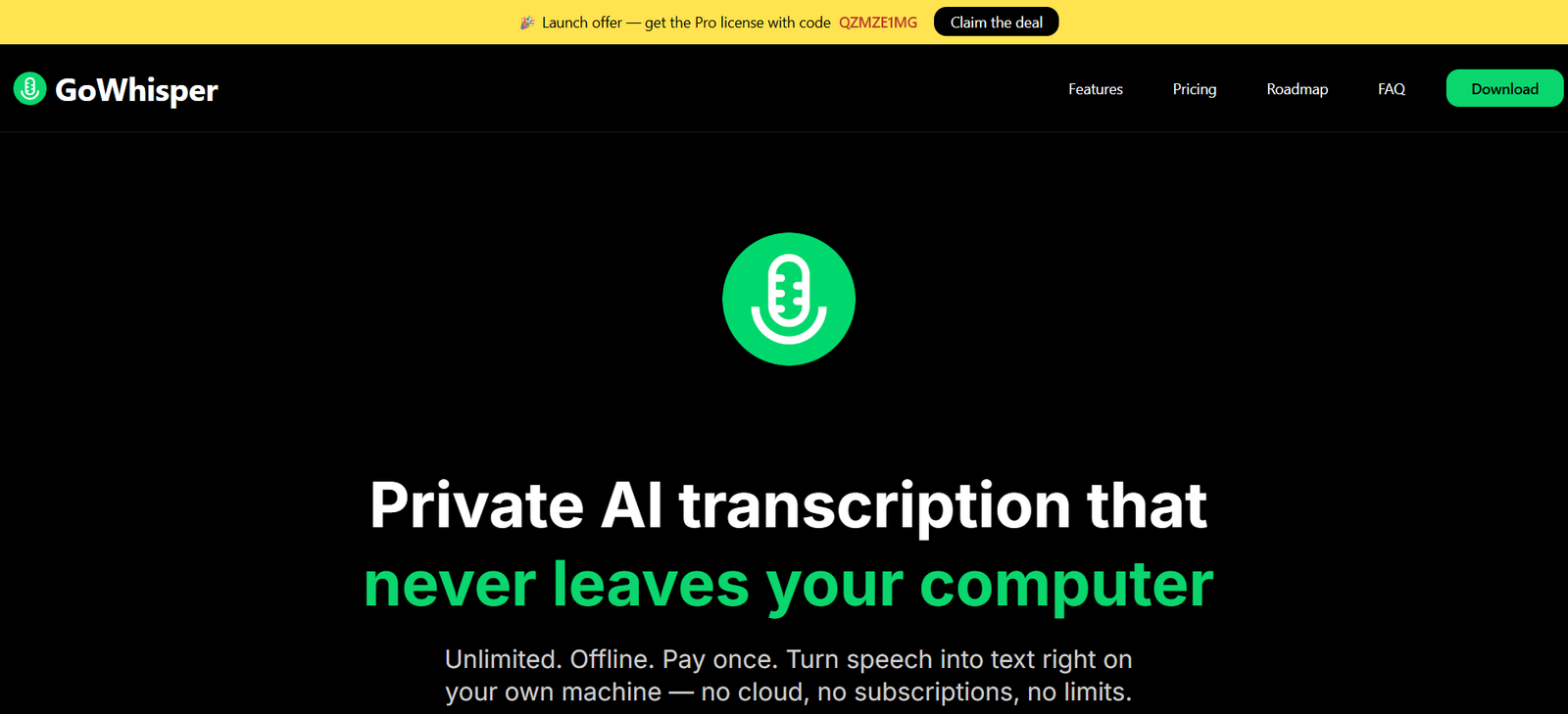
GoWhisper is a privacy focused AI transcription application that converts audio and video into text directly on a user’s computer. Unlike many online transcription platforms, its core processing happens locally, meaning recordings do not need to be uploaded to a cloud server.
The software works offline and offers unlimited local transcription. Users can import audio or video files, record directly through a microphone and convert speech into editable transcripts.
GoWhisper supports 99 languages and lets users choose between different AI transcription models. Smaller models can provide faster processing, while larger models can be selected when greater transcription accuracy is preferred.
The application is currently available for Mac and Windows. It is useful for researchers, journalists, podcasters, content creators, students and businesses that regularly need transcription but prefer greater privacy and control over their recordings.
Features
Local AI Transcription
GoWhisper processes recordings directly on the user’s computer. Audio does not need to be uploaded to GoWhisper’s cloud infrastructure for standard local transcription.
This approach can be valuable when working with private interviews, meetings or other sensitive recordings.
Offline Transcription
The core transcription process works without an internet connection. Users can process recordings while travelling or working in locations with limited connectivity.
Unlimited Transcription
GoWhisper provides unlimited local transcription rather than charging users according to the number of minutes processed.
Even the Free version includes unlimited transcription.
99 Languages
The platform supports 99 languages and provides automatic language detection.
Users can also manually select the language before starting transcription.
Multiple AI Models
Users can select different transcription models according to their requirements.
The Free version includes Tiny and Base models, while Pro provides access to all available AI models.
Audio and Video Transcription
GoWhisper is not limited to audio recordings. Users can import both audio and video files and extract the spoken content as text.
Multiple File Formats
Supported formats include WAV, MP3, M4A, MP4, MOV and MKV.
This provides flexibility when working with interviews, podcasts, videos and recorded meetings.
Record and Transcribe
Users can record speech directly through their microphone and convert it into text without first creating a separate audio file.
Multiple Export Formats
Completed transcripts can be exported in several formats, including TXT, SRT, VTT and CSV.
TXT is useful for general documents, while SRT and VTT can be used for video captions and subtitles.
Transcription History
GoWhisper maintains a history of previous transcription work, helping users return to earlier projects.
Audio Playback
Users can play the original audio while reviewing a transcript. This makes it easier to check questionable words and correct transcription errors.
YouTube and Podcast Transcription
The Pro version includes functionality for YouTube and podcast transcription, extending the application beyond locally stored recordings.
Find and Replace
Pro users receive find and replace functionality for correcting recurring names, terminology or transcription mistakes more efficiently.
Retranscription
Pro provides the ability to retranscribe content, which can be useful when users want to process the same material using a different AI model or configuration.
API Transcription Options
The Pro plan includes selected API transcription capabilities, providing additional processing choices beyond standard local transcription.
Dark Mode
GoWhisper includes a dark interface option for users who prefer working with darker application themes.
Privacy
Local processing is one of GoWhisper’s central features. Standard transcription takes place on the user’s computer rather than requiring recordings to be uploaded to the cloud.
How It Works
Users first download GoWhisper for Mac or Windows.
After opening the application, they select the language or allow GoWhisper to detect it automatically.
Users then choose an available AI transcription model. The model can be selected according to the desired balance between processing speed and accuracy.
The next step is to drag and drop a supported audio or video file into the application. Users can alternatively record directly through their microphone.
GoWhisper processes the recording locally on the computer and generates the transcript.
Users can listen to the original recording while checking the generated text and make corrections where required.
Finally, the completed transcript can be exported as TXT, SRT, VTT or CSV according to the intended use.
Pro users can access additional models and features such as find and replace, retranscription and YouTube or podcast transcription.
Use Cases
Researchers
Researchers can transcribe interviews, discussions and other recorded research material for qualitative analysis.
Journalists
Journalists can convert recorded interviews, press briefings and conversations into searchable text while keeping the core transcription process local.
Podcasters
Podcast creators can turn episodes into transcripts that can later be adapted into show notes, articles or captions.
Content Creators
Creators can convert video speech into text and export SRT or VTT files for captions and subtitles.
Students
Students can transcribe permitted lecture recordings and use the resulting text when preparing study notes.
Small Businesses
Businesses can convert recorded meetings, webinars and presentations into written records.
Privacy Conscious Professionals
Professionals who prefer not to upload confidential recordings to online transcription platforms can take advantage of GoWhisper’s local processing.
Offline Users
People travelling or working without reliable internet access can continue processing recordings locally.
Pricing
GoWhisper currently offers Free and Pro options with no recurring subscription.
Free
The Free version costs $0 and provides lifetime access.
It includes unlimited transcription, Tiny and Base AI models, 99 languages, TXT, SRT, VTT and CSV exports, transcription history, audio playback and direct recording and transcription.
Pro
The Pro license currently costs $25 as a one time payment and provides lifetime access.
It includes everything available in Free plus access to all AI models, find and replace, selected API transcription, YouTube and podcast transcription, retranscription, priority support and future updates.
GoWhisper also provides a 30 day money back guarantee for the paid version.
The official website emphasizes that there is no recurring subscription for the current Free or Pro plans.
Strengths
One of GoWhisper’s biggest advantages is local processing. Users do not need to upload every recording to a remote transcription service.
Offline functionality also makes the application useful when an internet connection is unavailable.
Unlimited transcription in the Free version is particularly attractive for people processing substantial amounts of audio.
Support for 99 languages makes the application useful for multilingual transcription requirements.
Multiple export formats provide flexibility for documents, research, subtitles and data processing.
The one time Pro license is another significant advantage for users who prefer to avoid recurring monthly subscriptions.
Drawbacks
GoWhisper currently supports Mac and Windows, so Linux users are not covered by the official desktop offering.
Local AI transcription depends on the processing capabilities of the user’s computer. Larger models may require more memory and processing power and can take longer to complete.
The Free version provides only the Tiny and Base models, while users who want access to all available models need Pro.
Several potentially useful capabilities are still listed on GoWhisper’s development roadmap rather than as completed features. These include real time transcription, speaker diarization, custom vocabulary training, batch processing and developer API access.
AI summaries, automatic formatting, translation, sentiment analysis and some collaboration capabilities are also planned rather than currently available.
Users should therefore distinguish between existing functionality and roadmap features when evaluating the platform.
Comparison with Other Platforms
GoWhisper differs from cloud based transcription services because its main focus is local and offline speech recognition.
Many online transcription platforms require recordings to be uploaded and charge according to transcription minutes or monthly usage allowances. GoWhisper instead provides unlimited local transcription, including in its Free version.
Its one time Pro pricing also distinguishes it from transcription services that rely on monthly subscriptions.
However, more mature cloud based transcription platforms may currently provide additional features such as speaker diarization, team collaboration, automatic summaries, live transcription and advanced meeting integrations.
GoWhisper is therefore particularly attractive for users who prioritize privacy, offline access, unlimited transcription and simple ownership based pricing rather than extensive cloud collaboration features.
Customer Reviews and Testimonials
The official website displays several user testimonials.
Users particularly highlight offline transcription and privacy as useful aspects of GoWhisper. Some feedback also praises its unlimited transcription model and desktop based approach.
One testimonial from a digital marketing professional describes the offline audio to text functionality as useful because recordings can remain on the user’s computer.
Another user highlights unlimited transcription as an important benefit compared with other transcription tools.
These testimonials are selected and published by GoWhisper itself and should therefore be viewed as company presented user feedback rather than independently verified customer reviews.
Conclusion
GoWhisper is a practical AI transcription application for users who want to convert audio and video into text without depending heavily on cloud processing or recurring subscriptions.
Its combination of local transcription, offline operation, unlimited usage, 99 languages and multiple export formats makes it particularly useful for researchers, journalists, podcasters, students, creators and privacy conscious professionals.
The Free version is unusually capable because it includes unlimited local transcription. The $25 one time Pro license adds all AI models, YouTube and podcast transcription, retranscription and other advanced functionality.
Some features such as real time transcription, speaker diarization, batch processing and AI summaries are still under development, so users needing these capabilities immediately should consider this limitation.
For users whose priorities are privacy, offline transcription and unlimited usage with a one time upgrade option, GoWhisper offers a straightforward alternative to subscription based cloud transcription services.