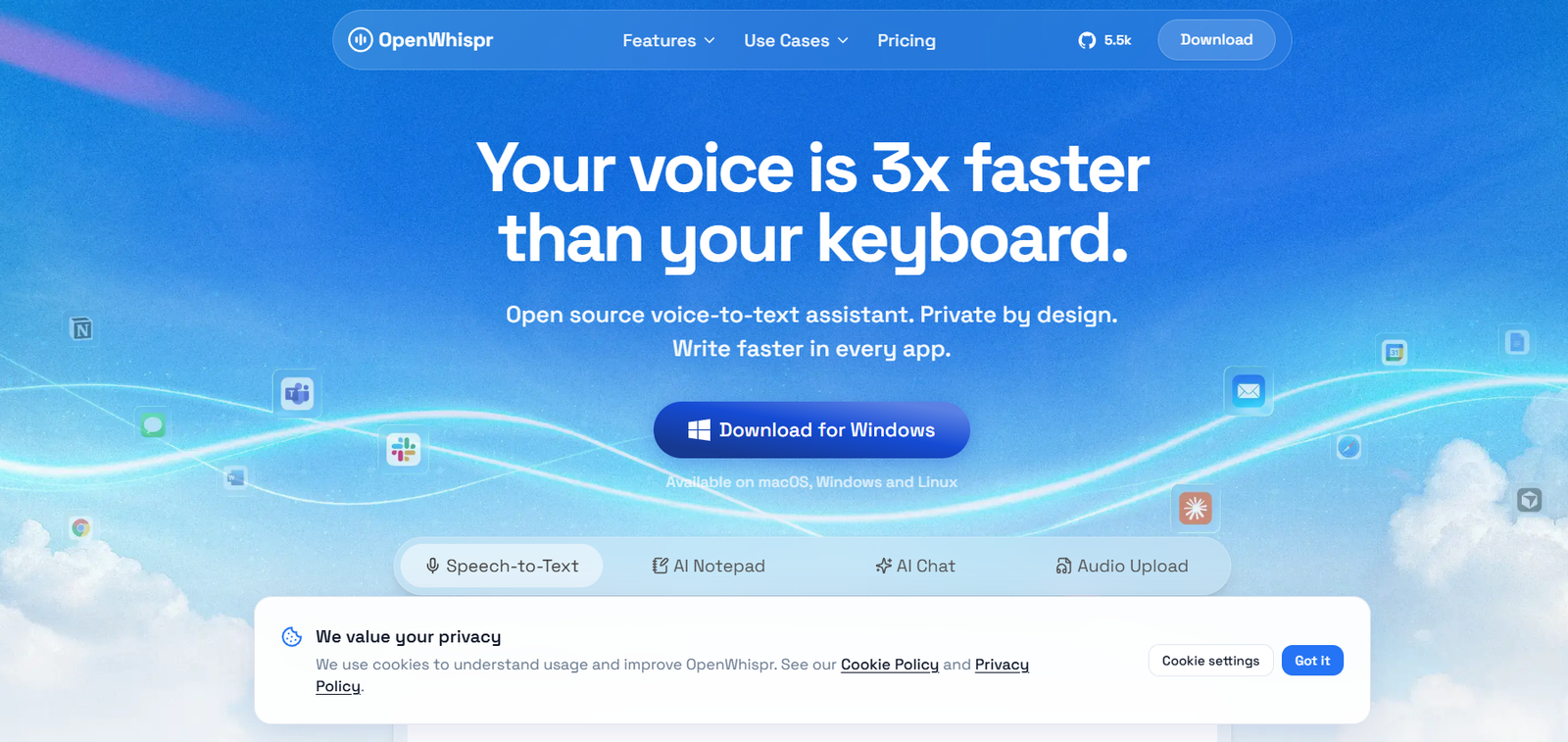
OpenWhispr is an open source AI voice to text application designed for dictation, transcription, meeting notes and voice driven productivity. It lets users speak instead of type and can insert transcribed text directly into applications on their computer.
A major focus of OpenWhispr is privacy. Users can run speech recognition models locally on their own computer, which means audio does not need to leave the device. Local transcription can also work without an internet connection. For users who prefer faster or more flexible processing, optional cloud transcription and bring your own API key options are available.
OpenWhispr supports macOS, Windows and Linux and works with applications that accept text, including email, documents, messaging platforms, coding tools and AI assistants.
Beyond basic dictation, OpenWhispr includes meeting transcription, AI notes, audio file transcription, AI Chat, custom vocabulary, voice commands, API access and MCP integration. This makes it useful for writers, developers, professionals, students, medical professionals, legal professionals and privacy conscious users.
Features
AI Voice to Text Dictation
OpenWhispr converts spoken words into written text. Users activate the application with a keyboard shortcut, speak naturally and have the resulting text inserted into the application they are using.
Local AI Transcription
Users can process speech entirely on their computer with local speech recognition models. This is particularly useful for people who do not want recordings sent to external cloud services.
Whisper Models
OpenWhispr supports multiple Whisper models, including Tiny, Base, Small, Medium and Turbo. Users can choose between smaller, faster models and larger models intended to provide greater accuracy.
NVIDIA Parakeet Support
In addition to Whisper, the application supports NVIDIA Parakeet based speech recognition, giving users another option for local voice transcription.
Offline Operation
Local models allow OpenWhispr to work without an internet connection. This can be useful while travelling, working in restricted environments or handling information that users prefer not to send to the cloud.
100+ Languages
OpenWhispr supports more than 100 languages with automatic language detection. The platform lists support for languages including English, Hindi, Spanish, French, German, Japanese, Chinese, Portuguese, Russian, Korean, Arabic, Italian and Turkish.
Multilingual Dictation
Users can switch languages while speaking, making the platform useful for multilingual professionals and international teams.
AI Text Cleanup
OpenWhispr can use AI to improve dictated text instead of simply reproducing speech word for word. This can help turn natural spoken language into cleaner written communication.
Voice Commands
Users can give instructions through speech. For example, a person can dictate rough information and ask OpenWhispr to clean it up or transform it into a more structured piece of writing.
Custom Dictionary
Names, technical terminology and specialized vocabulary can be added to a custom dictionary.
OpenWhispr can also learn from corrections, helping it better recognize terminology frequently used by the individual.
AI Meeting Notes
The platform provides meeting recording and transcription capabilities. It can turn conversations into organized notes containing information such as decisions, action items and open questions.
Bot Free Meeting Recording
OpenWhispr can capture meetings locally rather than requiring a visible meeting bot to join every conversation.
Audio File Transcription
Users can upload existing audio files and convert them into text, extending the platform beyond live dictation.
AI Chat
OpenWhispr includes AI Chat for interacting with information from meetings and notes. Higher plans provide expanded capabilities for chatting across stored information.
Works Across Applications
OpenWhispr is designed to work anywhere text can be entered. This can include applications such as Google Docs, Gmail, Slack, Microsoft Teams, coding environments and AI assistants.
API Access
Paid plans provide API functionality that allows developers to work with OpenWhispr programmatically.
MCP Integration
OpenWhispr supports Model Context Protocol integration, allowing compatible AI assistants and applications to interact with notes and transcriptions.
Bring Your Own API Key
Users can connect their own supported AI provider API keys for cloud based processing instead of relying entirely on OpenWhispr’s hosted services.
Open Source
OpenWhispr’s source code is publicly available under the MIT license. This gives developers and security conscious users the ability to inspect the software and contribute to its development.
Privacy Protection
With local processing, audio and transcription history remain on the user’s device. OpenWhispr states that it does not use user transcriptions to train its AI models without explicit consent.
Security and Compliance
The official website states that OpenWhispr supports HIPAA compliant use and lists SOC 2 Type II and ISO 27001 compliance.
How It Works
Users first download OpenWhispr for macOS, Windows or Linux.
After installation, they choose whether to use local speech recognition or cloud based processing.
For private offline transcription, users can download and configure a supported local model such as Whisper or Parakeet.
The user then activates OpenWhispr using its global keyboard shortcut and begins speaking.
Speech is converted into text and inserted at the current cursor position, allowing users to dictate into documents, emails, messaging applications, AI tools and other software.
Users can add frequently used names, professional terminology and technical vocabulary to the custom dictionary.
For meetings, OpenWhispr can record and transcribe conversations and organize important information into notes.
Existing audio recordings can also be uploaded for transcription.
Users requiring cloud functionality can use OpenWhispr Cloud or connect their own API keys.
Paid users can additionally access features such as synchronization, API access, MCP integration, additional meeting recording capacity and advanced AI functionality.
Use Cases
Writers
Writers can dictate ideas, articles, outlines and drafts instead of typing everything manually.
Developers
Developers can dictate prompts, documentation, comments and other text while working with coding environments and AI coding assistants.
Business Professionals
Professionals can dictate emails, reports and documents and create searchable notes from meetings.
Meetings
Teams can record conversations and automatically extract transcripts, decisions, action items and other useful information.
Medical Professionals
OpenWhispr provides a medical dictation use case for clinicians who want privacy focused voice to text. Healthcare organizations should still evaluate their own regulatory and workflow requirements before using any AI transcription system with patient information.
Legal Professionals
Lawyers can use private local dictation for notes, documents and other spoken content. Important legal documents should always be reviewed before use.
Students
Students can dictate notes and transcribe permitted recordings of lectures or study discussions.
Researchers
Researchers can transcribe interviews and audio material locally when privacy is important.
Multilingual Users
Support for more than 100 languages makes OpenWhispr useful for people who regularly communicate or create content in different languages.
AI Assistant Users
People who regularly interact with AI assistants can dictate longer prompts instead of typing them manually.
Pricing
OpenWhispr offers Free, Pro, Business and Enterprise plans.
Free
The Free plan costs $0 and includes unlimited local AI models and local dictation.
It also includes 2,000 words per week of OpenWhispr Cloud transcription and five hours of meeting recordings per month.
Users can access more than 100 languages, a custom dictionary, bring their own API keys and community support.
Pro
The Pro plan costs $6.67 per user per month when billed annually, or $80 per user annually.
It includes everything in Free plus unlimited cloud transcription, 20 hours of meeting recordings per month, device synchronization, personal API access, MCP integration and email support.
Business
The Business plan costs $16.67 per user per month when billed annually, or $200 per user annually.
It includes Pro functionality plus unlimited meeting recordings, speaker labels, Agent Mode, Chat over your data and priority support.
Enterprise
Enterprise pricing is customized.
Enterprise adds organizational and security features including team administration, SSO, SAML, SCIM, audit logs, retention controls and dedicated support.
Pricing can change, so users should verify the latest plans before subscribing.
Strengths
OpenWhispr’s strongest advantage is its privacy focused local processing. Users can dictate and transcribe without sending their audio to a remote service.
Unlimited local dictation is available for free, making the platform attractive to users who want frequent voice input without usage based transcription charges.
The application is open source under the MIT license, providing greater transparency than many proprietary dictation applications.
Support for macOS, Windows and Linux makes it accessible across major desktop operating systems.
More than 100 supported languages, offline functionality and customizable vocabulary make it suitable for a broad range of professional and multilingual users.
Its combination of dictation, meeting notes, audio transcription, AI Chat, API access and MCP integration also gives OpenWhispr a broader role than a simple speech to text utility.
Drawbacks
Local AI transcription depends on the capabilities of the user’s computer. Larger models require more storage and processing resources.
Users with older or lower powered hardware may need to choose smaller models or cloud transcription for better performance.
Some advanced functionality, including unlimited cloud transcription, additional meeting recording capacity, speaker labels and Chat over your data, requires a paid subscription.
Although local processing improves privacy, users choosing third party cloud providers through their own API keys should separately review those providers’ privacy and data handling policies.
Speech recognition can also make mistakes when audio quality is poor, multiple people speak simultaneously or highly specialized terminology is used.
Comparison with Other Platforms
OpenWhispr competes broadly with voice dictation and AI transcription tools such as Wispr Flow, Granola and Otter.
Its biggest difference is its open source and local first approach. Many competing AI voice applications depend primarily on cloud processing, while OpenWhispr allows speech recognition models to run directly on the user’s computer.
It also provides a choice between local processing, OpenWhispr Cloud and bring your own API key configurations. This flexibility may appeal to developers and privacy conscious professionals.
Compared with meeting focused AI tools, OpenWhispr extends beyond meetings by providing system wide voice dictation that can work across many desktop applications.
Users who want a fully managed cloud experience may prefer simpler cloud only platforms. Those who value offline operation, local AI, open source software and greater control over how their voice data is processed may find OpenWhispr particularly attractive.
Customer Reviews and Testimonials
The official OpenWhispr website displays feedback from developers and users.
Several users specifically highlight local AI processing as an advantage. One user describes OpenWhispr as a useful option when travelling or working without WiFi, while another praises the ability to choose between API based processing and locally downloaded speech recognition models.
Other feedback highlights its usefulness as an open source alternative to proprietary voice input applications and the convenience of using speech instead of typing.
These comments are presented on OpenWhispr’s own website and should therefore be viewed as company selected user feedback rather than independent customer reviews.
Conclusion
OpenWhispr is a strong option for people who want AI powered voice dictation without giving up control over how their audio is processed.
Its combination of local Whisper and Parakeet models, offline transcription, more than 100 languages, custom vocabulary and system wide dictation makes it useful for writers, developers, students and professionals who frequently create text by voice.
The addition of meeting notes, audio transcription, AI Chat, API access and MCP integration makes the platform more versatile than a basic dictation application.
Its free plan is particularly appealing because local dictation and local AI models can be used without a subscription. Paid plans add cloud transcription, synchronization and more advanced meeting and AI capabilities.
For users who value privacy, open source software, offline operation and flexibility between local and cloud AI, OpenWhispr offers a distinctive alternative to conventional cloud based dictation and meeting transcription platforms.