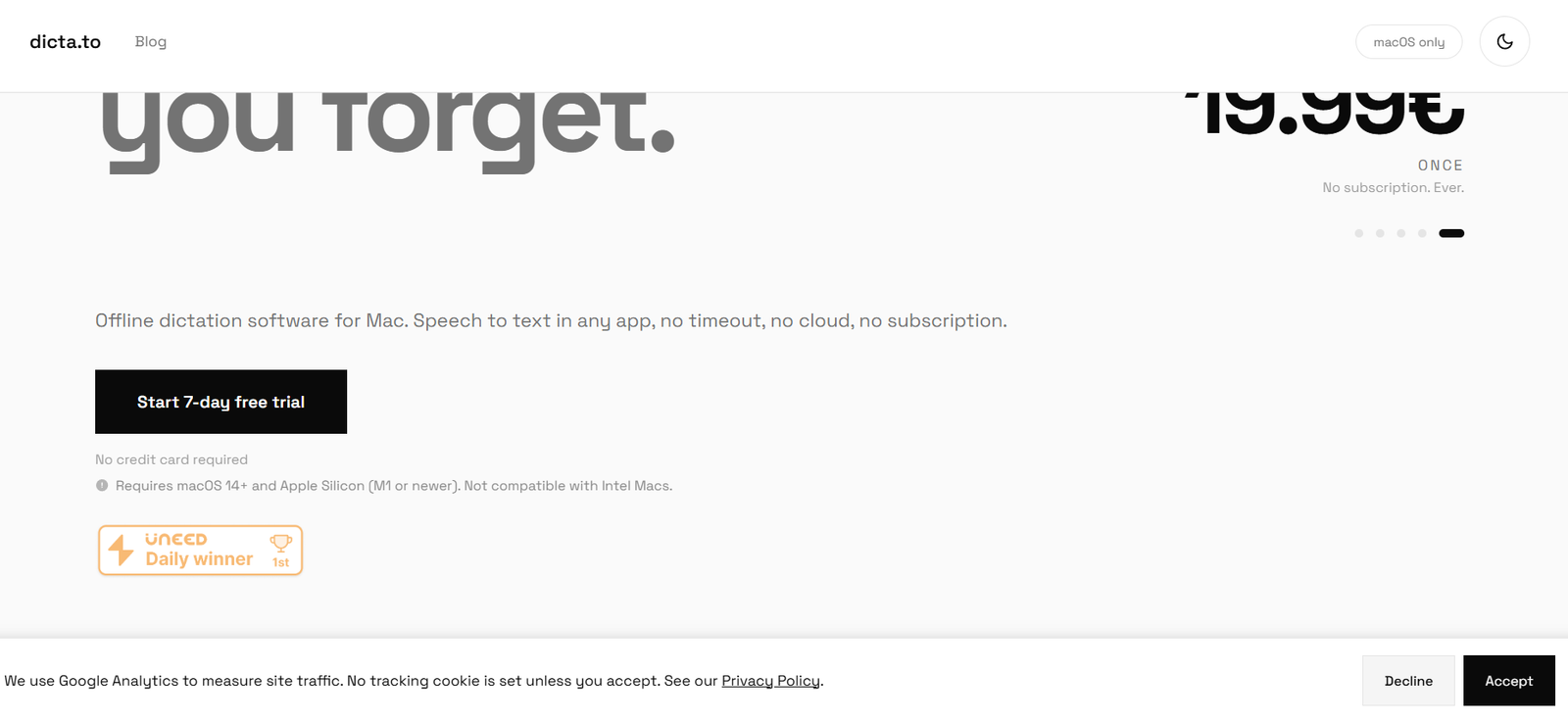
Dictato is a speech to text and voice dictation application designed specifically for Mac users. It allows users to speak naturally and have their words converted into text directly inside email, documents, messaging apps, browsers, code editors and other applications.
Unlike many cloud based transcription services, Dictato processes speech directly on the user’s Mac. Audio does not need to be uploaded to a remote server, and the application can continue working without an internet connection. This privacy focused approach can be useful for professionals who regularly dictate confidential or sensitive information.
The application supports four speech recognition engines: Whisper, Parakeet, Qwen3 and Apple’s SpeechAnalyzer. Users can choose an engine depending on their language, accuracy and performance requirements. Whisper provides the broadest language coverage with support for 99 languages, while other engines provide different combinations of speed and language support.
Dictato also includes on-device proofreading, automatic translation, tone based rewriting, smart number formatting, custom vocabulary and per-app profiles. It is designed for writers, developers, students, journalists and professionals who want to reduce manual typing while keeping their voice data on their own computer.
Features
Offline Speech to Text
Dictato performs speech recognition directly on the Mac. Once the required models are installed, users do not need an internet connection for normal transcription.
This can be useful when working while travelling or when users do not want their voice recordings sent to a cloud transcription service.
Real Time Dictation
The application transcribes speech as the user talks and inserts the resulting text directly at the current cursor position.
Dictato states that its transcription pipeline can achieve latency as low as approximately 80 milliseconds under suitable conditions.
Works Across Mac Applications
Dictato can insert text into virtually any macOS application that accepts text input.
Examples include Gmail, Outlook, Apple Mail, Slack, Microsoft Teams, VS Code, Xcode, Notion, Obsidian, Pages, Microsoft Word and Google Docs.
Four Speech Recognition Engines
Users can choose between four transcription engines:
Whisper
Parakeet
Qwen3
Apple SpeechAnalyzer
Each engine offers different advantages related to language coverage, model size and transcription performance.
Up to 99 Languages
Language support depends on the selected speech recognition engine.
Whisper provides the broadest coverage with 99 supported languages, including English, Hindi, Spanish, French, German, Portuguese, Arabic, Japanese, Chinese and Korean.
Parakeet focuses on 25 European languages, while Qwen3 supports around 30 languages.
Automatic Language Detection
The speech recognition engines can automatically detect languages, reducing the need to manually select the language every time the user starts dictating.
AI Proofreading
Dictato can clean up dictated text by improving punctuation, capitalization, grammar and paragraph structure.
It can also remove some filler words while keeping the meaning of the original dictation.
AI Tones
The tone feature goes beyond basic proofreading. It can reshape spoken thoughts into different writing styles, such as a polished email, concise note or structured list.
These transformations are designed to run locally rather than sending the dictated content to an external cloud service.
Automatic Translation
Users can dictate in one language and have the resulting content translated into another language.
This can be useful for multilingual communication and international work.
Per-App Profiles
Dictato allows users to create different profiles for individual applications and supported websites.
For example, a user might configure a professional writing style for Gmail, a casual style for Slack and straightforward proofreading for a writing application.
Smart Numbers
The application can recognize spoken numbers and convert them into appropriate numerical formats.
It can also format information such as dates, times and amounts.
Custom Vocabulary
Users can add names, acronyms, jargon and specialized terminology to Dictato’s vocabulary settings.
This can help improve results when working with industry specific terminology or uncommon names.
Voice Commands
Users can configure spoken phrases to trigger exact replacements or other predefined text.
This can help speed up repetitive writing tasks.
Unlimited Dictation
Dictato does not impose a word cap or transcription minute allowance after purchase.
Users can dictate for extended periods without purchasing additional transcription credits.
Local Privacy
Speech processing occurs on the user’s Mac. According to Dictato, microphone audio is processed locally and discarded after transcription unless the user specifically enables an option to retain recordings locally.
The company also states that it does not have access to the content users dictate.
How It Works
Step 1: Download Dictato
Download and install Dictato on a compatible Mac.
The application requires macOS 14 Sonoma or later and an Apple Silicon Mac with an M1 chip or newer.
Step 2: Grant permissions
Allow microphone access so Dictato can capture speech.
Accessibility permission is also required if users want the application to automatically insert transcribed text into other applications.
Step 3: Select a transcription engine
Choose an available speech recognition engine such as Whisper, Parakeet, Qwen3 or Apple’s SpeechAnalyzer.
Step 4: Configure a hotkey
Set a global keyboard shortcut for starting dictation.
Step 5: Place the cursor
Open an email, document, messaging application, browser field or other text area and place the cursor where the text should appear.
Step 6: Start speaking
Press and hold the configured hotkey and speak naturally.
Step 7: Release the hotkey
When finished speaking, release the key. Dictato converts the speech into text and inserts it directly at the cursor position.
Step 8: Apply optional AI processing
Users can enable proofreading, translation or tone based rewriting depending on their workflow.
Step 9: Create profiles
Regular users can configure application specific profiles so that Dictato automatically uses different languages, engines or writing styles in different applications.
Use Cases
Writers
Writers can dictate ideas, paragraphs, outlines and early drafts instead of typing everything manually. This can be particularly useful when capturing ideas quickly.
Developers
Developers can dictate prompts, comments, documentation, messages and other text directly inside coding and AI development environments.
Students
Students can dictate assignments, notes, research ideas and study material into their preferred writing applications.
Business Professionals
Professionals can dictate emails, reports, messages and documents directly into applications such as Outlook, Gmail, Slack, Teams and Word.
Journalists
Journalists can dictate notes, article drafts and observations while keeping speech processing on their own computer.
Legal Professionals
The local processing model may be useful for legal professionals who prefer not to send dictated confidential information to a cloud based speech recognition provider.
Users should still evaluate the application against their own legal, regulatory and organizational requirements.
Healthcare Professionals
Healthcare professionals who need voice based documentation may value the local processing approach. However, they should independently verify that their use of the software meets all applicable privacy, security and regulatory obligations.
Multilingual Users
Users can take advantage of multilingual speech recognition, automatic language detection and translation for communication across different languages.
AI Users
People who frequently interact with AI chatbots and other generative AI applications can dictate longer prompts rather than typing them manually.
Pricing
Dictato uses a one time purchase model rather than a monthly subscription.
The application currently costs €19.99 as a one time payment, including VAT according to the official website.
The purchase provides a lifetime license and includes updates. Dictato states that there are no monthly subscription fees, renewals, word limits or transcription minute charges.
A 7 day free trial is available with full functionality, and no credit card is required to start the trial.
The official website also states that purchases include a 14 day refund period.
A license can be active on one Mac at a time. Users can transfer the license between Macs, subject to the platform’s transfer limits.
Pricing and licensing conditions may change, so users should confirm current details before purchasing.
Strengths
A major strength of Dictato is its privacy focused architecture. Speech recognition runs locally, so users do not have to upload every spoken word to an external transcription server.
Offline operation also means the application can continue working when an internet connection is unavailable.
The one time €19.99 purchase may appeal to users who prefer not to pay another monthly software subscription.
Support for multiple transcription engines gives users flexibility when choosing between language coverage, speed and other requirements.
Whisper support provides speech recognition across up to 99 languages.
Dictato can work directly inside many Mac applications rather than requiring users to dictate in one application and repeatedly copy the resulting text elsewhere.
AI proofreading, tones, translation, smart number formatting, vocabulary customization and per-app profiles add useful functionality beyond basic speech recognition.
Drawbacks
The biggest limitation is platform compatibility. Dictato is currently available only for macOS.
It requires macOS 14 or newer and an Apple Silicon Mac with an M1 chip or later. Intel based Macs are not supported.
Some speech recognition models require additional local storage. For example, the official website states that Parakeet requires approximately 2.3 GB, while Whisper and Qwen3 each require around 600 MB.
Some optional AI functions depend on compatible Apple Intelligence capabilities, although core dictation does not require Apple Intelligence.
Dictato is primarily a live dictation application rather than a complete meeting intelligence platform. Users looking for automated meeting bots, team workspaces or extensive meeting analytics may need a different solution.
Local AI processing also means performance can depend partly on the user’s Mac hardware.
Comparison with Other Platforms
Dictato differs from cloud focused speech to text services because its main emphasis is real time, on-device Mac dictation.
Platforms such as Otter, Notta and Fireflies are generally more focused on meetings, recorded conversations, collaboration and cloud based transcription. Dictato instead focuses on helping an individual user speak text directly into almost any Mac application.
Compared with Apple’s built in dictation, Dictato provides multiple transcription engines, application specific profiles, custom vocabulary, tone rewriting and additional control over the speech recognition workflow.
Another major difference is pricing. Many speech to text platforms use monthly or annual subscriptions, while Dictato currently uses a one time lifetime license model.
Users who need team meeting management or cloud collaboration may prefer a broader transcription service. Mac users who mainly want private, fast voice typing across their everyday applications may find Dictato’s focused approach more suitable.
Customer Reviews and Testimonials
The official Dictato website displays customer feedback and currently shows a 5.0 out of 5 rating based on five reviews.
Published reviews highlight areas such as transcription quality, support for mixed language dictation, ease of use, privacy and the ability to dictate prompts, emails, notes and longer pieces of text.
Some users also mention the benefit of keeping transcription processing on their Mac rather than relying on a cloud based service.
These reviews are presented through the official website, so prospective buyers may also want to consider independent user feedback when evaluating the application.
Conclusion
Dictato is a focused speech to text application for Mac users who want to replace some of their everyday typing with voice dictation.
Its strongest advantages are local processing, offline operation, support for multiple speech recognition engines and the ability to insert dictated text directly into applications where users already work.
Writers can use it for drafting, professionals for emails and reports, developers for prompts and documentation, students for notes and multilingual users for speech recognition and translation.
Its one time pricing also distinguishes it from many subscription based speech to text platforms.
Dictato will not suit Windows users, Intel Mac owners or organizations looking for a complete AI meeting assistant. However, for Apple Silicon Mac users who prioritize private, flexible and subscription free voice typing, Dictato provides a practical alternative to cloud based dictation services.