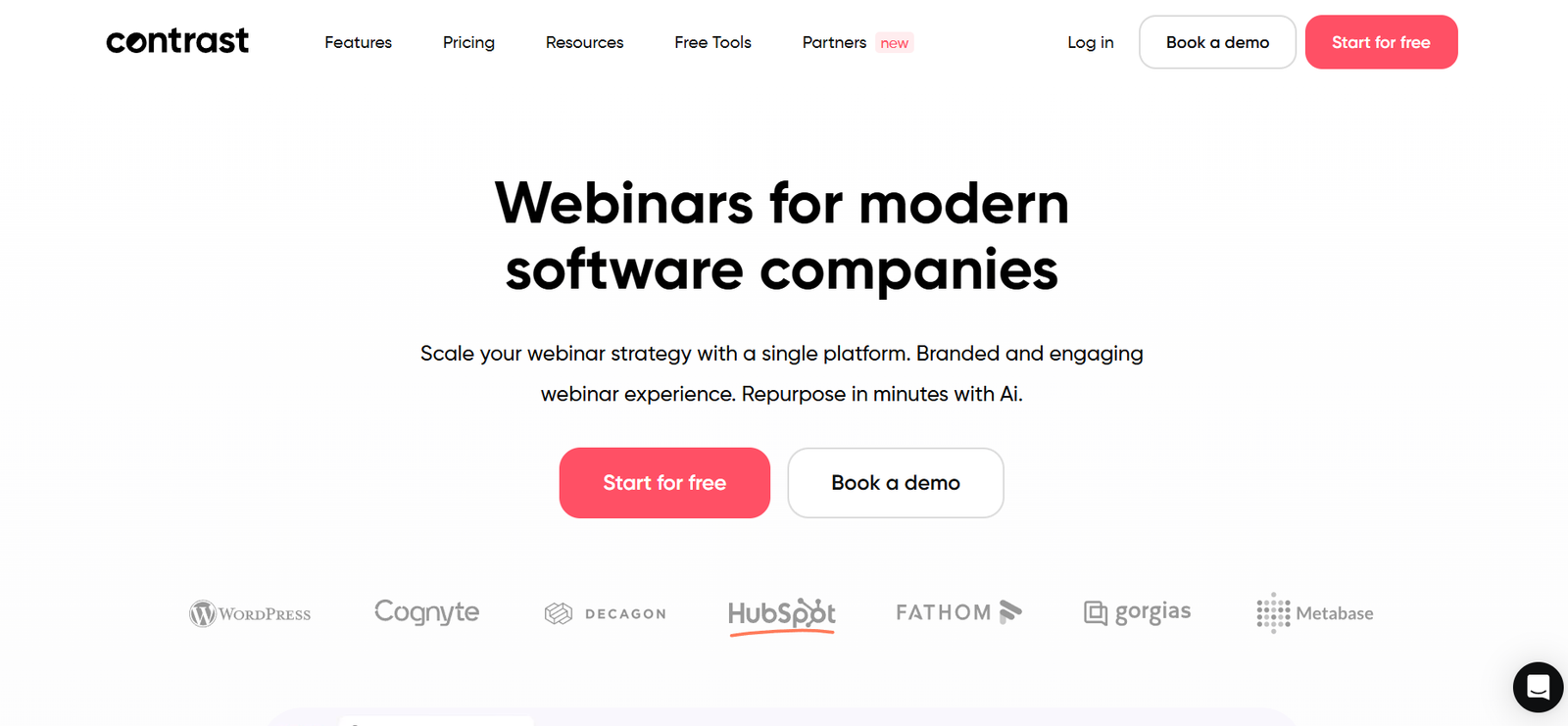
Contrast is an AI-powered screen recording and asynchronous video communication platform designed for businesses, remote teams, educators, customer support professionals, product managers, and sales teams. It enables users to record their screen, webcam, and audio, then securely share videos for collaboration without the need for live meetings.
Modern teams often rely on video communication to explain ideas, provide product demonstrations, conduct training, and document workflows. Contrast simplifies this process by combining screen recording, AI-powered transcription, video hosting, sharing, and team collaboration into one cloud-based platform.
The platform is particularly useful for organizations looking to reduce unnecessary meetings while improving internal communication, knowledge sharing, onboarding, customer support, and project documentation.
Official Website: https://www.getcontrast.io/
Features
Screen Recording
Contrast enables users to record their entire screen, specific application windows, or browser tabs along with audio and webcam input.
Webcam Recording
Users can include webcam video alongside screen recordings to create personalized presentations, tutorials, and team updates.
AI Transcription
The platform automatically generates transcripts for recorded videos, making content easier to search, review, and access.
Automatic Video Summaries
AI-generated summaries help viewers quickly understand the key points of recorded videos without watching the entire recording.
Video Hosting
Contrast securely hosts recorded videos in the cloud, allowing users to organize and share content from a centralized workspace.
Video Sharing
Users can generate shareable links for internal teams, clients, or external stakeholders while controlling access permissions.
Team Collaboration
Team members can comment on videos, provide feedback, and collaborate directly within the platform.
Workspace Organization
Videos can be organized into shared workspaces, making it easier to manage projects, documentation, and training materials.
Searchable Video Library
AI-powered transcription enables users to search for specific words or topics within recorded videos.
Privacy Controls
The platform provides sharing permissions and access controls to help organizations securely manage video content.
Integrations
Contrast integrates with workplace productivity and collaboration tools to streamline team workflows.
How It Works
Contrast provides a simple workflow for creating and sharing asynchronous video communication.
Recording
Users record their screen, webcam, microphone, or a combination of these sources.
AI Processing
The platform processes the recording, generates transcripts, and creates AI-powered summaries.
Organization
Videos are stored in organized workspaces where users can categorize content.
Sharing
Users share videos using secure links or collaborate with teammates inside the platform.
Feedback
Viewers can leave comments, reactions, and feedback directly on the video.
Knowledge Management
Recorded videos remain searchable and accessible for future reference and onboarding.
Use Cases
Remote Teams
Share project updates and reduce unnecessary meetings through asynchronous communication.
Customer Support
Create product walkthroughs, troubleshooting guides, and personalized customer responses.
Sales Teams
Record product demonstrations and personalized sales presentations.
Educators
Develop online lessons, tutorials, and instructional content.
Human Resources
Produce employee onboarding videos, company announcements, and internal training materials.
Product Teams
Record feature demonstrations, bug reports, and product feedback sessions.
Businesses
Build internal knowledge bases using searchable video documentation.
Marketing Teams
Create product showcases and internal campaign presentations.
Pricing
Contrast offers multiple pricing options for individuals, teams, and enterprise organizations. Pricing and available features may change over time.
Free Plan
The free plan allows users to explore the platform with limited recording and collaboration features.
Pro Plan
Designed for professionals requiring increased recording limits, AI transcription, collaboration tools, and additional storage.
Business Plan
Suitable for growing teams needing shared workspaces, advanced permissions, analytics, and enhanced collaboration capabilities.
Enterprise Plan
Enterprise customers receive custom pricing, advanced security, single sign-on (SSO), dedicated support, compliance features, and scalable deployment options.
For the latest pricing information, visit:
https://www.getcontrast.io/pricing
Strengths
Easy-to-use screen and webcam recording tools.
AI-generated transcripts improve accessibility and searchability.
Automatic video summaries save viewers time.
Cloud-based hosting simplifies video sharing and organization.
Collaboration features reduce reliance on live meetings.
Searchable video libraries improve knowledge management.
Suitable for remote teams, businesses, educators, and customer support organizations.
Drawbacks
Some advanced collaboration and AI features require paid subscription plans.
Users with advanced video editing needs may require dedicated editing software.
Cloud-based functionality depends on a stable internet connection.
Certain enterprise security features are available only in higher-tier plans.
Comparison with Other Tools
Contrast vs Loom
Both platforms provide screen recording and video sharing. Contrast emphasizes AI-powered summaries, searchable video libraries, and team collaboration, while Loom is widely known for quick video messaging and communication.
Contrast vs VEED.IO
VEED.IO focuses on AI-powered video editing and content creation, whereas Contrast specializes in asynchronous communication, screen recording, and knowledge sharing.
Contrast vs Screen Studio
Screen Studio emphasizes high-quality screen recording with polished visual effects for macOS users, while Contrast focuses on collaboration, AI transcription, and team communication.
Contrast vs Vidyard
Vidyard provides video messaging and sales-focused communication tools, while Contrast offers broader collaboration, documentation, and internal knowledge management features.
Customer Reviews and Testimonials
Contrast has received positive feedback from remote teams, businesses, educators, and customer support professionals seeking more efficient communication.
Positive Reviews
Users appreciate the simple recording interface and fast video sharing capabilities.
Businesses value AI-generated transcripts and searchable recordings.
Remote teams find asynchronous communication useful for reducing meetings.
Customer support teams highlight the effectiveness of personalized video responses.
Many users praise the clean interface and organized workspace management.
Critical Reviews
Some users mention that premium collaboration features require higher subscription plans.
Organizations requiring advanced video editing capabilities may need additional software.
AI-generated transcripts may occasionally require minor corrections depending on audio quality.
Overall, Contrast is recognized as an effective solution for asynchronous video communication, knowledge sharing, and collaborative screen recording.
Conclusion
Contrast is a comprehensive AI-powered screen recording and video communication platform that enables businesses, educators, remote teams, and professionals to create, organize, and share video content efficiently. By combining screen recording, webcam capture, AI transcription, automatic summaries, cloud hosting, and collaboration tools, the platform helps organizations improve communication while reducing unnecessary meetings.
Whether you are onboarding employees, supporting customers, documenting processes, or collaborating with distributed teams, Contrast provides a streamlined solution for creating searchable and shareable video content.
For the latest features, pricing plans, integrations, and enterprise capabilities, visit the official website.
Official Website: https://www.getcontrast.io/