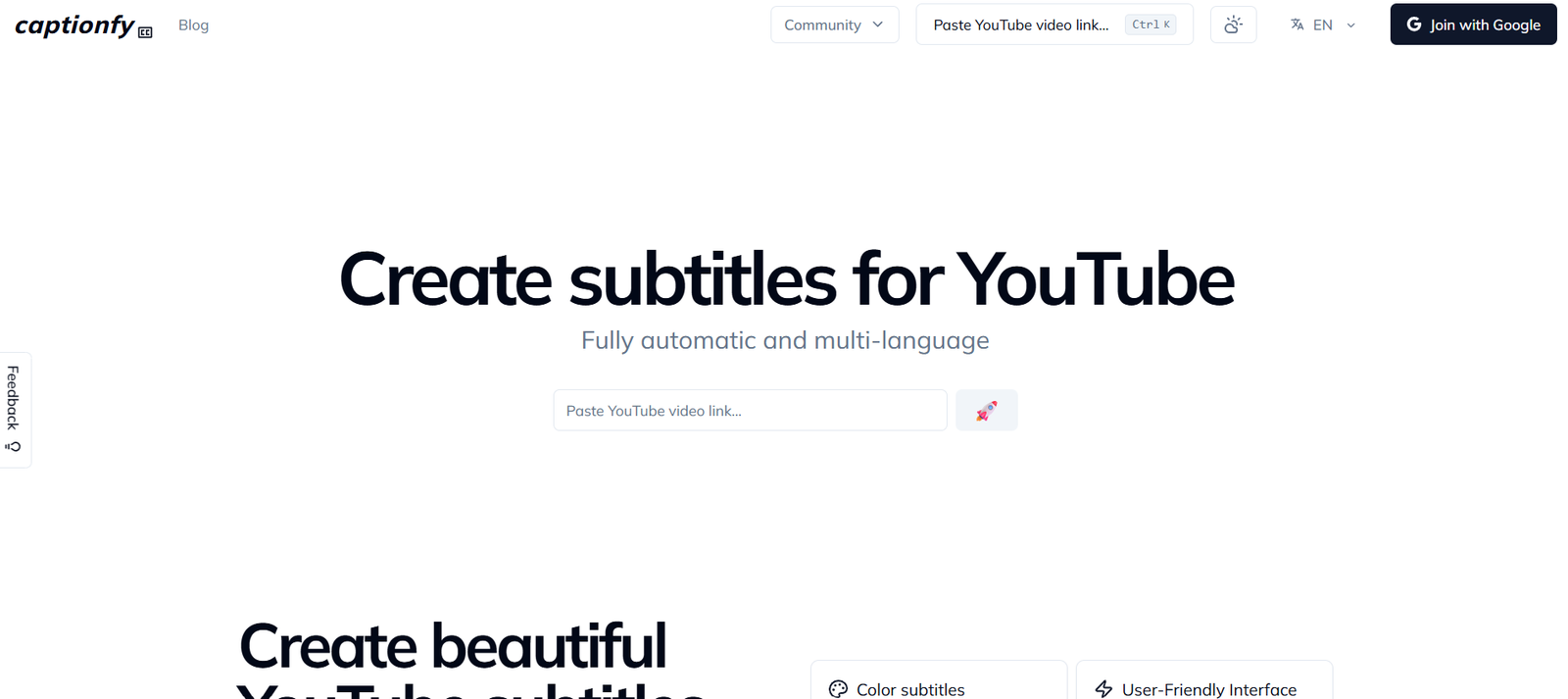
Captionfy is a free online tool that allows users to create, edit, and synchronize custom subtitles for YouTube videos. Unlike other subtitle editors, Captionfy requires no downloads or video uploads. It simply works by importing YouTube videos and enabling users to add or edit captions directly on the timeline. Captionfy is designed for language learners, content creators, educators, and anyone who wants to enhance video accessibility. With a clean interface and real-time preview, the tool helps users generate accurate subtitles that sync perfectly with YouTube content.
Features
Captionfy provides essential and user-friendly tools to manage and share subtitles for any public YouTube video.
Custom Subtitle Editor
Manually add, remove, or adjust captions using a timeline and play/pause controls to sync them with video playback.
Multi-language Subtitles
Create subtitles in multiple languages to enhance understanding and accessibility for global audiences.
Collaborative Subtitling
Share your custom subtitles with others and contribute to community-generated captions on shared videos.
No Downloads Required
Works entirely in the browser using YouTube’s public video links — no uploads or downloads necessary.
Export Subtitles
Download your captions in SRT or TXT format for use in other platforms or media players.
Real-time Preview
See how your subtitles appear and sync in real time as you edit them.
Public Subtitle Sharing
Users can publish subtitles publicly for anyone to use or keep them private for personal use.
User Profiles and Collections
Save, manage, and organize multiple caption projects through a user account and dashboard.
Keyboard Shortcuts
Speed up editing with intuitive shortcuts for pausing, skipping, or adjusting timestamps.
How It Works
Captionfy is simple to use. Users start by pasting a YouTube video link into the platform. Once the video loads, the timeline editor appears alongside the video player. Users can press play and start adding subtitles manually by typing text and setting the start and end times for each line.
The tool provides playback controls and keyboard shortcuts to make syncing accurate and efficient. Users can work on subtitles in any language and preview the results instantly. Subtitles can be saved to a user profile, shared publicly, or downloaded in standard formats like SRT.
There’s no need to download the video or install any software. Everything is done within the browser, making Captionfy lightweight and accessible from any device with an internet connection.
Use Cases
Captionfy serves a wide range of users and practical scenarios focused on video accessibility and learning.
Language Learning
Students and teachers can create multilingual subtitles to aid in listening comprehension and vocabulary building.
Content Creators
YouTubers and video editors can add accurate captions to videos, enhancing accessibility and viewer engagement.
Educators
Teachers can subtitle educational videos for remote learning or students with hearing difficulties.
Accessibility Improvement
Create captions for videos that lack them, helping users with hearing impairments access more content.
Community Translation
Crowdsource subtitle creation for videos in different languages, allowing fans and communities to collaborate.
Video Tutorials and Webinars
Add captions to instructional content to ensure key points are understood and retained.
Pricing
Captionfy is completely free to use.
Free Access
All features are available without cost
No subscription or payment required
Registration optional for saving and sharing projects
You can use the tool at any time directly from the website: https://www.captionfy.com
Strengths
Captionfy’s main strengths are its simplicity, accessibility, and focused functionality. It removes the technical barrier typically associated with subtitle editing by offering a clean, browser-based interface. The fact that it works directly with YouTube links makes it extremely convenient for creators, learners, and educators. It also supports real-time preview, multilingual captions, and sharing, making it a valuable tool for improving content accessibility and language engagement.
Drawbacks
Captionfy currently supports only YouTube videos, which limits its use for offline or non-YouTube content. It also lacks automatic speech recognition, so subtitles must be created manually, which can be time-consuming. There are limited editing options compared to professional desktop software. Additionally, while basic project management is available through user profiles, there are no advanced team collaboration tools or subtitle styling options.
Comparison with Other Tools
Compared to professional tools like Aegisub or Subtitle Edit, Captionfy is much easier to use and does not require downloads or technical setup. Tools like Amara offer similar browser-based subtitle editing, but Captionfy focuses entirely on YouTube videos, which simplifies the process. Unlike YouTube Studio’s built-in caption editor, Captionfy offers more flexible community sharing and multilingual capabilities without requiring access to the original channel. It is ideal for users who want to subtitle content they do not own or for language learners who need custom solutions.
Customer Reviews and Testimonials
Captionfy has received positive feedback from educators, language learners, and video enthusiasts. Users appreciate the no-login option, clean interface, and ability to contribute subtitles to any public YouTube video. Many report that the platform helps improve listening skills, translation practice, and content accessibility. While formal reviews are limited, social media comments and user recommendations highlight Captionfy as an easy and helpful tool for manual captioning and subtitle sharing.
More user feedback can be found on platforms like Reddit, Twitter, and captioning communities.
Conclusion
Captionfy is a lightweight, free, and user-friendly platform for creating and managing subtitles for YouTube videos. With no downloads, no cost, and no steep learning curve, it makes video captioning accessible to everyone. Whether you’re a student learning a new language, a teacher enhancing accessibility, or a content creator improving viewer experience, Captionfy offers the tools you need. Though it lacks advanced automation, its focused functionality and clean design make it one of the best free manual subtitle editors for YouTube.