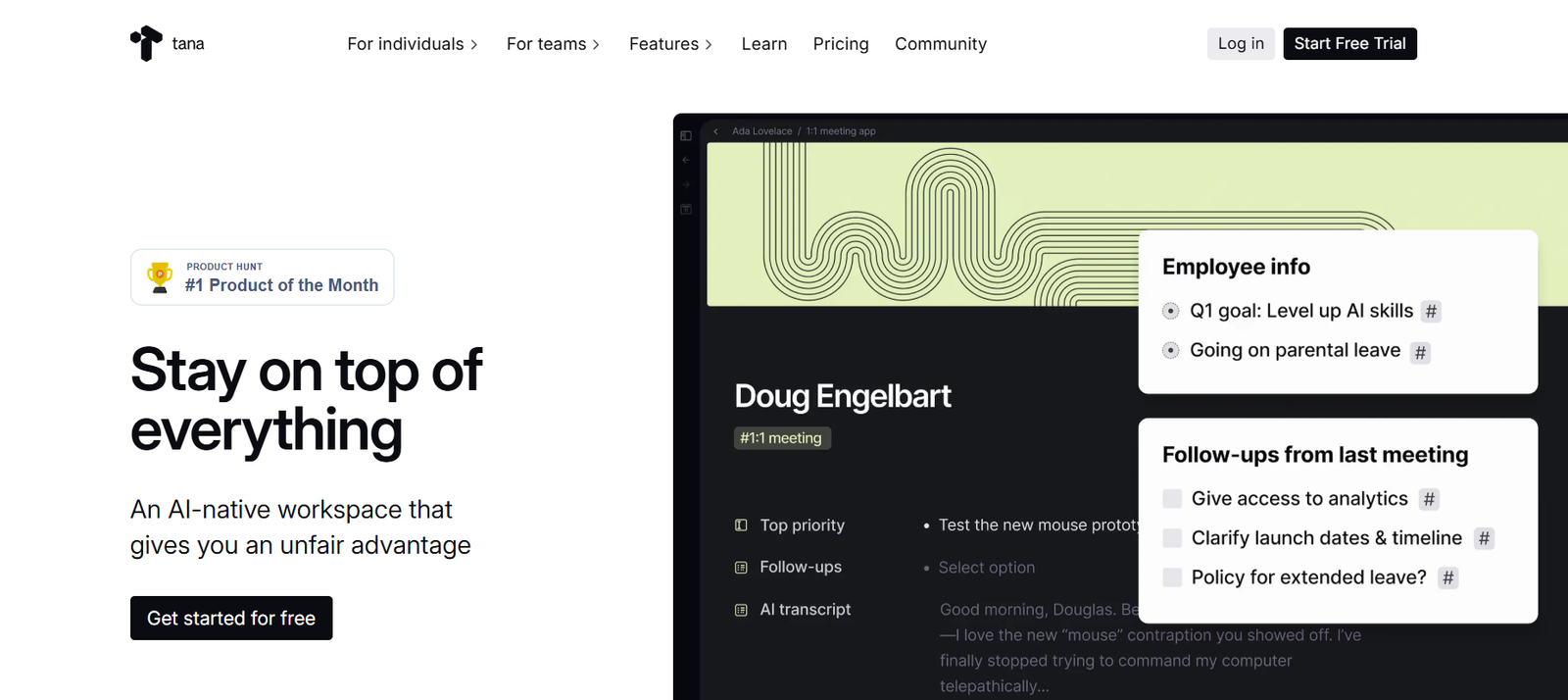
Tana is a next-generation productivity tool designed to help individuals and teams organize their thoughts, tasks, and workflows in one intelligent, connected workspace. It blends note-taking, task management, and knowledge graph capabilities into a single platform enhanced by AI. Tana structures information using Supertags and relationships, enabling users to quickly convert ideas into actions and manage complex workflows with clarity and ease.
Features
Tana offers unique features like Supertags that let users define custom content types such as tasks, projects, goals, or documents. Custom feeds automatically pull relevant content from across the workspace based on context. Voice memos can be recorded and transcribed into notes or actions. AI assists help organize content, suggest structure, and automate repetitive workflows. The platform is built on a powerful graph engine that connects notes and ideas intuitively.
How It Works
Users add notes, tasks, and voice memos into the workspace. AI and Supertags help classify and organize content on the fly. The system automatically builds a dynamic network of relationships between items, making it easy to navigate and manage. Custom feeds surface what’s most relevant—such as today’s agenda, overdue tasks, or meeting notes—without the need for manual filtering.
Use Cases
Tana is ideal for professionals, teams, and creators who need to manage projects, meetings, research, content creation, or personal knowledge bases. It’s used for journaling, strategy planning, team coordination, client management, startup operations, and AI-enhanced note-taking.
Pricing
Tana offers a free plan with basic features and a Core plan with premium tools including live AI transcription, calendar integration, publishing features, and advanced Supertags. The Core plan is priced around ten to fifteen dollars per month when billed annually, with a free trial available.
Strengths
Tana brings a fresh approach to productivity by merging AI, voice input, and structured tagging into a unified workspace. It eliminates the need for folders by dynamically organizing everything through relationships and feeds. Its AI capabilities reduce cognitive load and streamline idea-to-action conversion. The graph-based model supports powerful linking and contextual organization.
Drawbacks
Some users find the learning curve steep, especially when adapting to Supertags and graph-based navigation. Data export options are limited and not ideal for traditional formats. Mobile app usability and performance have room for improvement. The structured nature may not suit users who prefer free-form writing or minimal systems.
Comparison with Other Platforms
Compared to tools like Notion, Obsidian, or Roam Research, Tana emphasizes automation, structure, and AI assistance. While Notion focuses on pages and databases, and Obsidian on markdown notes with links, Tana provides a living, evolving system with built-in intelligence and dynamic feeds. It is more proactive and context-aware, but may feel complex to new users.
Customer Reviews and Testimonials
Users praise Tana for helping them stay organized without friction. They highlight how it enables them to focus on capturing thoughts while the system takes care of structure and retrieval. Supertags and custom feeds are frequently cited as transformative features. AI integrations such as voice-to-note and automatic summarization are appreciated by busy professionals.
Conclusion
Tana is a powerful, AI-native workspace that redefines how individuals and teams capture, organize, and act on information. Its combination of flexible structure, intelligent organization, and automation makes it especially valuable for knowledge workers seeking clarity and efficiency. While it may take time to master, Tana offers deep rewards for users looking to transform their workflows into something smarter and more dynamic.