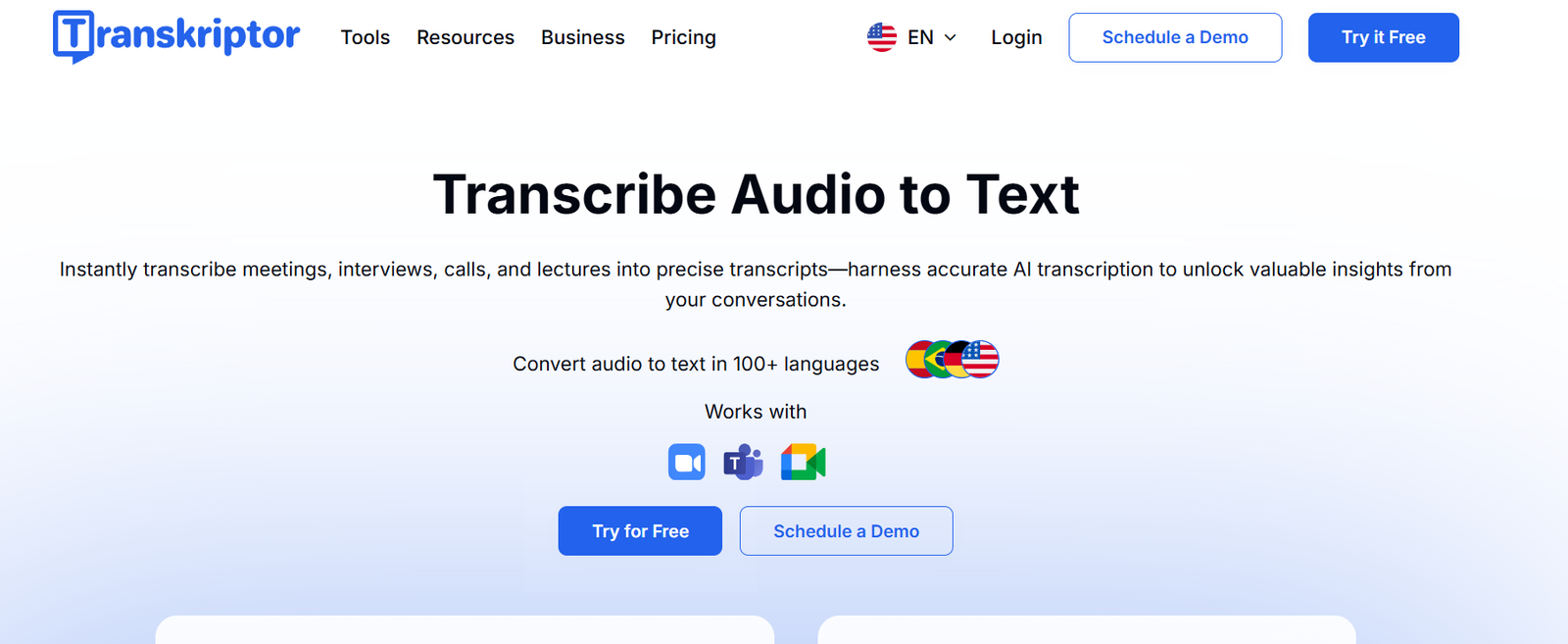
Transkriptor is an AI transcription platform that converts audio and video files into accurate, editable text in more than 100 languages. Designed for individuals, teams, and organizations, it simplifies the process of converting spoken content into readable formats for meetings, interviews, lectures, podcasts, and more.
Whether you’re a content creator, business professional, academic, or journalist, Transkriptor enables fast, multilingual transcription with features like speaker identification, built-in editing tools, mobile access, and export options. The platform is accessible on web and mobile apps and offers a user-friendly experience that supports both real-time and uploaded transcription.
Transkriptor is a valuable tool for those who need professional-grade transcription without the complexity or high cost of traditional services.
Features
Transkriptor includes a wide range of AI-powered features to support personal and professional transcription workflows:
AI-Powered Transcription – Converts audio or video to text automatically using advanced speech recognition algorithms.
Supports 100+ Languages – Transcribe content in virtually any major language, ideal for international users and teams.
Speaker Identification – Differentiates between multiple speakers in a conversation or meeting.
Real-Time Transcription – Transcribe meetings or live conversations in real time with high accuracy.
Mobile App Access – Available for iOS and Android for on-the-go recording, uploading, and transcribing.
Built-In Text Editor – Edit transcripts directly within the browser or app with audio playback and highlighting.
Multiple File Formats – Upload audio or video files in MP3, MP4, WAV, M4A, and other common formats.
Export Options – Download transcripts as TXT, DOCX, PDF, or subtitle files (SRT, VTT) for use in documentation or media production.
Integrations – Sync with Google Meet, Microsoft Teams, and Zoom for automatic meeting transcription.
Cloud-Based & Secure – All files are stored securely in the cloud and can be accessed from any device.
How It Works
Transkriptor simplifies the transcription process into just a few steps:
Upload or Record Audio/Video – Users can upload existing files or record live audio using the mobile or desktop interface.
Select Language & Start Transcription – Choose the transcription language, and the AI will process the file automatically.
Edit the Transcript – Use the in-browser editor to make adjustments, add speaker labels, or review highlighted sections.
Download or Share – Export the transcript in various file formats or share it via a secure link.
The platform requires no software installation and is accessible via browser and mobile apps.
Use Cases
Transkriptor is suitable for individuals and teams across various industries and workflows:
Business Professionals – Transcribe meetings, interviews, and conference calls for documentation and follow-up.
Students & Academics – Convert lectures and research interviews into text for studying or publication.
Content Creators – Generate transcripts and subtitles for podcasts, videos, and YouTube content.
Journalists – Transcribe interviews and press briefings with multiple speakers in multiple languages.
Healthcare & Legal – Record and document case discussions or sessions (not HIPAA compliant, so usage must be non-sensitive).
Multilingual Teams – Transcribe and translate internal communications across languages for global collaboration.
Pricing
Transkriptor offers a subscription-based pricing model with a free trial and tiered plans to suit different user needs. As of the latest update, pricing includes:
Free Trial
5 minutes of transcription
Access to all core features
No credit card required
Lite Plan – €9.99/month
5 hours of transcription/month
Unlimited uploads
Mobile and web access
Standard Plan – €24.99/month
20 hours of transcription/month
Priority processing
Live transcription
Premium Plan – €39.99/month
40 hours of transcription/month
All features unlocked
Suitable for professionals and small teams
Business Plan
Custom usage limits
Team collaboration tools
Dedicated account manager
Pricing available upon request
Discounts are available for annual subscriptions.
Strengths
Transkriptor stands out for its accessibility, accuracy, and global language coverage:
Multilingual Support – More than 100 languages supported, ideal for international use.
Cross-Platform Availability – Use on desktop or mobile, with cloud-sync between devices.
Affordable Pricing – Competitive subscription tiers make it accessible for individuals and teams.
Integrated Editor – Makes transcript correction easy, with linked audio and highlighting.
Fast Processing – Quickly returns transcriptions with high accuracy and useful formatting.
Secure Cloud Storage – Ensures files are backed up and accessible from anywhere.
Drawbacks
While Transkriptor offers many benefits, it has a few limitations:
No Human Transcription Option – AI only; not suitable for users needing guaranteed 99% accuracy.
Subscription-Only Model – No pay-as-you-go option for users who transcribe infrequently.
Limited Free Use – Only 5 free minutes; a short trial window compared to some competitors.
No Real-Time Collaboration Tools – Lacks multi-user or team-based document collaboration within the platform.
Not Suitable for Highly Sensitive Data – Lacks medical or legal compliance certifications like HIPAA or SOC2.
Comparison with Other Tools
Compared to transcription tools like Otter.ai, Happy Scribe, and Descript, Transkriptor offers an affordable and multilingual alternative:
Otter.ai provides excellent live meeting transcription and team collaboration but is limited in language support and more expensive.
Happy Scribe offers both AI and human transcription services and better subtitle features but targets more enterprise-level users.
Descript is built for audio and video editing alongside transcription, ideal for creators but more complex to use.
Transkriptor excels in affordability, ease of use, and language diversity—making it a solid choice for personal, academic, and small business transcription needs.
Customer Reviews and Testimonials
Transkriptor has received strong user feedback for its speed, language support, and simplicity. On the official site and review platforms, users say:
“The best transcription service I’ve used for multilingual content.”
“Very easy to use—saves me hours on interviews.”
“I love that I can use it on my phone to record and transcribe lectures on the go.”
Reviews frequently highlight its mobile usability, low cost, and the clean editing interface as top advantages.
Conclusion
Transkriptor is a well-rounded, AI-powered transcription platform that meets the needs of a wide audience—from students and creators to professionals and multilingual teams. Its strong support for over 100 languages, real-time transcription, mobile access, and built-in editing tools make it a reliable tool for turning spoken content into structured, shareable text.
While it lacks human review services and advanced team features, it delivers excellent value for its price and simplicity. For users who want fast, accurate, and affordable transcription with global language support, Transkriptor is a smart and practical solution.