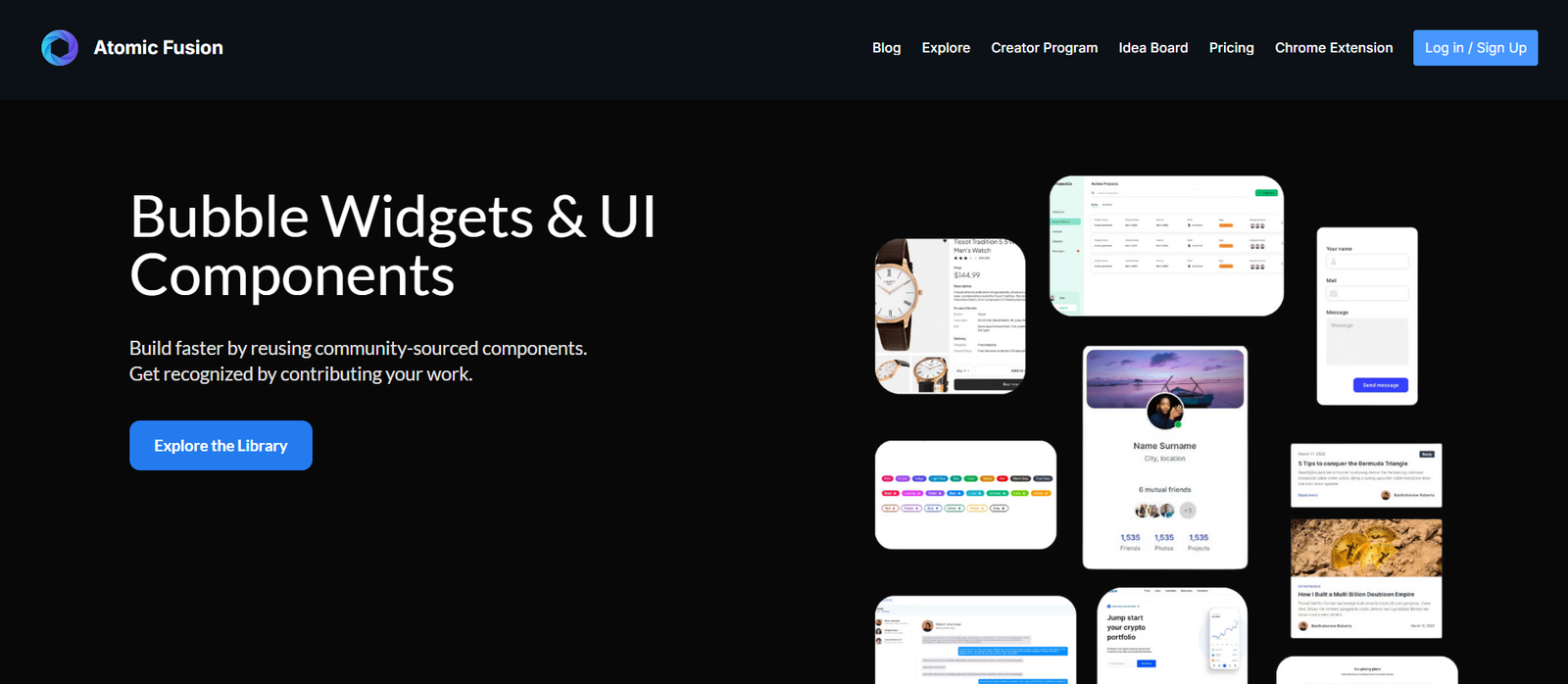
Atomic Fusion is an AI-enhanced, visual UI builder for Flutter, allowing users to design, preview, and export Flutter UI code without writing a line manually. Built for developers and designers, the platform enables you to drag and drop components, generate layouts from prompts, and download ready-to-use Dart code compatible with any Flutter project.
Atomic Fusion focuses on accelerating the Flutter development process, especially for frontend-heavy apps. It bridges the gap between visual design and Flutter’s widget-based structure by generating real-time Flutter code from both user input and natural language prompts.
Key Features of Atomic Fusion
1. Visual UI Builder for Flutter
Create complex interfaces using a browser-based drag-and-drop editor. Add containers, images, text, columns, rows, and more with pixel-perfect control.
2. AI-Powered Prompt-to-UI Generation
Type a prompt like “Create a login page with email and password fields,” and Atomic Fusion’s AI will generate a full UI layout using Flutter widgets.
3. Real-Time Flutter Code Export
See your UI’s Dart code update in real time. When ready, download clean, production-ready code with just one click.
4. Prebuilt Components and Templates
Choose from a library of reusable components like buttons, cards, form fields, and layout elements—all Flutter-native.
5. Responsive Preview and Layout Editing
Test how your design looks across device sizes and orientations with built-in preview tools.
6. No Install or Setup Required
Use Atomic Fusion directly in the browser. No installation, dependencies, or SDK setup needed.
7. Collaboration and Sharing (Coming Soon)
Team collaboration tools are in development, allowing real-time editing, feedback, and shared workspaces.
8. Export to IDEs or GitHub
Export the code and paste it into your IDE (like VS Code or Android Studio) or integrate it into your GitHub workflow.
How Atomic Fusion Works
Step 1: Open the Builder
Visit www.atomicfusion.io and launch the UI builder. You can use it without signing in for basic access.
Step 2: Design Your Layout
Drag widgets into the canvas. Adjust padding, alignment, and styling properties using intuitive visual controls.
Step 3: Use AI Prompts (Optional)
If you prefer starting with a natural language prompt, type a description like “a product card with image, title, price, and add to cart button,” and watch the layout generate instantly.
Step 4: Preview Responsiveness
Test how your design looks on phones, tablets, and desktops with responsive preview modes.
Step 5: Export Flutter Code
Click the export button to download the corresponding Dart code, which you can drop directly into your Flutter app project.
Use Cases for Atomic Fusion
1. Flutter App Prototyping
Quickly prototype screens, forms, and flows without writing boilerplate code.
2. Developer Handoff
Designers can create UI layouts visually and export code for developers to integrate directly.
3. Startups and Indie Developers
Rapidly build UI components for MVPs, landing pages, and onboarding screens.
4. UI/UX Iteration
Test UI variations and refine designs before implementation, cutting down on dev time.
5. Educational Use
New Flutter learners can visually understand widget structure and see how it translates into code.
Pricing for Atomic Fusion
As of May 2025, Atomic Fusion is in early access and currently offers free usage for all users. The team has not yet announced tiered pricing or enterprise plans, but based on the current roadmap, premium features may include:
Saved projects and cloud storage
Team collaboration and sharing
Custom component libraries
Enhanced AI capabilities
GitHub or CI/CD integration
You can sign up for early access and updates directly on the homepage at www.atomicfusion.io.
Strengths of Atomic Fusion
1. Purpose-Built for Flutter
Unlike generic UI builders, Atomic Fusion is tailored to Flutter’s widget-based architecture, making its exports reliable and production-ready.
2. AI + Manual Flexibility
Use AI to jumpstart your designs, then fine-tune manually in the drag-and-drop builder.
3. Zero Learning Curve
Even beginners can use the platform to build responsive Flutter UIs visually, with no coding knowledge required.
4. Clean, Usable Code Output
Exports structured, readable Dart code with minimal nesting and no proprietary syntax.
5. Ideal for Rapid Prototyping
Speeds up iteration cycles and lets teams visualize ideas before investing developer time.
Drawbacks of Atomic Fusion
1. No Backend Integration
Atomic Fusion focuses solely on frontend UI. Backend logic, state management, or API integration must be added manually after export.
2. Limited Widget Set (Currently)
Some advanced widgets or Flutter packages may not be supported in the current component library.
3. Collaboration Features in Progress
Team functionality like shared projects and comments is still under development.
4. No Live Preview on Devices
While there is an in-browser preview, live device preview or emulation is not available natively.
5. Early Access Stability
As an early-stage product, occasional bugs or feature gaps may exist.
Comparison with Other Tools
Atomic Fusion vs. FlutterFlow
FlutterFlow offers more backend integration and logic tools, but has a steeper learning curve. Atomic Fusion is simpler, faster, and more accessible for pure UI design and prototyping.
Atomic Fusion vs. Figma + Code Export Tools
Figma plugins can export designs to Flutter, but often require manual cleanup. Atomic Fusion generates clean, native code optimized for Flutter directly.
Atomic Fusion vs. Supernova or Draftbit
Supernova and Draftbit support multiple frameworks. Atomic Fusion is 100% focused on Flutter, resulting in better integration and higher quality Flutter output.
Atomic Fusion vs. Pen-and-Paper Mockups
With Atomic Fusion, dev teams can skip static mockups and go straight to responsive Flutter prototypes that convert to code instantly.
Customer Feedback and Testimonials
Though still in early access, Atomic Fusion is already receiving positive feedback from the developer community:
“I built five Flutter screens in under 30 minutes. The code was clean and dropped right into my app.” – Indie Flutter Developer
“The prompt-based generation is amazing. It’s like ChatGPT but for UI layout—and it works really well with Flutter.” – UI Designer
“Finally, a Flutter UI tool that doesn’t give me bloated code. I can actually use this in production.” – Full-Stack Engineer
The blend of visual ease and production-quality output is what users are highlighting most.
Conclusion: Is Atomic Fusion Worth It?
If you’re building with Flutter and looking for a faster way to prototype, design, and code UIs, Atomic Fusion is a standout tool. It combines the power of visual design with the efficiency of AI-driven generation, all tailored specifically for Flutter.
While the tool is still evolving, its current feature set already offers significant time savings and design flexibility. Whether you’re a solo developer, designer, or product team working in Flutter, Atomic Fusion can speed up your frontend development process dramatically.
Explore the builder or sign up for early access at www.atomicfusion.io