
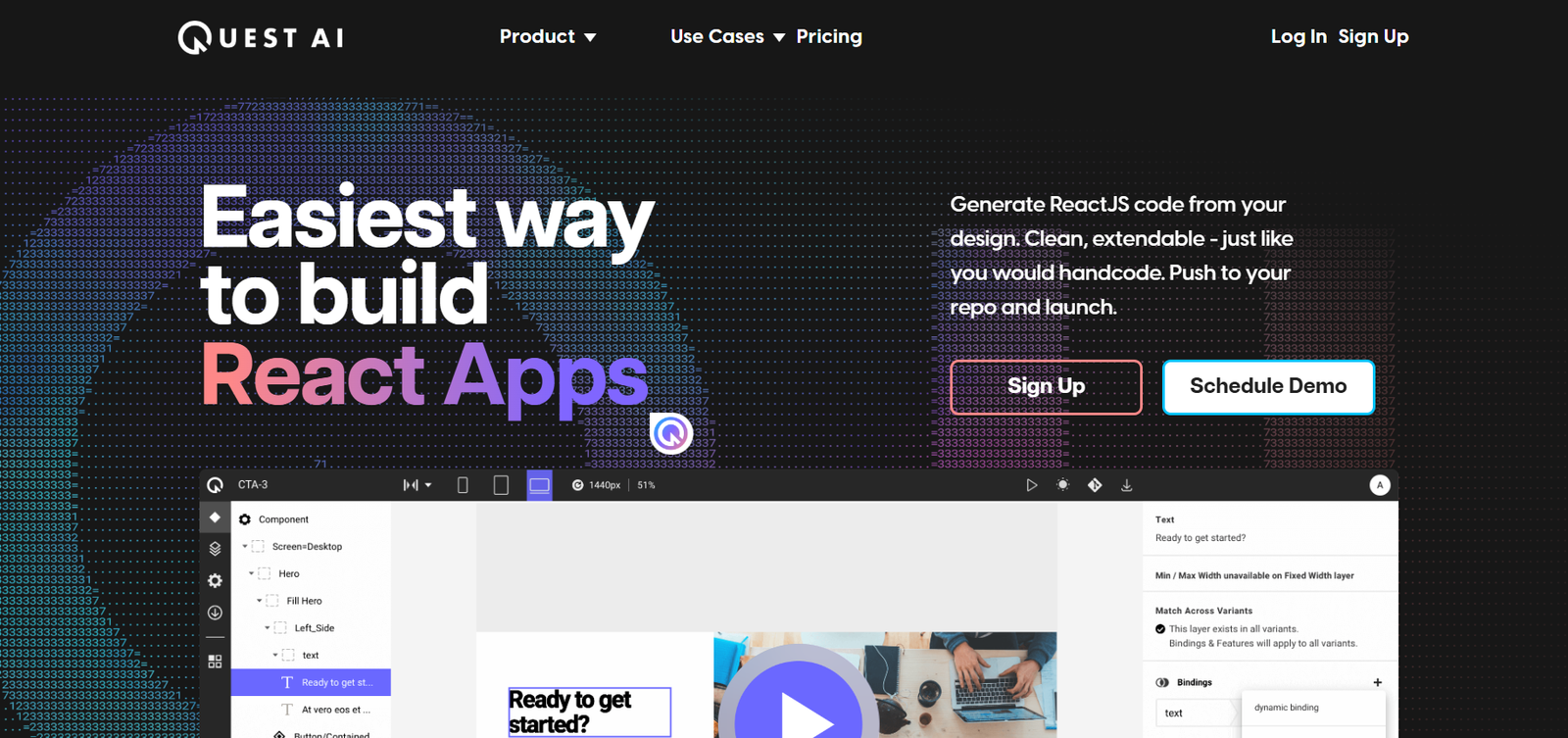
Quest AI is a no-code and low-code platform that automatically transforms high-fidelity Figma designs into responsive, editable React components and pages. Unlike traditional design handoff tools that merely export static assets, Quest AI generates clean, developer-friendly code ready for use in modern React applications.
Quest AI uses proprietary AI models to understand layout structure, design patterns, and responsiveness, enabling it to turn designs into dynamic, responsive, and interactive websites or apps—without requiring front-end coding expertise.
It supports seamless handoff between designers and developers while dramatically reducing front-end development time and cost.
Key Features of Quest AI
1. Figma-to-Code Automation
Quest AI directly integrates with Figma. Simply import your Figma designs into the platform, and it generates React (Next.js or plain React) code automatically.
2. Clean, Editable Code
Unlike some tools that produce bloated or unreadable code, Quest AI outputs production-grade React code that’s clean, modular, and easy to customize or extend.
3. Responsive Design Support
The platform intelligently translates designs into responsive layouts using Flexbox and CSS Grid, ensuring compatibility across devices.
4. No-Code Visual Editor
Quest provides a drag-and-drop visual editor where you can further customize your design, add interactions, and manage layouts without touching code.
5. Component-Based Architecture
It auto-detects reusable components from your design and converts them into modular code blocks—aligned with React best practices.
6. Animation and Interactivity
You can define interactions like hover states, transitions, and animations in the editor. These are automatically translated into working code.
7. Design Tokens and Theming
Maintain consistent design systems with global styling, color palettes, and typography settings. Easily manage and export design tokens.
8. Export to GitHub or Codebase
Export your generated code to GitHub or directly integrate it into your existing front-end stack.
9. Next.js Support
Quest supports both standard React and Next.js, making it suitable for high-performance, SEO-optimized web apps.
10. Collaboration and Team Workspaces
Work with team members in shared spaces. Designers, developers, and PMs can collaborate within the platform to iterate on designs and deploy faster.
How Quest AI Works
Step 1: Import from Figma
Connect your Figma file via plugin or URL. Quest analyzes the design layers, elements, and structure.
Step 2: Generate Code
Quest’s AI translates the visual design into clean React code, creating reusable components, layout structure, and responsive behavior.
Step 3: Customize in the Visual Editor
Make layout adjustments, define interactions, and preview responsiveness in Quest’s no-code editor.
Step 4: Export or Deploy
Export the code to your GitHub repo or download it. You can also integrate it into your existing app or deploy with Vercel or Netlify.
Step 5: Iterate and Refine
As designs evolve in Figma, Quest allows you to update the generated code with version tracking and component sync features.
Use Cases for Quest AI
Startup MVP Development
Founders can launch MVPs quickly without hiring a full front-end team by turning their designs directly into functional applications.
Product Design Teams
Designers can own the entire process from design to code, reducing dependencies and development timelines.
Agencies and Freelancers
Deliver faster, cleaner front-end builds to clients by skipping the manual slicing and coding phase.
Internal Tools and Portals
Build admin panels, dashboards, or internal apps based on Figma designs, saving engineering time.
Developer Handoff and Prototyping
Developers can use Quest to generate a solid code foundation from designs, then focus on logic and backend integration.
Quest AI Pricing
As of May 2025, Quest AI offers the following pricing tiers:
Free Plan
Up to 3 projects
Figma import
Basic visual editor
Code preview (no export)
Pro Plan – $39/month
Unlimited projects
Full code export (React/Next.js)
GitHub integration
Responsive editor
Animation and interaction support
Team Plan – Custom Pricing
Team workspaces
Role-based access
Collaboration tools
Priority support
Enterprise-grade security
For the most current details, visit the Quest AI pricing page.
Strengths of Quest AI
1. Developer-Quality Code Output
Quest stands out by producing clean, maintainable React code rather than just static HTML or bloated exports.
2. True Design-to-Code Automation
Goes beyond asset export and creates fully responsive layouts with dynamic components.
3. Next.js Compatibility
Makes it easy to build fast, SEO-friendly websites out-of-the-box.
4. Time-Saving for Teams
Reduces front-end build time by up to 70%, according to internal benchmarks.
5. No-Code Friendly for Designers
Empowers non-developers to participate in product building with a user-friendly visual editor.
Drawbacks of Quest AI
1. Currently Focused on React Ecosystem
Supports only React and Next.js. Developers using Angular or Vue.js will not benefit directly.
2. Limited Backend Capabilities
Quest does not include database or backend integration. You’ll need to connect it to a backend separately.
3. Learning Curve for Customization
Advanced users may still need to tweak exported code for specific use cases like complex logic or state management.
4. Code Export Locked Behind Paywall
Code export is available only in paid plans, which may limit testing for users on the free tier.
Comparison with Other Tools
Quest AI vs. Framer
Framer focuses more on building marketing websites directly in a no-code environment. Quest is more suited to developers who want exportable React code.
Quest AI vs. Webflow
Webflow generates hosted sites but doesn’t produce usable React code. Quest gives you full ownership of exportable code for custom stacks.
Quest AI vs. Anima
Anima also converts Figma to code but often requires more manual cleanup. Quest emphasizes cleaner output with developer-friendly practices.
Quest AI vs. Vercel + Next.js Manual Setup
Quest accelerates the process of setting up pages, components, and responsive design compared to building from scratch on Vercel.
Customer Reviews and Testimonials
Quest AI has been praised by early adopters across design and development communities:
“I went from a Figma design to deployable React code in under 30 minutes. This would’ve taken a dev team days.” – UX Designer at SaaS Startup
“The code quality is impressive. I could plug it straight into our Next.js project and get going right away.” – Front-End Engineer
“Quest helped us launch 3 MVPs in half the time. It’s like having a virtual developer on our team.” – Product Manager
Feedback frequently highlights time savings, developer-grade output, and ease of collaboration across teams.
Conclusion: Is Quest AI Worth It?
If you’re looking to bridge the gap between design and development, Quest AI offers one of the most powerful and streamlined solutions on the market. Its Figma integration, clean React code generation, and no-code editing environment make it ideal for designers, developers, and product teams looking to ship faster.
While it currently focuses on the React ecosystem, its emphasis on clean code, component reusability, and team collaboration set it apart from other design-to-code tools.


