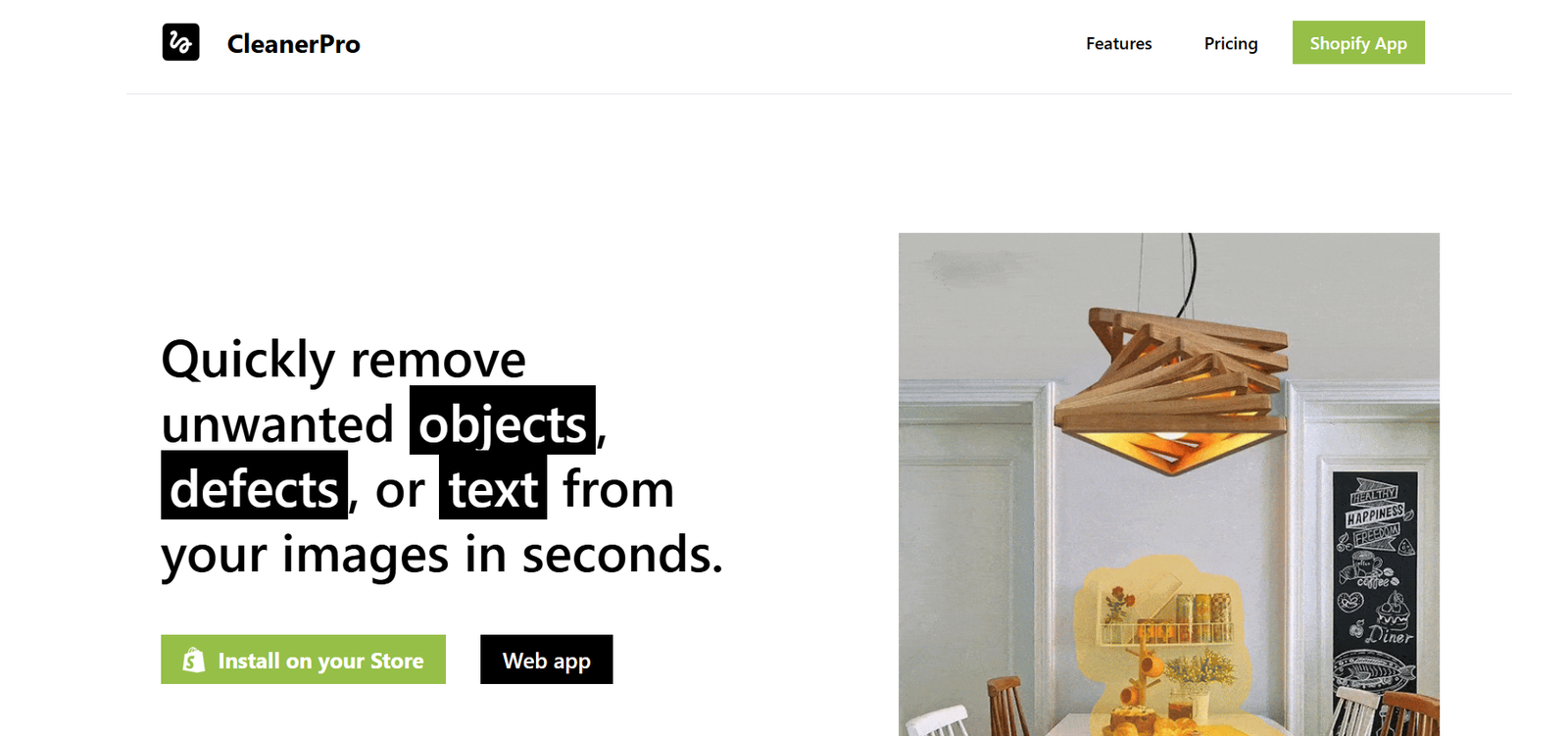
Cleaner AI is a browser-based AI tool designed to remove unwanted objects, text, people, watermarks, or defects from photos with just one click. Leveraging advanced AI image inpainting technology, Cleaner AI allows users to quickly clean up images without requiring design or Photoshop skills.
Whether you’re a photographer, content creator, real estate agent, or casual social media user, Cleaner AI offers a fast, intuitive way to retouch and enhance images with professional-level precision—right from your browser.
Features
Cleaner AI includes a simple yet powerful set of features to help users clean up and restore images with minimal effort:
One-Click Object Removal: Select and erase any part of the image—AI fills the space naturally.
Brush Tool: Customize the size and area of removal for precision editing.
No Watermark on Export: Clean final outputs with no branding, even on the free tier.
Supports All Image Types: Upload JPG, PNG, and other common image formats.
High-Resolution Output: Maintain clarity and image quality after editing.
100% Browser-Based: No downloads or installations required—edit directly online.
Drag-and-Drop Interface: Simple workflow: upload, mark, erase, and download.
Privacy-Friendly: Uploaded images are processed securely and deleted afterward.
The platform is designed to help both casual and professional users quickly fix images without manual photo editing tools.
How It Works
Cleaner AI simplifies object removal into a few easy steps:
Upload Image: Drag and drop your photo or choose a file to upload.
Select Unwanted Object: Use the brush tool to highlight the object, text, watermark, or person you want removed.
Click ‘Clean’: The AI processes the image and seamlessly removes the selected elements.
Download Result: Preview and download the cleaned image in high resolution with no watermark.
The entire process takes under a minute and requires no technical experience.
Use Cases
Cleaner AI is ideal for a wide range of practical applications:
Social Media Creators: Remove bystanders, photobombs, or background clutter from selfies and lifestyle images.
Photographers: Clean up professional photos without expensive software.
Ecommerce Sellers: Remove logos or watermarks from supplier images.
Real Estate Agents: Erase distractions or personal items from property photos.
Students & Designers: Fix project visuals or eliminate distractions from mockups.
Marketing Teams: Clean up visual assets for websites, ads, and campaigns.
Bloggers: Polish images to make them web-ready and distraction-free.
Anyone: Remove date stamps, wires, or small flaws from vacation photos and personal images.
Cleaner AI offers a user-friendly solution for both personal and professional image retouching.
Pricing
As of the latest information from Cleaner AI’s official website, the platform offers a generous free plan and a premium option for power users.
Free Plan
Unlimited edits
No watermark on exports
Full access to object removal tools
High-resolution downloads
No sign-up required
Premium (Coming Soon)
Cleaner AI is currently free for all users during its launch phase. A premium version is expected to include:
Priority processing
Batch editing support
API access for developers and agencies
Cloud storage for image history
Early access to new features
As of now, Cleaner AI is 100% free and watermark-free—making it one of the most accessible AI photo editing tools available.
Strengths
Cleaner AI delivers key advantages for users seeking fast, professional-quality results:
Extremely Easy to Use: No learning curve or registration needed.
Free & No Watermark: Uncommon among image tools offering free downloads without branding.
Fast Processing: AI works quickly to return results in seconds.
Web-Based: No need to install anything—runs on all browsers and devices.
High-Quality Results: Advanced inpainting models maintain visual coherence.
No Login Required: Perfect for one-time or quick edits.
Ideal for Non-Designers: Makes photo cleanup accessible to everyone.
Its simplicity and power make it a go-to utility for content creators and professionals alike.
Drawbacks
While highly effective, Cleaner AI does have a few limitations:
No Batch Editing Yet: You must edit images one at a time.
Limited Customization: Users can’t control the AI output or retouch beyond object removal.
No Manual Touch-Up Tools: Unlike full editors, there’s no clone stamp or fine-tuning.
Works Best on Simple Backgrounds: AI may struggle with complex textures or overlapping objects.
No Project History: Once you leave or refresh the page, edits are not saved.
Still, for everyday use and casual or mid-level image cleanup, these limitations are minor compared to its benefits.
Comparison with Other Tools
Here’s how Cleaner AI compares to other popular photo editing tools:
Cleaner AI vs. Cleanup.pictures
Both tools offer AI object removal. Cleaner AI is currently free and watermark-free, while Cleanup.pictures may limit resolution on the free plan.
Cleaner AI vs. Photoshop
Photoshop offers advanced editing but requires significant skill and a paid license. Cleaner AI is instant, browser-based, and beginner-friendly.
Cleaner AI vs. Inpaint
Inpaint is a desktop tool that also uses AI but requires a download. Cleaner AI runs in the browser and requires no setup.
Cleaner AI vs. Fotor/Canva
Canva and Fotor offer full design suites with image cleanup as one feature. Cleaner AI focuses solely on object removal with speed and simplicity.
Customer Reviews and Testimonials
While Cleaner AI does not yet display testimonials directly on its website, early user feedback from online communities is positive:
“This is my go-to for removing logos and watermarks—no Photoshop required.”
— Etsy Shop Owner
“Cleaner AI helped me prep 10 real estate photos in minutes. It’s insanely fast and free!”
— Real Estate Marketer
“I used it to clean up product images before uploading them to my site. Worked flawlessly.”
— Shopify Store Owner
Users praise its combination of usability, speed, and free access—making it a favorite among creators.
Conclusion
Cleaner AI is a lightweight, efficient, and highly accessible AI tool that removes unwanted objects from images with impressive speed and accuracy. It’s perfect for professionals and casual users who need to clean up photos quickly—without downloading software or dealing with watermarked exports.
By offering high-resolution downloads, one-click simplicity, and a free, no-login-needed experience, Cleaner AI stands out in a growing field of online image editors. As it continues to evolve, it has the potential to become a staple utility for digital creators across industries.
If you need fast, clean, and AI-powered image retouching, Cleaner AI is definitely worth bookmarking.