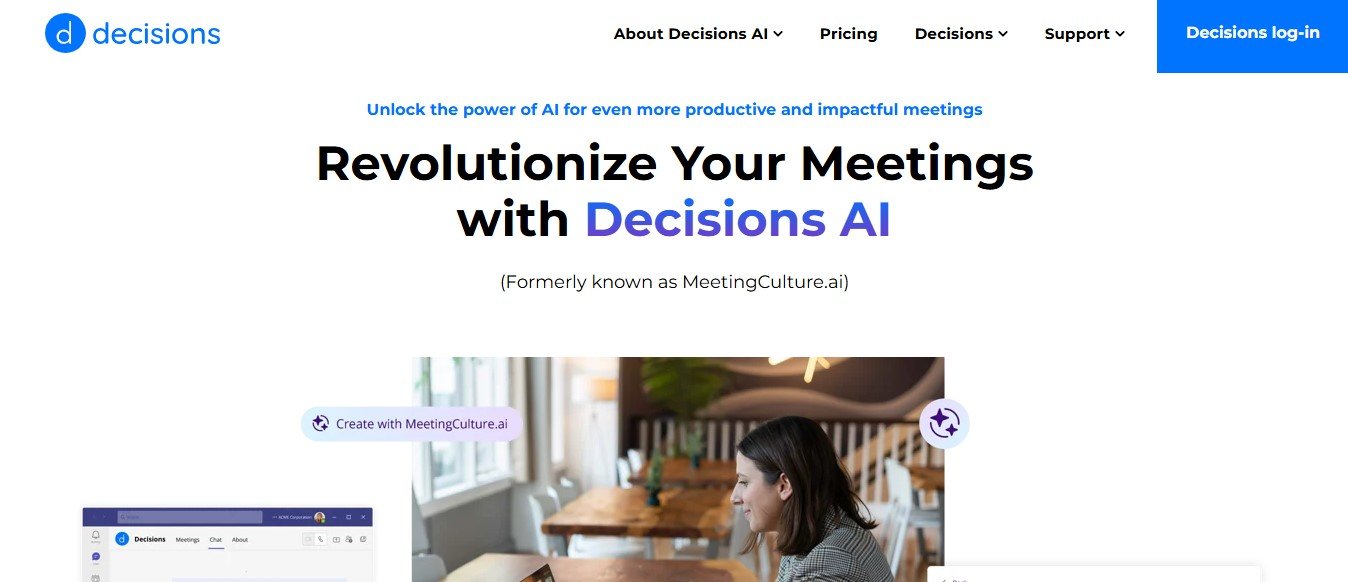
Meetings are integral to organizational success but can often become unproductive without proper
management. MeetingCulture AI, part of the Decisions suite, empowers teams with AI-driven tools
to plan, conduct, and follow up on meetings effectively. With deep integration into Microsoft 365, it
ensures seamless collaboration and impactful outcomes.
What is MeetingCulture AI?
MeetingCulture AI is an advanced meeting assistant designed to optimize every stage of the meeting
process. By leveraging AI, it simplifies agenda building, improves participant engagement, and
streamlines post-meeting follow-ups. Built on insights from years of meeting management tool
development, MeetingCulture AI ensures your meetings are productive and actionable.
Key Features of MeetingCulture AI
1. Intelligent Agenda Builder
o Automatically generates agendas based on meeting context, including chat threads
and prior discussions.
o Offers customizable templates for recurring and one-off meetings.
2. Smart Meeting Assistant
o Collaborate with the AI assistant to modify agendas, add topics, or structure
discussions.
o Accessible directly from Microsoft Teams for real-time adjustments.
3. Actionable Meeting Recaps
o Generate concise summaries, highlight decisions, and track follow-ups.
o Synthesizes details from chats, transcripts, and shared content.
4. Engagement Tools
o Foster participation with features like voting, annotations, and time tracking.
o Record private notes or share comments for collaborative decision-making.
5. Insights Dashboard
o Analyze upcoming meetings with metrics and personalized recommendations.
o Visualize task progress and meeting engagement scores.
6. Post-Meeting Optimization
o Log tasks, decisions, and meeting minutes efficiently.
o Use templates to create standing agendas for recurring meetings.
7. Microsoft 365 Integration
o Seamlessly integrates with Outlook, Teams, and other Microsoft apps.
o Leverages existing workflows for minimal disruption.
8. Data Privacy and Security
o Complies with rigorous security standards to protect meeting data.
How MeetingCulture AI Works
1. Pre-Meeting Planning
o Use the AI agenda builder to set objectives and structure discussions.
o Collaborate with participants to refine topics and add comments.
2. During the Meeting
o Monitor time, track decisions, and engage participants with voting tools.
o Access meeting documents and take private or shared notes.
3. Post-Meeting Follow-Up
o Generate a detailed recap highlighting tasks, decisions, and deadlines.
o Share summaries and next steps via Microsoft Teams or email.
Use Cases for MeetingCulture AI
1. Team Collaboration
o Streamline project discussions and align goals with structured agendas.
o Track task assignments and progress efficiently.
2. Executive Meetings
o Improve decision-making with actionable insights and summaries.
o Manage recurring board meetings with standing agendas.
3. Training and Workshops
o Enhance engagement with interactive tools like polls and voting.
o Use recaps to provide participants with clear takeaways.
4. Remote Work
o Centralize meeting management for distributed teams.
o Ensure transparency with shared notes and automated follow-ups.
Pricing Plans
MeetingCulture AI offers flexible pricing as part of the Decisions platform:
1. Core Decisions Features – Free with Microsoft 365
o Basic agenda building, note-taking, and task tracking.
2. Pro Plan – Starting at $10/month per user
o Includes AI-driven agenda creation, smart recaps, and advanced analytics.
3. Enterprise Plan – Custom Pricing
o Tailored for large organizations with dedicated support and integrations.
Strengths of MeetingCulture AI
Comprehensive Meeting Management: Covers every stage of the meeting lifecycle.
Seamless Integration: Designed specifically for Microsoft 365 users.
Engagement Features: Encourages participation through interactive tools.
Data Security: Ensures compliance with enterprise-grade privacy standards.
Customizable Templates: Adaptable for different meeting types and industries.
Drawbacks of MeetingCulture AI
Microsoft-Centric: Best suited for organizations using Microsoft 365.
Pricing for Advanced Features: Some tools are only available in paid plans.
MeetingCulture AI vs. Competitors
1. MeetingCulture AI vs. Otter.ai
o Otter focuses on transcription, while MeetingCulture AI offers end-to-end meeting
management.
2. MeetingCulture AI vs. Zoom’s Native Tools
o Zoom provides basic scheduling and transcription, whereas MeetingCulture AI
enhances productivity with agendas, recaps, and analytics.
3. MeetingCulture AI vs. Fellow.app
o Both tools focus on meeting productivity, but MeetingCulture AI’s deep integration
with Microsoft 365 gives it an edge for existing users.
Customer Reviews and Testimonials
“MeetingCulture AI has transformed how our team handles meetings. The agenda builder
and recaps save us hours each week.” – Sarah L., Operations Manager
“The integration with Microsoft Teams makes it seamless to use. It’s now an essential part of
our workflow.” – James R., Product Lead
“From agendas to follow-ups, it ensures no action item is forgotten. Highly recommend it!” –
Priya K., Project Manager
Conclusion
MeetingCulture AI combines advanced AI capabilities with deep integration into Microsoft 365 to
make meetings more efficient and impactful. Whether you are running large board meetings or daily
team syncs, this tool ensures every discussion is organized, engaging, and actionable.
Try it for free at MeetingCulture AI and revolutionize your meetings today.