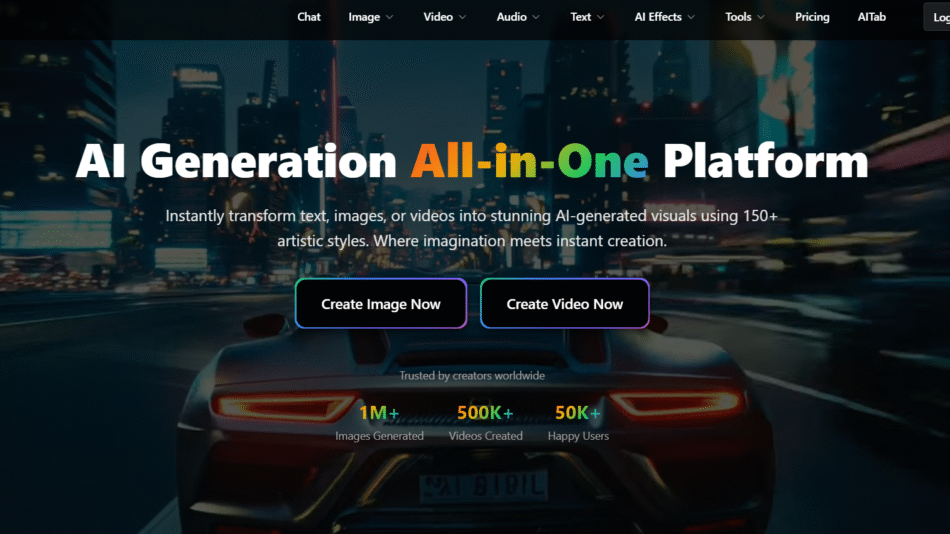
VidMage AI is a generative AI tool that enables users to create high-quality videos simply by entering text. Whether you’re producing educational content, social media videos, or corporate explainers, VidMage uses AI avatars, synthetic voices, and video templates to automate the entire video creation process.
This tool is designed for marketers, educators, content creators, and businesses that want to scale video production without the cost of studios, equipment, or on-camera talent. With just a few clicks, you can turn any script into a visually engaging video, complete with AI presenters and voiceovers in multiple languages.
Features
Text-to-Video Conversion
Just input your script, and VidMage will generate a video with a realistic AI avatar delivering the message.
AI Avatars
Choose from a library of human-like avatars that lip-sync and emote naturally, making your content feel authentic and professional.
Multi-Language Voiceovers
Support for various languages and accents using synthetic AI voices ensures your content is globally accessible.
Video Templates
Pre-designed templates make it easy to format your content for platforms like YouTube, TikTok, LinkedIn, or internal communications.
Custom Branding
Add your own logo, color schemes, and call-to-actions to match your brand identity.
Cloud-Based Editor
Everything is done online—no downloads or installations required.
Fast Rendering
Generate videos in minutes, not hours, with cloud rendering powered by AI.
How It Works
Write or Paste a Script
Begin by entering the text you want to turn into a video. This can be promotional content, training material, or even social media captions.Choose an Avatar and Voice
Select from a diverse range of AI avatars and choose a voice that fits your tone and target audience.Customize Design
Apply a template, change background visuals, add subtitles, or insert your brand elements.Generate Video
Hit “Create,” and within minutes, VidMage delivers a polished, ready-to-share video.Download or Share
Download the final video or share it directly via your preferred platforms or internal channels.
Use Cases
Marketing Videos
Create product explainers, promo videos, and ad creatives without hiring talent or editors.
Training & E-Learning
Use avatars to deliver internal training, onboarding, or e-learning modules with a professional appearance.
Social Media Content
Generate engaging reels or shorts to post regularly across platforms like Instagram, TikTok, and LinkedIn.
Internal Communications
Replace long emails or documents with concise video briefings to improve team engagement.
Multilingual Video Production
Easily localize content for international markets using different voices and language settings.
Pricing
As of June 2025, VidMage AI provides three main pricing tiers:
Starter (Free)
Limited access to avatars and voices
Watermarked videos
Up to 5 minutes of export per month
Pro Plan – $29/month
Unlimited video creation
Access to full avatar and voice library
HD video exports
Custom branding
Business Plan – Custom Pricing
Collaboration tools for teams
API access
Priority support
White-label options
All plans are accessible via VidMage’s official website, and users can sign up with no credit card required for the Starter tier.
Strengths
Rapid Video Production: Create videos in minutes, which is ideal for scaling content.
Ease of Use: No editing skills required; intuitive and beginner-friendly.
Multi-language Support: Global reach through diverse languages and accents.
Cost-Effective: Eliminates the need for filming, actors, and editors.
Consistent Branding: Maintain visual and tonal consistency across all videos.
Drawbacks
Limited Avatars in Free Plan: Most customization is behind a paywall.
Synthetic Voices: While improving, some AI voices may still sound robotic in certain contexts.
Not Suitable for Complex Video Editing: The platform is designed for scripted, presenter-led content, not high-level cinematic work.
Reliance on Internet Connection: Being cloud-based, performance depends on network speed.
Comparison with Other Tools
VidMage AI vs. Synthesia
Synthesia offers a similar text-to-video experience, but VidMage may have a more intuitive interface and is more affordable for beginners.
VidMage AI vs. Pictory
Pictory focuses on summarizing long-form content into short videos, while VidMage is built around direct script-to-video generation with avatars.
VidMage AI vs. HeyGen
HeyGen also uses AI avatars, but VidMage offers more branding tools and a simpler workflow for non-technical users.
Customer Reviews and Testimonials
Here are some insights shared by early adopters:
“I turned my blog posts into social media videos in under 10 minutes. VidMage is a game-changer.”
– Sarah L., Content Marketer
“No need to hire voice actors or editors anymore. My entire training library is now video-based thanks to VidMage.”
– Mark T., HR Manager
“The avatars look very realistic, and the voices are surprisingly natural. Super impressed.”
– Daniel K., Startup Founder
Conclusion
VidMage AI is a powerful and user-friendly solution for anyone looking to create professional videos at scale. With its AI avatars, natural-sounding voiceovers, and simple workflow, the tool eliminates many traditional barriers to video production—cost, complexity, and time.
It’s especially ideal for content marketers, educators, HR professionals, and businesses that want to deliver impactful messages through video without a production team. Whether you’re creating internal training or public-facing promotional content, VidMage offers a scalable, intelligent solution.