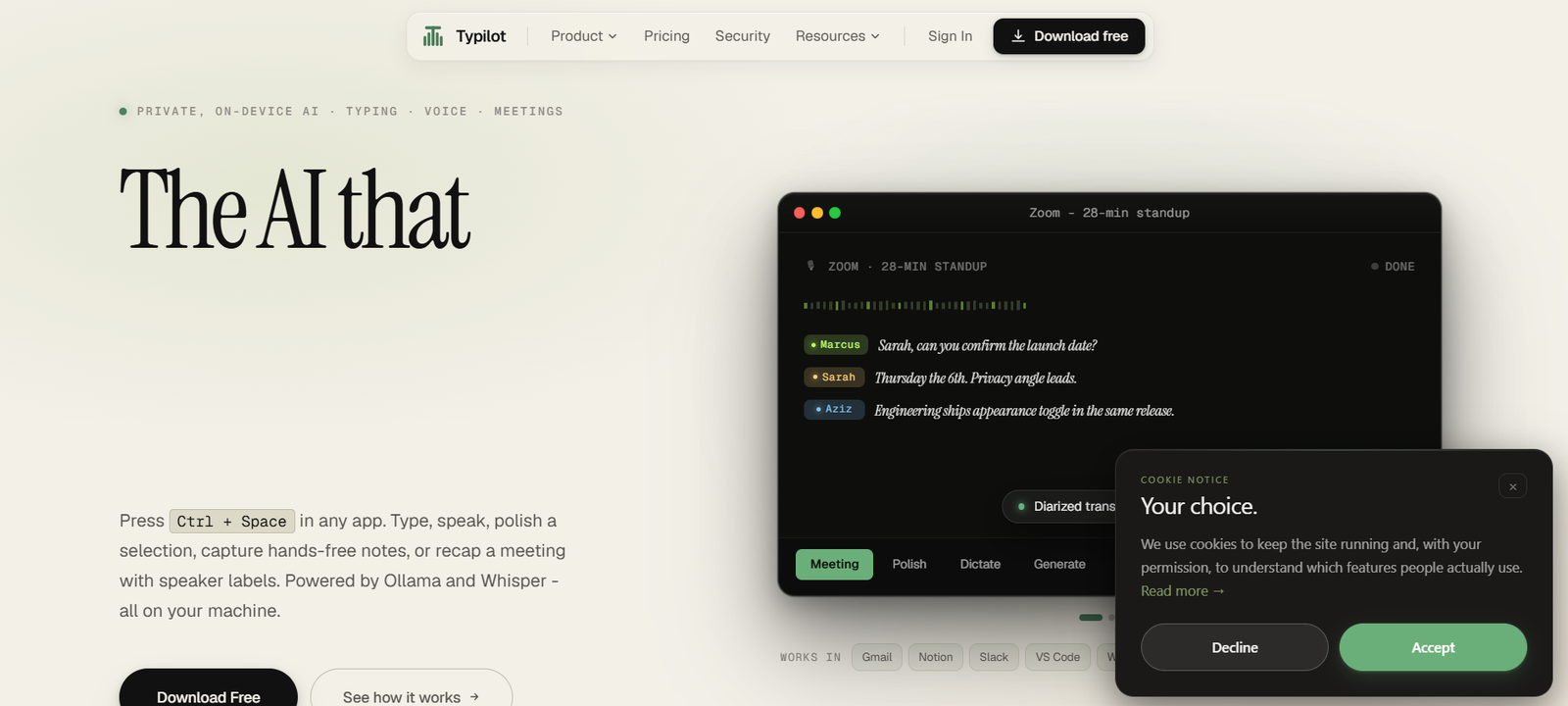
Typilot is a privacy-focused AI writing assistant that works across virtually any desktop application on Windows, macOS, and Linux. Instead of switching between browser tabs and AI chatbots, users can invoke Typilot with a keyboard shortcut to write, rewrite, translate, summarize, dictate, or generate content directly where their cursor is located.
Unlike many cloud-based AI assistants, Typilot processes everything locally using Ollama and Whisper models. This means text, voice recordings, and meeting transcripts remain on the user’s device, making it suitable for professionals handling sensitive information. The platform also supports meeting transcription, OCR, custom AI commands, voice dictation, and AI-powered writing assistance without relying on external AI servers.
Features
Local AI Processing
Typilot performs AI inference entirely on your computer using local language models. Your prompts, documents, and recordings remain private without being uploaded to external servers.
Universal AI Writing
Use AI writing assistance in Gmail, Notion, Slack, VS Code, Word, browsers, and almost any application with a text field.
Voice Dictation
Speak naturally while Typilot converts speech into well-formatted text with automatic punctuation, capitalization, and filler-word removal.
Meeting Recording & Summaries
Record meetings, generate speaker-labeled transcripts, create AI summaries, and search conversations after the meeting ends.
Text Rewrite & Translation
Rewrite, polish, translate, or improve selected text instantly without copy-pasting between applications.
Screenshot OCR
Capture any part of your screen, extract text with OCR, and use AI to summarize or analyze screenshots.
Custom AI Commands
Create personalized shortcuts and prompts for repetitive workflows, allowing different AI models to handle specific tasks.
Offline Privacy
Typilot works even without an internet connection after installation, making it suitable for secure environments and offline productivity.
How It Works
Download and install Typilot on Windows, macOS, or Linux.
Complete the initial setup and install local AI models.
Press the activation shortcut while working in any application.
Choose a command such as generate, rewrite, dictate, summarize, or translate.
Review the AI-generated output, which is inserted directly into your current application.
Use additional features like meeting transcription, OCR, or custom commands as needed.
Use Cases
- Professionals writing emails and reports.
- Developers generating or reviewing code.
- Students summarizing lectures and notes.
- Content creators drafting blogs and social posts.
- Business teams recording and summarizing meetings.
- Writers polishing documents and translations.
- Privacy-conscious users who prefer offline AI.
Pricing
Typilot offers a 3-day free trial with full functionality and no credit card required.
Paid options include:
- Monthly: $7.99/month
- Yearly: $83.88/year (approximately $6.99/month)
- Lifetime License: $199 (one-time payment)
Strengths
- Runs entirely on the user’s device for maximum privacy.
- Works across almost every desktop application.
- Supports Windows, macOS, and Linux.
- Includes meeting transcription, OCR, dictation, and AI writing.
- No cloud processing for everyday AI tasks.
- Highly customizable with user-defined commands.
Drawbacks
- Performance depends on the user’s hardware.
- Initial setup requires downloading local AI models.
- Local models may not match the capabilities of the largest cloud-based AI models for highly complex tasks.
- License verification requires occasional internet access.
Comparison with Other Platforms
Unlike cloud-based AI assistants that require users to copy content into a browser, Typilot works directly inside desktop applications while processing everything locally. Its emphasis on privacy, offline operation, universal desktop integration, and customizable AI commands makes it a strong option for users who prioritize security and uninterrupted workflows over cloud-dependent AI services.
Customer Reviews and Testimonials
Customer reviews and testimonials are not clearly available on the official website. Instead, the website highlights independent privacy audits, security verification, and publicly available compliance reports to demonstrate trustworthiness.
Conclusion
Typilot is an excellent AI productivity assistant for professionals, developers, writers, and businesses seeking private, offline AI assistance across desktop applications. By combining AI writing, voice dictation, meeting transcription, OCR, and customizable commands with fully local processing, it delivers a secure and efficient workflow without relying on cloud-based AI services.