Tweek is a minimalist weekly planner designed for individuals who want a clean, distraction-free way to organize their tasks. It blends the simplicity of a paper planner with the flexibility of a digital app, offering users a calendar-based interface to schedule tasks, plan weeks, and stay focused. Tweek stands out by removing the clutter found in traditional productivity tools and focusing solely on helping users prioritize their week.
Built for both personal and professional use, Tweek is ideal for freelancers, students, creators, and busy professionals who prefer a clear, weekly overview of their tasks. With its cross-platform accessibility and collaborative features, Tweek provides a seamless planning experience across devices. Its design encourages intentional planning, reduces overload, and makes it easier to concentrate on what really matters.
Features
Tweek focuses on simplicity without sacrificing essential functionality. Its key features include:
Weekly Calendar Layout
Plan tasks in a week-view format that mimics a paper planner. Easily see your full week at a glance.
Drag-and-Drop Task Planning
Quickly add, rearrange, and reschedule tasks with intuitive drag-and-drop functionality.
Task Prioritization
Add stars to highlight important tasks and set checkboxes to mark completion status.
Cross-Device Sync
Access your planner from web, iOS, and Android. All updates are synced automatically.
Google Calendar Integration
Connect your Google Calendar to display events alongside your tasks for a unified schedule.
Dark Mode
Switch to dark mode for reduced eye strain and a sleek appearance.
Recurring Tasks
Create tasks that repeat weekly to maintain habits or automate regular responsibilities.
Notes and Subtasks
Add detailed notes or create subtasks to break down larger goals and keep related items organized.
Collaboration
Share your planner with teammates or family members to plan together in real-time.
Reminders and Notifications
Receive email or push reminders so you never miss an important task.
Print and Export
Print your weekly planner or export it to PDF for offline use or physical planning.
Multilingual Support
Available in multiple languages to accommodate global users.
How It Works
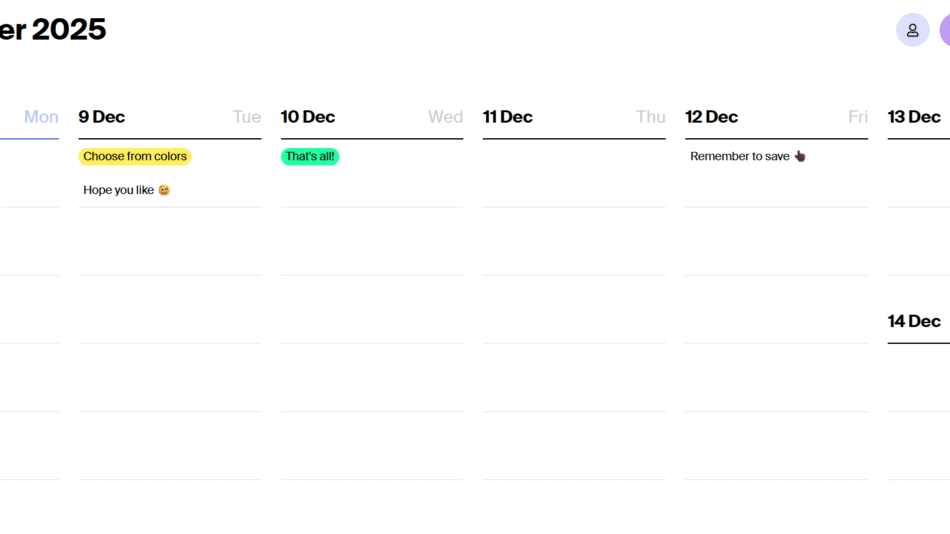
Tweek works on the principle of weekly planning. When you open the app, you’re presented with a weekly calendar grid that displays days from Monday to Sunday. Instead of using a traditional to-do list format, Tweek encourages you to place your tasks directly into days, helping you spread out your workload and set realistic expectations.
To add a task, simply click or tap on a day and start typing. Tasks can be dragged between days, marked as done, starred, or deleted. You can also add subtasks or notes to make tasks more descriptive. Tweek’s calendar integration allows you to see upcoming meetings or events in context, reducing scheduling conflicts.
Recurring tasks can be created for weekly habits or routines. If you’re working with others, you can share your planner and collaborate in real-time. Everything syncs automatically across all devices, making Tweek a reliable choice whether you’re at your desk or on the go.
Use Cases
Tweek adapts well to a variety of planning and productivity needs:
Personal Task Planning
Organize your weekly chores, appointments, errands, and goals with a visual layout that feels intuitive and clutter-free.
Work and Freelance Scheduling
Plan client projects, deadlines, and meetings across your week. Keep your workload balanced and manageable.
Academic Planning
Students can schedule study sessions, classes, assignments, and exams in one easy-to-navigate interface.
Habit Tracking
Use recurring tasks to maintain habits like exercise, journaling, or meditation by assigning them to specific days.
Family Organization
Share your weekly planner with family members to coordinate household tasks, events, and schedules.
Collaborative Projects
Small teams can use Tweek to assign and track responsibilities for shared projects or campaigns.
Event Planning
Prepare for events by breaking down tasks across multiple days, ensuring you stay ahead without last-minute stress.
Digital Detox Planning
Use Tweek to plan screen-free time, relaxation activities, or offline hobbies in a structured but minimal way.
Pricing
According to the official Tweek website, the app offers a freemium model with additional premium features for those who need advanced functionality.
Free Plan
Unlimited tasks
Weekly planner layout
Notes and subtasks
Dark mode
Google Calendar sync
Cross-device sync
Basic collaboration
Premium Plan – $3.99/month or $39.99/year
Recurring tasks
Reminders and notifications
Advanced collaboration features
Priority support
Print and export planner to PDF
Premium themes and customization
Early access to new features
The premium plan includes a 14-day free trial, and no credit card is required to sign up. This makes it easy for users to test the full feature set before committing.
Strengths
Tweek offers several advantages, especially for users who prefer minimalistic and visual planning tools:
Clean, paper-like interface that reduces distractions
Easy to learn and use with zero onboarding complexity
Encourages realistic planning with a weekly structure
Accessible on any device, including web and mobile
Seamless sync and calendar integration
Lightweight and fast performance
Affordable premium pricing
Suitable for individuals and small teams
Focused on planning, not feature overload
Helps reduce stress through better visual scheduling
Drawbacks
While Tweek is highly effective in its niche, it has a few limitations:
Lacks deep project management features like Gantt charts or dependencies
No time tracking or advanced reporting tools
Limited task filtering or tagging options
Not ideal for managing large or complex workflows
Collaboration tools are basic compared to tools like Asana or Trello
Currently no offline mode for web usage
Customization options are limited to themes and basic layout changes
Tweek is best for simple task management, not enterprise-level project planning.
Comparison with Other Tools
Tweek vs Todoist
Todoist supports complex projects, priorities, and labels. Tweek is simpler and focuses on visual weekly planning, offering a more calendar-centric experience.
Tweek vs Trello
Trello uses Kanban boards for task management. Tweek uses a calendar grid, making it better for those who plan tasks by day instead of by stage.
Tweek vs Notion
Notion is highly customizable and supports databases and wikis. Tweek is faster and more focused for people who just want a weekly task planner.
Tweek vs Google Calendar
Google Calendar is great for scheduling events but lacks built-in task management. Tweek fills this gap by combining task planning and weekly scheduling.
Tweek vs Sunsama
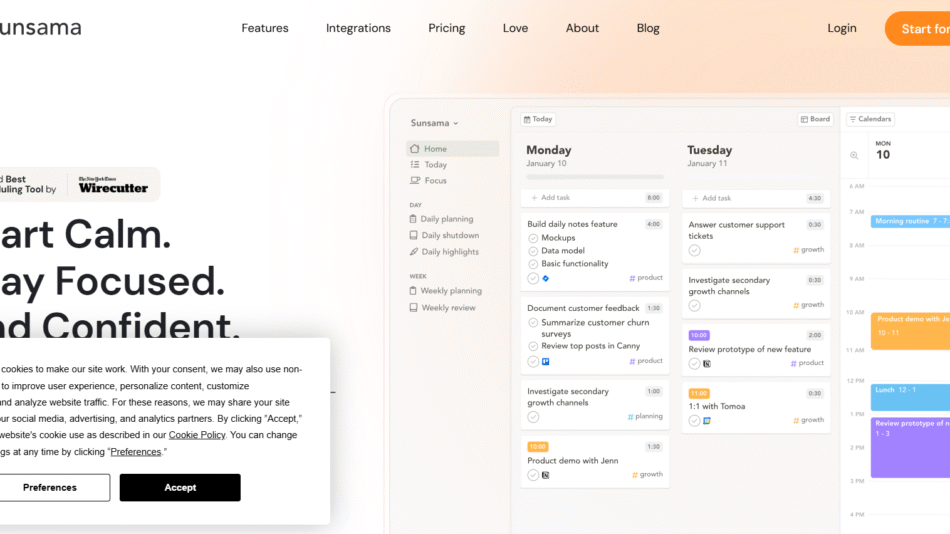
Sunsama also supports daily planning and time boxing. Tweek is more lightweight and suited for users who prefer simplicity without guided rituals or time tracking.
Customer Reviews and Testimonials
Tweek is consistently praised for its simplicity, elegance, and focus. Users highlight how it helps reduce stress and brings more clarity to their weekly planning.
“Tweek is the digital planner I didn’t know I needed. It’s so clean and focused.”
“No distractions, no clutter—just a weekly view and my tasks.”
“This is the perfect planning tool for minimalists and visual thinkers.”
“I love how it feels like using a paper planner, but smarter.”
“Tweek helped me stay consistent with my tasks without overwhelming me.”
On Product Hunt, Tweek has received strong positive feedback for being lightweight, intuitive, and ideal for personal use or freelancers looking for a stress-free planning tool.
Conclusion
Tweek is a minimalist, calendar-based task planner that helps users structure their week with clarity and purpose. By focusing on simplicity and visual organization, it offers an alternative to complex productivity apps that often cause more stress than relief. Its clean interface, ease of use, and thoughtful features make it ideal for individuals who want to stay organized without diving into complicated systems.
Whether you’re a freelancer balancing projects, a student managing deadlines, or someone just looking to gain control over your time, Tweek provides a calm and effective space to plan your week. Its affordable pricing and free tier also make it highly accessible. For anyone seeking a visual, easy-to-use weekly planner, Tweek is a highly recommended solution.