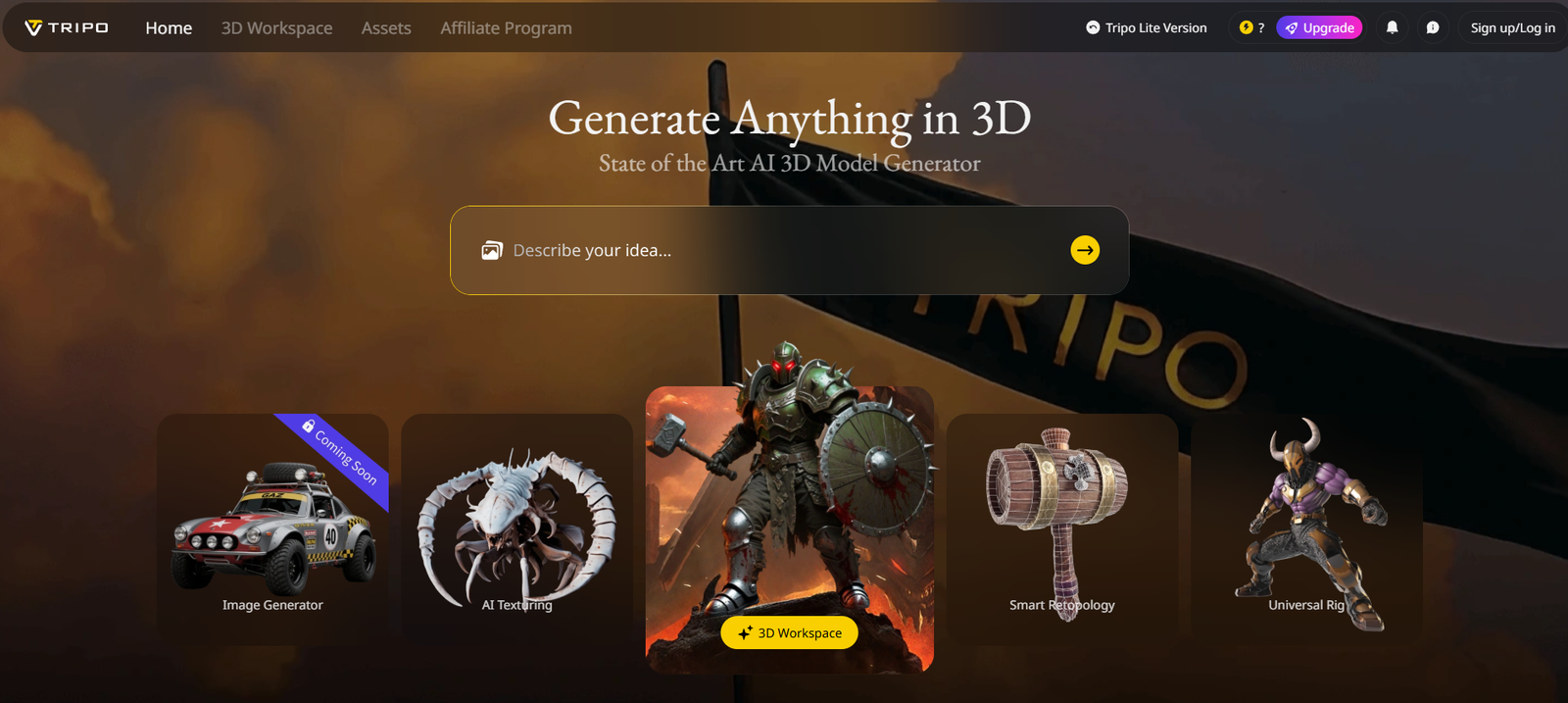
Tripo3D Studio is an AI-powered 3D content creation platform that transforms simple text prompts into fully rendered 3D models within seconds. By removing the technical and artistic barriers traditionally associated with 3D modeling, Tripo3D enables creators of all skill levels to produce game-ready and animation-ready assets using nothing more than a description.
Created by the team at Tripo AI, this platform is designed to serve artists, developers, game studios, and metaverse creators who need fast, scalable, and cost-effective ways to generate 3D models. Whether you’re building assets for virtual worlds, game engines, AR/VR applications, or concept art, Tripo3D Studio offers an intelligent solution that blends creativity and automation.
Features
Tripo3D Studio is packed with features designed to optimize speed, ease of use, and output quality for 3D content creation.
Text-to-3D Generation – Users simply type a prompt (e.g., “medieval sword” or “low-poly cartoon tree”), and the AI generates a matching 3D model.
Realistic and Stylized Models – The system supports a wide range of styles, from realistic to stylized or low-poly aesthetics.
Fast Rendering – Models are generated within seconds, allowing for rapid prototyping and iteration.
Mesh Download – Users can export the final 3D model in commonly used formats (like .obj or .glb) for use in engines such as Unity, Unreal, or Blender.
Texture Mapping – AI automatically applies basic textures to models where applicable.
Web-Based Platform – No software installation is required. Everything runs in the browser with a clean user interface.
Community Gallery – Browse models created by other users for inspiration or reuse.
Prompt History – Easily revisit and refine past prompts for iterative design.
How It Works
Tripo3D Studio is designed to be intuitive and fast, even for users with no experience in 3D modeling.
Visit the Tripo3D Studio website and sign up for an account.
In the text prompt field, describe the 3D object you want to generate.
The AI processes your prompt and creates a 3D model in a few seconds.
Users can rotate, preview, and inspect the model in the browser-based 3D viewer.
Once satisfied, download the model in .obj or .glb format to use in game engines, design software, or other 3D environments.
Users can regenerate or edit the prompt to improve results and iterate quickly.
Use Cases
Tripo3D Studio serves multiple industries and creative workflows.
Game Developers – Quickly generate props, characters, or environmental elements for use in games or prototypes.
3D Artists – Use AI to jumpstart asset creation, then refine the output in software like Blender or Maya.
AR/VR Designers – Create immersive objects for augmented and virtual reality experiences.
Metaverse Builders – Design unique 3D items for use in virtual worlds or marketplaces.
Concept Artists – Generate reference models for faster ideation and visual development.
Educators and Students – Learn 3D design concepts or populate projects with AI-generated assets.
Product Designers – Prototype 3D versions of product ideas quickly and cost-effectively.
Pricing
Tripo3D Studio offers a flexible pricing structure suitable for both individual creators and professional teams.
Free Tier – Allows limited text-to-3D generations per day. Ideal for testing the platform or casual use.
Premium Plans – Unlock more daily generations, higher model resolution, priority processing, and commercial usage rights.
Credit System – Users can also purchase generation credits in packs to pay as they go, without a monthly subscription.
Enterprise Plans – For studios or large-scale teams needing bulk access, custom SLAs, and private model training.
Exact pricing details and plan breakdowns are available on the official Tripo3D Studio pricing page.
Strengths
Tripo3D Studio brings several strong advantages to the 3D content creation process.
No Modeling Skills Required – Anyone can generate high-quality 3D models just by typing text.
Speed and Scalability – Models are generated in seconds, enabling rapid content creation.
Cross-Platform Export – Models are compatible with major engines and 3D software.
Creative Flexibility – Supports a variety of visual styles and object types.
Accessible – Fully web-based with a clean interface for quick adoption.
Cost-Effective – Reduces the time and resources required for 3D modeling projects.
Ideal for Prototyping – Quickly visualize ideas without the long modeling pipeline.
Drawbacks
While Tripo3D Studio is innovative, there are a few limitations to be aware of.
Limited Editing Features – Users can’t modify geometry or texture details directly within the platform.
Prompt Sensitivity – The quality of the output depends heavily on how well the prompt is written.
Style Inconsistency – Some results may vary in style or fidelity depending on the complexity of the request.
File Format Restrictions – Export options are currently limited to common formats like .obj and .glb.
No Native Rigging – The platform does not yet support auto-rigging or animation-ready skeletons.
Free Tier Limitations – Users on the free plan are limited in daily generations and model resolution.
Comparison with Other Tools
Tripo3D Studio stands out among a growing field of AI-powered 3D generation platforms like Kaedim, Luma AI, and Meshy.
Kaedim – Focused on high-fidelity hard-surface modeling with human refinement in the loop. Ideal for premium studio assets but more expensive.
Luma AI – Specializes in 3D generation from photos or videos using NeRFs (neural radiance fields). More geared toward photogrammetry than text prompts.
Meshy – Another text-to-3D platform similar in function to Tripo3D, though with different output styles and pricing.
What sets Tripo3D Studio apart is its emphasis on speed, ease of use, and prompt-based generation, making it ideal for solo creators and teams who need immediate results without training datasets or complex inputs.
Customer Reviews and Testimonials
Users of Tripo3D Studio have shared positive experiences across social media platforms and 3D creator forums.
Game developers appreciate the tool’s ability to generate placeholder assets during early development stages.
Indie creators and educators note the simplicity of the interface and how it lowers the barrier to entry for 3D design.
Many users mention the fun and creativity of experimenting with different prompts to explore visual ideas.
Constructive feedback often highlights the desire for more file formats, direct editing tools, and support for rigging or animation-ready outputs.
The overall consensus is that Tripo3D Studio delivers impressive value for fast 3D prototyping and ideation.
Conclusion
Tripo3D Studio is a breakthrough tool for anyone looking to generate 3D models without the steep learning curve of traditional modeling software. With its AI-driven text-to-3D workflow, the platform democratizes access to 3D content creation, allowing users to go from idea to asset in seconds.
Whether you’re a developer building a game, a designer working on AR/VR, or a student learning 3D modeling, Tripo3D Studio offers a powerful, accessible, and time-saving solution. While it’s not a complete replacement for professional 3D software, it’s an ideal companion for rapid prototyping, experimentation, and asset generation.
For creators seeking to move fast and think visually, Tripo3D Studio is an exciting tool that’s shaping the future of 3D design.