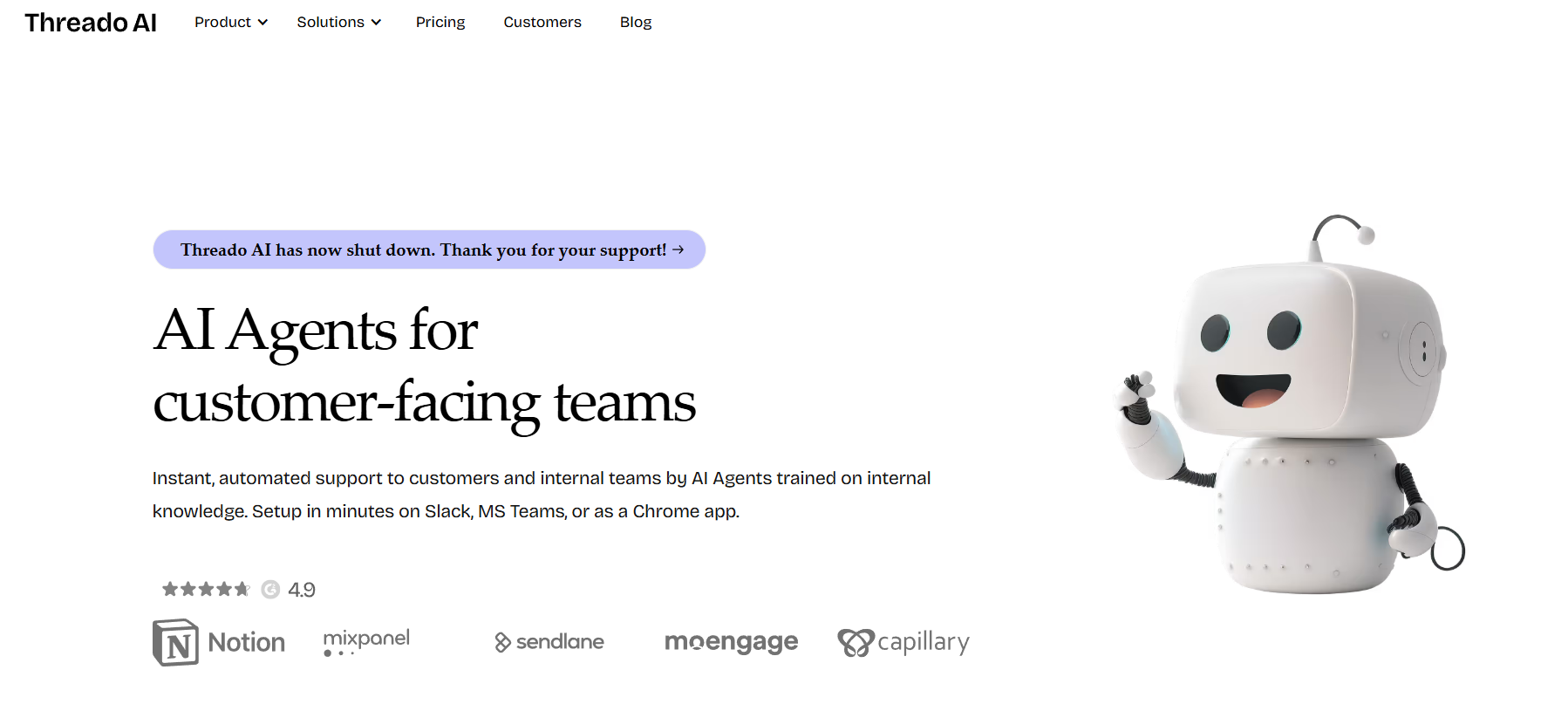
Threado is an AI-powered community operations platform that serves as your always-on assistant inside messaging platforms like Slack and Discord. Designed for community managers, customer success teams, and founders, Threado automates repetitive support tasks, monitors conversations, and provides intelligent responses using data from your help center, documents, and community history.
Unlike standard bots or support widgets, Threado leverages generative AI to deliver contextual and human-like responses that align with your brand tone and community norms. It acts as a co-pilot for your team—monitoring channels, responding to questions, and surfacing valuable insights about community engagement.
With a strong emphasis on automation, analytics, and integration, Threado helps you support, retain, and activate your community at scale.
Features
Threado comes packed with advanced features that make it a valuable asset for community-driven organizations.
AI-Powered Auto Replies – Automatically answer member questions based on your documentation, past threads, and uploaded resources.
Multi-Platform Support – Works across Slack, Discord, and other community platforms to centralize support and engagement.
Knowledge Base Integration – Pulls answers from Notion, Intercom, Zendesk, and custom docs to ensure accurate and branded replies.
Conversation Monitoring – Tracks unanswered messages, top topics, and trending discussions to help you stay proactive.
Custom AI Tone & Training – Tailor the assistant to match your community tone, brand voice, and preferred communication style.
Analytics Dashboard – Measure response rates, resolution time, engagement metrics, and member activity in real time.
Workflow Automation – Set up onboarding sequences, DM campaigns, and auto-follow-ups to drive consistent engagement.
Feedback Collection – Use AI to automatically detect sentiment and gather community feedback.
These features combine to offer a hands-off, high-impact approach to community support and operations.
How It Works
Getting started with Threado is straightforward. After signing up, users connect their Slack or Discord workspace. Threado then scans historical conversations and documentation to build its knowledge base.
Admins can upload additional content sources like FAQs, help center articles, or Notion pages to improve response accuracy. Once activated, the AI assistant monitors selected channels and responds to member queries in real time.
The assistant learns from community interactions, improving its responses over time. Community managers retain control and can review responses, set approval rules, or customize reply behavior. Threado also provides a dashboard to track unanswered questions, engagement stats, and overall impact.
The setup is designed to be non-intrusive, requiring minimal effort while delivering significant operational efficiency.
Use Cases
Threado supports a variety of use cases across industries and community types.
SaaS Communities – Provide real-time product support, reduce ticket volume, and foster peer-to-peer learning.
Customer Success – Automatically respond to onboarding and troubleshooting queries in private or public channels.
Creator Communities – Engage members with smart replies, highlight top discussions, and automate updates.
Developer Forums – Offer technical support and documentation assistance directly in community channels.
Internal Teams – Act as a knowledge assistant for internal Slack groups, helping employees find answers fast.
Startup Incubators – Streamline onboarding, mentor matching, and resource sharing for large cohorts.
Whether public-facing or internal, Threado reduces manual work while enhancing member satisfaction and responsiveness.
Pricing
As of the latest information from the Threado website, the platform offers the following pricing tiers:
Free Plan
– Access to Slack/Discord integration
– Basic AI replies (limited usage)
– Up to 1 workspace
– Ideal for testing and small communities
Pro Plan – Starting at $49/month
– Unlimited AI interactions
– Custom knowledge base and tone of voice
– Workflow automations
– Analytics and monitoring
– Ideal for growing startups and creator communities
Enterprise Plan – Custom pricing
– Advanced analytics and integrations
– Multiple workspaces
– Custom SLAs and onboarding support
– Best for large-scale communities or CS teams
All plans include onboarding assistance, AI training tools, and access to Threado’s growing library of community operations templates.
Strengths
Threado stands out for several reasons, especially for teams that want to reduce manual support and boost community engagement.
AI-First Support – Provides fast, contextual answers using your community data, reducing response times.
Easy Integration – Plug-and-play setup for Slack and Discord, with intuitive controls for non-technical users.
Contextual Learning – Learns from historical messages and docs to improve response quality over time.
Customizable Experience – Adjust tone, channels, and behavior to fit your brand and audience.
Real-Time Insights – Access rich analytics on engagement, response success, and conversation trends.
Scalable for All Sizes – Works for solo creators, fast-growing startups, and enterprise CS teams alike.
Threado offers an impressive blend of simplicity and power, making it an ideal support assistant for community-centric organizations.
Drawbacks
While Threado is a promising and well-designed platform, there are a few considerations to keep in mind.
Limited Channel Support – Currently optimized for Slack and Discord; support for other platforms may be limited.
AI Needs Training – Accuracy improves with more documentation and feedback, which means some ramp-up time.
Free Plan Limitations – The free plan may not support high-volume communities or complex workflows.
No Mobile-Specific UI – Although usable on mobile apps like Slack, there’s no dedicated mobile dashboard yet.
These minor limitations are expected to evolve as the platform continues to grow and improve its capabilities.
Comparison with Other Tools
Threado competes with other community automation and AI tools such as GreetBot, Orbit, Common Room, and Intercom for community-based support.
Compared to Intercom, which is more customer support-focused, Threado is built from the ground up for community use cases. It integrates deeply with Slack and Discord rather than relying on web chat.
Orbit and Common Room offer engagement analytics, but Threado goes further by providing AI-powered real-time assistance, not just insights. GreetBot handles onboarding but doesn’t offer AI-generated replies or knowledge base integrations.
This makes Threado a unique and powerful platform for community managers seeking real automation, not just monitoring.
Customer Reviews and Testimonials
Threado has received strong praise from early adopters across SaaS, creator, and Web3 communities. On platforms like Product Hunt and Twitter, users highlight its time-saving benefits and accuracy.
One user shared, “Threado reduced our Slack support workload by 60%. It replies instantly and knows our product better than some new hires.”
Another community builder said, “Setting up the AI assistant took 15 minutes, and it’s already resolving questions I used to answer daily.”
The platform has been featured in community-led growth discussions and is increasingly recognized as an essential tool for modern, scalable support.
Conclusion
Threado is redefining how teams manage and scale community operations. With its AI-powered assistant, you can reduce repetitive support tasks, improve response times, and deepen engagement—all without increasing headcount.
Whether you’re building a startup user group, a creator-led community, or an internal Slack hub, Threado offers automation that feels human, helpful, and aligned with your brand. Its intuitive setup, smart AI learning, and actionable insights make it a must-have for community-led growth.
If you’re ready to supercharge your community experience with AI, Threado is an excellent platform to explore.