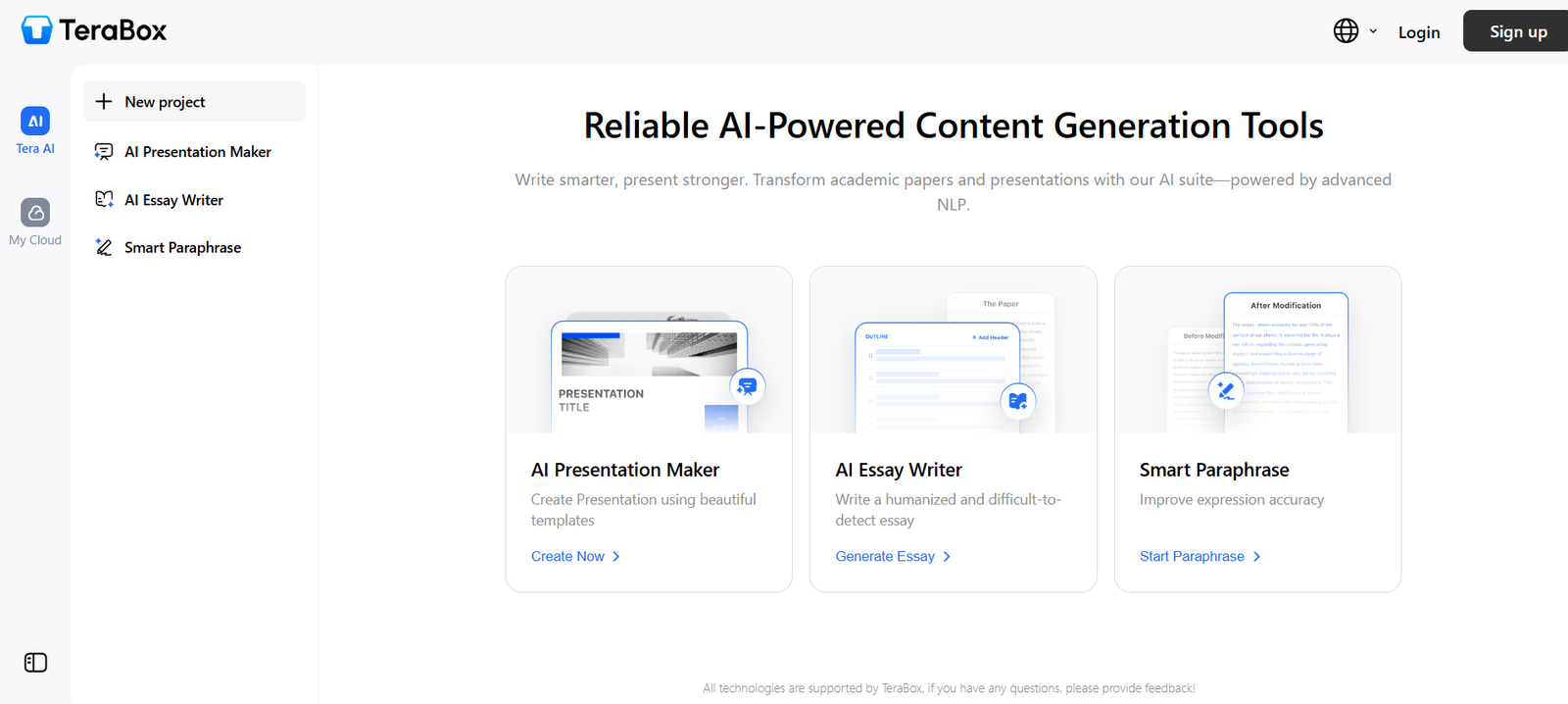
TeraBox is a cloud storage service that provides up to 1TB (1024GB) of free space, allowing users to store photos, videos, documents, and other files securely online. With web and mobile access, TeraBox enables file backup, sharing, syncing, and downloading across multiple devices.
It’s an ideal platform for users who require large storage capacity without paying monthly fees. Whether you’re storing your personal media collection or backing up work documents, TeraBox helps ensure your data is both accessible and safe.
Features
TeraBox is packed with essential features for personal cloud storage:
1TB Free Cloud Storage
Offers 1024GB of free space to store photos, videos, music, and files online.Cross-Device Syncing
Access files anytime from Android, iOS, Windows, and via web browsers.Automatic Backup
Automatically uploads photos and videos from your mobile device to the cloud.File Sharing and Link Generation
Easily create shareable download links with optional passwords and expiration dates.Secure Storage
Files are encrypted and stored on secure servers to protect user privacy.Video Playback and Photo Viewer
View and play media files directly in the app without needing to download them first.Recycle Bin and File Recovery
Deleted files are temporarily stored for recovery if needed.
These features make TeraBox a practical and powerful solution for everyday digital storage needs.
How It Works
TeraBox is easy to set up and use across platforms:
Create a Free Account
Visit https://www.1024terabox.com or download the TeraBox app and register using your email or phone number.Start Uploading Files
Begin uploading photos, videos, and documents to your personal cloud from your device or desktop.Enable Automatic Backup (Optional)
On mobile, turn on auto-backup to automatically save your photos and videos to TeraBox.Access Files from Any Device
Log into your account from any supported device to retrieve or manage your files.Share or Download Files
Generate secure links for others to access your content or download your files directly.
TeraBox streamlines file management and backup for users of all tech levels.
Use Cases
TeraBox suits a variety of personal and professional needs:
Personal Media Backup
Store and back up large photo and video libraries without consuming phone or local storage space.Document Storage
Safely archive work files, PDFs, contracts, and spreadsheets for access from any device.Cross-Device File Sync
Seamlessly move files between your smartphone, tablet, and laptop without needing cables.Content Sharing
Send large files to friends, family, or clients via shareable download links.Storage Expansion
Free up local space on mobile devices by transferring unused or archived data to the cloud.
TeraBox is especially helpful for users who lack enough internal device storage but need reliable backup options.
Pricing
TeraBox offers both free and premium plans. As of the latest available information:
Free Plan
1TB (1024GB) of storage
Max file size upload: 4GB
Basic sharing and sync features
Premium Plan – ~$3.49/month (subject to change)
2TB of storage
Max upload size increased (up to 20GB)
No ads
File restoration support
Faster upload/download speeds
Pricing may vary by region or device, and subscription plans can be managed via app stores or the web platform. Visit the official website for the most up-to-date plan details.
Strengths
TeraBox offers compelling benefits, especially for users seeking generous cloud storage for free:
1TB of Free Storage
Far more generous than many competitors offering 5–15GB for free.Cross-Platform Availability
Available on Android, iOS, Windows, and web — syncs across all devices.Simple and Fast Onboarding
Account setup and file upload are intuitive and fast.Low-Cost Premium Tier
2TB of cloud space for less than $4/month is highly competitive.Secure File Hosting
Offers encrypted storage and privacy controls for all users.
These strengths make TeraBox a top-tier choice for casual users, students, and content-heavy individuals.
Drawbacks
Despite its attractive features, TeraBox has a few limitations to be aware of:
Limited Collaboration Tools
Lacks advanced team features found in business-oriented cloud platforms like Google Workspace or Dropbox Business.Free Plan Ads
The free version includes ads, which may affect user experience.Unclear Data Jurisdiction
Depending on where your account is registered, privacy laws and data handling may vary.No End-to-End Encryption (E2EE)
While data is encrypted on servers, TeraBox currently doesn’t offer E2EE for full user-controlled privacy.
For personal use, these limitations are manageable, but corporate users may require a more robust enterprise solution.
Comparison with Other Tools
TeraBox competes directly with other cloud storage providers, and here’s how it stands out:
vs. Google Drive
Google offers 15GB for free but charges more for 2TB. TeraBox provides 1TB free and 2TB premium at a lower cost.vs. Dropbox
Dropbox’s free storage is just 2GB, making TeraBox far more generous for casual users.vs. OneDrive
OneDrive provides 5GB free and integrates tightly with Microsoft Office, while TeraBox focuses on storage capacity.vs. Mega
Mega offers 20GB free but has bandwidth limitations. TeraBox provides consistent access to large file storage.
TeraBox’s key differentiator is the unmatched size of its free storage offering.
Customer Reviews and Testimonials
TeraBox is available on app stores and has received mixed-to-positive reviews from users:
Google Play Rating: ~4.3 stars
“1TB for free is amazing. I moved all my photos off my phone!”Apple App Store Rating: ~4.5 stars
“Easy to use. Love the automatic backup for videos.”User Feedback Highlights:
“Great for storing college files and lectures.”
“Premium plan is affordable and fast.”
“Wish it had better team features or integration with other apps.”
Overall, users appreciate the value and simplicity, especially on mobile devices.
Conclusion
TeraBox is a standout cloud storage solution offering an incredible 1TB of free space, secure access, and cross-device syncing—all wrapped in an easy-to-use platform. For individuals who need to store, back up, or share large volumes of files without incurring high monthly fees, TeraBox is an ideal choice.
With an affordable premium tier and automatic backup features, it also provides a practical solution for users looking to extend their cloud storage further. While not designed for enterprise use, TeraBox excels as a consumer-grade cloud storage solution.