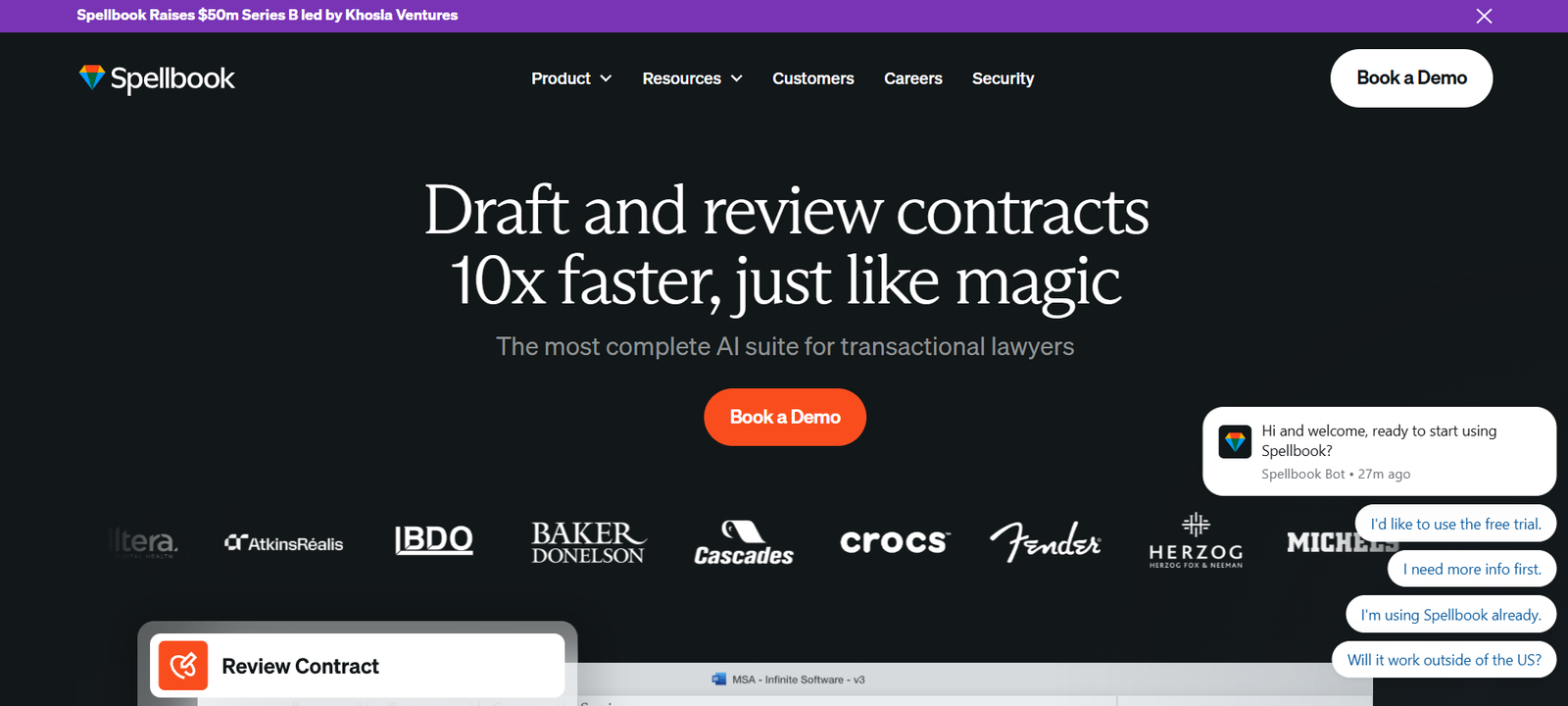
Spellbook is an AI-powered legal assistant designed to work seamlessly within Microsoft Word, allowing legal professionals to draft, review, and analyze contracts directly in the documents they are already working on. Built on OpenAI’s GPT-4 technology and enhanced with legal-specific capabilities, Spellbook helps lawyers and legal teams streamline the contract lifecycle while improving speed, accuracy, and efficiency.
Unlike standalone platforms, Spellbook functions as a Microsoft Word add-in. It is tailored to fit naturally into the contract drafting workflows lawyers use every day. Spellbook offers legal clause suggestions, identifies risks, and even answers complex legal questions—all within the context of a working document.
Features
Spellbook offers a range of AI-powered features specifically built for legal drafting and contract analysis.
Microsoft Word Integration
Spellbook installs directly into Microsoft Word, allowing lawyers to work in their preferred environment without switching between platforms.
AI Contract Drafting
Using plain-language prompts, users can instruct Spellbook to draft clauses, revise existing text, or generate entire contract sections based on legal best practices.
Risk Identification
Spellbook highlights risky or unusual contract terms, helping legal professionals identify problematic clauses early in the review process.
Clause Suggestions
The tool offers alternative clause language suggestions based on common standards and previously used language.
Legal Q&A
Users can ask legal questions directly in Word, and Spellbook provides context-aware answers grounded in legal reasoning.
Knowledge Retention
Spellbook learns from prior edits and organization-specific preferences, helping ensure consistent drafting across teams.
Real-Time Collaboration
Multiple users can collaborate on a document with Spellbook simultaneously, ensuring a smooth workflow for legal teams.
Secure and Compliant
Spellbook encrypts all data in transit and at rest and adheres to privacy and security best practices, including GDPR and SOC 2 compliance.
How It Works
Spellbook operates as an AI-powered add-in within Microsoft Word. Once installed, it appears as a sidebar tool that can be launched during contract drafting or review. Users interact with Spellbook using natural language prompts. For example, a user can request it to “add a non-disclosure clause” or “highlight any indemnity risks.” Spellbook processes the prompt and either generates a response, suggests contract language, or flags specific issues.
The AI uses large language models trained on billions of legal texts, documents, and contract samples. It understands the structure of legal agreements, can reference similar clauses, and provides language tailored to legal standards. As users work, Spellbook offers context-specific suggestions in real-time, helping improve both the speed and quality of contract creation.
All work is done locally in Word, and users can accept, edit, or reject the AI’s suggestions. The tool does not store documents by default, ensuring confidentiality and compliance with client data protection protocols.
Use Cases
Law Firms
Spellbook allows law firms to draft contracts more quickly and ensure consistent quality across teams, especially during high-volume transactional periods.
In-House Counsel
Corporate legal teams use Spellbook to review vendor agreements, sales contracts, and employment documents efficiently while reducing reliance on external counsel.
Solo Practitioners
Independent lawyers benefit from AI drafting support, which allows them to handle more clients with fewer resources.
Startups and SMEs
Companies without a dedicated legal team can use Spellbook to streamline simple contract creation and reduce legal spend.
Contract Management Teams
Professionals focused on managing and negotiating contracts can use Spellbook to identify risks, improve negotiation positions, and reduce contract turnaround time.
Pricing
Spellbook does not list fixed pricing directly on its website. Instead, it offers customized pricing based on the size and needs of the legal team.
Interested users must request access or book a demo to learn more about specific pricing structures. The platform typically offers different pricing tiers for individual lawyers, small law firms, and enterprise legal departments. Pricing may vary depending on usage volume, number of seats, and required features.
Users can request access to Spellbook or schedule a demo through the official site:
Strengths
Seamless Word Integration
Spellbook works directly inside Microsoft Word, eliminating the need to learn new tools or switch platforms.
Natural Language Interface
Lawyers can communicate with the AI using plain English, simplifying the legal drafting process.
Improved Efficiency
Spellbook significantly reduces drafting and review time, helping legal professionals focus on high-value tasks.
Customizable to Legal Teams
The tool adapts to specific legal styles and practices over time, allowing for personalized and consistent outputs.
Data Security
Spellbook ensures high levels of data protection, suitable for confidential legal documents.
Drawbacks
No Transparent Pricing
The lack of published pricing may deter budget-conscious users who want immediate cost clarity.
Requires Microsoft Word
Spellbook is limited to users who work within Microsoft Word. It is not available as a standalone web app.
Internet Connection Needed
The AI functionalities require an active internet connection to process requests.
Limited Free Access
There is no free version available. Access is currently through request and approval only.
Comparison with Other Tools
Spellbook vs. Legaliser
While Legaliser offers a full platform for document generation and review, Spellbook focuses on deep integration within Microsoft Word. Legaliser is suited for firms needing a broader platform, while Spellbook is ideal for professionals who want legal AI tools within their existing workflow.
Spellbook vs. LawGeex
LawGeex is known for AI-powered contract review and compliance checking. Spellbook, in contrast, offers more flexibility for clause drafting and real-time document editing during drafting rather than post-completion review.
Spellbook vs. Casetext CoCounsel
CoCounsel from Casetext acts as a legal research and writing assistant. Spellbook emphasizes contract generation and review within Word, making it more useful for transactional lawyers than litigators.
Spellbook vs. Kira Systems
Kira focuses on document analysis and due diligence. Spellbook offers live, in-document drafting and assistance, serving a different segment of legal work.
Customer Reviews and Testimonials
According to testimonials on the Spellbook website, legal professionals report significant improvements in contract drafting speed and quality. Users praise the natural language interface and appreciate that the tool integrates directly into Microsoft Word.
Many users highlight how Spellbook allows junior lawyers to work more independently and how senior counsel can maintain consistency across large teams. Early adopters mention that Spellbook reduced contract turnaround times by up to 70% in high-volume transactional environments.
Feedback is particularly strong from in-house legal teams that handle repetitive contracts and from boutique law firms that benefit from automation without sacrificing legal precision.
As the tool is still rolling out to broader audiences, more public reviews may appear on platforms like Product Hunt or other legal tech forums.
Conclusion
Spellbook is a powerful legal AI assistant built to meet modern contract drafting needs directly within Microsoft Word. Its seamless integration, natural language interface, and AI-driven drafting capabilities make it an excellent tool for legal professionals looking to improve workflow efficiency without changing platforms.
While it lacks transparent pricing and requires a Microsoft Word environment, Spellbook’s features and functionality are particularly valuable for transactional lawyers, in-house teams, and solo practitioners. Its ability to identify risks, suggest clauses, and provide legal answers all within an open document makes it one of the most practical legal AI tools available today.
As AI adoption grows in the legal industry, Spellbook stands out for its ease of use, robust features, and productivity gains. Legal teams aiming to modernize their drafting process without compromising accuracy should consider exploring Spellbook.