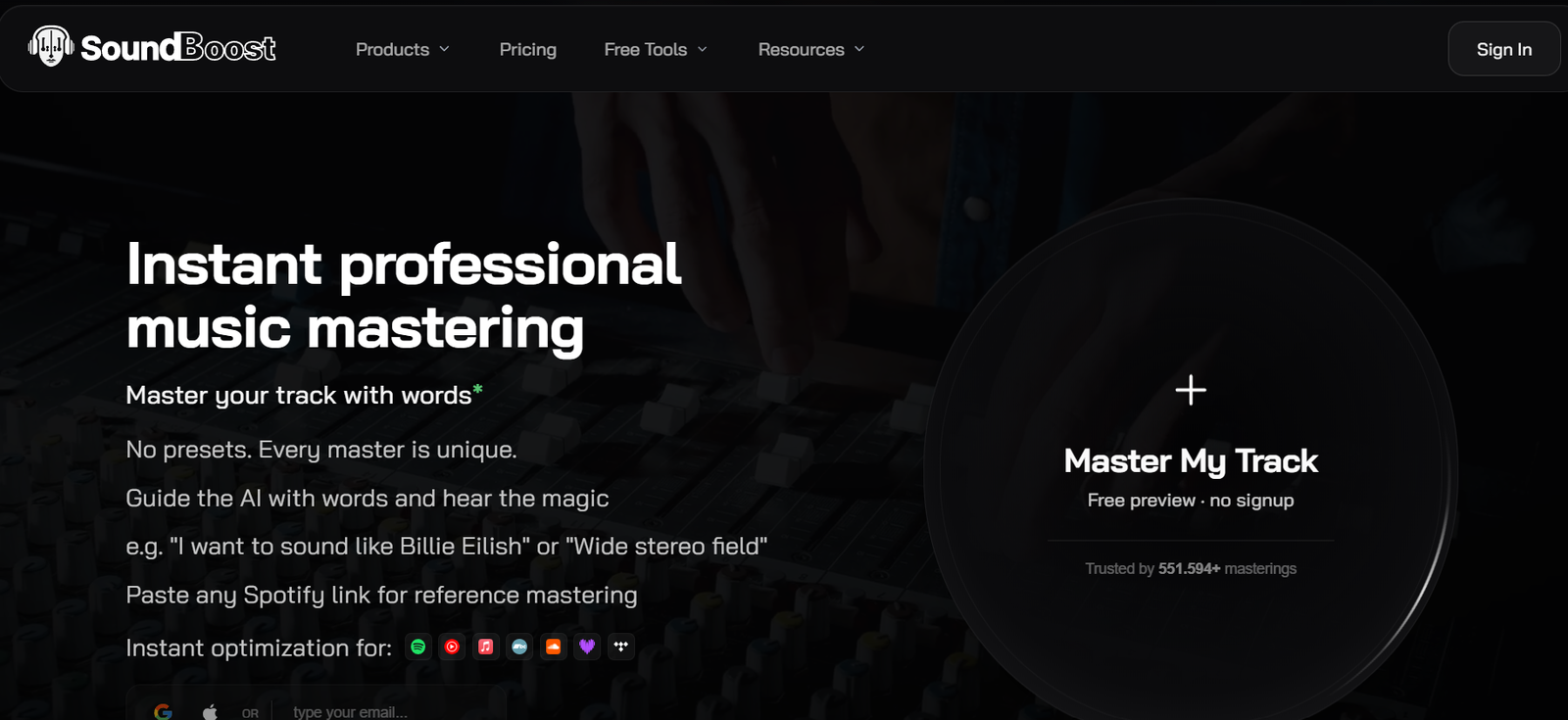
SoundBoost is an AI-powered online music mastering platform designed for musicians, producers, mastering engineers, independent artists, and bedroom producers.
Its main purpose is to turn an unfinished mix into a polished master suitable for release. Instead of relying only on fixed presets, SoundBoost allows users to describe how they want their music to sound using natural language.
For example, a musician can ask for a warmer sound, wider stereo image, stronger bass, smoother vocals, greater clarity, or another sonic direction. The AI analyzes the track and creates a mastering chain according to the music and the user’s instructions.
Users can then create revisions, compare different masters, adjust EQ and mastering intensity, or provide a reference track for additional direction.
SoundBoost also provides stem separation, vocal removal, audio conversion, loudness analysis, speaker simulation, visual creation tools for musicians, and other utilities.
The platform works through the web and also provides iOS and Android apps. A single eligible subscription works across supported platforms.
SoundBoost is developed by DIKTATORIAL Inc.
Features
AI Music Mastering
SoundBoost analyzes an uploaded mix and automatically creates a mastered version.
The system considers characteristics such as genre, loudness, and the sonic requirements of the track before applying processing.
Prompt-Based Mastering
One of SoundBoost’s most distinctive features is the ability to guide mastering through normal language.
Instead of understanding every technical mastering control, users can simply describe the result they want.
A creator could request a warmer master, stronger low end, greater clarity, more width, or a different overall character.
AI Mastering Engineers
SoundBoost provides multiple AI mastering-engineer personas.
The engineers have different sonic approaches and personalities, allowing users to experiment with different interpretations of the same mix.
Mastering Revisions
Users can generate alternative versions instead of accepting the first master.
This makes the process more interactive than a simple upload-and-download mastering service.
A/B Comparison
The original mix and different mastered revisions can be compared before the final version is selected.
Reference Mastering
Users can select a reference track or artist to communicate the general sonic direction they want.
The AI treats the reference as a mastering brief and creates a new revision in that direction.
Spotify Reference Search
SoundBoost provides reference searching that allows users to find music and use it as a mastering direction.
Reference mastering should be viewed as sonic guidance rather than an assurance that a track will sound identical to another artist’s recording.
Custom EQ
Users who want greater control can manually adjust EQ rather than relying entirely on AI decisions.
Mastering Intensity
The intensity of the processing can be adjusted to find a suitable balance between the original mix and a more heavily processed master.
Analog Warmth and Saturation
SoundBoost provides processing designed to introduce analog-style warmth and saturation.
Compression
Dynamic processing can help control peaks and improve the consistency and impact of a track.
Stereo Width
Users can modify the perceived stereo width of a master.
De-Essing
The mastering toolkit includes processing for reducing excessive high-frequency sibilance.
Tape Effect
Tape-style processing can add additional tonal character.
True-Peak Control
True-peak limiting helps prepare tracks for different playback and distribution environments.
Mono Compatibility
Users can check how their music behaves when played in mono.
This is particularly useful for identifying stereo elements that may disappear or change significantly on different playback systems.
AI Loudness Optimization
SoundBoost does not simply force every track toward one fixed loudness target.
Its mastering process considers genre, intensity, loudness settings, and other characteristics.
Streaming Optimization
The platform is designed to prepare music for services and environments such as Spotify, Apple Music, YouTube Music, Bandcamp, SoundCloud, Deezer, and TIDAL.
Loudness Penalty Analysis
Users can check how streaming platforms may adjust the playback level of their mastered track.
Speaker Simulations
SoundBoost can help users preview how a master may translate across different listening environments and devices.
Stem Splitter
The platform includes an AI stem-separation tool.
Users can isolate musical components for remixing, practice, production, and other permitted workflows.
Vocal Remover
Vocals can be separated from the instrumental portion of a track.
This can help with remixing, karaoke, rehearsal, and production where the user has appropriate rights.
Drum Separation
The higher Unlimited Plus plan adds additional separation capabilities including drums.
Piano and Guitar Stems
Unlimited Plus also provides additional instrument separation, including piano and guitar stems.
Bulk Mastering
Unlimited Plus users can master multiple tracks in one workflow.
The current documentation supports bulk mastering of up to 10 tracks.
This can be useful when preparing an EP, album, or group of tracks.
Prompt to Mastering
Users can provide a shared creative direction in words rather than configuring each technical processor manually.
Mastering Seeds
SoundBoost supports reusable mastering recipes that store an engineer, intensity, processing options, and EQ information.
This can help maintain a more consistent direction across several songs.
Voice Mode
On supported workflows, users can speak their mastering instructions instead of typing them.
Share a Session
Users can create a public listening link so collaborators, band members, producers, or clients can compare revisions without receiving full access to the account.
AI Visual Creator
SoundBoost also provides visual-generation tools aimed at musicians.
Creators can experiment with album covers, artist imagery, Spotify Canvas-style videos, and related visual assets.
Audio Converter
The platform provides an audio conversion tool supporting formats such as WAV, MP3, FLAC, OGG, AAC, M4A, and AIFF.
Depending on the format, users can choose 44.1 kHz or 48 kHz and 16-bit, 24-bit, or 32-bit output.
Mobile Apps
AI mastering is available through SoundBoost’s iOS and Android applications.
Projects can be accessed across supported devices when users sign in with the same account.
How It Works
Step 1: Upload a Track
Upload the music you want to master.
SoundBoost accepts common audio formats including WAV, MP3, FLAC, AIFF, AAC, ALAC, M4A, OGG, and Opus.
It can also extract audio from several common video formats.
Step 2: Let SoundBoost Analyze It
The system analyzes the music and creates an initial mastering direction.
Step 3: Listen to the First Master
A first master is generally produced quickly, allowing the user to compare it with the original.
Step 4: Describe What You Want
Enter a prompt such as asking for more warmth, stronger bass, wider stereo, smoother highs, or another desired change.
Step 5: Generate a Revision
The AI mastering engineer interprets the request and produces another version.
Step 6: Compare Versions
Use A/B listening to compare the original and different revisions.
Step 7: Fine-Tune
Adjust Custom EQ, intensity, loudness, stereo width, and other available controls if required.
Step 8: Use a Reference
Choose a reference track or artist if you want to communicate a particular sonic direction.
Step 9: Check Translation
Use loudness and device simulation tools to understand how the track may behave across different playback environments.
Step 10: Finalize
Select the preferred revision and finalize the complete track.
Step 11: Export
Download the mastered audio in an available professional format.
Use Cases
Independent Musicians
Artists can prepare tracks for distribution without immediately hiring a traditional mastering studio.
Bedroom Producers
Users who do not have extensive mastering knowledge can describe the sound they want in ordinary language.
Music Producers
Producers can quickly test different mastering directions before choosing a final sound.
Albums and EPs
Bulk mastering and reusable mastering recipes can help when processing several related songs.
Electronic Music
Producers can experiment with loudness, stereo width, bass impact, saturation, and reference-based directions.
Podcast and Audio Production
Audio-processing and conversion tools can also assist creators working with non-music audio.
Remixing
Stem separation can isolate vocals and instruments for authorized remixing.
Karaoke and Backing Tracks
Vocal removal can help create practice or backing versions where users have the appropriate rights.
Client Review
Session sharing can allow producers and clients to compare mastering revisions.
Release Preparation
WAV export, loudness analysis, metadata-related tools, and format conversion can help prepare files for distribution.
Pricing
SoundBoost currently offers Free, Unlimited, and Unlimited Plus access levels.
Free
Free users can upload tracks and create mastering previews.
The current Free experience includes:
Initial mastering
30-second previews
Prompt to Mastering
AI mastering engineers
Revision Suite
Custom EQ
Mastering intensity controls
A/B listening
Up to 10 revisions per project according to the latest documentation
Free users cannot finalize and download a complete mastered track.
Unlimited
The current annual promotion displays Unlimited at an equivalent price of approximately $4 per month when billed annually.
Unlimited includes:
Unlimited mastering and stem splits
Full-track finalization
All mastering effects
Prompt to Mastering
Reference mastering
AI-assisted loudness optimization
Analog warmth and saturation
Tone clarity controls
Tape effect
Compression
Stereo width
De-essing
Mono compatibility tools
Cloud storage
Speaker simulations
Mobile premium access
Professional downloads
Users should check the live pricing page for the exact annual charge and current monthly rate before subscribing because promotions can change.
Unlimited Plus
Unlimited Plus is the higher-tier plan for users who need more intensive production workflows.
It adds capabilities such as:
Bulk mastering
Unlimited revisions
Full-length previews
Drum separation
Piano and guitar stems
Priority processing queue
Users should check the live pricing page for the current Unlimited Plus monthly or annual charge because the publicly available pricing content does not consistently expose every checkout amount.
Export Formats
Finalized audio can be downloaded and converted into several formats.
Available conversion options currently include:
WAV
MP3
FLAC
OGG
AAC
M4A
AIFF
Users can choose between 44.1 kHz and 48 kHz where supported.
Bit-depth options can include 16-bit, 24-bit, and 32-bit depending on the selected format.
Commercial Use
SoundBoost states that it does not take ownership of users’ tracks.
According to its current Terms of Use, users retain ownership of their artistic work and can commercially distribute and monetize mastered files produced through SoundBoost.
Producers and studio owners uploading client material must have the appropriate rights to those tracks.
Privacy
SoundBoost states that it does not train its AI models on users’ uploaded music.
Its privacy policy says uploaded music is not shared with third parties without the user’s consent.
The service does collect information required to operate the platform, including account, usage, device, and uploaded audio information.
Subscribers also receive cloud storage for projects.
Users can request access, correction, or deletion of their personal information according to the current privacy policy.
Strengths
Natural-Language Mastering
Users can describe the sound they want without needing to understand every mastering parameter.
Interactive Revisions
The workflow allows users to keep refining the result instead of accepting one automatic master.
Reference Mastering
Reference tracks provide another intuitive way to communicate sonic direction.
AI Engineer Personas
Different AI engineers provide alternative mastering approaches.
Professional Controls
Custom EQ, compression, stereo width, saturation, de-essing, true-peak control, and other options give experienced users additional control.
Free Previews
Users can evaluate mastering results before subscribing.
Unlimited Paid Mastering
Paid plans remove the need to purchase credits for every master.
Stem Separation
Mastering and stem-splitting functionality are available within the same ecosystem.
Web and Mobile
The service is available across web, iOS, and Android.
Commercial Ownership
SoundBoost does not claim ownership of the user’s tracks, and mastered outputs can be commercially distributed according to its terms.
No AI Training on Uploaded Music
The company explicitly states that uploaded music is not used to train its AI models.
Drawbacks
Free users can preview and revise their masters but cannot finalize and download full tracks.
Reference mastering requires a paid Unlimited or higher plan.
Advanced functionality such as bulk mastering, unlimited revisions, additional instrument stems, full-length previews, and priority processing requires Unlimited Plus.
AI mastering cannot automatically repair every problem in an original mix. Poor recording quality, clipping, excessive distortion, incorrect balance, or severe mixing problems may need to be fixed before mastering.
Mastering quality is also partly subjective. A professional human mastering engineer may still be preferable for important commercial releases requiring detailed artistic judgment and communication.
Cloud-stored files may be subject to retention conditions when a subscription ends, so users should keep local copies of important masters.
Comparison with Other Platforms
SoundBoost competes with automated online mastering platforms and traditional mastering software.
Its main differentiator is the conversational workflow.
Rather than simply choosing a preset such as Warm, Loud, or Balanced, users can describe the desired result in natural language and ask the AI engineer to create revisions.
Reference mastering provides another approach by letting users communicate the sonic direction through an existing artist or track.
Compared with traditional mastering software, SoundBoost requires less technical knowledge to get started while still providing manual controls for users who want them.
Compared with hiring a professional mastering engineer, SoundBoost can provide much faster and more affordable experimentation, although it cannot completely replace human artistic judgment for every project.
The combination of mastering, stem separation, loudness tools, audio conversion, mobile access, and musician-oriented visual tools also makes SoundBoost broader than a basic automatic mastering service.
Customer Reviews and Testimonials
SoundBoost presents community examples and artist results on its official website.
The company currently states that more than 551,000 masterings have been processed and that more than 180,000 artists and producers use the service.
These figures are company-published usage claims rather than independently audited statistics.
The official site also provides examples of mastered music that prospective users can listen to.
A substantial body of independently verified customer reviews is not clearly presented on the official website.
Because free previews are available, musicians can test SoundBoost on their own mixes before deciding whether the mastering approach suits their music.
Conclusion
SoundBoost is an AI-powered music mastering platform built around an unusually conversational workflow.
Users upload a mix, receive an initial master, and can then tell an AI mastering engineer what they want changed using ordinary language. They can generate revisions, compare versions, adjust technical controls, or use a reference track to communicate a desired sonic direction.
The platform also provides stem separation, vocal removal, bulk mastering, loudness analysis, device simulation, professional audio conversion, mobile apps, and visual tools for musicians.
Free users can experiment with mastering previews and revisions, while paid Unlimited plans provide full-track finalization and unlimited mastering. Unlimited Plus adds features aimed at heavier users, including bulk mastering, unlimited revisions, extra instrument stems, and priority processing.
SoundBoost is particularly suitable for independent artists, producers, bedroom musicians, and creators who want greater control than one-click automated mastering without having to understand every technical part of a traditional mastering chain.
Its main limitations are the inability to download a full master on the Free plan, the requirement for higher tiers for advanced features, and the fact that AI mastering cannot correct every underlying recording or mixing problem.
For musicians looking for a fast, interactive, prompt-driven approach to online mastering, SoundBoost offers a distinctive combination of AI assistance and hands-on control.