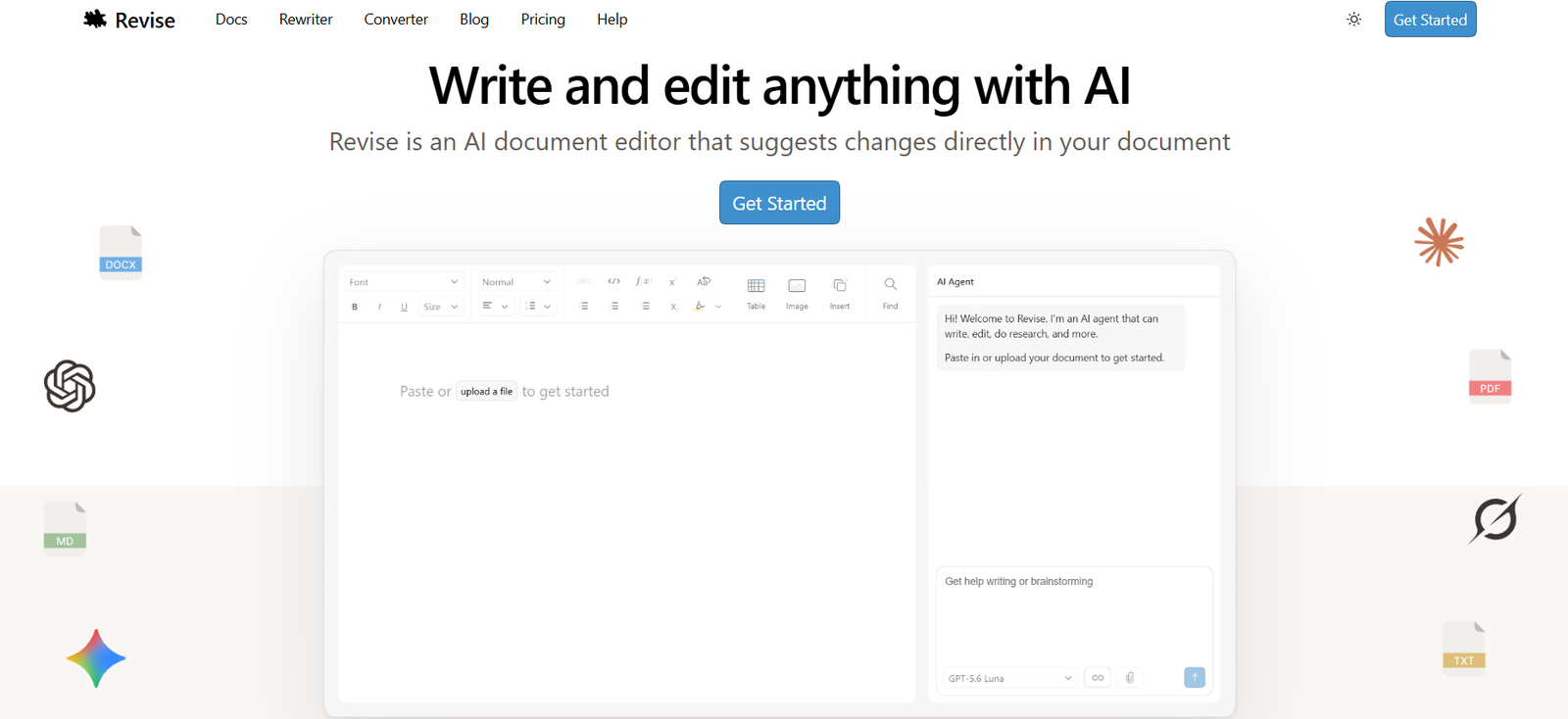
Revise AI is an AI-powered document editor that combines a full-featured word processor with an intelligent AI assistant. Instead of switching between a document editor and separate AI tools, users can write, edit, rewrite, brainstorm, and proofread directly within the same workspace. Every AI-generated edit is suggested inline, allowing users to review, accept, or reject individual changes while maintaining complete control over their documents.
The platform supports rich document formatting, collaboration, visual revision history, and multiple leading AI models from OpenAI, Anthropic, Google, and xAI. It is designed for students, professionals, researchers, writers, legal teams, consultants, and businesses that need a modern document editor enhanced by AI.
Features
AI Document Editing
Users can describe the changes they want in natural language, and the AI makes inline editing suggestions that can be accepted individually or all at once.
Built-in AI Agent
The integrated AI agent helps brainstorm ideas, draft content, rewrite sections, proofread documents, summarize text, and perform complex document edits without leaving the editor.
Visual Revision History
Every version of a document is automatically saved. Users can compare revisions, restore previous versions, and review exactly what changed over time.
Real-Time Collaboration
Multiple users can edit the same document simultaneously, similar to collaborative online document editors, while AI conversations remain private until accepted.
Multiple AI Models
Revise supports leading AI models from OpenAI, Anthropic, Google AI, and xAI, allowing users to choose the model that best fits each writing task.
Rich Document Editing
The editor includes headings, tables, images, equations, code blocks, diagrams, page layout controls, and other advanced formatting features expected from a modern word processor.
Import and Export
Users can import Word, PDF, Markdown, and other supported document formats and export finished documents as DOCX or PDF.
Secure Workspace
Documents remain private by default, are encrypted during storage and transfer, and can be shared only when users choose to collaborate.
How It Works
- Open Revise in your web browser.
- Create a new document or import an existing file.
- Start writing or ask the AI agent for assistance.
- Review AI-generated suggestions directly within the document.
- Accept, reject, or modify individual edits.
- Collaborate with teammates in real time.
- Export the finished document in your preferred format.
Use Cases
Students can write essays, assignments, and research papers.
Professionals can prepare reports, proposals, and business documents.
Writers can draft books, blogs, and articles.
Legal professionals can review contracts and legal briefs.
Consultants can create client reports and presentations.
HR teams can write performance reviews and company policies.
Researchers can draft grant proposals and scientific documents.
Pricing
According to the official website, Revise offers:
- Free Plan with the complete editor and a limited daily AI usage allowance.
- Paid Plans (Plus, Pro, and Max) with higher monthly AI usage limits and additional AI capabilities.
Exact pricing varies by plan and is available on the official website.
Strengths
Supports multiple leading AI models in one editor.
Provides complete control over every AI-generated edit.
Includes automatic revision history.
Offers real-time collaboration.
Supports rich formatting and multiple file formats.
Runs entirely in a web browser with no installation required.
Drawbacks
Advanced AI usage requires a paid subscription.
Heavy AI editing can consume monthly usage limits.
Some advanced collaboration features require an account.
Powerful features may take time for new users to learn.
Comparison with Other Platforms
Unlike traditional word processors that require separate AI plugins, Revise combines document editing and AI assistance in a single workspace. Compared with standalone AI writing tools, it emphasizes inline editing, revision tracking, collaborative document editing, and support for multiple leading AI models. This makes it particularly useful for users who regularly create long-form documents rather than short AI-generated text.
Customer Reviews and Testimonials
The official website highlights that thousands of users rely on Revise for editing grant proposals, legal briefs, compliance policies, technical documentation, reports, and other professional documents. However, detailed customer reviews and testimonials are not clearly available on the official website.
Conclusion
Revise AI is a modern AI-powered document editor that brings writing, editing, collaboration, and intelligent assistance together in one platform. Its inline AI suggestions, visual revision history, support for multiple AI models, and collaborative editing make it an excellent solution for students, professionals, researchers, and businesses seeking a more efficient way to create high-quality documents.