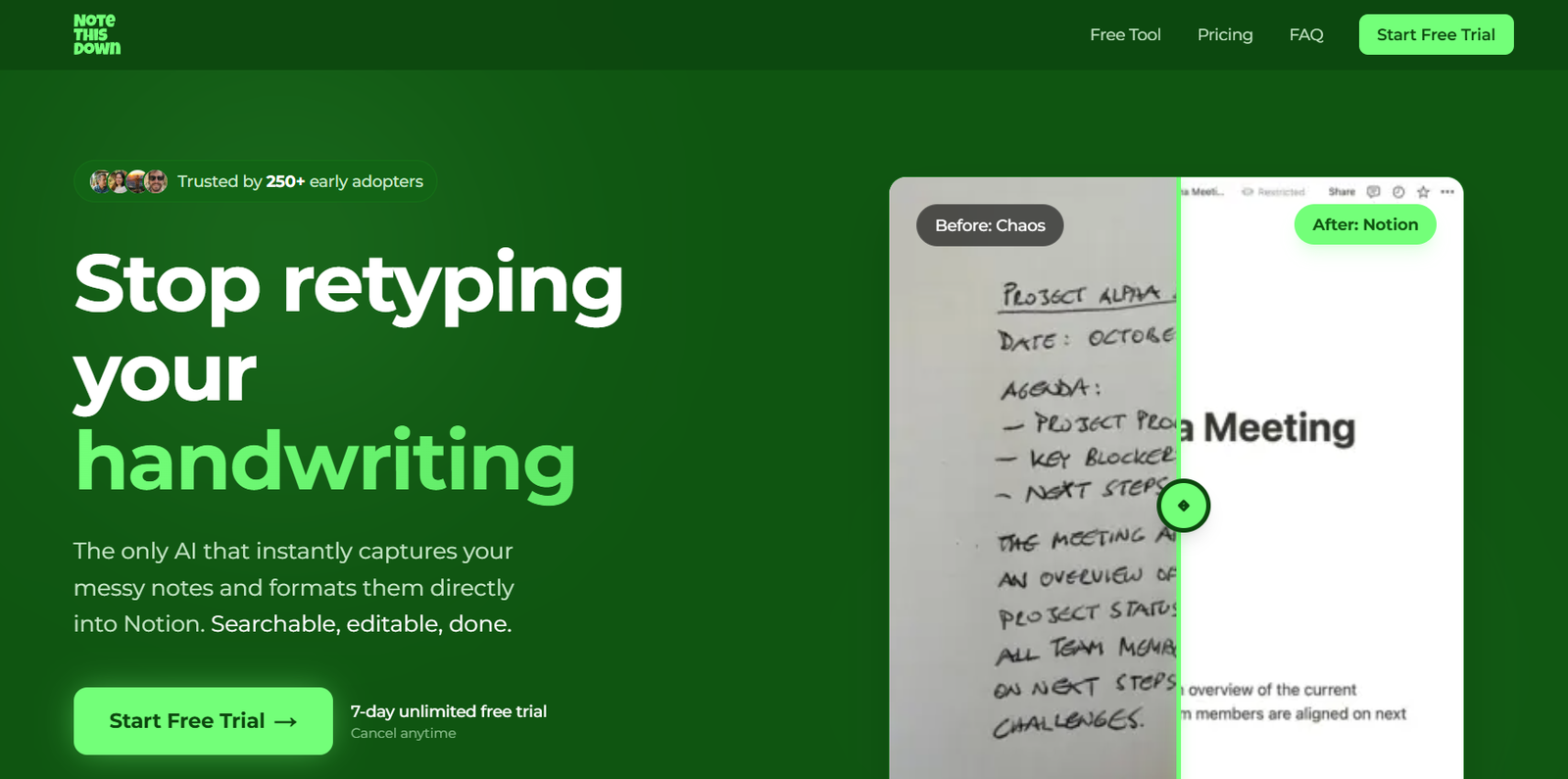
NoteThisDown is an AI powered note digitization tool designed for people who enjoy writing by hand but want the convenience of digital organization. Users can photograph handwritten notes, and the platform converts the handwriting into clean, editable text and sends the result directly to their Notion workspace.
The tool is particularly useful for students, consultants, professionals, researchers, product managers and anyone who regularly writes meeting notes, lecture notes, ideas, journals or task lists on paper. Instead of manually typing handwritten material into a computer, users can digitize it by taking a photo.
NoteThisDown is closely integrated with Notion. Rather than simply producing text that users need to copy and paste, it can create a formatted page inside a selected Notion database. The original image can also be attached, helping users keep both the handwritten source and digital version together.
The service works as a Progressive Web App, making it accessible from phones, tablets and desktop devices without requiring a traditional native mobile application.
Features
AI Handwriting Recognition
NoteThisDown uses AI to recognize handwritten text and transform it into editable digital content. It is designed to handle different handwriting styles, including cursive writing. Recognition quality can still depend on how clearly the notes are written and the quality of the uploaded photograph.
Direct Notion Integration
One of the main features of NoteThisDown is its direct connection with Notion. Transcribed notes can be turned into formatted pages inside the user’s selected Notion database rather than requiring users to manually transfer the generated text.
Automatic Formatting
The platform organizes recognized handwriting into cleaner digital content. It can preserve common structures such as bullet points and numbered lists, making the resulting notes easier to read and edit.
Multi Page Scanning
Users can upload multiple handwritten pages for the same document. NoteThisDown currently states that a batch of up to 10 photos can be uploaded and compiled into one digital document.
Original Image Attachment
The original photograph of the handwritten material can be attached to the corresponding Notion page. This provides a useful reference if users want to compare the transcription with their original writing.
Notion Properties and Tags
The integration can create pages containing useful Notion information such as dates and tags, helping users organize transcribed material within their existing knowledge management system.
Works Across Devices
NoteThisDown is available as a Progressive Web App. Users can access it through phones, tablets and computers and can add the web app to a mobile home screen for quicker access.
Unlimited Transcriptions
The current subscription plans include unlimited transcriptions rather than charging users according to the number of pages processed.
How It Works
Step 1: Start an Account
Users begin by accessing NoteThisDown and connecting the service with their Notion workspace.
Step 2: Select the Notion Destination
Choose where the converted notes should be stored within the Notion workspace.
Step 3: Photograph the Notes
Take a clear photograph of handwritten notes using a phone or upload existing images. Multiple images can be used when the notes cover several pages.
Step 4: Let AI Process the Handwriting
NoteThisDown analyzes the images and converts the handwritten material into formatted digital text.
Step 5: Send the Content to Notion
The converted material is saved as a new Notion page. Depending on the setup, the page can include useful properties, tags and the original note image.
Step 6: Review and Edit
Users can open the resulting page in Notion, check the transcription and make any necessary corrections or additions.
Use Cases
Students
Students can photograph handwritten lecture or study notes and move them into Notion. This makes handwritten material searchable and easier to organize when preparing for examinations or assignments.
Professionals
Professionals who prefer taking handwritten notes during meetings can digitize them afterward instead of spending additional time typing everything again.
Consultants
Consultants can convert notes from client discussions, workshops and planning sessions into organized Notion pages for easier reference and follow up.
Researchers
Researchers who collect handwritten observations or brainstorming notes can create digital versions and organize them within their Notion research workspace.
Product Managers and Teams
Product managers can digitize handwritten meeting notes, ideas, action items and planning sessions while continuing to use Notion as their main information hub.
Writers and Creators
Writers who brainstorm or outline ideas on paper can quickly move those ideas into an editable digital environment for further development.
Personal Knowledge Management
People who maintain handwritten journals, task lists, recipes, ideas or personal notes can use the tool to build a searchable digital collection inside Notion.
Pricing
NoteThisDown currently offers one main subscription with monthly and yearly billing options.
Monthly Plan: €8 per month
The monthly subscription includes unlimited transcriptions, multi page document support, direct Notion integration, access across devices, original image attachments and priority support.
Yearly Plan: €64 per year
The annual subscription provides the same core features and works out to approximately €5.33 per month when paid yearly.
A 7 day free trial is currently available. The trial includes unlimited transcriptions and can be cancelled before the paid subscription begins.
Pricing and plan conditions may change, so users should check the official website before subscribing.
Strengths
A major strength of NoteThisDown is its focused workflow. It solves a specific problem for people who like handwriting but organize their information digitally in Notion.
Direct Notion integration reduces the need to copy and paste converted text between applications. Multi page processing is also useful for longer meeting notes, lectures or journal entries.
Unlimited transcription under the paid plan makes the pricing easier to understand for frequent users.
Its Progressive Web App design also allows people to use the service across different devices without depending on a specific operating system.
Drawbacks
NoteThisDown is strongly centered around Notion. People who use alternatives such as OneNote, Evernote, Google Docs or other note management systems may not receive the same workflow benefits.
Handwriting recognition is not guaranteed to be perfect. Difficult handwriting, unclear photographs, poor lighting or faded writing can potentially result in transcription errors, so users should review important notes after conversion.
There does not appear to be a permanent free plan. Users receive a seven day trial, after which a paid subscription is required for continued use.
The platform is also relatively specialized compared with broader document scanning and productivity applications.
Comparison with Other Platforms
Many handwriting recognition and document scanning tools can extract text from photographs, but NoteThisDown differentiates itself through its specific focus on turning handwritten material into organized Notion pages.
General OCR applications may be more appropriate for users who need to scan many different types of printed documents or export content into several file formats. NoteThisDown is more focused on people whose main requirement is moving handwritten notes into their existing Notion workflow.
This focused approach can make the process simpler for dedicated Notion users, while people who work across several note taking platforms may prefer a more general purpose OCR or document digitization solution.
Customer Reviews and Testimonials
The official NoteThisDown website displays testimonials from users including a medical student, product manager and consultant.
The testimonials highlight benefits such as reducing the time spent manually typing lecture notes, transferring handwritten meeting notes into Notion and creating formatted Notion pages directly from handwritten material.
The website also states that the platform is trusted by more than 250 early adopters. These testimonials are presented by NoteThisDown itself, so prospective users may also wish to evaluate the service through the available free trial before purchasing a subscription.
Conclusion
NoteThisDown is a practical AI tool for people who enjoy the simplicity of handwriting but want their notes available in an organized digital workspace. Its combination of handwriting recognition, multi page scanning and direct Notion integration removes much of the repetitive work involved in manually retyping paper notes.
It is particularly suitable for students, consultants, researchers, product managers, creators and professionals who already use Notion regularly. Users who rely on other note taking platforms may find it more specialized than they need.
For regular Notion users with a large amount of handwritten material, NoteThisDown provides a simple bridge between traditional pen and paper note taking and searchable, editable digital knowledge.