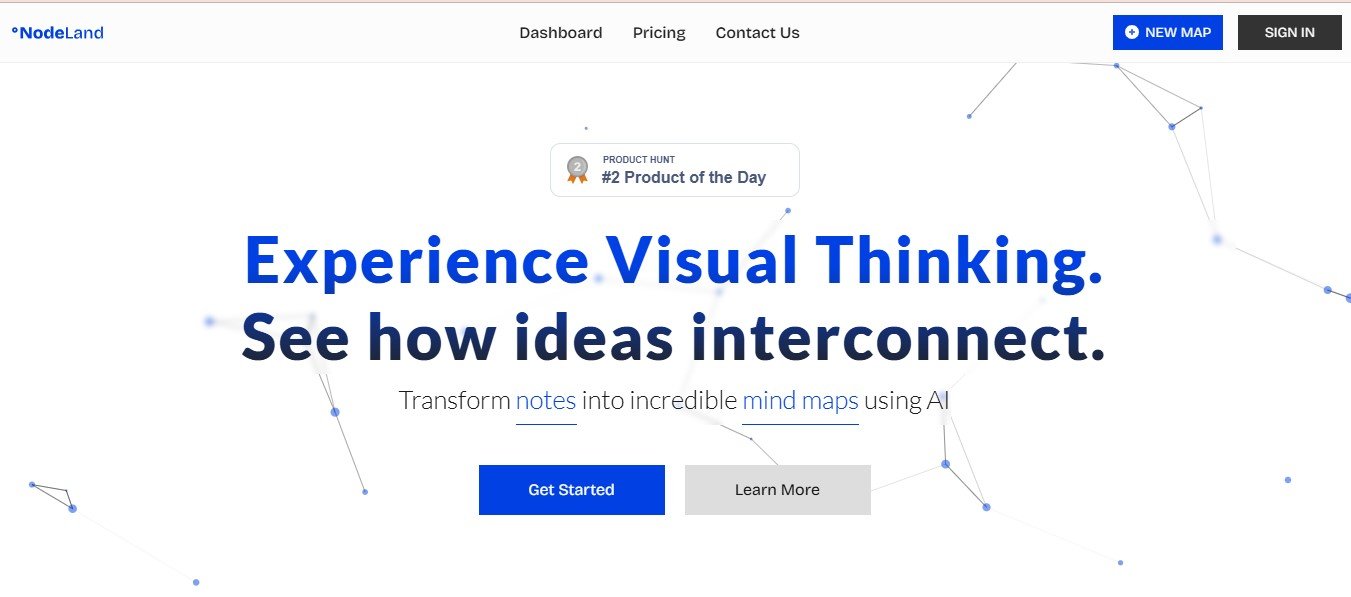
Nodeland is a workflow automation platform that allows users to visually design, execute, and manage business processes. The platform uses a node-based design system, where workflows are represented as interconnected nodes, making it easy to map out even the most complex processes.
Whether you need to automate email sequences, manage project workflows, or integrate multiple systems, Nodeland provides a versatile and powerful environment to handle it all. Its user-friendly interface makes it suitable for beginners, while its robust functionality caters to advanced users with more complex needs.
Features of Nodeland
Nodeland offers a suite of features designed to simplify workflow automation and management. Here’s what makes the platform stand out:
- Visual Workflow Builder
- Nodeland’s drag-and-drop interface lets users create workflows visually, with nodes representing tasks, triggers, and conditions.
- Intuitive design reduces the need for coding, making it accessible to all users.
- Extensive Integration Capabilities
- Easily connect Nodeland with popular third-party apps and services (e.g., Slack, Salesforce, Zapier) to streamline operations.
- Supports APIs for custom integrations tailored to specific business needs.
- Automated Task Execution
- Automate repetitive tasks with triggers, conditions, and actions.
- Schedule workflows to run at specific times or upon specific events.
- Real-Time Monitoring
- Track workflows in real time with a visual dashboard that shows progress, errors, and performance metrics.
- Debug workflows quickly using detailed error logs.
- Collaboration Tools
- Invite team members to collaborate on workflow design and execution.
- Set roles and permissions to ensure security and accountability.
- Scalability
- Handles workflows of varying complexity, from simple task automation to enterprise-grade processes involving multiple systems.
- Custom Node Creation
- Advanced users can create custom nodes for specialized functions, ensuring the platform adapts to unique requirements.
- Cloud-Based Platform
- Nodeland is hosted in the cloud, allowing users to access their workflows from anywhere, at any time.
How Does Nodeland Work?
Nodeland simplifies workflow automation into a visual and structured process. Here’s how it works:
Step 1: Define Objectives
- Start by identifying the process you want to automate or optimize, such as email marketing, customer onboarding, or data syncing.
Step 2: Build the Workflow
- Use Nodeland’s drag-and-drop builder to add nodes (tasks, triggers, conditions) and connect them to form a complete workflow.
- Customize each node with parameters like conditions, data sources, and output actions.
Step 3: Integrate Tools
- Connect external tools and systems to your workflow using Nodeland’s integration library or APIs.
Step 4: Test and Debug
- Test your workflow to ensure it functions correctly.
- Use the real-time monitoring dashboard to identify and resolve issues.
Step 5: Deploy and Manage
- Launch your workflow and monitor its performance in real time.
- Make adjustments as needed to optimize efficiency.
Use Cases of Nodeland
- Marketing Automation
- Automate email campaigns, social media posts, and lead nurturing workflows.
- Integrate with tools like HubSpot and Mailchimp for seamless execution.
- Customer Onboarding
- Create automated workflows to onboard new customers or clients, including email sequences, document requests, and follow-ups.
- Data Synchronization
- Sync data between tools like CRM platforms, ERPs, and project management software to eliminate manual data entry.
- E-Commerce Operations
- Automate inventory management, order processing, and customer support workflows.
- IT and DevOps
- Streamline IT workflows such as server monitoring, alert handling, and incident management.
Pricing of Nodeland
As of now, Nodeland has not disclosed detailed pricing information on its official website. The pricing model likely depends on:
- The number of users or team members accessing the platform.
- Workflow complexity and usage volume (e.g., the number of workflows and tasks executed).
- Advanced features like custom integrations or enterprise support.
For accurate pricing, you can request a custom quote or contact the sales team via the official website (Nodeland Pricing).
Strengths of Nodeland
- User-Friendly Design: The visual workflow builder simplifies the automation process, even for beginners.
- Flexibility and Scalability: Nodeland supports a wide range of workflows, from simple to highly complex processes.
- Integration Capabilities: Seamlessly connects with third-party tools, making it easy to centralize operations.
- Collaboration Features: Encourages team collaboration with shared workflows and role-based permissions.
- Real-Time Monitoring: Provides visibility into workflow performance and potential issues.
Drawbacks of Nodeland
- Pricing Transparency: The lack of publicly available pricing details may make it difficult for potential customers to assess affordability.
- Learning Curve for Advanced Features: While the visual builder is simple, advanced users may require time to master custom nodes and APIs.
- Internet Dependency: Being cloud-based, the platform relies on a stable internet connection for uninterrupted access.
Comparison with Other Tools
Nodeland vs. Zapier
- Zapier is great for connecting apps and automating simple tasks, but Nodeland’s node-based builder makes it more suitable for complex workflows.
Nodeland vs. Monday.com
- While Monday.com is primarily a project management tool with some automation features, Nodeland specializes in creating and managing advanced workflows.
Nodeland vs. Make (formerly Integromat)
- Both platforms offer visual builders, but Nodeland’s node-based approach allows for greater customization and flexibility in workflow design.
Customer Reviews and Testimonials
Here are some highlights from users who’ve leveraged Nodeland:
- “Nodeland made it incredibly easy for our team to automate repetitive tasks. The visual workflow builder is intuitive and saved us hours of manual work.”– Marketing Manager, Small Business
- “We use Nodeland to integrate our CRM with our other tools. It’s seamless and has helped us eliminate data silos.”– Operations Lead, Mid-Sized Company
- “The real-time monitoring is a game-changer. We can spot and resolve issues immediately, which has improved our workflow reliability.”– IT Manager, Enterprise
For more reviews, visit trusted platforms like G2, Capterra, or the official Nodeland website.
Conclusion
Nodeland is a powerful and intuitive workflow automation platform that combines visual design, integration capabilities, and real-time monitoring into one cohesive tool. Its versatility and scalability make it an excellent choice for businesses of all sizes looking to optimize their processes and improve efficiency.
While the lack of transparent pricing and the initial learning curve for advanced features might present minor challenges, Nodeland’s strengths far outweigh its drawbacks. If you’re looking to streamline operations, automate tasks, and simplify complex workflows, Nodeland is worth exploring.
To learn more or request a demo, visit Nodeland.io.