
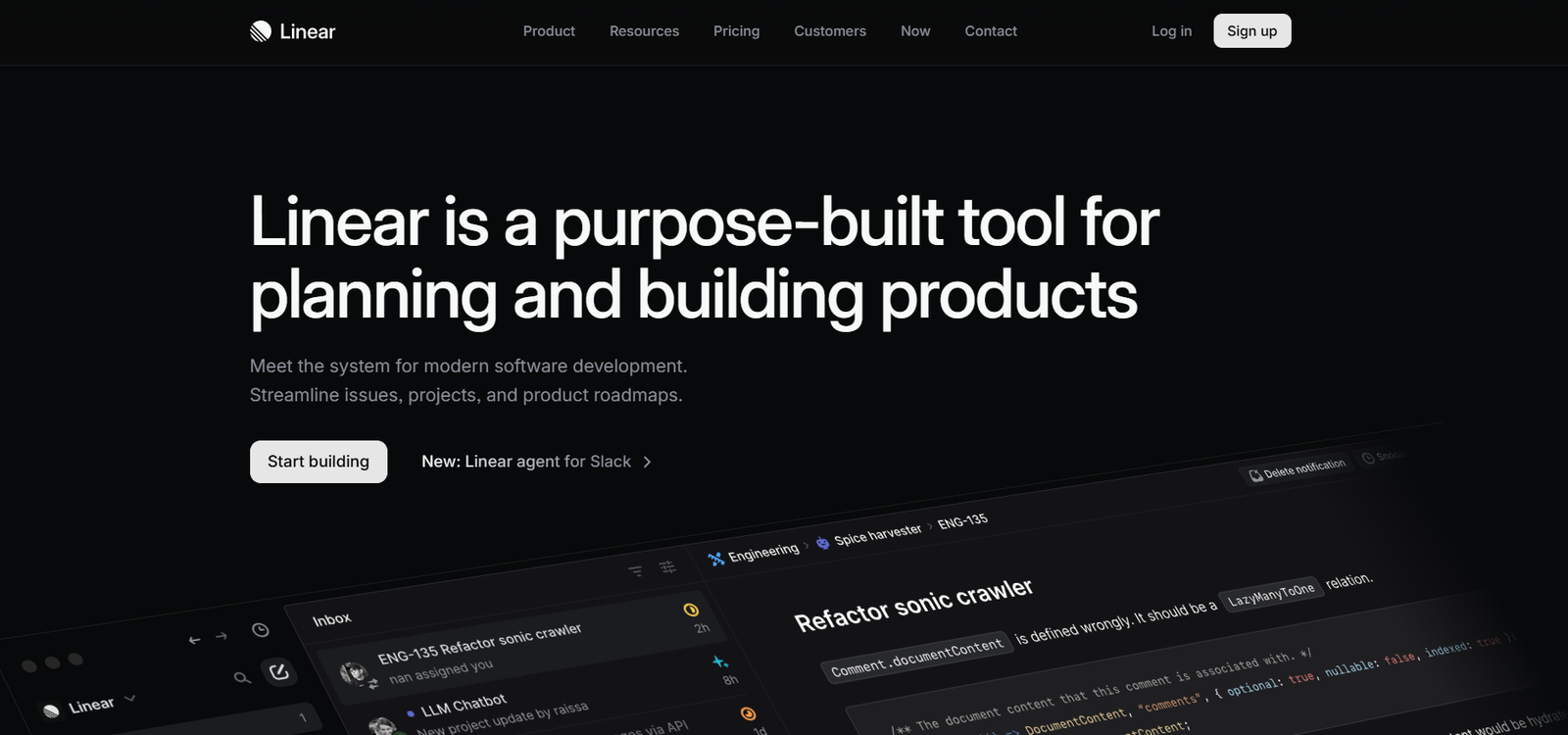
Linear is a modern issue tracking and project management tool built for software and product teams. It helps teams plan, manage, and track tasks and product development cycles with exceptional speed and precision. Designed with a focus on performance and user experience, Linear streamlines the way teams work by eliminating unnecessary complexity, making it easier to ship high-quality software faster.
Linear combines a clean interface, real-time collaboration, powerful keyboard shortcuts, and a robust underlying structure to help technical teams stay focused. Its speed and simplicity set it apart from traditional project management platforms that often become bloated or slow as team size and project scope grow.
Features
Linear offers a wide range of features that support modern product development:
Issue Tracking: Create and manage issues with custom labels, priorities, and statuses to track tasks across projects and teams.
Projects and Roadmaps: Plan product features and organize initiatives on flexible timelines.
Cycles: Group work into time-boxed intervals to stay on track with goals and priorities.
Integrations: Seamlessly connects with GitHub, GitLab, Slack, Figma, Sentry, and more for a smoother workflow.
Custom Views: Filter, sort, and group issues using powerful query capabilities.
Keyboard Shortcuts: Navigate and manage tasks with lightning-fast keyboard interactions.
Real-Time Collaboration: Updates sync instantly across all team members.
API Access: Offers a robust GraphQL API for developers to build custom integrations or automations.
Backlog Management: Organize upcoming tasks and ideas in a structured way.
Dark Mode & Minimal UI: Provides an elegant user experience optimized for focus.
How It Works
Linear works by simplifying the core elements of issue tracking and project planning into a fast, intuitive experience. Here’s how teams use it:
Create Issues: Team members or stakeholders log tasks or bugs as issues. Each issue can have a title, description, status, assignee, and custom fields.
Organize into Projects: Related issues are grouped under Projects, which represent features or major initiatives.
Set Up Cycles: Teams can use Cycles to plan sprints or iterations, helping prioritize short-term work.
Track Progress: As team members complete issues, progress is automatically tracked in real time across Cycles and Projects.
Automate Workflows: With integrations and API access, routine tasks such as syncing pull requests or issue updates can be automated.
All of this happens in a fast, keyboard-optimized interface that developers and product managers love using.
Use Cases
Linear is primarily used by software development and product teams, but its flexibility makes it suitable for many tech-focused organizations.
Software Development: Plan and manage development sprints, log bugs, and track feature progress.
Product Management: Create roadmaps, manage product backlogs, and organize cross-functional collaboration.
Design Teams: Collaborate with developers and product teams by tracking design tasks in sync with development workflows.
Startups: Coordinate work between lean teams by using Cycles and Projects for agile planning.
Engineering Teams: Use integrations with GitHub or GitLab to connect code changes with issues and streamline deployment pipelines.
Pricing
As listed on the official Linear website, the pricing is structured as follows:
Free Plan: $0/month for up to 3 members. Includes unlimited issues, projects, and cycles, with limited history and integrations.
Standard Plan: $10/month per user. Adds unlimited members, advanced history, full API access, and external integrations.
Plus Plan: $15/month per user. Adds SCIM, audit logs, and advanced security for scaling teams.
Enterprise Plan: Custom pricing. Includes everything in Plus plus enterprise-grade features like SAML, dedicated support, and custom security reviews.
All paid plans come with a 30-day free trial. You can view pricing on the official pricing page.
Strengths
Extremely Fast Interface: Designed for speed with minimal UI distractions.
Developer-Friendly: Offers extensive keyboard shortcuts and developer tooling.
Excellent Git Integration: Works seamlessly with GitHub, GitLab, and other dev platforms.
Real-Time Syncing: Keeps all users updated instantly without manual refreshes.
Focused on Simplicity: No clutter or unnecessary features—just powerful core functionality.
Drawbacks
Limited to Product Teams: Not suitable for non-technical project management like marketing or HR.
Minimal Customization: Limited flexibility compared to tools like ClickUp or Monday.com.
Learning Curve for New Users: The keyboard-driven workflow might take time for non-developers to adapt to.
No Mobile App: Currently lacks a dedicated mobile experience, which may hinder usage on the go.
Comparison with Other Tools
Compared to traditional project management tools like Jira, Trello, or Asana, Linear offers a much faster and more developer-focused experience. Jira, for example, is feature-rich but often criticized for being slow and overly complex. In contrast, Linear emphasizes speed and simplicity without sacrificing power.
Trello is more visual and suitable for general task tracking but lacks the deeper developer integrations that Linear provides. Tools like ClickUp and Monday.com are highly customizable but can feel overwhelming with too many options.
Linear is an ideal alternative for product and engineering teams that want a fast, clean, and purpose-built solution for issue tracking and roadmapping.
Customer Reviews and Testimonials
Linear has received glowing reviews across platforms like G2, Capterra, and Product Hunt, where it has been featured multiple times.
On G2, users praise Linear for:
Lightning-fast performance.
Elegant and intuitive user interface.
Seamless GitHub integration.
Notable user feedback includes:
“Linear makes tracking issues actually enjoyable. It’s incredibly fast and never gets in the way.”
“We switched from Jira and never looked back. Linear has improved our team’s velocity and visibility.”
On Product Hunt, users frequently describe Linear as the best alternative to Jira for modern software teams.
You can explore Linear on Product Hunt.
Conclusion
Linear is a high-performance issue tracking and project management tool built for fast-moving software and product teams. Its speed, simplicity, and developer-centric features make it a top choice for organizations looking to move away from clunky legacy tools and embrace a more efficient way of working.
While it may not suit teams outside the product and engineering domain, its powerful features and lightweight interface offer exceptional value to its target users. For any team serious about productivity, Linear is a game-changer worth considering.














