
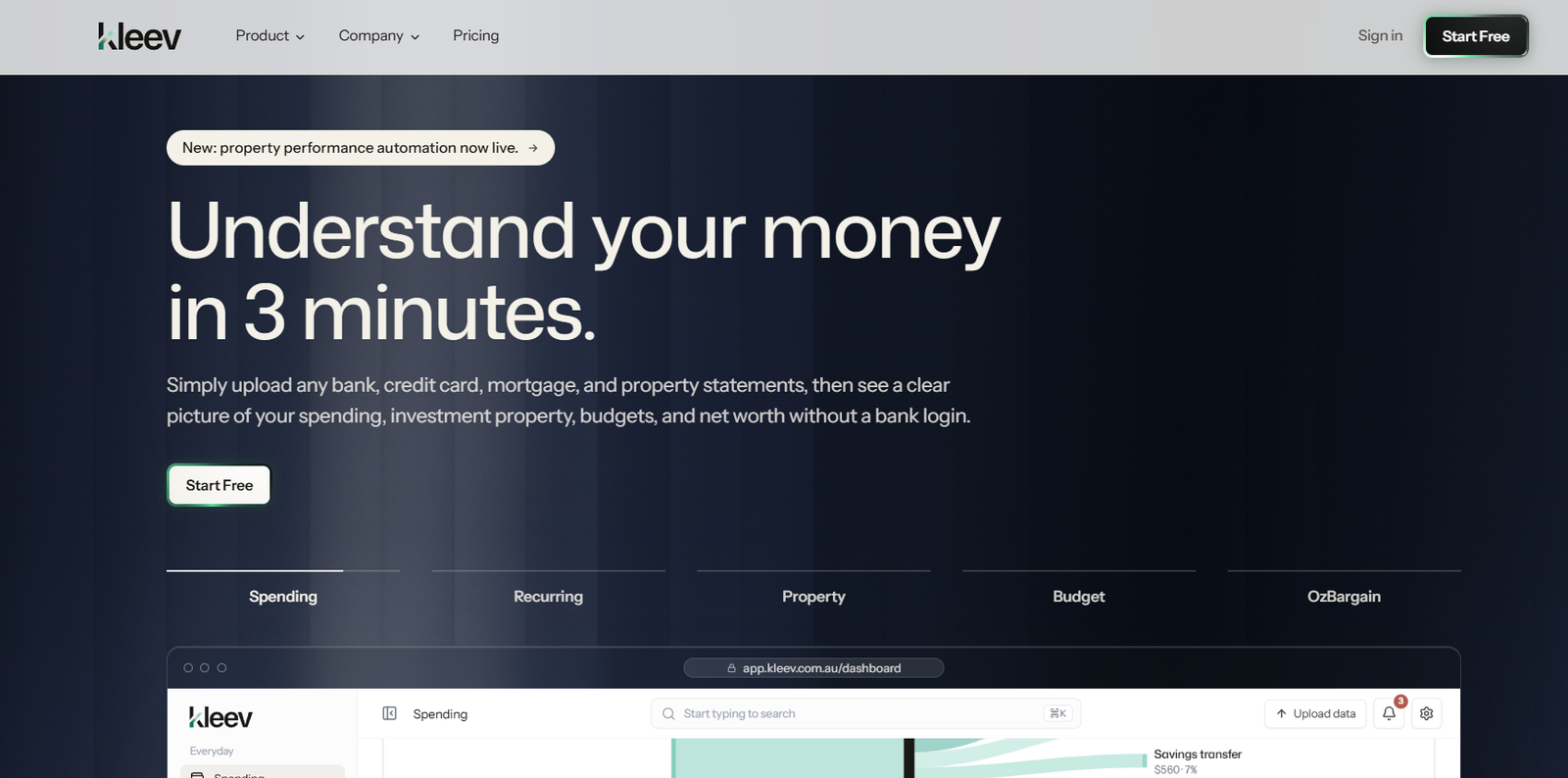
Kleev is an AI-powered personal finance platform designed to help users understand their spending, budgets, investment properties, wealth, and financial goals from one dashboard.
The platform positions Kleev AI as a personal CFO. Users upload bank, credit card, mortgage, and property statements, and Kleev organizes the information into a clearer picture of their financial life.
Unlike many personal finance applications, Kleev does not require users to provide online banking credentials. Users work from financial statements they already have, including CSV data.
Kleev automatically categorizes transactions, identifies recurring expenses and subscriptions, analyzes spending habits, monitors budgets, tracks assets and debts, and provides AI-generated observations about changes in a user’s finances.
Its AI assistant can also answer questions about the user’s own financial data. Users can ask questions such as how a change in mortgage repayments could affect cash flow or whether reducing a particular spending category could help them reach a savings goal.
Kleev is particularly focused on Australia and includes specialized features for Australian investment-property owners, tax-related organization, and personalized OzBargain deal discovery.
The platform provides financial information and analysis for general and educational purposes. It does not provide personalized financial advice.
Features
Kleev AI Personal CFO
Kleev AI works across the platform to interpret financial information and explain important changes in plain language.
It can identify trends, unusual expenses, changing spending patterns, and other information that users may otherwise overlook.
Ask Questions About Your Money
Users can ask natural-language questions about their own financial data instead of manually examining multiple reports and spreadsheets.
Full-Ledger Context
Kleev AI can analyze transaction-level financial information to provide answers grounded in the data users have uploaded.
Spending Analysis
The platform shows where money is going by category, merchant, account, and time period.
Users can examine total spending, inflows, outflows, major expenses, and other financial patterns.
Automatic Transaction Categorization
Kleev automatically categorizes transactions into relevant spending categories.
Learns from Corrections
When users correct transaction categories, Kleev can remember those corrections and apply them to future transactions.
Financial Health Score
Kleev provides a financial health score based on factors such as savings rate, spending control, recurring expenses, and spending stability.
Spending Alerts
The platform can highlight significant expenses, increasing spending categories, unusual charges, and subscription price changes.
Recurring Expense Detection
Kleev identifies subscriptions and other recurring financial commitments automatically.
Subscription Tracking
Users can see recurring charges, estimated monthly equivalents, upcoming payment dates, and changes in subscription prices.
Spending Habit Detection
The platform identifies behavioral patterns such as weekend spending, post-payday spending, recurring grocery visits, coffee habits, and frequently used cards.
Budgeting
Users can create category-based budgets and compare actual spending with their limits.
AI-Suggested Budgets
Kleev can suggest starting budgets based on historical spending patterns.
Budget Performance
The platform identifies categories that are over or under budget and shows how spending behavior changes across different months.
Savings Goals
Users can create financial goals and monitor progress toward their target amounts.
Investment Property Tracking
Kleev provides dedicated tools for Australian investment-property owners.
Users can track estimated property value, equity, rental yield, expenses, gearing, loans, repayments, and other property metrics.
Property Performance Automation
The platform can use uploaded financial information to automate parts of investment-property performance tracking.
Mortgage Statement Analysis
Kleev can extract information from mortgage statements and organize loan details.
Offset Account Detection
The platform can identify mortgage offset accounts from uploaded transaction data.
Loan Health
Users can examine outstanding balances, interest rates, monthly repayments, projected payoff dates, and remaining interest.
Property Cash Flow
Kleev compares rental income with interest and property expenses to show whether an investment property is positively or negatively geared.
Property Tax Organization
The platform can organize property-related transaction information into tax-oriented schedules designed around Australian requirements.
These outputs should be reviewed against source records and professional tax guidance before being used for tax decisions.
EOFY Deductions Pack
Kleev can help users organize potentially deductible transactions and prepare exportable information for end-of-financial-year review.
Net Worth Tracking
Users can monitor assets and liabilities to understand how their net worth changes over time.
Manual Assets
Assets such as property, vehicles, and other offline holdings can be added manually.
Cash Flow Forecasting
Paid plans provide long-range income and spending projections.
Scenario Modelling
Users can explore what-if scenarios involving spending, savings, property cash flow, mortgage changes, and financial goals.
Monthly CFO Report
Kleev can generate a monthly AI report covering important financial changes.
The report can include an executive summary, key metrics, spending, property, budgets, goals, and recommended actions.
Personalized OzBargain Deals
Kleev can connect spending patterns with relevant deals from OzBargain.
Instead of presenting every available promotion, it can rank deals according to categories and merchants relevant to the user’s spending.
Smart Deal Alerts
Users can create alerts for products or deals they want Kleev to watch.
How It Works
Step 1: Create an Account
Users can start with Kleev’s free plan.
Step 2: Upload Financial Data
Upload supported bank, credit card, mortgage, and property statements.
Step 3: Let Kleev Organize Transactions
The platform identifies transactions and categorizes spending.
Step 4: Review Your Spending
Users can explore expenses by category, merchant, account, and period.
Step 5: Correct Categories if Necessary
If Kleev categorizes a transaction incorrectly, users can change it. The system can learn from these corrections.
Step 6: Review Recurring Expenses
Kleev detects subscriptions and other repeating payments and estimates their monthly financial impact.
Step 7: Create Budgets and Goals
Users can create category budgets and savings goals or use AI-generated suggestions based on their spending history.
Step 8: Add Property and Wealth Information
Investment properties, loans, assets, and liabilities can be added to create a broader financial picture.
Step 9: Ask Kleev AI Questions
Users can ask questions about their spending, property, cash flow, budgets, and goals.
Step 10: Review Monthly Reports
Kleev’s CFO-style reports can help users understand what changed during the month and which areas may deserve attention.
Use Cases
Household Spending Analysis
Individuals and households can understand where their money goes and identify categories that are increasing.
Subscription Management
Users can find recurring payments and monitor changes in subscription costs.
Budget Planning
Kleev can help users establish spending limits and compare actual expenses against their budgets.
Savings Goals
People saving for a home deposit, holiday, major purchase, or other objective can track progress toward a target.
Investment Property Owners
Australian property investors can monitor rental income, expenses, loans, equity, yields, and property cash flow.
Mortgage Analysis
Homeowners and investors can organize mortgage information and explore the potential effect of changes in repayments or interest rates.
Net Worth Monitoring
Users can combine assets and liabilities to monitor their overall financial position.
Financial Scenario Planning
Kleev can model hypothetical changes to spending, savings, mortgage costs, and other financial variables.
EOFY Preparation
Australian users can organize potentially deductible transactions and property-related information before reviewing them for tax purposes.
Finding Relevant Deals
Users can discover OzBargain deals that are more closely related to their actual spending habits.
Pricing
Kleev currently offers a free plan alongside paid access.
Free Plan: $0
Kleev provides a free tier that allows users to begin tracking and understanding their finances.
Feature limits apply compared with the full paid product.
Paid Plan: From A$3.39 per week
The annual paid option is currently listed from A$3.39 per week, billed as A$176.28 once per year.
Four-Weekly Billing: A$3.99 per week
Users who prefer shorter billing cycles can currently pay the equivalent of A$3.99 per week, billed every four weeks.
The official website currently states that the first two weeks are free with this option.
Founding Member Lifetime Max Offer
At the time of review, Kleev was displaying a limited-time Founding Member offer for Lifetime Max at A$67.69.
Because this is a temporary promotional offer with an expiry countdown, availability and pricing should be checked directly before purchasing.
Pricing, promotional offers, and feature limits may change.
Strengths
No Bank Login Required
Users can analyze their finances without handing Kleev their online banking credentials.
AI Based on the User’s Own Data
Kleev AI can answer questions using the financial information users have provided rather than offering only generic finance responses.
Broad Financial Overview
Spending, budgets, goals, investment property, loans, assets, debts, and net worth can be viewed within the same environment.
Strong Investment Property Features
Dedicated property analysis makes Kleev particularly relevant to Australian property investors.
Learns Transaction Corrections
Users do not have to repeatedly correct the same categorization patterns.
Scenario Modelling
What-if analysis can make it easier to understand how changes in spending or financial commitments may affect goals.
Monthly CFO Reports
AI-generated monthly summaries provide a simpler overview for users who do not want to manually interpret multiple dashboards.
Australian Focus
Property, tax organization, local deals, and Australian financial context distinguish Kleev from many internationally focused budgeting applications.
Competitive Paid Pricing
The current paid pricing is relatively accessible compared with several established personal finance platforms.
Drawbacks
Kleev does not currently provide live bank feeds. Users generally need to upload financial statements instead of having transactions continuously synchronized from their bank.
The product is heavily oriented toward Australia. Some property, tax, merchant, and deal features may be less relevant to users in other countries.
AI-generated financial interpretations should not be treated as professional financial, investment, tax, or legal advice.
Forecasts and scenario models are estimates based on assumptions and available data. Actual future financial outcomes may differ.
Users must also keep their uploaded financial information reasonably current if they want Kleev’s analysis to reflect their present financial situation.
Privacy and Security
Kleev takes a statement-based approach instead of requesting online banking credentials.
CSV files are parsed in the user’s browser, and the raw CSV file is not uploaded to Kleev’s servers.
The processed transaction rows are synchronized to the platform. If Kleev does not recognize a bank’s file layout, five sample rows may be sent to its AI system so that the format can be interpreted.
Kleev states that user data is hosted in Sydney.
The system is read-only by design. It can analyze financial information but cannot move or transfer money.
Users can also wipe their data from the platform.
Comparison with Other Platforms
Kleev competes with personal finance and budgeting platforms such as WeMoney, Frollo, YNAB, PocketSmith, and Billroo.
Its approach differs from platforms centered on live bank feeds. Kleev primarily uses statements and CSV uploads, avoiding the need for users to provide bank login credentials or Open Banking consent.
Compared with budgeting-first applications, Kleev covers a broader financial picture by combining everyday spending with investment property, wealth, loans, goals, AI analysis, and forecasting.
Its investment-property features are particularly important. Users can examine property yield, equity, gearing, loan information, cash flow, and tax-related transaction organization in the same platform used for household spending.
Kleev also uses AI more extensively than a traditional budgeting spreadsheet. Users can ask questions about their own data, model scenarios, receive plain-language interpretations, and generate monthly CFO-style reports.
However, users who prioritize automatic real-time bank synchronization may prefer platforms that provide native bank feeds.
Customer Reviews and Testimonials
A substantial collection of independent customer reviews and testimonials is not clearly presented on the official Kleev website.
The website instead provides detailed product demonstrations and a feature-by-feature comparison with several competing personal finance platforms.
Prospective users can start with the free plan to evaluate transaction categorization, spending analysis, budgeting, and the overall workflow before choosing paid access.
Conclusion
Kleev is an AI-powered personal finance platform designed to turn financial statements into a clearer picture of spending, property, budgets, goals, and wealth.
Its most distinctive aspect is the combination of everyday money management with deeper investment-property analysis and AI-driven financial interpretation.
Kleev AI can examine transaction-level information, identify important changes, answer questions about the user’s own data, model scenarios, and prepare monthly CFO-style reports.
Its privacy-focused statement approach is also notable. Users do not need to provide bank login credentials, and raw CSV files are processed in the browser rather than uploaded directly.
The absence of live bank feeds means Kleev requires more manual data updating than some competing applications. Its Australian focus may also limit the relevance of certain features for international users.
For Australians who want to understand household spending, manage budgets, monitor investment properties, track wealth, and explore their financial data through AI, Kleev offers an interesting combination of personal finance software and a digital CFO-style assistant.


