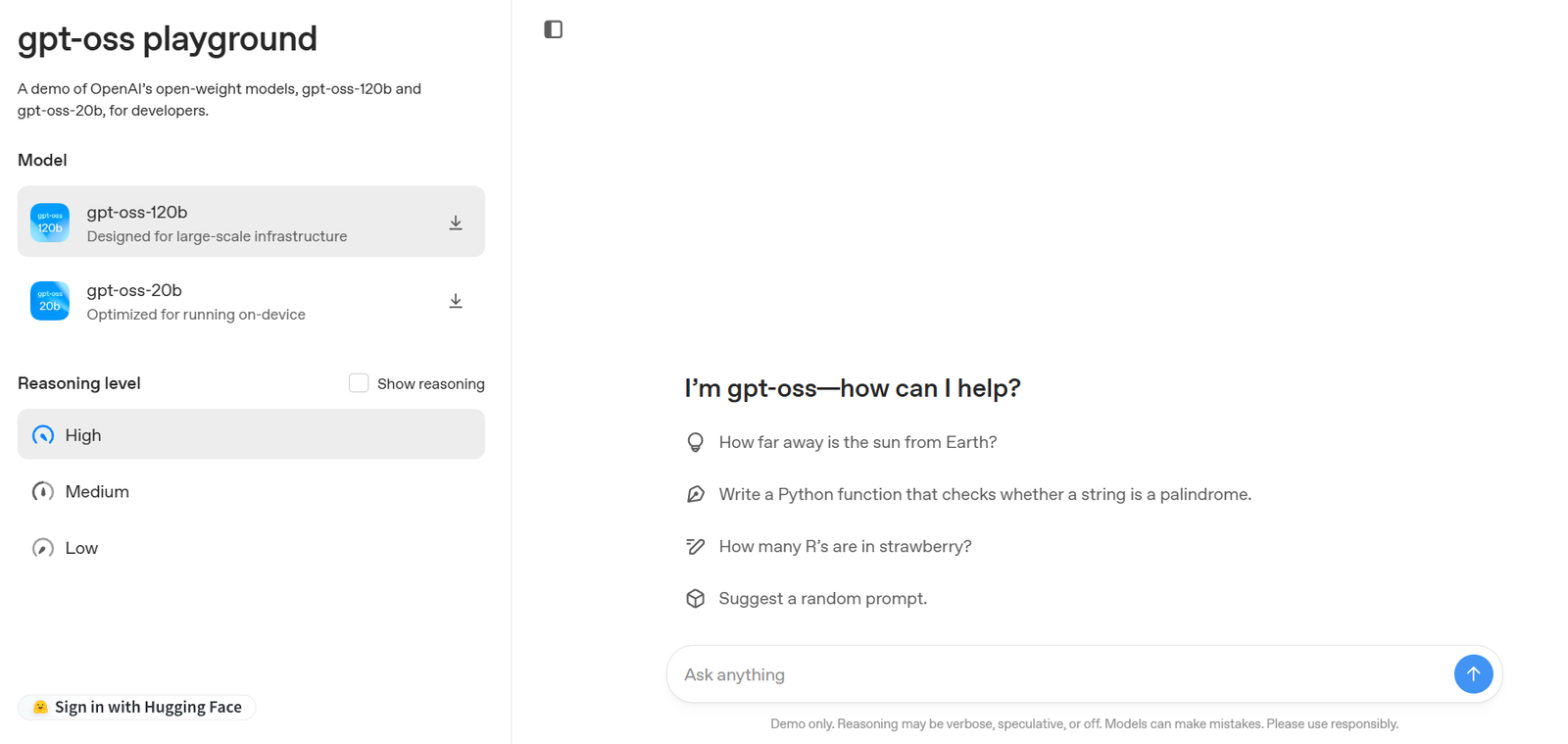
GPT-OSS is an open-source, self-hosted alternative to ChatGPT that allows users to deploy their own AI chatbot platform with complete privacy, customization, and flexibility. Designed for developers, researchers, and privacy-conscious users, GPT-OSS provides a lightweight frontend that connects seamlessly with various large language models through APIs or local backends.
Unlike commercial AI tools that operate on centralized servers with limited transparency, GPT-OSS gives users full control over their AI assistant environment. Whether you want to connect to OpenAI, Anthropic, or open-source models like Llama or Mistral, GPT-OSS supports it out of the box.
The platform’s core value lies in its transparency, simplicity, and openness, making it ideal for developers who want to build AI interfaces without being locked into proprietary ecosystems.
Features
GPT-OSS includes a focused but powerful set of features that make it highly adaptable for a range of AI chatbot use cases.
Open-Source and Self-Hosted: Users can fully deploy GPT-OSS on their own servers, giving them control over all data and application behavior.
Multi-Model Support: The tool supports OpenAI, Anthropic (Claude), Mistral, Llama, Cohere, and any API-compatible language model, whether cloud-hosted or local.
Lightweight Interface: GPT-OSS offers a fast, minimalist frontend designed for conversational interactions with AI models.
No Backend Required: The application is built using just HTML and JavaScript and runs entirely on the client side. This reduces complexity and improves speed.
Custom API Keys: Users can plug in their own API keys for services like OpenAI or Hugging Face, enabling direct communication with selected LLMs.
Markdown and Code Rendering: Responses from the AI are formatted using markdown with support for code blocks, making it suitable for technical and developer-focused use cases.
Chat History and Persistence: Users can enable local chat storage to keep a log of previous conversations. This is saved entirely on the client side for privacy.
Multilingual Interface: GPT-OSS is available in multiple languages and supports localization, allowing users to choose their preferred interface language.
Prompt Library: Users can save and manage reusable prompts, useful for developers or power users working with predefined tasks or workflows.
Dark Mode and Theming: The UI includes light/dark mode and theme customization for better accessibility and user experience.
Offline Compatibility: GPT-OSS can be used offline (with local models) when integrated with backends like LM Studio or Ollama.
How It Works
GPT-OSS is a client-side web application written in HTML, CSS, and JavaScript. To use it, users can simply download the source code from the official GitHub repository or open it directly via a web server.
After loading the interface, users input their API key (e.g., from OpenAI) or connect it to a self-hosted model API. Once configured, GPT-OSS acts as a chat frontend that sends user queries directly to the specified model endpoint and displays the responses.
Because it operates entirely on the frontend, there’s no need for a dedicated backend or server infrastructure, unless you’re integrating with local AI models. It supports CORS configuration, allowing it to communicate securely with any authorized API endpoint.
Developers can further customize the UI or logic by editing the source files, as everything is transparent and documented. The platform is also actively updated, and community contributions are encouraged via GitHub.
Use Cases
GPT-OSS is built primarily for developers, privacy-conscious users, and organizations that need a flexible, controlled environment for AI chatbot interactions. Common use cases include:
Self-Hosted Chatbots: Organizations can run a private GPT-style chatbot internally without sending data to third-party servers.
Custom AI Interfaces: Developers can build tailored UIs for different AI models and applications by extending GPT-OSS as a frontend.
Educational Environments: Schools and universities can deploy GPT-OSS for students or researchers to explore language models in a closed environment.
Productivity and Coding Assistants: Developers use GPT-OSS as a personal coding assistant connected to LLMs with support for markdown and syntax highlighting.
Prototyping AI Applications: Teams building AI-powered apps can test prompts, model responses, and workflows through GPT-OSS before committing to backend integration.
Offline AI Interaction: Users working with local models (e.g., via LM Studio or Ollama) can pair GPT-OSS with these backends for a full offline AI assistant experience.
Pricing
GPT-OSS is completely free and open-source software. There are no licensing fees, subscriptions, or usage limits imposed by the platform itself.
However, depending on which AI model you connect to, there may be associated costs:
OpenAI: Usage is billed based on the token pricing of the selected model (e.g., GPT-3.5 or GPT-4).
Anthropic (Claude), Cohere, or Mistral APIs: Each provider has its own pricing tiers.
Local Models: When used with Ollama or LM Studio, running local models is free after installation, though performance depends on your system’s hardware.
Since GPT-OSS does not store or proxy any data, all billing and usage limitations are handled by the API provider you choose to integrate.
Strengths
GPT-OSS stands out in several important areas:
Complete Data Privacy: Since it’s self-hosted and client-side, no user data is sent to unknown servers or third-party services.
Flexibility Across Models: Users aren’t locked into one AI provider and can switch between OpenAI, Anthropic, Hugging Face, Mistral, and more.
Lightweight and Fast: No backend means faster load times and reduced complexity for setup and maintenance.
Fully Customizable: Developers can modify the UI, logic, and features directly in the source code.
No Vendor Lock-In: Avoids reliance on centralized platforms or SaaS tools with limited transparency.
Free and Open Source: Completely free to use, share, and adapt under the MIT license.
Drawbacks
While powerful, GPT-OSS has some limitations:
Technical Setup Required: Initial setup may be intimidating for non-developers unfamiliar with APIs or local server environments.
No Built-in Model Hosting: GPT-OSS is only a frontend; users need to bring their own model API or connect to external services.
No Cloud Sync: Since it’s a browser-based app, chat history and settings are stored locally unless configured otherwise.
Basic UI: The interface is minimal and lacks advanced UX features found in commercial tools like ChatGPT or Poe.
Limited Customer Support: As a community project, support is provided through GitHub issues and community contributions, not through dedicated channels.
Comparison with Other Tools
Compared to commercial platforms like ChatGPT or Claude, GPT-OSS is ideal for users who value transparency and self-hosting.
Against ChatGPT, GPT-OSS provides more privacy and control but lacks out-of-the-box features like file uploads, GPTs, or native image generation.
Compared to Poe by Quora, GPT-OSS allows use of any model the user chooses, while Poe limits model access unless on a paid plan.
When compared to LM Studio or Ollama, GPT-OSS serves as a perfect frontend. Those platforms handle local model inference, while GPT-OSS handles the chat UI.
For those seeking complete control of their AI chatbot without being locked into a vendor’s ecosystem, GPT-OSS offers a unique and open alternative.
Customer Reviews and Testimonials
As an open-source project, GPT-OSS does not have traditional customer reviews on platforms like G2 or Capterra. However, it has received strong engagement on GitHub and developer forums.
Developers appreciate its simplicity, speed, and compatibility with multiple models. Many users report that it is one of the easiest ways to create a ChatGPT-style experience using local or cloud-based models.
Community feedback also praises the project’s transparency and responsiveness to issues and feature requests. Users often fork or customize it for personal and enterprise use, further demonstrating its flexibility.
You can track community activity and feedback on the GPT-OSS GitHub page and on Reddit or X (formerly Twitter) where open-source AI tools are frequently discussed.
Conclusion
GPT-OSS is a lightweight, open-source alternative to commercial AI chat platforms like ChatGPT, offering privacy, flexibility, and full control over AI interactions. Whether you’re a developer building custom applications, a researcher exploring models, or a privacy-minded user, GPT-OSS provides a powerful framework for conversational AI that respects your data and gives you the freedom to choose how and where your models run.
By supporting multiple AI providers and working both online and offline, GPT-OSS positions itself as a valuable tool in the growing ecosystem of open-source AI infrastructure. Its clean architecture, zero-cost entry, and community-driven development make it a compelling choice for anyone serious about AI development and deployment on their own terms.