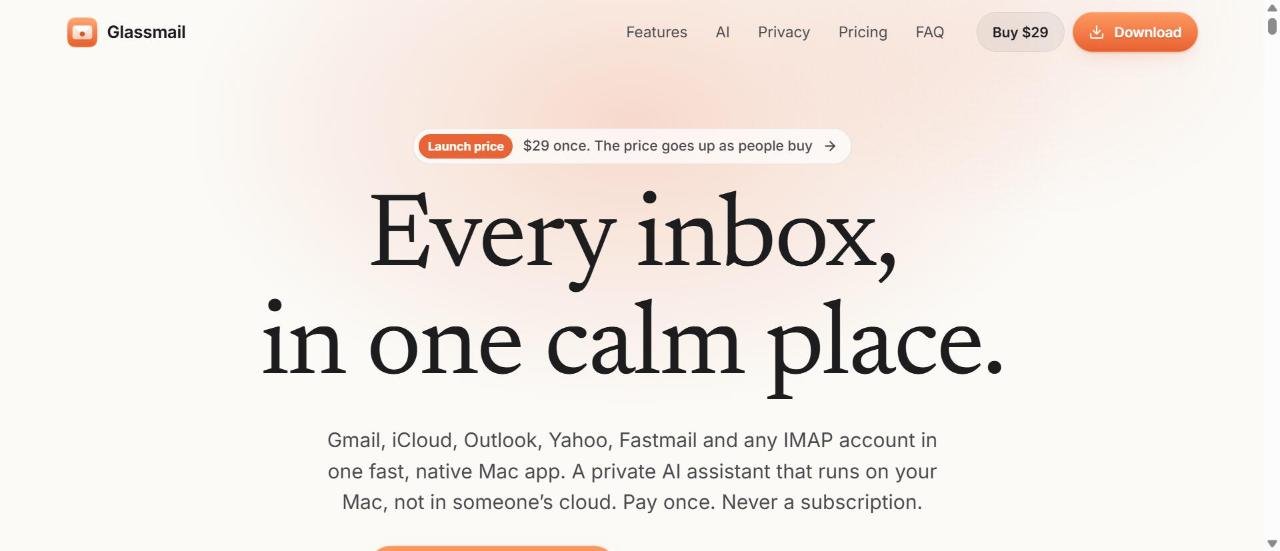
Glassmail is a native Mac email app whose AI assistant summarizes threads, answers questions about your inbox and drafts replies in your voice, all on your Mac.
Facts checked: November 2026 · Sources: glassmail.app and its Product Hunt launch (21 Nov 2026)
Glassmail puts Gmail, iCloud, Outlook, Yahoo, Fastmail and any IMAP account in one fast Mac app. Its AI reads, summarizes and writes on your Mac, so your mail is not sent to an AI company.
Mac users who want AI email help without sending mail to the cloud
$29 one-time launch price (no subscription)
14-day trial with every feature, no card needed
macOS 14 or later, Apple silicon and Intel
Product Hunt, 21 November 2026
Is Glassmail right for you?
- use a Mac and juggle several email accounts
- want AI summaries and drafts that stay on your device
- prefer paying once over a monthly subscription
- use Windows, Linux or need a phone app from the same maker
- want cloud AI that works across all your devices
- are happy with the free Apple Mail
Glassmail pricing
| Plan | Price | What you get |
|---|---|---|
| Free trial | $0 | 14 days, every feature, no card or account |
| Glassmail | $29 once (launch price) | All accounts and every version 1 update; no AI fee |
The official site says the launch price goes up as more people buy, so check glassmail.app for the current price.
Key features
Ask your inbox
Ask things like “What needs me today?” and get the matching conversations back.
Thread summaries
Turns a long thread into a few lines: what it is about, what you are asked to do, and dates.
Replies in your voice
Type “yes, but next week” and it drafts a reply that matches your usual style.
One-key triage
Shows one conversation at a time: archive, snooze, reply or skip with a single key.
Private AI
Uses Apple Intelligence on macOS 26 or Gemma and Qwen models on any Mac, and works offline.
Agent access
Claude, Codex and Cursor can search and read your mail; every change needs your approval, and they cannot send or delete.
Pros and cons
- AI runs on your Mac, with no Glassmail mail server
- One payment instead of a subscription
- Works with Gmail, iCloud, Outlook, Yahoo, Fastmail and IMAP
- Strips tracking pixels and warns about look-alike senders
- Mac only
- Very new app, launched November 2026
- Launch price is set to rise over time
- On-device AI may be less capable than large cloud models
How to get started
- Download the free trial from glassmail.app (macOS 14 or later).
- Add your Gmail, iCloud, Outlook or IMAP accounts.
- Try Ask, Summarize and Triage, then buy a licence for $29 if you want to keep it.
Glassmail alternatives
⇄ Compare Glassmail side by side
Glassmail: frequently asked questions
Is Glassmail free?
No, but there is a 14-day free trial with every feature and no card needed. After that it costs $29 once at the launch price, with no subscription.
What does Glassmail do?
It is a native Mac email app for Gmail, iCloud, Outlook, Yahoo, Fastmail and any IMAP account, with a built-in AI that summarizes threads, answers questions about your inbox and drafts replies.
Does Glassmail send my email to an AI company?
No, according to the official site. The AI runs on your Mac using Apple Intelligence or small Gemma and Qwen models, and there is no Glassmail mail server.
Which Macs does Glassmail support?
macOS 14 or later, on both Apple silicon and Intel Macs.
What are the best alternatives to Glassmail?
Superhuman and Shortwave are popular AI email clients. Apple Mail is a free option for basic email.