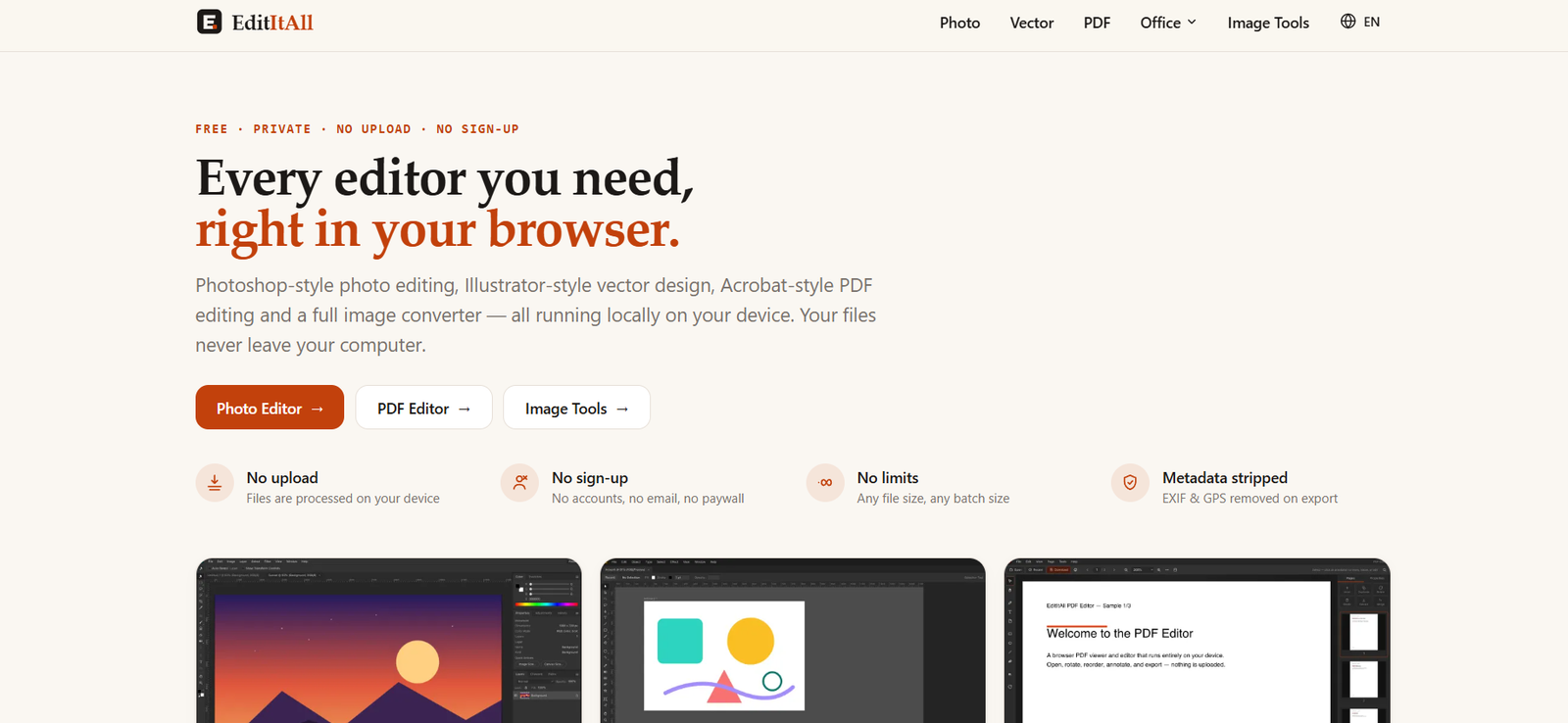
EditItAll is a free collection of browser-based editing and file-processing tools designed around privacy and local processing.
The platform includes a Photoshop-style photo editor, Illustrator-style vector editor, Acrobat-style PDF editor, image converter and compressor, spreadsheet editor, document editor, and presentation creator.
Unlike many online editing services, EditItAll processes files directly on the user’s device. Files do not need to be uploaded to EditItAll’s servers. This approach also allows many tools to continue working offline after the required editor has loaded.
EditItAll does not require users to create an account, provide an email address, or pay for a subscription. The company currently states that its editors are free without watermarks, trial timers, file-size pricing, or usage limits.
The platform also offers AI integration through Model Context Protocol, or MCP. A free local connector allows compatible AI assistants such as Claude Desktop and Claude Code to operate EditItAll’s tools.
For example, an AI assistant can fill spreadsheets, work with PDFs, create presentations, draft documents, draw vector graphics, open and export photos, and batch-convert images.
EditItAll is built and operated by Subcue AI LLC, a U.S. software company.
Features
Browser-Based Photo Editor
EditItAll provides a layered photo editor with a workflow similar to traditional desktop image-editing applications.
Users can edit images without uploading them to a remote server.
Layers and Blend Modes
The photo editor supports layers along with 27 blend modes.
Users can also control opacity and fill for individual layers.
Photo Editing Tools
Available tools include brushes, clone stamp, eraser, gradient, paint bucket, marquee, lasso, and magic wand.
Selections can also use feathering.
Image Adjustments
Users can adjust characteristics such as levels, curves, hue and saturation, and color balance.
Image Filters
The photo editor provides more than 15 filters, including Gaussian blur and unsharp mask.
Vector Editor
EditItAll includes a browser-based vector design environment.
It provides tools such as a pen tool, layers, smart guides, Pathfinder-style boolean operations, and SVG import and export.
PDF Editor
The PDF editor lets users open and work with PDF documents directly in their browser.
Documents remain on the user’s device.
PDF Page Management
Users can rotate, reorder, duplicate, extract, and delete pages.
Pages from multiple PDFs can also be merged.
PDF Annotation
PDFs can be annotated using highlights, free text, sticky notes, shapes, and freehand ink.
Fill and Sign
Users can add signatures by drawing them, typing them, or inserting a signature image.
PDF Search
Multi-page PDFs can be viewed, navigated, zoomed, and searched for text.
Image Converter
EditItAll includes a broad collection of image conversion tools.
It supports more than 20 image formats and dozens of individual conversion workflows.
Supported formats include JPEG, PNG, WebP, AVIF, JPEG XL, GIF, TIFF, HEIC, SVG, BMP, ICO, RAW, PSD, OpenEXR, and others, depending on the operation.
57 Image Converters
The official website currently lists 57 image-conversion tools.
Users can perform common conversions such as HEIC to JPG, WebP to PNG, PNG to WebP, AVIF to JPG, TIFF to JPG, SVG to PNG, and CR2 to JPG.
Image Compression
EditItAll provides dedicated compression tools for multiple formats.
Supported compression options include JPEG, PNG, WebP, AVIF, JPEG XL, GIF, BMP, TIFF, and HEIC.
Metadata Removal
Converted and compressed images are rebuilt from image data.
This removes EXIF metadata, including GPS information, from exported files while leaving the original file unchanged.
Spreadsheet Editor
EditItAll includes a browser-based spreadsheet tool.
It supports values, formulas, ranges, and recalculation.
Document Editor
Users can write and format rich-text documents with page-oriented layouts.
Presentation Editor
The platform includes a slide presentation editor with shapes and alignment tools.
Presentations can also be displayed directly from the browser.
Local Processing
Local processing is one of EditItAll’s most distinctive features.
Editing, conversion, compression, and export happen on the user’s own device instead of requiring files to be sent to EditItAll.
Offline Capability
Once an editor and its processing components have loaded, users can continue working locally even if they disconnect from the internet.
No Account Required
Users do not need to register before accessing the editing tools.
No Watermarks
EditItAll currently states that its free editors do not add watermarks.
No Usage Limits
The service does not currently impose normal file-count or batch-size usage limits.
Actual practical limits depend on the user’s device and available browser memory.
AI MCP Connector
EditItAll provides a free MCP connector that lets compatible AI assistants control its editors.
This transforms the editing suite into a set of tools that an AI agent can operate on the user’s behalf.
Claude Desktop Integration
EditItAll provides a one-click extension for Claude Desktop.
After installation, users can ask Claude to perform supported editing and file-processing operations.
Claude Code Support
Developers can connect EditItAll to Claude Code using its MCP server.
Other MCP Clients
The connector can also work with other applications supporting the Model Context Protocol.
For these integrations, Node.js 22 or newer may be required.
AI Spreadsheet Operations
An AI assistant can write spreadsheet values and formulas, load CSV files, calculate results, and read computed values.
AI PDF Operations
AI can open a local PDF, read page text, rotate or remove pages, merge documents, and export the result.
AI Presentation Creation
Users can give an AI assistant a topic and ask it to create a slide deck in EditItAll’s presentation editor.
The resulting presentation can then be manually refined.
AI Document Writing
Compatible AI assistants can draft content directly into the document editor and read it back.
AI Vector Drawing
AI can create vector artwork and import it into the vector editor for further manual editing.
AI Image Conversion
Users can ask an AI assistant to batch-compress or convert local images.
The connector can also report before-and-after file sizes.
Editor Screenshots for AI
The AI connector can capture an editor screenshot when requested so the assistant can inspect the result of an operation.
WebMCP Support
EditItAll also exposes editing tools through browser-native WebMCP functionality where supported.
In browsers without WebMCP support, this functionality simply remains inactive without affecting the normal editors.
How It Works
- Open EditItAll in a modern desktop browser.
- Choose the tool you need, such as Photo Editor, Vector Editor, PDF Editor, Image Tools, Spreadsheet, Document, or Presentation.
- Open the file from your computer.
- The file is loaded into the browser’s local memory rather than uploaded to EditItAll.
- Perform the required edits or file operations.
- For images, use available adjustments, layers, filters, selections, compression, or conversion options.
- For PDFs, reorder, rotate, merge, annotate, sign, or extract pages as needed.
- For office work, use the spreadsheet, document, or presentation editor.
- Export the completed file back to your computer.
- For AI automation, install the free EditItAll MCP connector in a compatible AI assistant.
- Give the AI an instruction, such as asking it to process images, edit a PDF, prepare a spreadsheet, or create a presentation.
- The connector operates the EditItAll editors locally on your computer.
- Review the result and make any final manual adjustments.
Use Cases
For Photo Editing
Users can perform layered image editing without installing desktop software or uploading private photographs.
For PDF Editing
EditItAll can be used to organize, annotate, merge, sign, and export PDFs.
For Image Conversion
Users can convert between common and specialist image formats without uploading files to an online conversion server.
For Image Compression
Website owners and content creators can reduce image file sizes for faster web delivery.
For SVG and Vector Design
Designers can create or modify vector graphics and export SVG files.
For Spreadsheet Work
Users can create spreadsheets, work with formulas, and process CSV data directly in the browser.
For Document Creation
The document editor can be used for basic rich-text writing and formatting.
For Presentations
Users can build slide presentations and use AI assistance to draft initial decks.
For AI-Assisted File Processing
Users can connect an AI assistant and describe file-processing tasks in natural language.
For Batch Image Processing
AI integration can automate repetitive conversion and compression jobs across multiple local files.
For Privacy-Sensitive Files
The local-processing architecture may be useful when users prefer not to upload photographs or documents to an online editing service.
For Students
Students can access photo, PDF, document, spreadsheet, and presentation tools without purchasing multiple software packages.
For Occasional Users
People who only occasionally need to edit a PDF or convert an image can use EditItAll without creating an account or subscribing.
Pricing
EditItAll is currently completely free.
The official website states that there are:
No subscription plans
No account requirements
No email signup
No paywall
No watermarks
No trial timers
No per-file pricing
No normal usage limits
No paid file-size tiers
The MCP connector used for AI integration is also free.
Users bring their own compatible AI assistant, such as Claude Desktop. Any fees associated with that external AI service are separate from EditItAll.
EditItAll explains that local processing keeps its server costs low because users’ own devices perform the editing and file-processing work.
Strengths
Completely free to use.
No account or email registration is required.
Files are processed locally rather than uploaded to EditItAll.
No watermarks are added to normal exports.
No conventional file-count limits are imposed.
Photo, vector, PDF, spreadsheet, document, and presentation editing are available from one platform.
More than 20 image formats are supported across the broader image toolset.
Dozens of image conversion workflows are available.
Multiple dedicated image compressors are included.
EXIF and GPS metadata are stripped from converted or compressed image exports.
The editors can continue working offline after required resources have loaded.
MCP integration lets AI assistants operate local editing tools.
Claude Desktop offers a relatively simple extension-based integration.
Other MCP-compatible AI clients can also use the connector.
AI can automate repetitive file-processing operations.
No separate EditItAll AI subscription is required.
Drawbacks
EditItAll is not primarily a generative AI platform. Most of its core functionality consists of traditional browser-based editing and file-processing tools.
AI automation requires a separate compatible AI assistant.
Users may therefore incur charges from their chosen AI provider even though EditItAll itself is free.
Browser memory is the practical limit for very large files.
The company notes that extremely large files, such as a 200-megapixel TIFF, may fail on lower-powered devices.
A desktop-class screen is recommended for the photo editor.
Performance depends partly on the user’s computer because processing happens locally.
The photo editor does not provide the full depth of functionality available in mature professional desktop applications such as Adobe Photoshop.
Some specialist formats have limitations. For example, HEIC can be read but not written by the current browser-based workflow.
RAW processing is relatively straightforward and is not intended to replace a dedicated professional RAW-development application.
Some animated image conversions may use only the first frame, depending on the workflow.
Advanced MCP integrations outside the simpler Claude Desktop setup may require technical knowledge and Node.js.
Privacy
Privacy is one of EditItAll’s strongest differentiators.
The company states that photos, vectors, PDFs, and other files are processed directly inside the browser and are not transmitted to EditItAll or third parties.
Work in progress may be automatically stored in the browser’s local storage, but EditItAll states that this information remains on the user’s device.
The site says it does not use advertising pixels, cross-site cookies, or browser fingerprinting.
Anonymous page-view measurement may be used for basic traffic analytics, while the hosting provider processes normal web-server information such as IP addresses and user agents for site delivery and protection.
Converted and compressed images are rebuilt from raw image information, removing EXIF metadata such as GPS coordinates from exported copies.
When AI integration is used, the connected AI assistant receives only information returned through the requested tools, such as extracted text, spreadsheet values, file-size information, or requested screenshots.
Users should separately review the privacy policy of whichever external AI assistant they connect.
Comparison with Other Platforms
EditItAll competes across several categories rather than against one specific product.
For photo editing, it provides a browser-based alternative to applications such as Photoshop, although it does not attempt to reproduce every advanced professional capability.
For vector editing, its workflow resembles traditional vector-design software with tools such as layers, paths, guides, and boolean operations.
For PDFs, it offers many common Acrobat-style operations such as page management, annotation, signing, and merging.
Compared with conventional online file converters, EditItAll has an important architectural difference: files do not need to be uploaded to a remote conversion server.
Compared with cloud-based AI editing platforms, EditItAll does not provide its own large AI model for generating or understanding content. Instead, it exposes its editors to external AI assistants through MCP.
This makes EditItAll particularly interesting as a privacy-focused local tool layer for AI agents rather than as another standalone AI chatbot.
Customer Reviews and Testimonials
Detailed customer testimonials and independently verified user reviews are not prominently displayed on the official EditItAll website.
The website focuses primarily on explaining its editors, local-processing architecture, supported formats, privacy model, and AI/MCP integration.
Users can evaluate the platform without financial commitment because the complete editing suite is currently free and does not require an account.
Conclusion
EditItAll is a free browser-based editing suite with an unusual emphasis on local processing and AI-agent compatibility.
Its core tools cover photo editing, vector graphics, PDFs, image conversion and compression, spreadsheets, documents, and presentations.
The major privacy advantage is that users do not normally have to send their working files to EditItAll’s servers. Processing happens on the device, and many functions continue to work after the browser goes offline.
Its AI functionality takes a different approach from typical generative AI platforms. Rather than building a separate chatbot into every editor, EditItAll provides an MCP connector that allows compatible AI assistants to operate the existing tools.
This means users can ask AI to perform tasks such as processing a spreadsheet, modifying a PDF, drafting a presentation, creating vector graphics, or batch-converting images while the underlying editing happens locally.
EditItAll will not replace every capability of specialist professional applications, and its performance depends partly on the user’s hardware. However, its combination of free access, no accounts, local file processing, multiple editors, and AI automation makes it a useful option for users who want practical editing tools without uploading every file to a cloud service.