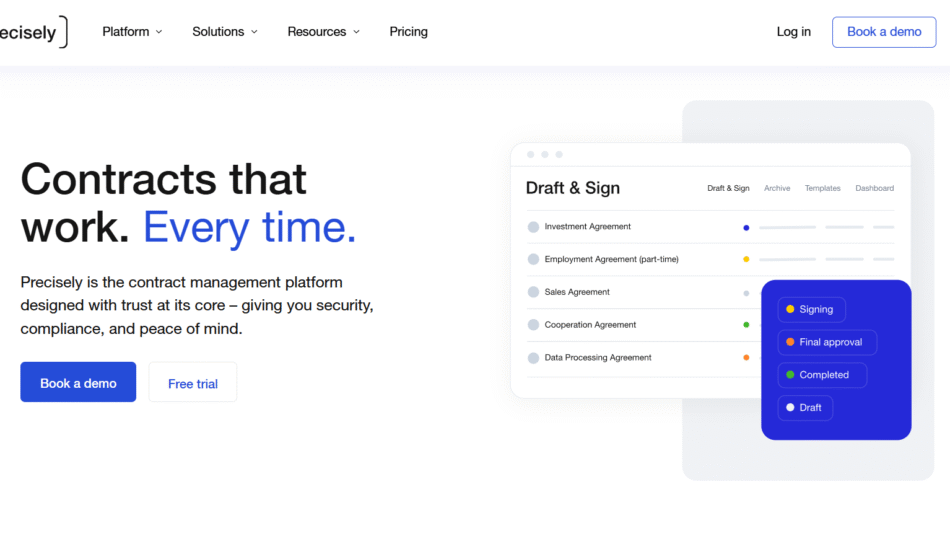
Docue is a legal document automation platform that helps businesses create, manage, and sign legal contracts and documents with confidence. Built with both legal professionals and business owners in mind, Docue combines the precision of lawyer-drafted templates with user-friendly automation, making legal work simpler and faster.
The platform enables users to generate contracts, NDAs, privacy policies, and employment agreements by answering a few guided questions. It ensures legal accuracy while reducing dependency on traditional law firms for routine paperwork. With integrated e-signature features and secure document storage, Docue turns legal complexity into structured simplicity.
Features
Docue stands out by combining legal accuracy with ease of use, helping users navigate legal documentation without needing a legal degree.
Lawyer-Drafted Templates:
Every document template available in Docue is drafted and maintained by qualified legal professionals. These templates comply with local legal standards and reduce risk.
Smart Document Automation:
Instead of writing contracts from scratch, users answer a step-by-step questionnaire. Docue generates a legally sound document based on their inputs.
E-Signature Integration:
Users can send documents for signing directly through Docue. Parties can sign digitally with legally binding e-signatures, streamlining the workflow.
Real-Time Collaboration:
Multiple team members or stakeholders can review, edit, and finalize documents together, making the process faster and more transparent.
Secure Cloud Storage:
All documents are securely stored in the cloud. Users can organize files, set access permissions, and retrieve records anytime from one dashboard.
Brand Customization:
Users can apply their logo, color scheme, and corporate formatting to ensure all documents align with their brand identity.
Audit Trails and Compliance:
Docue keeps track of who edited or signed a document and when, providing a clear audit trail for compliance and accountability.
Localized Legal Content:
Docue provides country-specific templates, ensuring businesses meet local legal requirements without extra legal consultation.
How It Works
Docue begins with a simple onboarding process. Users select the type of legal document they need from a wide range of templates such as service agreements, employment contracts, or data processing agreements.
Once a template is chosen, the platform walks the user through a set of guided questions. These cover the business relationship, key terms, parties involved, and special clauses. The software dynamically adapts the template based on these responses, generating a customized, legally robust document in real time.
Users can then review the document, make manual edits if needed, and share it with collaborators. After finalizing the content, the document can be sent for digital signatures directly from the platform. The signed version is saved securely in the user’s account with a full audit trail.
Use Cases
Docue serves a wide variety of business needs, making it especially useful for startups, small businesses, HR teams, and legal departments.
Hiring and HR Management:
Companies can create employment contracts, freelancer agreements, and employee handbooks without needing a dedicated HR lawyer.
Sales and Vendor Agreements:
Docue helps sales teams quickly produce service agreements, NDAs, and partnership contracts to accelerate deal closures.
Privacy and Compliance:
With ready-made GDPR-compliant privacy policies and data processing agreements, Docue helps businesses stay legally aligned.
Startup Founders and SMBs:
Entrepreneurs can set up their legal foundation, including terms of service, shareholder agreements, and funding documents, all in one place.
Remote Work Arrangements:
As hybrid and remote work grows, Docue helps companies create and sign remote work agreements quickly and securely.
Legal Departments:
In-house counsel teams use Docue to speed up documentation while maintaining control over legal language and compliance.
Pricing
Docue offers a transparent and flexible pricing model, making it accessible to both small teams and larger enterprises. Pricing is available on their official website and is structured into the following tiers:
Free Plan:
Includes access to a limited number of templates and basic document creation features. E-signatures and full collaboration tools are restricted.
Essential Plan:
Designed for startups and small teams. Includes most legal templates, unlimited document creation, basic e-signatures, and cloud storage.
Business Plan:
Ideal for growing companies with larger teams. Offers advanced templates, full e-signature capabilities, branding tools, and team collaboration.
Enterprise Plan:
Tailored for larger organizations or those with complex legal needs. Includes everything in the Business plan plus advanced support, integrations, and legal content customization.
Pricing may vary slightly depending on the country or region you’re in, as Docue localizes its offerings. Users can get started by signing up for a free trial and then upgrading as needed.
Strengths
Docue delivers several advantages that make it a valuable asset for modern businesses.
Speed and Simplicity:
Creating legal documents through step-by-step automation is significantly faster than working manually or through lawyers.
Cost-Effective:
By reducing the need for external legal help on standard contracts, Docue saves money in the long run.
Legal Accuracy:
Templates are written by qualified lawyers and updated to meet changing legal requirements.
Scalability:
From solo founders to large legal departments, Docue can grow with your needs.
User-Friendly Interface:
Even non-legal professionals can create sophisticated documents thanks to the clean, intuitive design.
Full Lifecycle Support:
From creation to signing to storing, Docue handles the complete contract lifecycle under one roof.
Compliance Ready:
With GDPR-compliant templates and audit trails, users can be confident in staying aligned with regulations.
Drawbacks
While Docue offers great value, there are a few limitations worth considering.
Limited Jurisdictions:
Docue focuses on select countries such as Finland, the UK, and others. Its templates may not be valid globally.
Not for Complex Legal Disputes:
The platform is ideal for standard legal documents. Businesses with complex litigation or highly customized needs still require a law firm.
Template Reliance:
Although high-quality, users are limited to the templates provided. Heavily unique contracts may need external legal review.
Feature Availability by Plan:
Certain collaboration or branding tools are only available in premium tiers, which may require upgrading.
Comparison with Other Tools
Compared to tools like LegalZoom or Rocket Lawyer, Docue provides a more interactive and automation-focused experience. While those platforms offer a wide selection of downloadable templates, Docue’s guided automation makes it more efficient and accurate.
When stacked against contract management tools like PandaDoc or HelloSign, Docue offers stronger legal foundation and content compliance, particularly for European users. Where PandaDoc focuses more on sales documents, Docue keeps a legal-first focus.
Docue is especially valuable to businesses that want more than just e-signatures and prefer a full legal documentation workflow.
Customer Reviews and Testimonials
Docue receives high praise from users across industries for its ease of use, accuracy, and ability to save time. Businesses appreciate the lawyer-written templates and the peace of mind that comes with knowing their documents meet legal standards.
Many small business owners and startups report that Docue has helped them stay legally compliant without breaking the bank. Legal teams like the fact that they can control content while allowing other departments to self-serve documentation needs.
Users also value the fast onboarding process, modern interface, and responsive support team. Common feedback includes improvements in document turnaround time, reduced legal risks, and improved internal workflows.
Conclusion
Docue offers a smart, efficient, and legally sound way to manage business documentation. By combining lawyer-vetted templates with intuitive automation, it empowers businesses to create and sign legal documents with confidence and speed.
Whether you’re a startup founder drafting your first employment contract, an HR professional managing onboarding paperwork, or a legal department optimizing contract workflows, Docue gives you the tools to stay compliant and move faster.