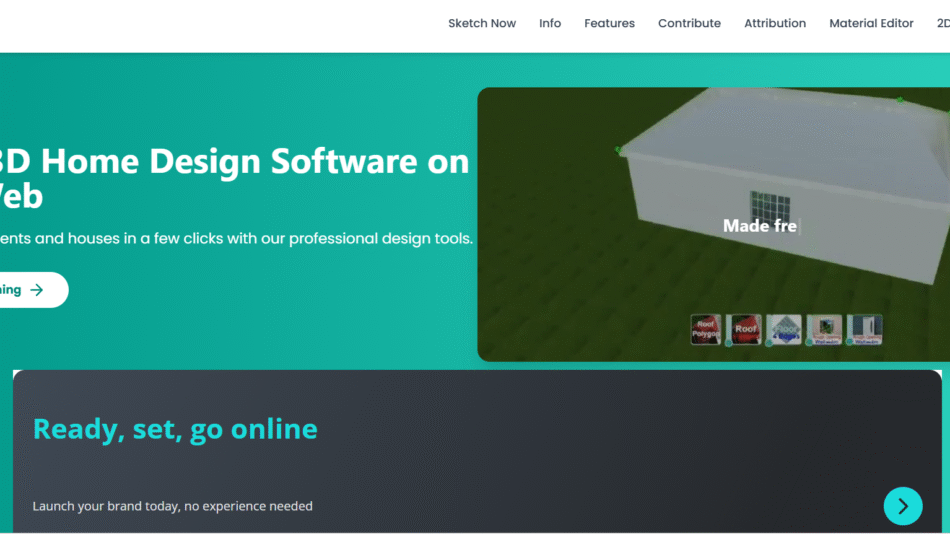
Dehouse AI is an AI-powered architectural visualization platform that enables users to generate high-quality 3D floor plans and home designs instantly from simple text prompts. Tailored for architects, interior designers, real estate developers, and homeowners, Dehouse AI automates the complex and time-consuming process of drafting layouts and visual plans.
By combining natural language processing with advanced 3D rendering technology, Dehouse AI transforms written descriptions—like “a 3-bedroom house with a garden and open kitchen”—into detailed, photorealistic interior and floor designs. Users can explore and refine layouts without using CAD tools or hiring a designer, making Dehouse a fast and accessible tool for modern home planning.
Whether you’re brainstorming design ideas, presenting concepts to clients, or visualizing a renovation, Dehouse AI makes it easy to go from idea to visual reality in seconds.
Features
Dehouse AI offers a powerful set of features focused on real-time architectural design and visualization using AI.
Text-to-Floor Plan
Users can input simple prompts describing the desired space, such as “a minimalist 2-bedroom apartment with a balcony,” and Dehouse AI generates a floor plan automatically.
3D Interior Generation
In addition to flat layouts, Dehouse provides fully rendered 3D interior visuals that include furniture, color palettes, lighting, and architectural details.
Instant Design Output
Designs are generated in seconds, significantly faster than manual drafting or traditional software workflows.
Style and Theme Customization
Users can choose design aesthetics like modern, Scandinavian, industrial, or minimal to match personal or client preferences.
Room-by-Room Editing
After generating a layout, users can modify individual rooms, adjust proportions, and regenerate specific sections for refinement.
Multiple Variants
Dehouse AI offers multiple layout options from a single prompt, giving users a choice of styles, spatial arrangements, and design configurations.
High-Quality Image Renders
Outputs include high-resolution images suitable for presentations, mood boards, and project proposals.
No Design Skills Required
The interface is designed for simplicity. Users don’t need to know CAD, architecture, or 3D modeling to create professional-quality designs.
Save and Revisit Designs
Registered users can save their favorite designs, revisit them later, and continue iterating based on feedback or evolving needs.
Export Options
Plans and renders can be downloaded or shared digitally for use in design presentations, client meetings, or marketing materials.
How It Works
Dehouse AI uses natural language processing combined with generative design models to automate architectural layout and visualization.
To start, users sign in and enter a short prompt describing the layout or type of space they want to create. The system parses the description and generates one or more layout concepts, complete with 3D visualizations, room assignments, and furniture arrangements.
Designs are generated in seconds, and users can view different versions to compare layouts. If a specific section needs revision—such as adjusting the kitchen or removing a room—users can make localized changes and regenerate only that part.
The entire process happens in the browser, with no downloads or installations required. Designs can be saved, downloaded, or further customized to suit the project’s needs. This workflow drastically reduces the time between idea and visual outcome, offering a real-time design experience.
Use Cases
Dehouse AI is ideal for a wide range of professionals and individuals involved in architectural planning, real estate, and interior design.
Architects and Designers
Quickly create visual drafts to explore ideas or present options to clients during concept development phases.
Interior Designers
Visualize layouts and furniture placements in different themes and styles without needing 3D modeling expertise.
Real Estate Developers
Generate fast and attractive layout previews for marketing materials, sales decks, or property listings.
Homeowners and Renovators
Use Dehouse to test ideas for remodeling or custom home builds and preview different layout options before hiring contractors.
Startups and PropTech Firms
Enhance product offerings by integrating AI-generated floor plans into home visualization or virtual tour platforms.
Design Students
Use Dehouse to practice concept visualization, learn spatial planning, and experiment with architectural styles.
Event Planners
Create spatial layouts for event venues or exhibition spaces with custom configurations.
Pricing
Dehouse AI follows a credit-based pricing model designed to offer flexibility for occasional users and professionals alike. According to the latest details on the official website:
Free Trial
New users receive free credits upon signing up to test the platform and generate a few layouts at no cost.
Pay-As-You-Go
Users can buy credits to generate plans as needed. Each generation consumes a set number of credits based on complexity.
Starter Pack
₹399
Includes 20–25 generations with access to basic customization and download options.
Pro Pack
₹1,499
Includes higher resolution outputs, more generation credits, and priority rendering.
Enterprise or API Access
Custom pricing is available for large design firms, real estate agencies, or platforms seeking to integrate Dehouse capabilities into their services.
For the most accurate and updated pricing details, visit https://dehouse.ai.
Strengths
Dehouse AI delivers multiple advantages over traditional architectural design tools and services.
Fast Turnaround
Designs that used to take hours or days can now be generated in seconds, speeding up decision-making and design iterations.
User-Friendly Interface
Anyone can use Dehouse AI without prior design experience, thanks to its intuitive prompt-based workflow.
Creative Flexibility
The AI generates multiple layout versions from the same prompt, giving users creative flexibility without starting from scratch.
Cost-Efficient
Compared to hiring a professional designer for early-stage drafts, Dehouse is a far more affordable and accessible option.
High-Quality Visuals
The platform produces polished, presentation-ready images suitable for clients, stakeholders, or marketing materials.
Remote Accessibility
As a web-based tool, Dehouse AI can be used from any device, making it convenient for distributed teams and mobile professionals.
Drawbacks
While Dehouse AI is a powerful design tool, some limitations should be considered.
No Technical Drawings
The platform focuses on visual layouts and 3D renderings rather than producing CAD files or construction-ready blueprints.
Limited Structural Control
While users can customize styles and basic layouts, advanced structural details like plumbing, electricals, or precise measurements are not currently supported.
Usage Requires Credits
Frequent use can become costly over time due to the credit-based model, especially for agencies generating many plans.
Currently Focused on Residential
The tool is currently best suited for residential and small-scale spaces. Commercial layout capabilities may be limited.
Customization Depth
Advanced customizations—such as exact room dimensions, elevation planning, or user-uploaded furniture models—are limited.
Comparison with Other Tools
Dehouse AI operates in a unique niche between professional design software and consumer-friendly visualization tools.
Versus AutoCAD or SketchUp
Unlike technical CAD tools, Dehouse focuses on visual layout creation without the complexity of engineering or architecture software.
Versus Canva for Interiors
Canva is limited to 2D visualizations. Dehouse offers full 3D layouts and realistic rendering for architectural spaces.
Versus Room Planner Apps
Most room planners offer static furniture layouts. Dehouse creates complete plans from scratch using AI and natural language prompts.
Versus AI Art Generators
Tools like Midjourney or DALL·E generate static images. Dehouse goes further by creating structured, spatially accurate layouts with interiors.
Dehouse stands out for its ability to generate editable, realistic 3D layouts in seconds based on user intent—not just style prompts.
Customer Reviews and Testimonials
Dehouse AI is being adopted by a growing number of professionals and home enthusiasts for its speed, simplicity, and quality. Early users have praised how quickly the platform helps visualize ideas, especially during client pitches or concept discussions.
Designers appreciate that Dehouse allows them to generate multiple layout options instantly, giving clients real choices without increasing turnaround time. Homeowners find it helpful in imagining renovations or understanding space planning before hiring architects.
The tool has received positive attention in online design communities and startup forums for making 3D floor planning more accessible to non-designers. Users often share generated layouts on social media platforms as a way to brainstorm and get feedback from others.
As the product evolves, more case studies are expected to highlight how it fits into architectural workflows and digital product integrations.
Conclusion
Dehouse AI offers a revolutionary way to design and visualize architectural layouts using simple text prompts. Whether you’re a professional designer, a real estate developer, or someone planning a new home, Dehouse empowers you to go from idea to visual layout in seconds—without expensive software or design skills.
With real-time generation, style customization, and high-quality outputs, the platform makes architectural visualization faster, easier, and more accessible. While it’s not a replacement for full architectural planning software, it’s an excellent tool for early-stage design, client presentations, and rapid prototyping.
For anyone looking to speed up space planning or bring interior ideas to life effortlessly, Dehouse AI is a powerful and affordable tool worth exploring.