
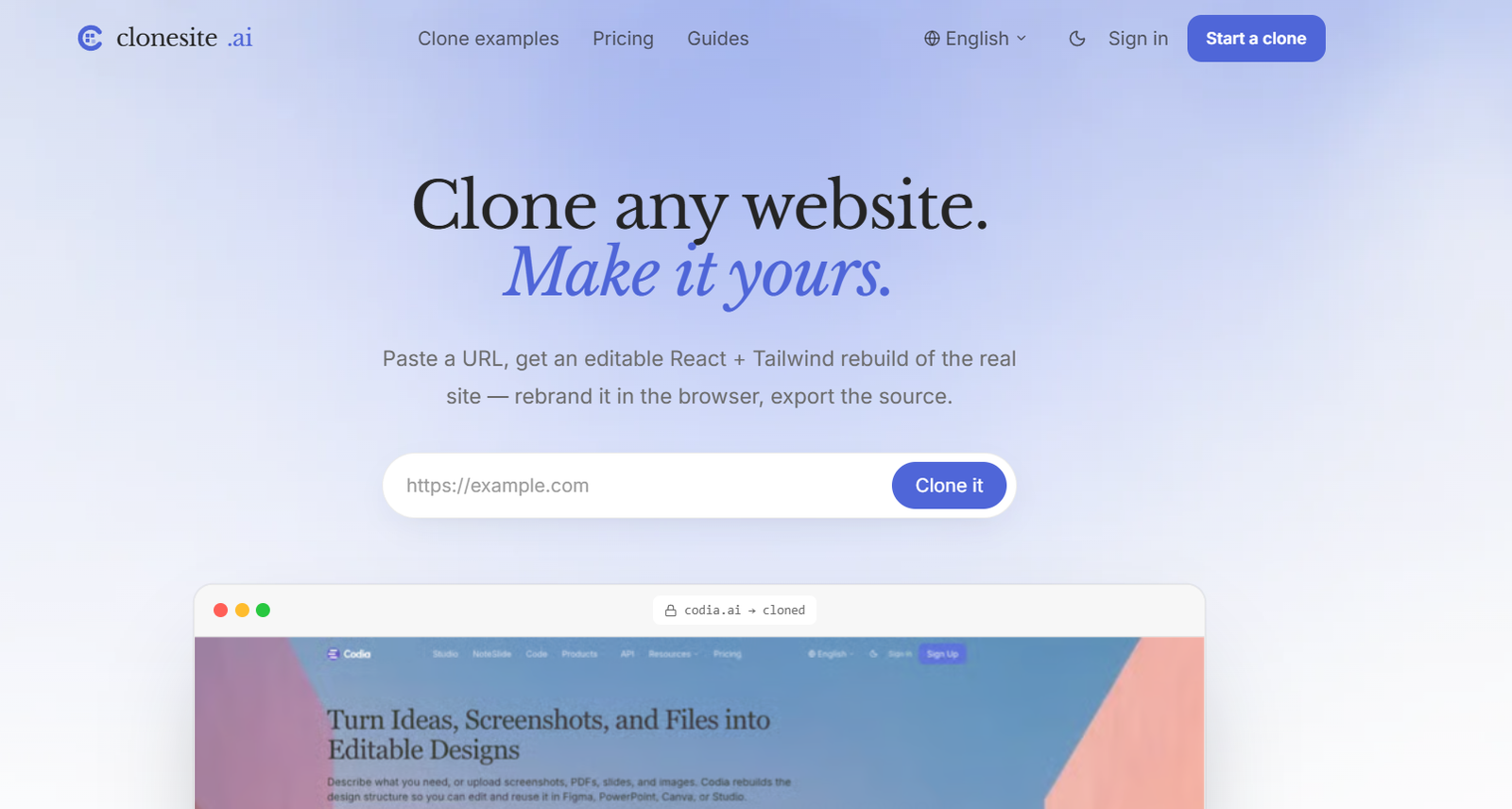
CloneSite AI is an AI-powered website cloning platform that turns an existing public website into editable React and Tailwind front-end code.
Instead of working from a screenshot, users simply provide the URL of a live website. CloneSite analyzes the site’s publicly accessible HTML, CSS, fonts, responsive breakpoints, and visual structure and then rebuilds the front end as an editable website.
The resulting clone can be previewed and customized in the browser. Users can replace the original colors, copy, logo, images, and other branding with their own content before exporting the source code.
One of CloneSite’s important capabilities is multi-page website cloning. Because it works from the actual URL rather than an image, the platform can follow navigation and reproduce the structure of multiple pages while maintaining consistent styling.
The exported project uses React and Tailwind and is not locked to CloneSite’s own hosting environment. Developers can download the source, modify it further, and host it on their preferred infrastructure.
CloneSite does not copy private backend systems, databases, APIs, or proprietary server-side functionality. Its focus is the publicly visible front-end structure.
The platform is particularly useful for developers, startups, agencies, marketers, and entrepreneurs who have found a website structure they like and want to use it as a starting point for their own original, rebranded project.
Features
URL-to-Website Cloning
CloneSite begins with a public website URL.
Users paste the address of a site they want to use as a structural reference, and the platform analyzes the live page.
AI-Powered Website Reconstruction
AI helps rebuild the website into an editable project.
The system attempts to reproduce the visible layout, spacing, typography, responsive behavior, and overall page structure.
Real HTML and CSS Analysis
CloneSite does not rely solely on screenshot interpretation.
It reads the publicly available HTML, CSS, fonts, computed styles, DOM structure, and responsive breakpoints of the live website.
This can provide more structural information than a screenshot alone.
React Code Generation
Cloned websites are rebuilt as React projects.
This gives developers editable front-end code that can be extended after export.
Tailwind CSS
CloneSite uses Tailwind for styling its exported projects.
Developers familiar with Tailwind can therefore modify spacing, colors, typography, responsive behavior, and other design characteristics directly in the code.
Multi-Page Website Cloning
CloneSite can work with more than individual landing pages.
The platform can follow website navigation and reproduce multiple connected pages with consistent styling and structure.
Responsive Design
The system reads responsive breakpoints from the source website.
The resulting project is designed to preserve desktop, tablet, and mobile behavior where possible.
Live Editable Preview
Users can inspect their reconstructed website in the browser before paying to export it.
The preview remains editable so users can begin adapting the design to their own project.
Rebranding
CloneSite is designed around using another website as a structural starting point rather than publishing an identical copy.
Users can replace colors, text, logos, images, and branding before using the resulting website.
Componentized Output
The platform organizes the generated front end into reusable components.
This makes the exported project easier for developers to understand and modify than a simple static screenshot recreation.
Design Token Extraction
CloneSite can identify visual characteristics and design tokens from the source website.
These can help preserve consistent typography, colors, spacing, and related design patterns during reconstruction.
Production-Ready Source Export
After purchasing the required credits, users can export the complete source code.
The exported project is not restricted to CloneSite’s own platform.
No Watermark After Export
Paid exports remove the CloneSite watermark.
Host Anywhere
Users can deploy the exported React and Tailwind project through their preferred hosting service.
Because there is no proprietary CloneSite runtime required for the exported front end, developers have flexibility over deployment.
Website Clone Gallery
CloneSite maintains a collection of example website reconstructions.
Its current gallery contains dozens of examples covering AI products, SaaS, productivity, consumer brands, design tools, analytics platforms, and other categories.
AI Tool Website Examples
The gallery includes reconstruction examples based on the public front ends of well-known AI and technology websites.
These examples allow prospective users to evaluate the type of output the platform can create.
API for Website Cloning
CloneSite also provides an API-oriented cloning workflow for developers and AI agents.
Developers can create clone requests programmatically, monitor their status, and download generated React and Tailwind source.
MCP Support
The platform provides a hosted Model Context Protocol workflow for compatible AI agents and development environments.
This makes CloneSite potentially useful within automated or agent-based web-development workflows.
Webhook Support
Developers using automated cloning workflows can configure webhooks to receive status updates when required.
Full Clone Service
In addition to its self-service product, CloneSite offers a done-for-you Full Clone service.
For larger projects, the company can handle a complete multi-page website reconstruction, rebranding, and launch workflow based on the project’s requirements.
How It Works
- Find a publicly accessible website whose structure you want to use as inspiration or a starting point.
- Copy the website URL.
- Paste the URL into CloneSite.
- CloneSite reads the publicly available front-end information from the website.
- The system analyzes the HTML, CSS, fonts, DOM, styling, and responsive breakpoints.
- AI reconstructs the visible website structure as React and Tailwind components.
- For supported projects, connected pages and navigation can also be reconstructed.
- Open the generated website in the live browser preview.
- Review the desktop and mobile layouts.
- Replace the original branding, copy, images, logos, colors, and other protected material with your own.
- Continue adjusting the project until it fits your brand.
- Purchase or use the required CloneSite credits when you are ready to export.
- Export the production-ready React and Tailwind source code.
- Modify the code further if required.
- Deploy the finished website through your preferred hosting provider.
Use Cases
For Web Developers
Developers can use an existing website as a structural starting point and receive editable React and Tailwind code rather than recreating every section manually.
For Startups
Startup founders can prototype websites based on proven page structures and then replace the content and branding with their own.
For Marketing Agencies
Agencies can create starting points for client landing pages without designing every page from a blank canvas.
For Freelancers
Freelance web developers can reduce the time required to reproduce common layouts and responsive structures.
For Landing Page Development
Users can reconstruct a landing-page structure they like and then adapt it for a different product or brand.
For Multi-Page Websites
Businesses can use CloneSite when they need more than a single homepage or landing page.
For Website Redesigns
A company can use an existing site as a structural reference while developing a substantially rebranded version for its own project.
For Rapid Prototyping
Product teams can quickly produce a working visual prototype before investing additional time in custom development.
For Design Learning
Developers can study how existing website structures translate into React and Tailwind components.
For AI Coding Agents
Developers can use CloneSite’s API and MCP capabilities within compatible AI-agent development workflows.
Pricing
CloneSite uses a pay-per-clone credit system rather than a monthly subscription.
Credits do not expire.
Preview and Initial Build
CloneSite advertises an initial build starting from $2, which is described as fully refundable.
Users can inspect and edit the resulting website before paying for the final source-code export.
The preview remains watermarked and export is locked until the required credits are spent.
One Clone
$39
Includes:
100 credits
One single-page clone export
Full React and Tailwind source
Watermark removal
Ability to deploy on your own domain or hosting environment
This works out to $39 per clone.
Three Clones
$99
Includes:
300 credits
Three clone exports
Full React and Tailwind source
Credits that do not expire
A shared credit balance across projects
This works out to approximately $33 per clone, saving $18 compared with purchasing three individual clones.
Multi-Page and Full Clone Projects
Complete multi-page website projects can require different pricing depending on their scope.
CloneSite also provides a Full Clone service for customers who want the company to handle cloning, rebranding, and deployment.
Pricing for these larger projects is provided through a custom quote.
Strengths
Only a public URL is required to begin.
The platform reads real front-end information instead of relying exclusively on screenshots.
React and Tailwind source code is provided after export.
Users can edit the generated website before exporting it.
Multi-page website reconstruction is supported.
Responsive layouts and breakpoints are considered during cloning.
Exported code can be hosted independently.
There is no mandatory monthly subscription.
Credits do not expire.
Users own their exported source code.
The platform can be useful for rapidly prototyping website structures.
API access makes automated website reconstruction possible.
MCP support provides additional options for AI-agent workflows.
A done-for-you Full Clone option is available for more complicated projects.
Drawbacks
CloneSite reconstructs the front end, not the complete backend of a website.
Databases, authentication systems, private APIs, checkout logic, CMS workflows, and proprietary server-side functionality need to be built separately.
The generated website may still require manual developer work before it is ready for production.
Complex animations, interactive applications, unusual responsive behavior, and sophisticated JavaScript functionality may require additional customization.
A visually accurate clone should not be treated as permission to reuse another company’s copyrighted text, images, trademarks, logos, or proprietary assets.
Users need to replace original branding and protected content before commercial publication.
The quality and complexity of the source website can affect the usefulness of the generated result.
Multi-page or more complex projects can cost more than the basic single-page export.
Comparison with Other Platforms
CloneSite competes with website cloning, screenshot-to-code, AI web design, and design-to-code platforms.
Compared with screenshot-to-code tools, CloneSite starts from a live URL. This allows it to inspect actual HTML, CSS, fonts, DOM structure, and responsive breakpoints rather than estimating everything from pixels in an image.
Compared with tools that primarily reproduce websites as editable Figma designs, CloneSite focuses on producing working React and Tailwind source code.
Compared with traditional AI website builders, CloneSite begins with an existing public website structure rather than requiring users to describe the entire desired layout through prompts.
Compared with manually recreating a website in React, the platform can reduce the initial work involved in rebuilding layouts and responsive structures.
Its strongest differentiators are URL-based reconstruction, multi-page support, React and Tailwind export, code ownership, and pay-per-clone pricing.
Customer Reviews and Testimonials
Traditional customer reviews and detailed verified testimonials are not clearly available on the official CloneSite website.
Instead, the platform provides a substantial gallery of example website reconstructions.
Its current public gallery includes dozens of examples based on the visible front ends of websites across AI, SaaS, design, productivity, analytics, communication, and consumer categories.
These examples are useful for evaluating the platform’s reconstruction capabilities but should not be treated as independent customer testimonials.
Conclusion
CloneSite AI is a specialized website cloning platform for turning an existing public website into editable React and Tailwind front-end code.
Its main advantage is the way it approaches reconstruction. Rather than asking AI to guess an entire website from a screenshot, CloneSite reads publicly accessible front-end information from a live URL, including HTML, CSS, fonts, styles, and responsive breakpoints.
This makes it useful for developers, startups, agencies, and freelancers who want to use an existing website structure as a starting point instead of rebuilding common layouts manually.
Multi-page support, live editing, source-code ownership, API access, and the absence of a mandatory subscription further differentiate the platform.
However, CloneSite should be used as a development and customization tool rather than a way to republish another company’s website unchanged. Logos, trademarks, copyrighted copy, images, and distinctive brand assets should be replaced with original material before publication.
It also does not clone private backend functionality, so applications requiring databases, authentication, APIs, payments, or other server-side systems will need additional development.
For users who want to move quickly from a website reference to editable React and Tailwind code while retaining control over the final source, CloneSite AI provides a focused and practical workflow.


