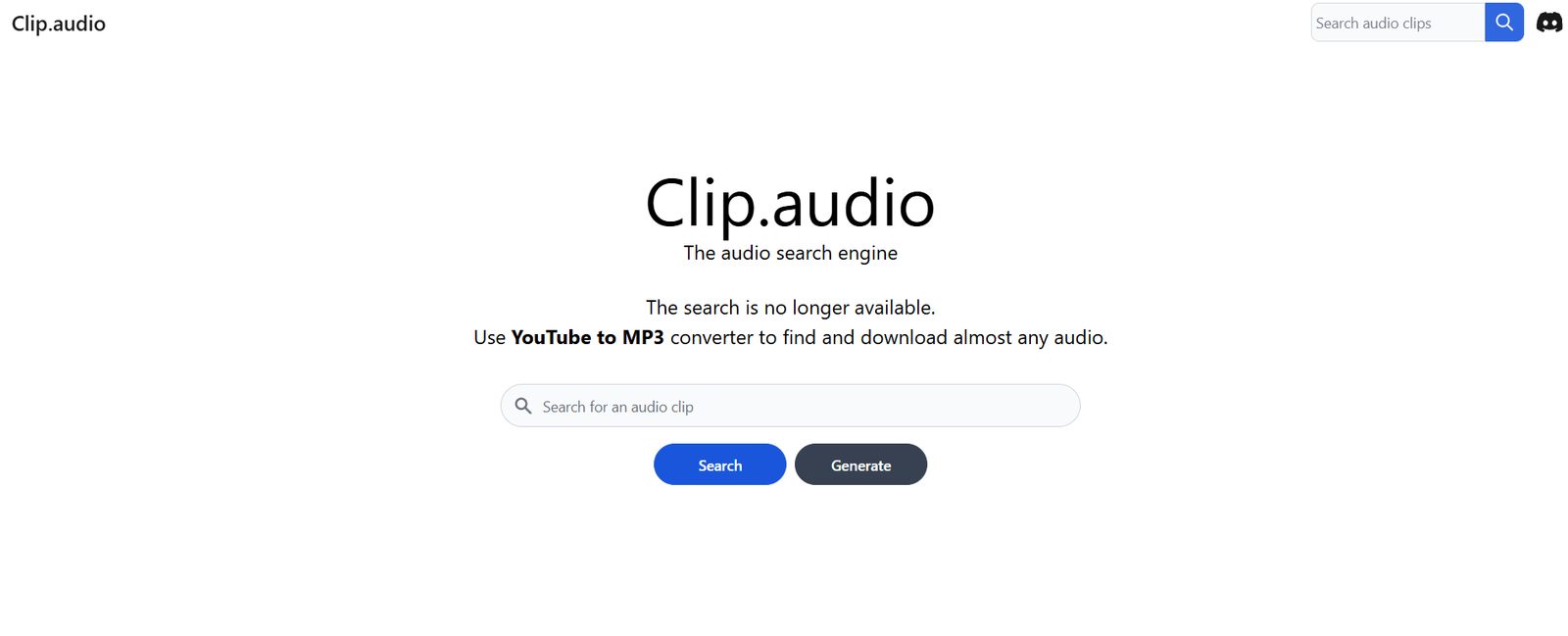
Clip.audio is an AI-powered tool that helps podcasters, content creators, and marketers instantly turn long-form audio into short, engaging clips perfect for social media. The platform automatically detects key moments in your podcasts or audio files and transforms them into bite-sized clips optimized for audience engagement and shareability.
Rather than spending hours manually editing episodes to extract highlights, creators can now rely on Clip.audio’s machine learning models to find the most valuable snippets—whether that’s an insightful quote, a viral moment, or a funny soundbite.
Features:
AI-Powered Clip Detection: Automatically identifies the most interesting or high-impact segments from your audio files.
Highlight Extraction: Finds clips that are more likely to resonate with listeners or go viral on platforms like TikTok, Instagram, or Twitter/X.
Customizable Clip Lengths: Set preferred durations (e.g., 15s, 30s, 60s) for your output content.
Multiple Clip Outputs: Generates multiple clip options from a single upload.
Transcription Integration: Offers captions or transcripts for clips to improve accessibility and engagement.
Web-Based Interface: No software downloads needed; everything runs in the cloud.
Quick Turnaround: AI processes audio and delivers clip suggestions within minutes.
Export Options: Download audio clips or export them into video formats for sharing.
Content Calendar Integration (Coming Soon): Plan and schedule clips directly from your dashboard.
Drag-and-Drop Upload: Simple workflow for creators of all skill levels.
How It Works:
Upload Your Audio: Drag and drop or upload podcast episodes, interviews, or any long-form audio.
AI Analyzes the Content: The system processes your file and automatically detects potential highlight moments.
Preview Suggested Clips: Listen to the AI-generated suggestions and select your favorites.
Customize and Export: Trim, adjust length, and download the audio or turn it into a video clip with captions.
Publish or Schedule: Share to your social platforms or embed in newsletters and websites.
This process saves creators significant time and enables consistent content repurposing.
Use Cases:
Podcasters: Create short-form content from episodes to promote on social media.
Content Marketers: Extract key quotes or soundbites from interviews or webinars.
Influencers: Highlight authentic, relatable moments from long-form recordings.
Agencies: Automate content clipping for multiple clients and brands.
Educators & Thought Leaders: Turn lectures or long discussions into short teaching moments.
Newsletter Creators: Embed short audio snippets to boost content engagement.
Pricing:
As of July 2025, Clip.audio has the following pricing tiers (source: Clip.audio):
Free Plan:
1 audio upload per week
Up to 3 clip suggestions per file
Limited editing and download options
Great for testing the platform
Pro Plan: $19/month
Unlimited uploads
Up to 10 AI-generated clips per file
Editable clip lengths and export options
Captioning and transcription support
Standard support
Agency Plan: $79/month
Unlimited uploads and clip suggestions
Priority AI processing
Multi-project support
Team collaboration features
Branding and white-label exports
API access (on request)
All paid plans come with a 7-day free trial. No credit card is required to start.
Strengths:
Saves hours of manual editing by automating highlight detection
Easy to use with a clean and intuitive UI
Ideal for creators focused on short-form content
Speeds up content repurposing from podcasts, webinars, and interviews
Great tool for solo creators, small teams, and large agencies
Affordable pricing for the time saved
High engagement potential on social platforms
Drawbacks:
Limited customization of clip logic (AI decides what’s a highlight)
Free plan has strict usage limits
No mobile app as of July 2025
Doesn’t support direct publishing to social platforms (yet)
May require occasional manual editing for tone/context accuracy
Currently optimized for English-language audio
Comparison with Other Tools:
Clip.audio vs Headliner:
Headliner focuses on manual waveform videos and editing. Clip.audio uses AI to automate the clip selection process, making it faster and less labor-intensive.
Clip.audio vs Descript:
Descript allows fine-grained editing using transcripts. Clip.audio specializes in automated highlight clipping, making it better for speed and volume.
Clip.audio vs Opus Clips:
Opus Clips is optimized for video. Clip.audio is focused purely on audio-first content, making it more efficient for podcasters and audio-focused creators.
Clip.audio vs Auphonic:
Auphonic is more about post-processing and mastering. Clip.audio is about intelligent content selection and repurposing.
Customer Reviews and Testimonials:
Clip.audio is gaining traction among creators who value speed, simplicity, and content reach:
“It saved me so much time pulling out promo clips from my weekly podcast.”
“I uploaded a 40-minute interview and had 5 great social snippets in under 10 minutes.”
“Super intuitive. Even my assistant uses it now to prep clips for Instagram.”
“The AI doesn’t just cut at random—it actually finds meaningful moments.”
Users especially praise the tool’s ease of use and how it integrates into their content marketing workflow.
Conclusion:
Clip.audio is a powerful solution for creators and marketers looking to turn long-form audio into short-form, shareable content with minimal effort. Its AI-driven highlight detection, clean UI, and fast turnaround make it ideal for podcasters, social media managers, and agencies aiming to increase visibility and engagement.
By saving time and enhancing discoverability, Clip.audio transforms how creators repurpose their content—bridging the gap between recording and audience growth.