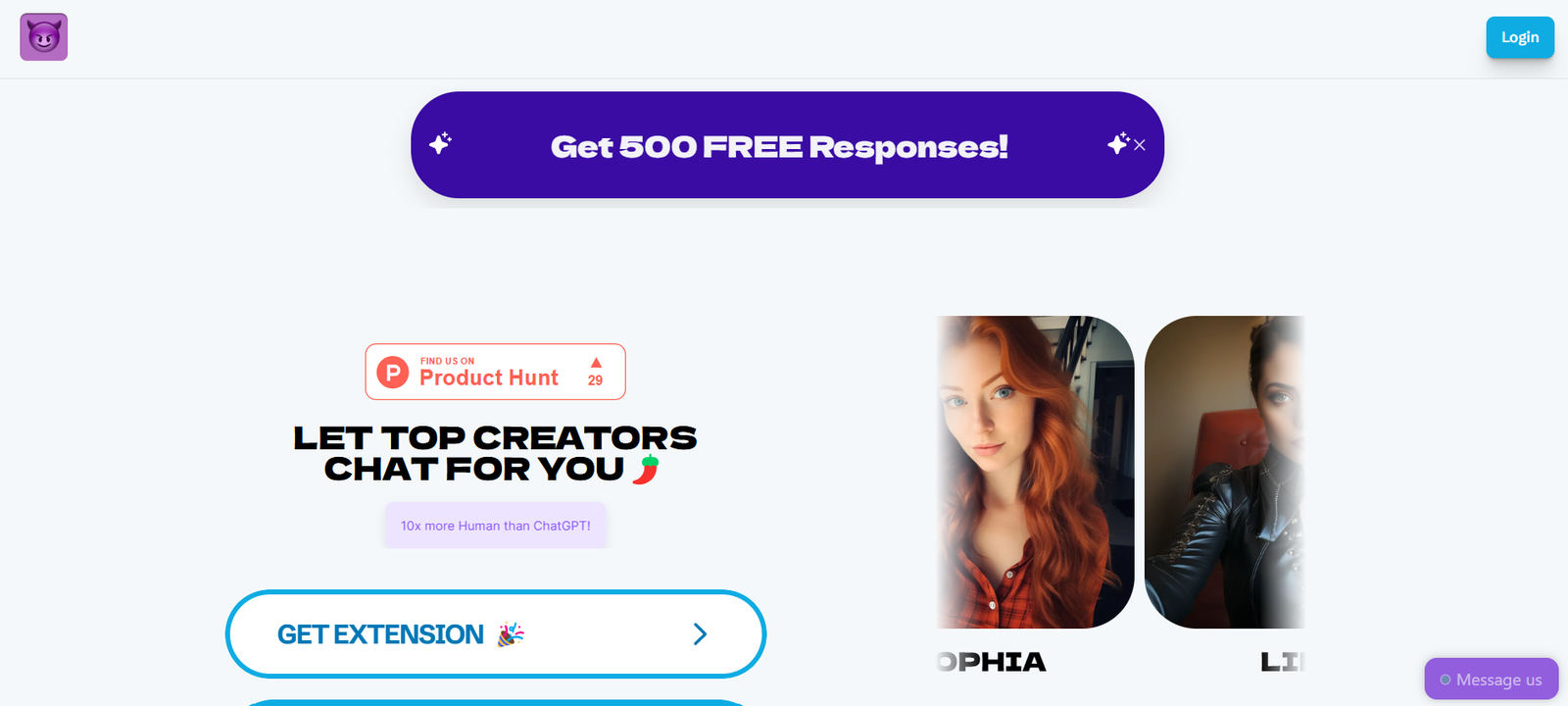
ChatPersona is a no-code tool that allows users to create, share, and explore custom AI personas for ChatGPT. Designed for creators, educators, developers, and marketers, ChatPersona simplifies the process of shaping how an AI assistant responds by letting users define tone, expertise, communication style, and specific role-based instructions.
Instead of crafting complex prompt templates each time, ChatPersona gives users a user-friendly interface to build and store reusable personas. These personas can then be used in various chat scenarios—ranging from technical support and creative storytelling to personal coaching or professional consulting.
Whether you’re building a writing assistant, customer support bot, or just want a more consistent AI interaction style, ChatPersona gives you full control without any coding.
Features
1. No-Code Persona Builder
Quickly define a persona’s tone, role, background, goals, and constraints using a simple form—no need for prompt engineering knowledge.
2. Shareable Profiles
Each persona you create can be saved and shared via a unique link, making it easy to distribute among teams or communities.
3. Custom Instructions
Control how ChatGPT behaves by setting detailed instructions such as speaking style, use cases, areas of expertise, or what to avoid.
4. One-Click Launch
After building a persona, you can launch it directly into ChatGPT with one click, using OpenAI’s custom GPT infrastructure.
5. Persona Library
Browse a public gallery of prebuilt personas, including popular use cases like “Interview Coach,” “Startup Advisor,” “UX Researcher,” and more.
6. Free to Use
At the time of writing, ChatPersona is completely free and doesn’t require account creation to use basic functionality.
How It Works
ChatPersona is designed to be easy and fast to use:
Visit https://chatpersona.ai
Click “Create Your Persona”
Start with a blank form or modify an existing template.Define the Persona
Fill out fields such as:Persona name and description
Role and tone
Goals or tasks the persona should help with
Things to avoid (e.g., don’t give medical advice)
Generate and Save
Once complete, save the persona and get a unique link or QR code to access or share it.Launch in ChatGPT
Click the “Open in ChatGPT” button to use your persona directly inside OpenAI’s GPT interface.Share or Embed
Share the persona with others or embed the link in documentation, team wikis, or websites.
Use Cases
ChatPersona is versatile and supports a wide range of user scenarios:
1. Product and Marketing Teams
Create AI brand ambassadors, product explainers, or FAQ bots tailored to your tone of voice.
2. Educators and Trainers
Build AI tutors with specific knowledge areas and student-friendly behavior.
3. Developers and Builders
Prototype assistant personalities for software, SaaS tools, or customer support without coding.
4. Writers and Content Creators
Create brainstorming or editing assistants who understand your voice and creative process.
5. Coaches and Consultants
Build custom personas for specific client use cases, such as leadership coaching or resume reviews.
Pricing
As of May 2025, ChatPersona is completely free to use.
No account is required to create, edit, or launch personas.
You only need an OpenAI account to run the persona inside ChatGPT.
There is no usage limit or paywall on persona creation or sharing.
The creators of ChatPersona may introduce premium features in the future (e.g., saved account history, integrations, analytics), but the core functionality is currently open to everyone.
Strengths
User-Friendly: Requires no technical skills or coding knowledge.
Free and Accessible: No login or payment required for full functionality.
Highly Customizable: Offers deep control over AI tone and behavior.
Shareable and Reusable: Personas can be used across teams and revisited any time.
Enhances ChatGPT: Turns generic chat into tailored, context-aware interaction.
Drawbacks
Dependent on OpenAI: You must have a ChatGPT account to use the persona in practice.
No Direct AI Chat Inside ChatPersona: It builds personas but does not host the chatbot itself.
No Analytics or Feedback Loop: Users can’t track how personas are used or improve them based on performance.
Not Yet Integrated with APIs or Platforms: Can’t deploy personas directly into apps or websites.
Comparison with Other Tools
vs. OpenAI’s Custom GPTs
ChatPersona acts as a friendly front-end to create instructions for custom GPTs. It simplifies the process but ultimately runs on OpenAI’s infrastructure.
vs. Character.AI
Character.AI hosts AI characters you can chat with on their own platform. ChatPersona is more utilitarian, focused on structured use cases via ChatGPT.
vs. Prompt Engineering Manually
ChatPersona removes the guesswork from writing long prompts. It turns persona creation into a form-driven process, which is easier and more reusable.
Customer Reviews and Testimonials
While ChatPersona is still growing, early users and indie creators have praised the tool across X (Twitter), LinkedIn, and productivity forums:
“Best tool I’ve seen for turning prompt templates into reusable AI tools.”
“Perfect for non-technical team members who want to use GPT in a consistent way.”
“I use it to create onboarding bots, coaching bots, and even idea testers for my clients.”
It has been featured on Product Hunt, where users have rated it highly for simplicity and effectiveness.
Conclusion
ChatPersona is a powerful, accessible tool that simplifies the process of creating personalized AI assistants. Whether you’re trying to build a product support bot, a writing coach, or a customized knowledge assistant, this no-code builder gives you the ability to craft nuanced, role-specific AI personas and launch them directly inside ChatGPT.
Its ease of use, flexibility, and zero-cost model make it ideal for individual creators, educators, marketers, and startups alike. If you’re looking to enhance your ChatGPT experience and make AI work more like a dedicated assistant tailored to your needs, ChatPersona is a tool worth exploring today.