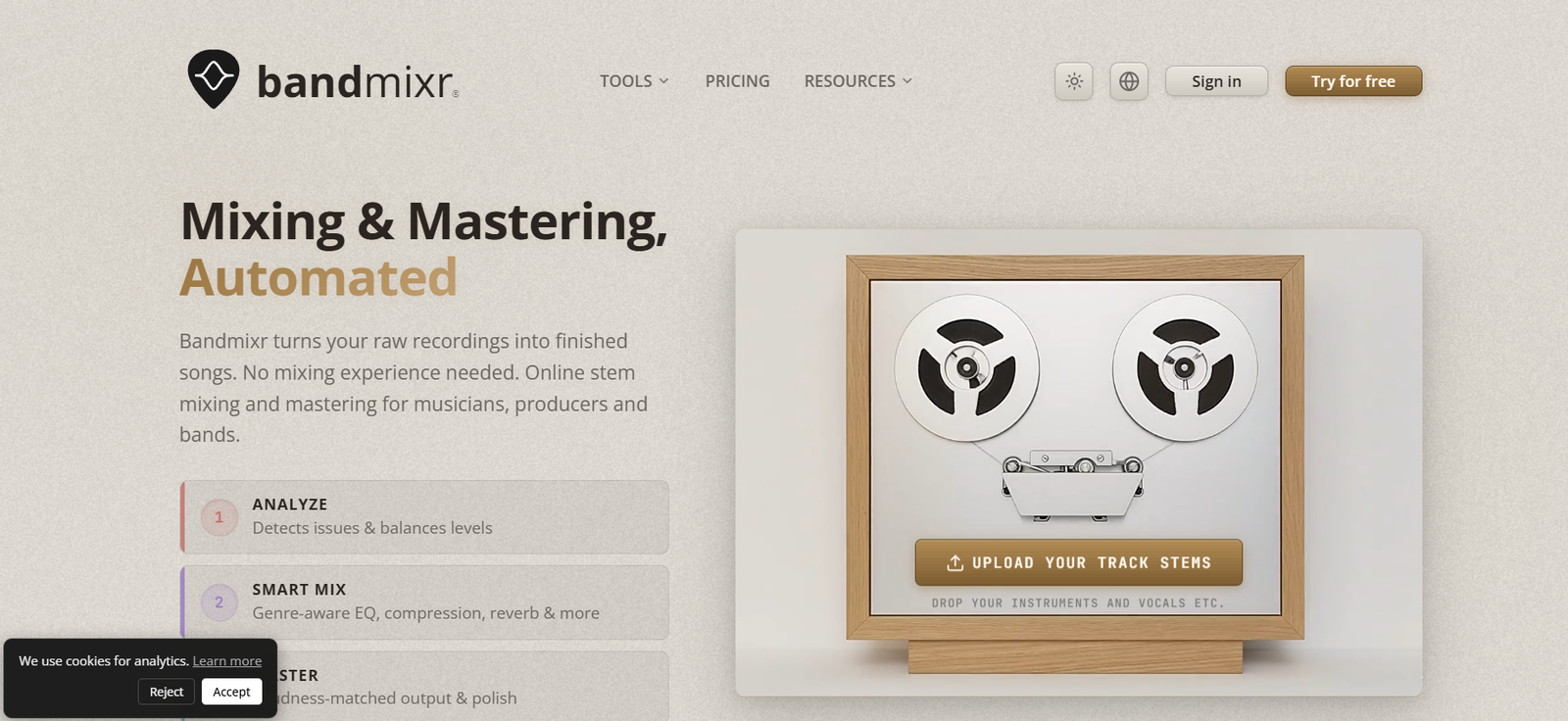
Bandmixr is an AI-powered online music mixing and mastering platform built for musicians, bands, singer-songwriters, home-recording artists, and independent producers.
Instead of requiring users to understand complicated DAW plugins, EQ settings, compressors, limiters, and mastering chains, Bandmixr automates much of the technical process.
Users upload individual stems such as vocals, drums, guitars, bass, keyboards, and other instruments. Bandmixr analyzes each track, identifies technical and musical characteristics, and builds a processing plan for the song.
Its automated mixing engine applies processing such as EQ, compression, panning, gain adjustment, and reverb while considering the selected musical genre.
After mixing, Bandmixr can also master the song by applying loudness normalization, tonal shaping, and dynamic processing.
Users who already have a finished stereo mix can skip the stem-mixing stage and use Bandmixr only for mastering.
The platform also provides two useful free tools: Mix Analyzer and Rehearsal Cutter.
Mix Analyzer checks a song for loudness, true peak, clipping, stereo issues, dynamics, and tonal balance. Rehearsal Cutter can take a long rehearsal or jam-session recording and automatically divide it into separate songs.
Bandmixr works directly through a web browser, so musicians do not need to install a DAW or additional plugins.
Features
Automatic AI Mixing
Bandmixr automatically creates a balanced mix from individual audio stems.
Users upload their tracks, identify the instruments, select a genre, and let the system generate an initial mix.
Stem-Based Mixing
Unlike mastering-only platforms that require a completed stereo mix, Bandmixr can work with individual stems.
These can include:
Vocals
Drums
Bass
Electric guitars
Acoustic guitars
Keyboards
Synthesizers
Percussion
Other instruments
Paid plans currently support up to 24 stems per project.
Audio Analysis
Before applying processing, Bandmixr analyzes each stem.
Its analysis can examine characteristics such as loudness, peak levels, RMS, LUFS, frequency content, dynamic range, crest factor, phase correlation, noise floor, and clipping.
Musical Analysis
Bandmixr also extracts musical information from uploaded audio.
This can include estimated BPM, beat positions, key, and whether material is primarily percussive or harmonic.
Genre-Aware Mixing
Users can choose a musical genre before generating the mix.
Bandmixr currently supports options including:
Rock/Indie
Pop
Acoustic
Punk
Metal
Jazz
Blues
Funk/Soul
Reggae/Dub
Hip Hop
Electronic
Users who do not find an appropriate genre can select General / Not Sure for a more neutral approach.
Intelligent EQ
Bandmixr applies EQ according to the type of instrument, its frequency characteristics, and the selected genre.
The goal is to reduce frequency conflicts and create a clearer overall mix.
Automatic Compression
Dynamic processing can be applied to individual stems and the overall mix.
Compression settings vary according to the source material and mixing context.
Automatic Panning
Bandmixr can position instruments across the stereo field.
Users can subsequently adjust panning according to their preferences.
Reverb Processing
Reverb is applied according to instrument type and musical context.
Users can modify effects after the initial automatic mix.
Editable Mix
The automatically generated result does not have to be accepted unchanged.
Users can adjust parameters such as track levels, panning, and effects.
Automatic Mastering
Once the mix is complete, Bandmixr can apply mastering automatically.
The mastering stage prepares the overall track for release.
Mastering-Only Workflow
Users who already have a finished stereo mix can upload it directly and skip automated stem mixing.
Loudness Normalization
Mastering can adjust overall loudness toward an appropriate delivery level.
EQ Shaping
Bandmixr can make tonal adjustments during mastering.
Dynamic Processing
Mastering includes dynamic processing designed to control peaks and improve overall consistency.
Loudness Presets
Users can choose mastering loudness settings according to the desired result.
Reference Track Matching
Bandmixr supports reference-track matching.
Musicians can provide a reference song to help guide the mastering direction.
WAV Export
Finished songs can be downloaded in WAV format.
FLAC Export
Lossless FLAC export is supported.
MP3 Export
Users can also download finished songs as MP3 files.
Free Mix Analyzer
Mix Analyzer is a free browser-based tool for checking an existing mix or master.
No account is required.
LUFS Analysis
Mix Analyzer measures integrated loudness to help determine whether a track is appropriately mastered.
True Peak Analysis
The analyzer checks true peak levels and can identify potential delivery problems.
Clipping Detection
Users can check whether their audio contains clipping.
Stereo Analysis
Mix Analyzer evaluates stereo characteristics and potential compatibility issues.
Tonal Balance
The analyzer checks whether the frequency balance appears problematic.
Dynamic Range Analysis
Bandmixr examines the dynamics of the track as part of its quality assessment.
Mix or Master Detection
The analyzer attempts to determine whether an uploaded file is an unmastered mix or a finished master.
It then evaluates the audio accordingly.
Mastering Preview
When the analyzer identifies issues that mastering could potentially improve, users can hear a short enhanced preview.
Free Rehearsal Cutter
Rehearsal Cutter automatically separates long rehearsal or jam-session recordings into individual songs.
Automatic Song Detection
The tool detects gaps and silence between songs to determine likely track boundaries.
Long Recording Support
Musicians can upload lengthy rehearsal sessions rather than manually cutting each song.
Multitrack Rehearsal Support
Rehearsal Cutter can work with multitrack recordings.
Stereo and Phone Recording Support
It can also process ordinary stereo or phone recordings.
Local Browser Processing
Rehearsal Cutter runs locally in the browser.
The files used with this tool do not need to leave the user’s device.
No Account for Free Tools
Mix Analyzer and Rehearsal Cutter can be used without creating a Bandmixr account.
How It Works
- Create a Bandmixr account.
- Start a new music project.
- Export the individual stems from your recording software.
- Upload vocals, drums, guitars, bass, keyboards, and other tracks.
- Label the stems according to their instrument types.
- Select the musical genre.
- Bandmixr analyzes the technical characteristics of every stem.
- The engine examines musical information such as tempo and key.
- It creates a processing plan for each track.
- EQ, compression, gain, panning, reverb, and other processing are applied.
- Review the automatically generated mix.
- Adjust levels, panning, or effects if necessary.
- Continue to the mastering stage.
- Choose the appropriate loudness or reference settings.
- Generate the finished master.
- Download the completed track in WAV, FLAC, or MP3 format.
Users who already have a stereo mix can upload that file directly and use only the mastering workflow.
Use Cases
For Bands
Bands can upload multitrack recordings from rehearsals or studio sessions and quickly produce listenable mixes.
For Home Recording
Musicians recording at home can produce more polished tracks without learning advanced mixing techniques.
For Singer-Songwriters
Independent artists can upload vocals and instrumental stems and create a finished mix without hiring a studio for every demo.
For Bedroom Producers
Producers can use Bandmixr as an automated starting point before deciding whether additional manual mixing is necessary.
For Rehearsal Recordings
Bands recording long practice sessions can use Rehearsal Cutter to separate individual songs automatically.
For Demo Production
Musicians can quickly turn rough multitrack recordings into polished demos.
For Independent Releases
Artists with limited budgets can mix and master songs before distributing them through music platforms.
For Mastering
Users who mix their own tracks can use Bandmixr only for final mastering.
For Mix Quality Checking
Mix Analyzer can help musicians identify loudness, clipping, true peak, stereo, dynamics, and tonal-balance problems.
For Music Students
People learning recording and production can compare their own mixes with Bandmixr’s automated results.
Pricing
Bandmixr offers Free, Creator, and Pro options, as well as pay-per-download credits.
Free
The Free plan allows users to create projects, upload stems, and generate mixes.
The first song download is free.
Free projects currently support:
Up to 16 stems
Maximum stem duration of approximately 8 minutes
Mix and mastering generation
The Rehearsal Cutter and Mix Analyzer are also completely free and do not require an account.
Download Credits
After the first free song, Free users can purchase download credits.
Current prices are:
1 download credit — $5
5 download credits — $20
10 download credits — $35
One credit unlocks one mix result.
Downloading the same result again in another format does not consume another credit.
Generating and downloading a different mix or master counts as a new result.
Purchased credits do not expire.
Creator
$14 per month
or approximately
$10 per month when billed annually
Creator provides unlimited downloads and expands the available mixing and mastering capabilities.
It supports up to 24 stems and includes reference matching.
Creator projects have up to 5 GB of storage.
Pro
$19 per month
or approximately
$15 per month when billed annually
Pro includes the broader Bandmixr feature set, unlimited downloads, and higher project limits.
It supports up to 24 stems and up to 10 GB of storage.
Pro also adds advanced workflow capabilities such as processed stem exports.
Creator and Pro subscriptions renew automatically until cancelled.
Users can cancel from their account, and access remains active until the end of the already-paid billing period.
Supported Audio Formats
For mixing and mastering, Bandmixr currently supports:
WAV
FLAC
MP3
AIFF
Lossless WAV or FLAC files are recommended when possible.
Rehearsal Cutter supports:
WAV
FLAC
MP3
MP4
M4A
File and Project Limits
Individual stems can currently be up to approximately 150 MB.
Stereo mixes uploaded for mastering can be up to approximately 180 MB.
Stem duration is limited to approximately 8 minutes on Free and 13 minutes on paid plans.
Free projects support up to 16 stems.
Creator and Pro support up to 24 stems.
Strengths
Automates both mixing and mastering.
Works from individual stems rather than requiring a finished stereo mix.
No advanced audio-engineering knowledge is required.
Runs directly in a browser.
No DAW installation is required to use the service.
Genre-aware processing is available.
Analyzes individual stems before mixing.
Considers loudness, frequency content, dynamics, phase, noise, and clipping.
Extracts musical information such as BPM and estimated key.
Applies automatic EQ and compression.
Provides automatic panning and reverb.
Users can adjust the automatic mix.
Supports reference-track mastering.
Supports WAV, FLAC, MP3, and AIFF inputs.
Finished songs can be exported as WAV, FLAC, or MP3.
First song download is free.
Pay-per-song pricing is available for occasional users.
Download credits never expire.
Creator and Pro provide unlimited downloads.
Mix Analyzer is completely free.
Rehearsal Cutter is completely free.
Free tools do not require an account.
Rehearsal Cutter processes files locally.
Musicians retain ownership of their music.
Drawbacks
Automated mixing cannot completely replace an experienced human mixing engineer for every project.
Complex productions may require detailed creative decisions that an automated system cannot fully understand.
The quality of the final result depends heavily on the quality of the original recording.
Poor microphone placement, severe clipping, excessive room noise, or badly recorded instruments cannot always be fully repaired through mixing.
Automatic instrument identification and processing decisions may occasionally require manual adjustment.
The Free plan supports fewer stems and shorter songs than paid plans.
Downloading additional results after the first free song requires credits or a subscription.
Professional producers may require more detailed control than Bandmixr provides.
Artists working on important commercial releases may still prefer a professional mixing engineer for detailed revisions and creative collaboration.
Privacy and Music Ownership
Bandmixr states that musicians retain 100% ownership of their uploaded stems, mixes, and masters.
The company claims no licensing or ownership rights over the music users process through the service.
Bandmixr also states that uploaded music is not used for AI training.
Files uploaded for mixing and mastering are sent to Bandmixr’s servers because the service needs access to the audio to analyze and process it.
Processed project files can remain stored so users can return to projects and download or adjust their mixes.
When users delete files, Bandmixr states that they are permanently removed from its servers.
Rehearsal Cutter operates differently because its processing occurs locally in the browser, meaning recordings used with that tool do not need to be uploaded to Bandmixr.
Users can also delete their entire account from the Account page. Doing so permanently removes account data, projects, and uploaded files.
Comparison with Other Platforms
Bandmixr competes with automated music mixing and mastering platforms such as LANDR, eMastered, RoEx, Cryo Mix, and BandLab.
Its most important distinction is stem-based mixing.
Many automated mastering platforms primarily expect users to upload an already completed stereo mix. Bandmixr can begin earlier in the production process by accepting individual vocals, guitars, drums, bass, and other stems and automatically creating the mix before mastering it.
Compared with LANDR, Bandmixr is particularly relevant when a musician has separate stems but does not yet have a completed mix.
Compared with hiring a professional engineer, Bandmixr is significantly faster and less expensive. However, a skilled human engineer can provide creative judgment, detailed revisions, and artistic collaboration that an automated service cannot completely reproduce.
Compared with traditional DAW mixing, Bandmixr requires considerably less technical knowledge. The trade-off is that advanced producers receive less detailed control.
The addition of Rehearsal Cutter also makes Bandmixr particularly relevant to bands that routinely record long practice or jam sessions.
Customer Reviews and Testimonials
A large collection of independently verified customer testimonials is not prominently presented on Bandmixr’s official website.
Instead, the website provides audio demonstrations allowing visitors to compare raw stems with Bandmixr’s mixed and mastered results.
Some demonstration material comes from recordings made available by artists or professional audio companies for educational and demonstration purposes.
These before-and-after audio examples are more useful for evaluating a mixing product than ordinary marketing claims because prospective users can listen to the processing themselves.
However, they should still be considered company-selected demonstrations rather than independent reviews.
The first song download is free, so musicians can also test Bandmixr using their own recordings before deciding whether its automated mixing style is suitable for their music.
Conclusion
Bandmixr is an AI-powered mixing and mastering platform designed primarily for musicians who have recorded music but do not want to spend weeks learning professional audio engineering.
Its biggest advantage is that it starts with individual stems. Users can upload vocals, drums, guitars, bass, and other instruments, choose a genre, and let Bandmixr analyze and process the tracks into a balanced mix before applying mastering.
Musicians who already have a completed mix can skip directly to automated mastering.
The platform also provides two useful free tools. Mix Analyzer evaluates loudness, true peak, clipping, stereo characteristics, dynamics, and tonal balance, while Rehearsal Cutter automatically separates long band practices or jam recordings into individual songs.
The Free plan provides the first song download at no cost. Occasional users can then buy permanent download credits starting at $5 per song, while Creator and Pro subscriptions provide unlimited downloads.
Bandmixr will not replace an experienced mixing engineer when a project requires detailed artistic decisions, extensive revisions, or highly customized processing. However, for demos, home recordings, rehearsal sessions, independent releases, and musicians working with limited budgets, it provides a fast and accessible route from raw stems to a finished track.
Overall, Bandmixr is best suited to bands, singer-songwriters, home-recording musicians, bedroom producers, and independent artists who want automated mixing and mastering without the complexity of a traditional studio workflow.