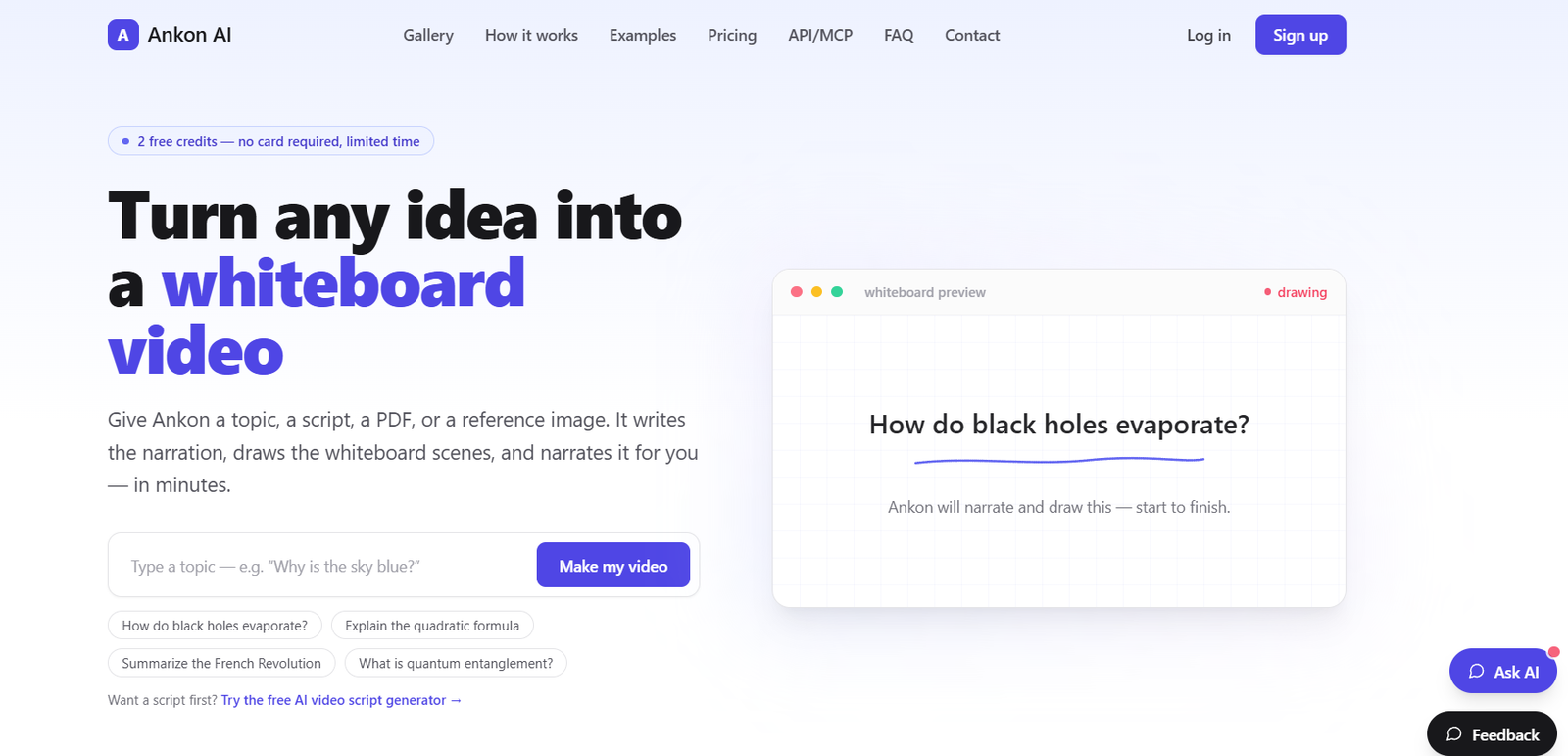
Ankon AI is an AI-powered whiteboard video generator that turns a topic, script, PDF, paper, or reference image into a complete narrated explainer video.
Instead of manually writing a script, drawing scenes, recording narration, adding subtitles, and editing everything together, users can provide their source material and allow Ankon AI to handle most of the production process automatically.
The platform writes the narration, creates whiteboard scenes, draws each scene with an ink-reveal animation, synchronizes the visuals with an AI voice, and adds word-by-word captions.
Finished projects can be downloaded as MP4 videos. Ankon also provides an SRT subtitle file along with automatically generated titles, descriptions, chapter timestamps, and thumbnails that can help creators prepare videos for publishing.
The platform supports 13 languages and includes male and female AI voices. Higher plans also provide voice cloning, allowing creators to record a short voice sample and use an AI version of their voice for narration.
Ankon is designed for educators, YouTube creators, newsletter writers, course instructors, businesses, agencies, bloggers, and developers who want to create explanatory videos without learning traditional animation software.
Features
Topic-to-Video
Users can start with a simple topic or question.
Ankon creates the narration and corresponding whiteboard scenes automatically.
Script-to-Video
Creators who already have a script can paste it into the platform and convert it into a narrated whiteboard animation.
PDF-to-Video
Users can upload PDFs, papers, and other supported source material and have Ankon turn the information into an explainer video.
This is particularly useful for educational material, research summaries, reports, and course content.
Image-to-Video
Reference images can be supplied as source material for supported video-generation workflows.
AI Script Writing
Users do not need to prepare a finished script before beginning.
Ankon can write the narration based on the supplied topic or source.
Ink-Reveal Whiteboard Animation
Ankon creates a traditional whiteboard-style effect in which each scene is drawn line by line.
The drawing is synchronized with the narration instead of simply appearing through static transitions.
AI Narration
Generated videos include AI voice narration.
13 Languages
Ankon currently supports English (US), English (UK), Spanish, French, Hindi, Italian, Japanese, Chinese, Brazilian Portuguese, German, Arabic, Korean, and Dutch.
Male and Female Voices
Users can select from supported male and female narration options.
Voice Cloning
Eligible users can record a short voice sample and create videos narrated using an AI version of their own voice.
The official website currently states that a roughly 10-second recording can be used to establish the cloned voice.
Multilingual Voice Cloning
A cloned voice can narrate supported languages, while creators can also provide native recordings for individual languages when desired.
Automatic Captions
Word-by-word captions can be burned directly into the generated video.
SRT Subtitles
Ankon also provides a separate SRT subtitle file that creators can upload to platforms such as YouTube.
Publish-Ready Metadata
Each video can include automatically prepared publishing information such as a title, description, and chapter timestamps.
Automatic Thumbnail
Paid plans include thumbnail downloads, reducing another step in the publishing workflow.
Fact-Checked Scripts
Paid plans currently include a fact-checking option designed to provide an additional review of generated scripts.
Creators should still independently verify important educational, scientific, medical, financial, or other high-stakes information.
Enhance Mode
Enhance mode provides a more detailed generation option that can increase scene density and visual transitions.
It uses additional credits.
Custom Logo
Paid users can add their own logo to supported videos.
Collections
Creators can organize their generated work into collections.
Landscape and Vertical Videos
Ankon can generate both landscape and vertical whiteboard videos, making it useful for conventional YouTube videos as well as short-form platforms.
No Watermark on Paid Plans
Videos generated under paid plans can be exported without an Ankon watermark.
Team Workspaces
Paid plans include team workspace capabilities.
Teams can use a shared credit pool rather than requiring every member to maintain a separate credit balance.
Team Roles
Workspace owners can assign owner, admin, and member roles to control access and administrative responsibilities.
REST API
Studio provides API access for developers who want to generate whiteboard videos programmatically.
MCP Integration
Studio also supports MCP, allowing compatible AI assistants and coding environments to call Ankon directly.
Supported workflows include clients such as Claude, Claude Code, Claude Desktop, Cursor, ChatGPT, GitHub Copilot, and Gemini CLI.
OAuth 2.1
Compatible MCP clients can connect through OAuth 2.1 rather than requiring users to manually copy an API key.
How It Works
Step 1: Choose Your Source
Start with a topic, question, script, PDF, paper, or reference image.
Step 2: Submit the Material
Enter the topic or upload the relevant source material.
Step 3: Generate the Narration
Ankon creates a narration based on the supplied information.
Step 4: Create Whiteboard Scenes
The platform determines how the information should be represented visually and generates corresponding scenes.
Step 5: Generate the Voiceover
An AI voice narrates the prepared script.
Eligible users can also use a cloned version of their own voice.
Step 6: Synchronize the Drawing
Ankon draws the whiteboard illustrations line by line in coordination with the narration.
Step 7: Generate Captions
Word-level captions are added to the video, and a separate SRT file is prepared.
Step 8: Review the Video
Users can review the generated result and use available enhancement options where necessary.
Step 9: Download
Export the finished video as an MP4 along with available subtitles and thumbnail assets.
Step 10: Publish
Use the automatically generated title, description, and chapter timestamps when preparing the video for platforms such as YouTube.
Use Cases
Educational Videos
Teachers can turn lessons and educational topics into narrated visual explainers.
YouTube Explainer Videos
Creators can produce whiteboard-style videos without manually drawing or animating individual scenes.
Course Content
Course instructors can convert lecture notes and learning materials into narrated video modules.
PDF Summaries
Long PDFs, reports, and papers can be transformed into more accessible video explanations.
Newsletter Repurposing
Newsletter writers can turn existing written material into videos for YouTube, LinkedIn, TikTok, and other channels.
Blog-to-Video
Publishers can repurpose articles into short visual explainers.
Business Explainers
Companies can create videos explaining products, services, processes, or concepts.
SaaS Product Education
Software companies can create “how it works” style videos for landing pages, documentation, and customer education.
Training Videos
Organizations can convert internal educational material into narrated whiteboard training content.
Agency Production
Agencies can use higher-volume plans to create explainer videos for multiple clients.
Multilingual Content
Creators can produce versions of educational or marketing content in several supported languages.
Automated Video Workflows
Developers and teams can use the REST API or MCP integration to incorporate whiteboard generation into automated content pipelines.
Pricing
Ankon AI currently provides 2 free credits to new users for a limited time, with no credit card required.
One credit is approximately equal to one minute of finished video, although there is currently a two-credit minimum per video.
Starter: $23 per month
Starter includes 15 credits per month.
It is designed primarily for learning and personal projects.
The annual option currently costs $276 per year, with credits added monthly.
Plus: $55 per month
Plus includes 40 credits per month.
It is positioned primarily for YouTube creators and includes the Vivid style.
The annual option currently costs $660 per year.
Pro: $95 per month
Pro includes 75 credits per month.
It is designed for agencies and professional creators.
Pro includes the Plus capabilities along with voice cloning.
The annual option currently costs $1,140 per year.
Studio: $199 per month
Studio includes 160 credits per month.
It is designed for teams, developers, and API-based workflows.
Studio includes the Pro capabilities along with REST API access, MCP, OAuth 2.1, and expanded team functionality.
Studio currently supports up to five team workspaces with as many as 50 members in each workspace.
The annual option costs $2,388 per year.
Annual Discount
Ankon currently provides a 20% saving with annual billing compared with its standard monthly pricing.
Annual subscriptions are billed upfront, while subscription credits are added monthly.
Top-Up Credits
Paid users can purchase additional credits for $2 per credit with a $10 minimum purchase.
Top-up credits do not expire, although they are usable while an active subscription is maintained and become available again if the user later resubscribes.
Failed Generations
Credits reserved for a render are automatically refunded if the render fails.
Advanced Features
Features such as Enhance mode and fact-checking can consume additional credits.
Prices are listed in US dollars and exclude applicable taxes.
Strengths
Very Simple Workflow
Users can move from a topic or document to a complete video without learning complex animation software.
PDF-to-Video Capability
Turning documents directly into whiteboard explainers makes Ankon useful for educational and information-heavy content.
Automatic Script Generation
Users do not have to prepare a polished narration before beginning.
Synchronized Whiteboard Drawing
The line-by-line ink-reveal effect gives videos a recognizable whiteboard-explainer style.
Captions Included
Burned-in captions and separate SRT files are generated as part of the workflow.
Publish-Ready Assets
Automatic titles, descriptions, chapters, and thumbnails reduce additional publishing work.
Multilingual Support
Thirteen supported languages make it possible to create content for different audiences.
Voice Cloning
Professional creators can maintain a more consistent personal narration style without repeatedly recording every video.
Transparent Credit Model
The basic rule of approximately one credit per minute makes core generation costs relatively easy to understand.
Failed Render Refunds
Users do not lose the reserved credits when a generation fails.
API and MCP
Studio can integrate whiteboard generation into automated and AI-agent workflows.
Drawbacks
Ankon is specialized in whiteboard explainer videos rather than general-purpose AI filmmaking.
Users looking for cinematic video, realistic AI actors, avatars, complex 3D animation, or conventional stock-footage videos will need other tools.
Ankon does not provide frame-by-frame control over every drawn stroke. Users requiring precise manual timing and detailed control over illustrations may prefer traditional whiteboard-animation software.
There is currently a two-credit minimum per generated video, so very short videos may not always provide the same cost efficiency as longer explainers.
Advanced options such as Enhance mode and fact-checking consume additional credits.
Voice cloning requires the Pro tier or above.
REST API and MCP capabilities are primarily associated with the Studio plan, making advanced automation more expensive than ordinary creator access.
AI-generated scripts and fact-checking should not be treated as infallible. Important factual material should still receive human review.
Comparison with Other Platforms
Ankon competes with traditional whiteboard-animation tools, AI video generators, and automated explainer-video platforms.
Traditional tools such as Doodly and VideoScribe provide greater manual control over scenes, assets, timing, and animations. However, users generally need to build and arrange the video themselves.
Ankon takes the opposite approach. Users provide the information, while AI handles the narration, scene planning, drawing, voiceover, captions, and publishing metadata.
Compared with avatar-focused AI video platforms, Ankon does not center the video around a virtual presenter. Instead, it uses synchronized whiteboard drawings to explain the subject visually.
Compared with general AI video generators, its scope is narrower but more focused. It is specifically designed to turn information and educational material into understandable whiteboard explainers.
This makes Ankon particularly suitable for creators who value speed and automation more than detailed manual animation control.
Customer Reviews and Testimonials
Ankon provides a community gallery containing whiteboard videos generated by its users.
This allows prospective users to watch real examples of output produced with the platform before signing up.
However, a substantial collection of independent customer ratings and verified third-party testimonials is not clearly available on the official website.
Prospective users should therefore evaluate Ankon primarily through its free credits, community examples, feature documentation, and their own test generations rather than relying on a large body of established customer reviews.
Conclusion
Ankon AI is a focused AI video generator designed specifically for creating narrated whiteboard explainers.
Users can provide a simple topic, finished script, PDF, paper, or reference image, and Ankon handles much of the remaining production process. It writes the narration, generates visual scenes, draws them in sync with an AI voice, adds captions, and prepares useful publishing assets.
Its support for 13 languages, voice cloning, SRT subtitles, custom branding, team workspaces, vertical and landscape output, REST API, and MCP integration extends the platform beyond basic whiteboard animation.
The main limitation is also part of its strength: Ankon is highly specialized. It does not attempt to replace general video editors or cinematic AI video generators.
For educators, YouTube creators, course instructors, bloggers, businesses, agencies, and developers who regularly need to turn information into clear whiteboard-style video explainers, Ankon AI provides a streamlined alternative to manually scripting, narrating, drawing, and editing each video.