Amplenote is a secure, all-in-one productivity tool that combines note-taking, task management, and calendar scheduling in a single, streamlined app. It is designed for users who value privacy, organization, and productivity. Unlike many productivity tools that focus on one function, Amplenote brings together multiple core workflows—writing notes, managing tasks, and prioritizing goals—into one interface.
Amplenote is ideal for thinkers, writers, entrepreneurs, and knowledge workers who want to stay organized without jumping between different apps. Built with privacy at its core, it offers end-to-end encryption and offline access. Whether you’re brainstorming ideas, building a project plan, or scheduling your week, Amplenote helps you capture, plan, and act without friction.
It also supports linking between notes, bi-directional references, and a powerful task scoring system called JIT prioritization, which helps you decide what to do next based on time, energy, and value.
Features
Amplenote offers a powerful set of features designed to help users take better notes, manage tasks efficiently, and stay focused on priorities:
Notes and Tasks in One
Write rich-text notes and embed tasks directly inside them. Toggle between writing and planning modes easily.
JIT Task Prioritization
Use Just-In-Time (JIT) scoring to automatically prioritize tasks based on urgency, importance, and your current context.
Bidirectional Linking
Link between notes and view backlinks to build a connected knowledge system similar to a second brain or Zettelkasten method.
Note Publishing
Turn any note into a public, shareable webpage with a single click. Perfect for blog posts, meeting summaries, or public resources.
Daily and Weekly Planning
Assign tasks to specific days using the calendar view and see all your scheduled actions in context.
Tag-Based Organization
Organize notes and tasks using tags, which can be nested for better hierarchy and filtering.
End-to-End Encryption
All notes are encrypted before leaving your device, ensuring your content remains private and secure.
Offline Mode
Use Amplenote without an internet connection. All data is synced automatically when you’re back online.
Reminders and Notifications
Set due dates and receive alerts via email or mobile notifications to stay on track.
Multiple Modes
Toggle between Jots (quick notes), Notes (structured writing), and Tasks (action items) within the same app.
Rich Markdown Support
Style notes with Markdown formatting, including headers, lists, links, and code blocks.
Version History
Restore previous versions of notes in case of accidental edits or deletions.
Collaboration
Share notes and task lists with others, collaborate on projects, and assign responsibilities.
How It Works
Amplenote is structured around three core areas: Jots, Notes, and Tasks. Jots are quick, daily entries for capturing ideas or journaling. Notes allow for more detailed writing, formatting, and linking. Tasks are embedded inside both, meaning users can create action items directly within any note.
The system is designed to help users capture ideas quickly and then transform those ideas into actionable plans. You can tag notes for organization, link them together for context, and prioritize tasks using the JIT engine, which scores each task based on deadline, value, and effort.
The calendar integration lets users plan tasks for the day or week and adjust them visually. All of this is available in a unified, distraction-free interface with support for mobile and web access.
Amplenote also supports publishing, allowing users to turn any note into a webpage. This feature is ideal for bloggers, collaborators, and anyone who wants to share content without maintaining a separate site.
Use Cases
Amplenote is highly flexible and suits a range of personal and professional use cases:
Task Management
Create tasks within your notes, prioritize them using JIT, and manage deadlines with built-in scheduling tools.
Note-Taking
Capture everything from meeting notes and project outlines to journal entries and reading summaries.
Second Brain
Build a linked knowledge base using bidirectional links, nested tags, and backlinks to explore ideas over time.
Daily Planning
Use the daily note and calendar features to plan each day with clarity, seeing tasks in context.
Project Planning
Break down goals into tasks and subtasks, assign priorities, and track progress over time.
Collaboration
Work on shared notes and task lists with teammates, clients, or collaborators while maintaining access control.
Content Creation
Writers and bloggers can draft, edit, and publish content directly from notes, using Markdown and publishing tools.
Goal Tracking
Use tags, recurring tasks, and reminders to track long-term goals and habits effectively.
Academic Research
Students and researchers can build a note system that links references, quotes, and thoughts across topics.
Secure Documentation
Store sensitive notes with peace of mind using end-to-end encryption and offline-first access.
Pricing
According to the official Amplenote pricing page, the app offers four plans:
Free Plan
Up to 50 notes
Basic note-taking and task management
Markdown support
Access on web and mobile
Essentials – $6.99/month (billed annually)
Unlimited notes and tasks
Basic sharing and collaboration
Calendar integration
End-to-end encryption
Task scoring and prioritization
Pro – $12.49/month (billed annually)
Public publishing of notes
Version history
Advanced filters and automation
Priority support
Daily and weekly planning tools
Founder – $24.99/month (billed annually)
Early access to new features
Premium collaboration tools
Support for creators and teams
Includes all Pro features
All plans include a 14-day free trial. There are no ads or upsells, and your data remains your own.
Strengths
Amplenote stands out in the crowded productivity space for several reasons:
Combines notes, tasks, and calendar into one app
Advanced task prioritization with JIT scoring
Strong security with end-to-end encryption
Local-first with offline access and data export
Ideal for users who value privacy and longevity
Clean, distraction-free interface
Frequent updates and responsive development team
Markdown editing and rich formatting
Built-in publishing for external content sharing
Great for deep thinkers and long-term planners
Drawbacks
While Amplenote is highly capable, it may not suit every user. Some drawbacks include:
Limited native integrations compared to tools like Notion or ClickUp
No real-time collaborative editing (only asynchronous sharing)
Interface may feel too minimal for visual planners
Fewer templates and community content compared to competitors
JIT task system may have a learning curve for new users
Mobile app, while functional, could benefit from more refinement
No kanban or board views (list and calendar only)
These issues are minor for users who value simplicity and security over feature bloat.
Comparison with Other Tools
Amplenote vs Notion
Notion is more visual and collaborative, with databases and team wikis. Amplenote is more focused, faster, and better for private, secure note-taking and task management.
Amplenote vs Obsidian
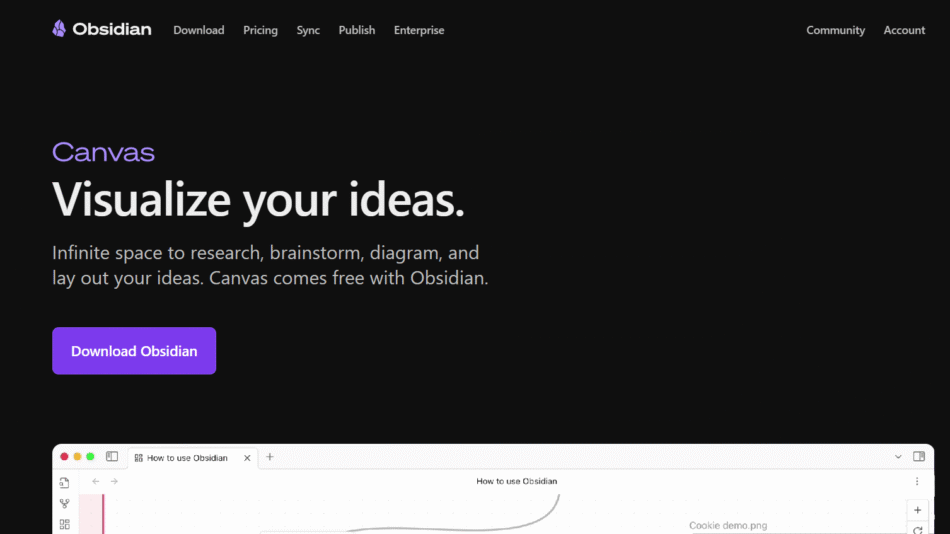
Obsidian is local-first and highly customizable with plugins. Amplenote adds task management and scheduling natively, with built-in encryption and publishing.
Amplenote vs Roam Research
Roam is optimized for linked thinking and daily notes. Amplenote offers better task handling and prioritization with stronger privacy.
Amplenote vs Evernote
Evernote is more document-oriented with web clipping features. Amplenote is lighter, faster, and built around productivity and task integration.
Amplenote vs Todoist
Todoist is a task manager with limited note support. Amplenote merges notes and tasks naturally with deep prioritization logic.
Customer Reviews and Testimonials
Users consistently praise Amplenote for its reliability, security, and all-in-one functionality. Highlights from actual users include:
“I finally found a note app that respects my privacy and helps me get things done.”
“JIT task scoring changed how I prioritize my day. It’s a game-changer.”
“Amplenote blends notes and to-dos better than any app I’ve tried.”
“I love the simplicity—it just works, and I don’t have to fight the interface.”
“The publishing feature is fantastic. I share meeting notes and blog posts instantly.”
Conclusion
Amplenote is a thoughtfully designed productivity tool that brings together notes, tasks, and calendars in one secure, fast, and reliable platform. By focusing on privacy, deep thinking, and actionable planning, it serves users who want more control over their information and better alignment between ideas and execution.
Its unique JIT prioritization system, offline support, and end-to-end encryption make it a standout choice for individuals who value both performance and peace of mind. Whether you’re writing notes, managing projects, or planning your week, Amplenote helps you do it all in one place—securely and effectively.
For those tired of juggling multiple apps or worrying about privacy, Amplenote is a worthy investment in your productivity and digital well-being.