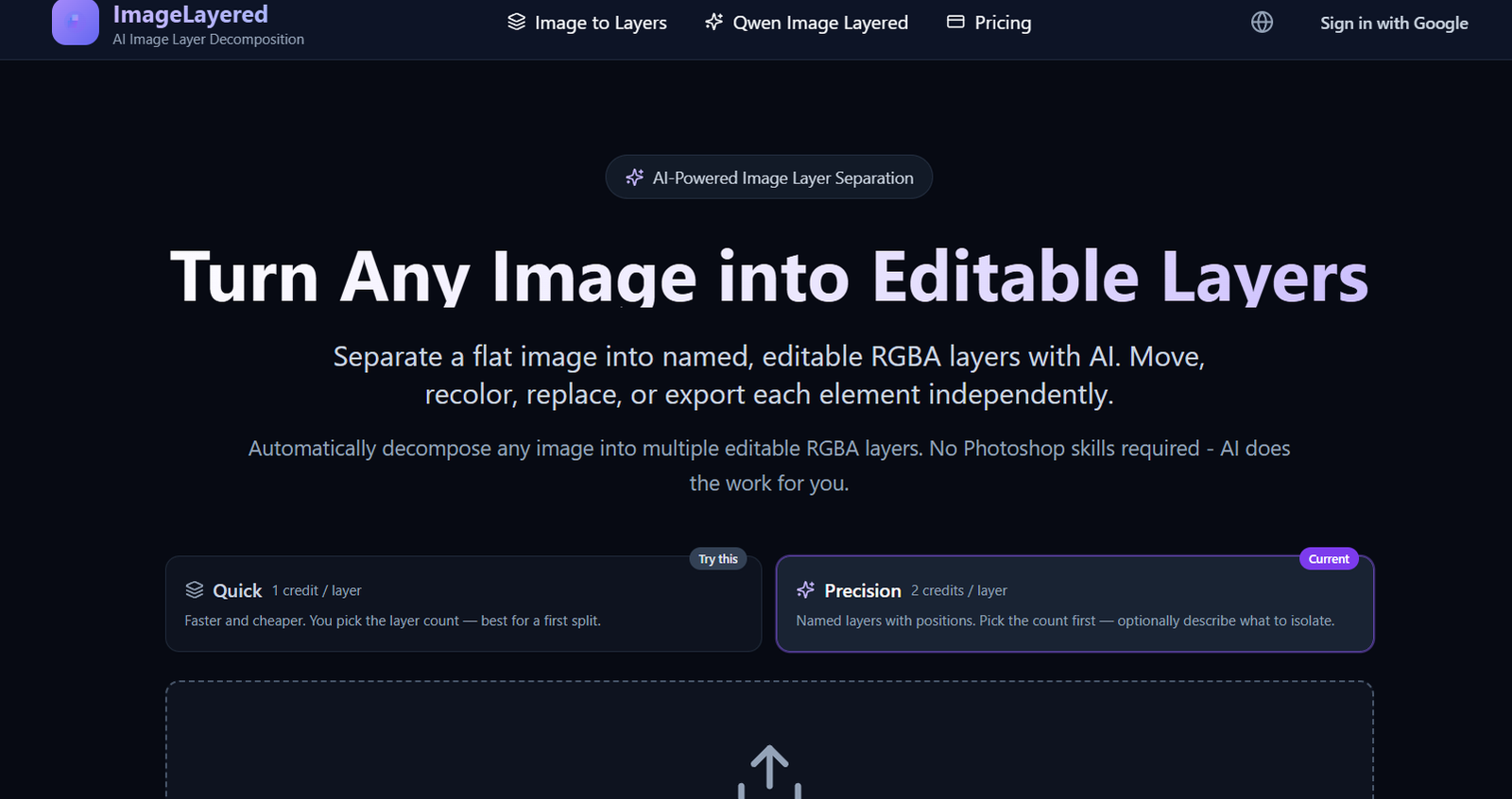
ImageLayered is an AI-powered image decomposition tool that converts ordinary flat images into multiple editable layers.
Normally, a PNG or JPEG contains all people, objects, text and background elements merged into a single image. Editing one element without affecting everything around it can require careful masking or manual selection in software such as Photoshop.
ImageLayered automates much of this process.
Users upload an image and choose how many layers they want. The AI identifies individual elements and produces separate RGBA layers with transparent backgrounds. These layers can then be moved, resized, recolored, replaced or exported independently.
The platform currently provides two main processing modes: Quick Layers and Precision Layers.
Quick Layers is designed for faster, lower-cost decomposition. Users choose the number of layers and allow the AI to determine how the image should be separated.
Precision Layers provides greater control. Users select the number of outputs and can describe what they specifically want isolated, such as every person in a photograph or particular objects in a product image.
Another important capability is background reconstruction. When an object is removed from the original scene, the AI attempts to reconstruct areas that were hidden behind it. This creates a cleaner base layer that can be reused when objects are moved or removed.
ImageLayered’s Quick mode is powered by the open-source Qwen Image Layered model.
The tool is useful for designers, ecommerce businesses, marketers, content creators and anyone who wants editable image components without manually masking every object.
Features
AI Layer Separation
ImageLayered automatically separates a flat image into multiple editable layers.
The AI identifies important visual elements and isolates them without requiring users to manually trace each object.
RGBA Layer Output
Individual elements are generated as RGBA layers.
The alpha channel provides transparency around isolated objects, making the outputs suitable for further design and compositing work.
Quick Layers
Quick Layers provides the fastest and least expensive decomposition option.
Users choose the number of layers and allow AI to perform the split automatically.
Quick processing currently costs 1 credit per output layer.
Precision Layers
Precision Layers provides more control over the decomposition process.
Users choose the number of outputs and can optionally describe which elements they want separated.
Precision processing currently costs 2 credits per output layer.
Named Layers
Precision outputs include descriptive layer names.
Instead of receiving several unidentified transparent images, users can see what each generated layer represents.
Layer Position Information
Precision Layers also provides positional information that helps identify where the separated element belongs in the original composition.
Custom Extraction Instructions
Users can provide natural-language instructions describing what they want extracted.
For example, a photograph containing two people could be processed with an instruction requesting a separate layer for every person.
User-Defined Layer Count
Users can decide how many outputs they want.
The current Precision interface supports between 2 and 13 outputs, including the base layer.
Background Reconstruction
ImageLayered does more than remove foreground objects.
The AI attempts to reconstruct portions of the background that were hidden behind those objects.
This makes the resulting base image more useful for further editing.
Independent Object Editing
Once an object has been separated, users can manipulate it independently from the rest of the image.
Possible operations include:
Moving an object
Resizing an object
Recoloring an element
Removing an object
Replacing an object
Rearranging a composition
Transparent Backgrounds
Extracted objects have transparent surrounding areas.
This makes them easier to use in design applications and other creative workflows.
Individual Layer Downloads
Generated layers can be exported individually for use in external editing or design software.
Qwen Image Layered Integration
ImageLayered’s Quick mode uses Qwen Image Layered.
Qwen Image Layered is an open-source image decomposition model from the Qwen team and is released under the Apache 2.0 license.
Recursive Decomposition
Complex images can be decomposed further when users need more detailed separation.
This can be useful when a generated layer still contains multiple elements that need to be edited independently.
PNG and JPEG Support
Precision mode currently accepts PNG and JPEG images.
Images must be at least 512 × 512 pixels for Precision processing.
Automatic Object Identification
The AI can identify visual elements such as people, furniture, products and other distinct objects.
No Manual Masking
Users do not need to manually draw masks around every object before decomposition.
This can significantly reduce preparation time compared with traditional layer-building workflows.
How It Works
- Open ImageLayered.
- Upload the image you want to separate.
- Choose Quick Layers for faster automatic decomposition or Precision Layers for greater control.
- Select the desired number of output layers.
- When using Precision mode, optionally describe exactly what you want the AI to isolate.
- Start the decomposition process.
- The AI analyzes the visual composition.
- Important objects and elements are identified.
- Foreground elements are separated into transparent RGBA layers.
- The AI reconstructs hidden portions of the background where possible.
- Each resulting layer can be inspected independently.
- Select a layer to see its relationship with the original image.
- Download the layers you want to edit.
- Import the outputs into your preferred design or image-editing workflow.
Use Cases
Graphic Design
Designers can convert flat source images into editable components without manually creating every mask.
Ecommerce Product Images
Online stores can separate products, props and backgrounds to create multiple product-image variations from the same source photograph.
Social Media Content
Creators can rearrange visual elements and generate different versions of existing social-media graphics.
Advertising Creatives
Marketing teams can isolate products, people and backgrounds to create multiple advertising variations.
A/B Testing
Teams can modify individual visual components while keeping the rest of an advertisement consistent.
Product Photography
Businesses can separate products from their original environment and reuse them in different compositions.
Background Replacement
Users can work with the reconstructed base image and place the isolated subject on a different background.
Object Removal
An unwanted object can be separated from the composition while AI attempts to reconstruct what was behind it.
Object Repositioning
Extracted objects can be moved to different positions without manually cutting them out.
Recoloring
Individual elements can be recolored without changing the entire photograph.
Creative Compositing
Artists can combine separated layers with other visual assets to create new compositions.
Existing AI Images
Flat images produced by AI generators can be converted into editable components for additional design work.
Pricing
ImageLayered uses a credit-based system.
Processing costs depend on the selected mode and number of output layers.
Quick Layers
1 credit per layer
A typical four-layer Quick decomposition uses:
4 credits
The website currently estimates this at approximately:
$0.20
Precision Layers
2 credits per layer
For example, six Precision layers require:
12 credits
The website currently estimates this at approximately:
$0.60
The user chooses the desired output count and is charged according to the actual outputs.
Basic
$239 per year
Equivalent to approximately:
$19.92 per month when billed yearly
Includes:
6,000 credits
Approximately 1,500 four-layer Quick jobs
Approximately 1,500 two-output Precision jobs
Subscription credits expire at the end of the applicable subscription period.
Pro
$669 per year
Equivalent to approximately:
$55.75 per month when billed yearly
Includes:
18,000 credits
Approximately 4,500 four-layer Quick jobs
Approximately 4,500 two-output Precision jobs
Subscription credits expire at the end of the applicable subscription period.
Studio
$1,239 per year
Equivalent to approximately:
$103.25 per month when billed yearly
Includes:
36,000 credits
Approximately 9,000 four-layer Quick jobs
Approximately 9,000 two-output Precision jobs
Subscription credits expire at the end of the applicable subscription period.
Annual Discount
ImageLayered currently advertises approximately 20% savings for yearly billing compared with monthly pricing.
The website also contains older localized pricing information that differs from the current main English pricing page. Users should therefore rely on the current checkout page for the final price and credit allowance before purchasing.
Strengths
Automatically converts flat images into editable layers.
Produces transparent RGBA layers.
No manual masking is required for the initial decomposition.
Quick and Precision processing modes are available.
Users can choose the number of outputs.
Precision mode accepts natural-language extraction instructions.
Generated layers receive descriptive names.
Background reconstruction is included.
Can reconstruct areas hidden behind removed objects.
Individual objects can be moved independently.
Useful for recoloring visual elements.
Makes object replacement easier.
Individual layers can be exported.
Quick mode uses the open-source Qwen Image Layered model.
Supports recursive decomposition for more detailed separation.
Useful for ecommerce product photography.
Useful for advertising variations.
Can accelerate social-media creative production.
No advanced Photoshop knowledge is required to perform the initial separation.
Credit charges are based on the number of outputs rather than requiring the same fixed charge for every decomposition.
Drawbacks
AI layer separation is not always perfect.
Complex overlapping objects can produce inaccurate edges.
Transparent areas such as hair, glass, smoke and reflections can be difficult for automated models.
Reconstructed hidden backgrounds are AI-generated approximations rather than recovered original pixels.
The AI cannot know exactly what was behind an object if that information was never visible in the original photograph.
Precision mode currently requires images of at least 512 × 512 pixels.
Precision mode currently focuses on PNG and JPEG input.
Users may still need Photoshop or another image editor for detailed corrections.
Subscription credits expire at the end of the applicable subscription period.
Current pricing information is not completely consistent across all localized pages of the website.
Results depend heavily on image complexity and quality.
Highly detailed compositions may require additional decomposition passes.
Privacy
ImageLayered states that uploaded images are used to provide the requested image-layer decomposition service.
Its Privacy Policy says uploaded images are temporarily stored using Cloudflare R2 for processing.
The company states that images are not used for unrelated purposes and are not shared with third parties unless required by law or explicitly authorized by the user.
Users can request deletion of their uploaded images and associated data.
Account information can include an email address and name when provided.
Payments are processed through Stripe, and ImageLayered states that it does not store complete payment-card details on its own servers.
The service also uses Supabase for authentication and database functionality and Cloudflare services for storage, delivery and security.
There is currently a wording inconsistency between the Privacy Policy and Terms: the Terms say photographs are deleted immediately after layer processing, while the Privacy Policy describes them as temporarily stored and says users may request deletion.
Users working with confidential or sensitive imagery should therefore review the latest policies or contact the service for clarification about exact retention periods.
Comparison with Other Platforms
ImageLayered competes broadly with Photoshop selection tools, background-removal services and AI image-editing platforms.
Compared with a conventional background remover, ImageLayered goes considerably further. A background remover usually produces a foreground subject and a transparent or replaced background. ImageLayered can separate multiple objects into individual layers.
Compared with traditional Photoshop workflows, ImageLayered automates the initial decomposition process. Users do not need to manually select every object, create masks and reconstruct the background themselves.
Photoshop remains substantially more powerful for detailed professional editing. Its advantage is precise manual control, while ImageLayered’s advantage is speed and automation.
Another distinction is background reconstruction. When objects overlap, ImageLayered attempts to generate the hidden areas behind them so that individual elements can be moved or removed more naturally.
The tool is therefore particularly useful as a preprocessing step. Users can quickly transform a flat source image into editable assets and then perform detailed finishing work in their preferred design software.
Customer Reviews and Testimonials
ImageLayered presents several testimonials on its official website.
One testimonial attributed to an ecommerce owner describes using the platform to create multiple product variations from a single photograph.
Another, attributed to a graphic designer, highlights the time saved compared with manually separating layers.
A content creator testimonial discusses using the tool to change backgrounds, recolor elements and produce variations for A/B testing.
The website currently displays an average rating of 4.9/5.0.
However, these testimonials and the rating are published directly by ImageLayered. They should therefore be considered company-presented feedback rather than independently verified third-party reviews.
Users should test the tool with their own typical images, particularly if their work contains hair, transparency, overlapping objects or complex backgrounds.
Conclusion
ImageLayered is a specialized AI image-editing tool built around one valuable task: converting a flat image into independently editable layers.
Users upload a PNG or JPEG, choose how many outputs they want and let AI separate people, products, furniture and other visual elements into transparent RGBA layers.
Quick Layers provides a faster and less expensive automatic workflow, while Precision Layers allows users to specify how many layers they need and describe which objects should be isolated.
One of its most interesting features is background reconstruction. Instead of simply cutting an object out, the AI attempts to recreate portions of the scene that were hidden behind it. This makes subsequent object removal and repositioning more practical.
ImageLayered’s Quick mode is powered by the open-source Qwen Image Layered model, while the commercial service adds a convenient browser interface and credit-based processing workflow.
Pricing is based on output layers, with Quick Layers costing 1 credit per layer and Precision Layers costing 2 credits per layer. Subscription plans currently start at $239 per year for 6,000 credits.
The platform will not replace Photoshop for detailed professional editing, and AI-generated layers may still require cleanup. However, it can significantly reduce the manual work required to transform an existing flat image into editable components.
Overall, ImageLayered is particularly useful for graphic designers, ecommerce businesses, advertisers, social-media creators and marketers who frequently need to reuse, rearrange or modify individual elements inside existing images.