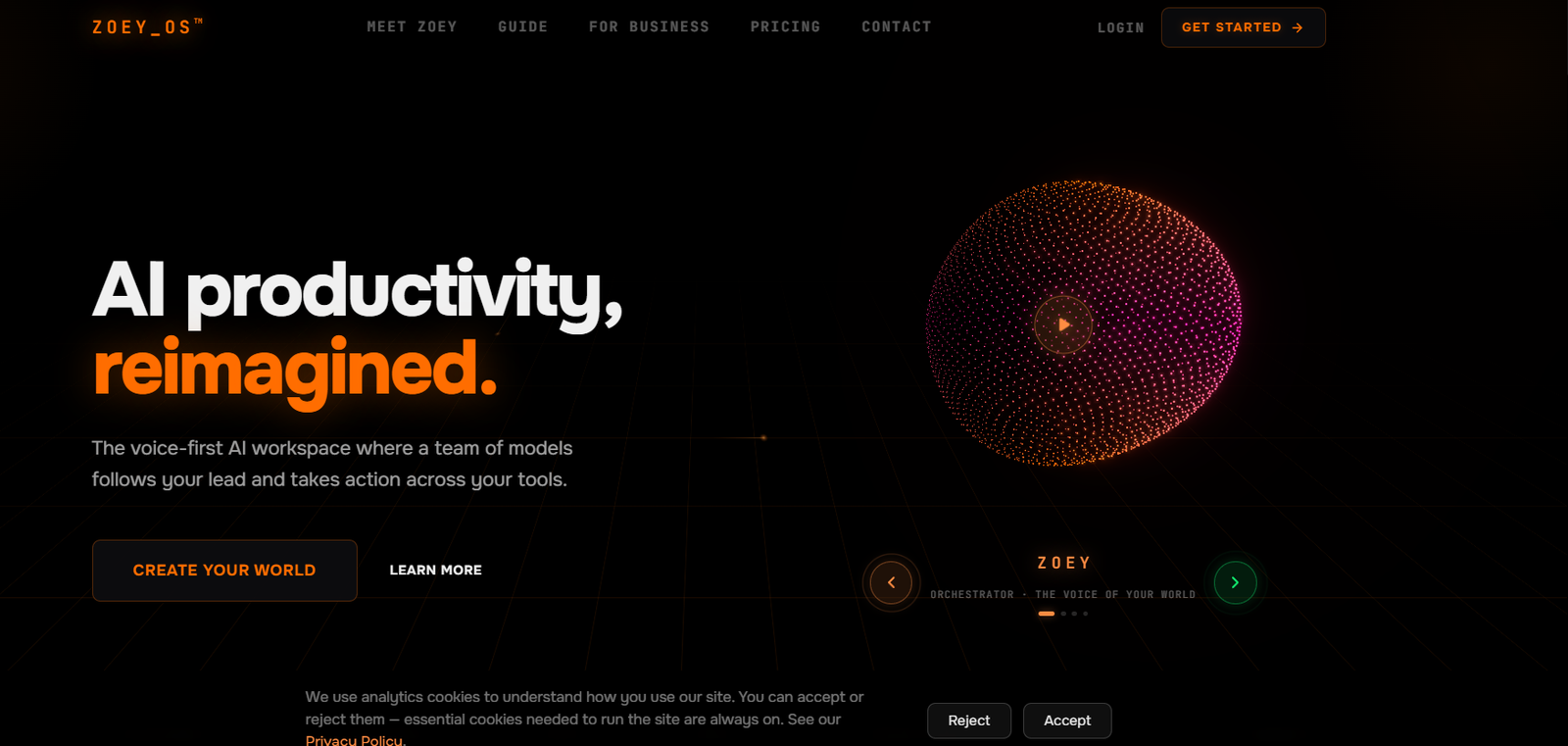
Zoey OS is a voice-first AI productivity platform built around a team of persistent AI companions rather than a traditional single chatbot.
At the center of the system is Zoey, an AI orchestrator. Users can speak or type what they need, and Zoey determines which specialized companion should handle the task.
Companions can be created for areas such as research, creative work, operations, sales, marketing, finance, education, and other custom roles. Each companion can have its own role, personality, skills, memory, and access permissions.
When a larger task is assigned, companions can dispatch specialized bots to work on different parts of the job in parallel. Zoey OS states that the system can support roughly 200 simultaneous agents at full capacity.
The platform also connects with external applications so its agents can take actions instead of simply generating answers. Supported workflows can involve email, calendars, files, project-management platforms, CRM systems, communication tools, and other business software.
A distinctive part of Zoey OS is its visual interface. Instead of presenting everything as a list of chat conversations, it provides a living 3D workspace where users can see companions, tasks, files, and ongoing activity.
Zoey OS is available as a desktop application for macOS and Windows, with Telegram providing a mobile communication option.
Features
Voice-First AI Interaction
Users can talk directly to Zoey instead of relying entirely on typed prompts.
Voice and text are part of the same continuous conversation, so users can switch between them when needed.
AI Orchestrator
Zoey acts as the central coordinator.
When a user requests something, Zoey interprets the intent and delegates the job to the most appropriate companion.
Custom AI Companions
Users can build specialized companions for different responsibilities.
Examples include research, creative work, operations, sales, marketing, finance, education, and other user-defined roles.
Persistent Memory
Companions remember relevant preferences, patterns, goals, history, and context across conversations.
This reduces the need to repeatedly explain the same background information.
Multi-Agent Delegation
Companions can dispatch specialized bots to complete parts of a larger assignment in parallel.
At full capacity, Zoey OS states that approximately 200 agents can work simultaneously.
3D Workspace
Zoey OS provides a visual environment where users can see their AI team and ongoing activity.
Companions appear as visual orbs, while tasks and results can be monitored as work progresses.
Real-Time Activity
Users can see which companions are working and watch results return as individual agents finish their assignments.
1,000+ Integrations
Zoey OS currently advertises connections with more than 1,000 platforms.
Examples include Gmail, Google Calendar, Google Drive, Slack, Notion, GitHub, Linear, Asana, Trello, HubSpot, Discord, Telegram, Dropbox, Outlook, Stripe, and Calendly.
Real Actions Across Apps
Connected companions can perform supported actions inside external applications.
Depending on permissions and integrations, workflows can involve sending email, updating a CRM, scheduling meetings, organizing tasks, or working with files.
Custom Automations
Users can configure recurring workflows that continue running without requiring the same instruction every time.
Examples include daily summaries, follow-ups, routine reporting, and hand-offs between connected applications.
Behavior Interviews
Users can customize how companions behave through guided questions instead of manually writing complicated system prompts.
Companion Skills
Skills define what individual companions can do.
Advanced users can configure companions around specific workflows and business processes.
Custom Integrations
Architect users can extend the platform through custom REST APIs and MCP servers.
Claude Code Terminal
The Architect tier includes Claude Code terminal capabilities for engineering workflows.
Users can dispatch development tasks from the dashboard, monitor activity, and work with GitHub-connected codebases.
GitHub Integration
Technical teams can connect GitHub for supported coding and repository workflows.
Custom Themes
Users can customize elements such as colors, layouts, and companion orb styles.
Portals
Zoey OS is developing Portals for selectively connecting a user’s AI world with trusted people.
The company lists Portals as coming soon.
Marketplace
A marketplace for companion templates, themes, and voice packs is also planned.
Telegram Mobile Access
Users can communicate with their AI team through Telegram when away from the desktop.
A dedicated mobile application is listed on the product road map.
Desktop Applications
Zoey OS provides applications for macOS and Windows.
How It Works
Step 1: Create Your World
Create a Zoey OS account and begin configuring your personal AI workspace.
Step 2: Build Your AI Team
Create companions around the areas where you need assistance.
For example, users might create separate companions for research, marketing, operations, and sales.
Step 3: Define Their Roles
Specify what each companion is responsible for, along with its personality, skills, and working preferences.
Step 4: Connect Your Applications
Authorize the external platforms the companions need to use.
Step 5: Speak or Type to Zoey
Tell Zoey what you want accomplished using natural language.
Step 6: Zoey Delegates
The orchestrator selects the appropriate companion and assigns the task.
Step 7: Companions Dispatch Bots
For larger jobs, companions can launch specialized bots that work on different parts of the assignment simultaneously.
Step 8: Watch the Work
Users can follow activity in the visual workspace while agents work.
Step 9: Receive the Results
Results return as the relevant companions and bots complete their tasks.
Step 10: Automate Recurring Work
Frequently repeated processes can be configured as automations that run without requiring a fresh manual request every time.
Use Cases
Research
A research companion can perform market research, competitor analysis, and structured investigations.
Content Creation
Creative companions can help draft articles, social posts, briefs, and other content while learning the user’s preferred style.
Marketing
AI companions can assist with campaign planning, analytics summaries, audience research, and content workflows.
Sales
Sales-focused companions can support lead follow-ups, outreach preparation, and CRM updates.
Operations
Operations companions can assist with scheduling, task management, recurring processes, and workflow automation.
Email Management
Connected agents can help with supported email-related workflows.
Calendar Management
Companions can work with connected calendars to support scheduling and meeting workflows.
Project Management
Integrations with platforms such as Asana, Trello, Linear, and other tools make Zoey OS relevant to project coordination.
Software Development
Architect users can incorporate GitHub and Claude Code into AI-assisted engineering workflows.
Personal Productivity
Users can build custom companions around recurring personal tasks and information.
Multi-Agent Projects
Complex assignments can be divided among several specialized AI companions and bots.
Business Automation
Organizations can use companions and automations to coordinate repetitive work across multiple connected applications.
Pricing
Zoey OS currently lists Explorer, Builder, Architect, and BYO Architect options.
All listed plans currently provide a three-day trial.
Explorer
The public pricing page currently presents Explorer as free for three days and includes personal AI companions, one workspace, and access to more than 1,000 integrations.
However, an official checkout page currently displays Explorer as $45 per month after the trial.
Because these official pages present the information differently, users should verify the final recurring price at checkout.
Builder: $90 per month
Builder is designed for users who need more configurable AI workflows.
It includes up to 9 companions, more than 1,000 integrations, and custom automations.
A three-day trial is currently available.
Architect: $170 per month
Architect provides the broader Zoey OS feature set.
It supports up to 19 companions, more than 1,000 integrations, custom automations, and advanced companion skills.
Architect also provides advanced options such as custom REST API and MCP connections.
A three-day trial is available.
BYO Architect: $109 per month
BYO Architect provides the full Architect platform while allowing users to bring their own AI inference.
Zoey OS continues to provide the platform, tools, and supporting infrastructure.
Taxes
Prices are shown in US dollars.
Applicable VAT, GST, or sales tax is calculated at checkout.
The current trial requires a payment method, and subscriptions can be cancelled.
Strengths
Multi-Agent Approach
Zoey OS is designed around a coordinated team of specialized agents instead of a single general chatbot.
Voice-First Interface
Users can delegate work by speaking naturally to the system.
Persistent Memory
Companions maintain context across interactions instead of resetting every time a new task begins.
Visual Workspace
The 3D environment provides a different way to understand which agents are working and what they are doing.
Parallel Agent Execution
Large tasks can be distributed across multiple bots for simultaneous work.
Extensive Integrations
Support for more than 1,000 platforms makes the system adaptable to many existing workflows.
Action-Oriented Agents
Companions can perform supported actions in connected applications instead of stopping at recommendations.
Custom Companions
Users control companion roles, personalities, skills, and permissions.
Automation
Recurring processes can continue in the background without users manually restarting them.
BYO Inference Option
Advanced users can bring their own inference while still using the Zoey OS platform.
Drawbacks
Zoey OS is more complex than a conventional AI chatbot. Users who only need occasional questions answered may not benefit from its multi-agent architecture.
Paid plans are relatively expensive for individual users, particularly Builder and Architect.
The three-day trial is short and currently requires a payment method.
Some advertised capabilities, including Portals, the marketplace, and a dedicated mobile app, are still listed as coming soon or on the road map.
The official pricing and checkout pages currently provide inconsistent presentation of the Explorer plan, so users should verify the recurring cost before subscribing.
Agents that can send messages, update external applications, and automate workflows require carefully configured permissions and human oversight.
Privacy and Data Ownership
Zoey OS states that users own their data and that the company does not train AI models on user data.
Users can control memory and ask the system to forget information.
Data can also be exported.
The platform advertises four tiers of privacy controls that users can manage through settings.
Because companions can connect to external applications and take actions, users should carefully review which permissions each companion receives.
Sensitive or high-impact workflows should retain appropriate human oversight.
Comparison with Other Platforms
Zoey OS sits between conventional AI assistants, multi-agent platforms, and business automation software.
Traditional chatbots generally organize work into separate conversations. Zoey OS instead emphasizes persistent companions that retain context and occupy defined roles within the same AI workspace.
Compared with workflow automation platforms, Zoey OS provides more agent-driven decision-making. Users can describe an outcome naturally, and the system can determine which companion and tools should handle it.
Its visual 3D workspace also differentiates it from many agent platforms that primarily use conventional chat interfaces and task lists.
The system is particularly relevant for users who want AI agents to work together across research, creative, sales, marketing, operations, and technical responsibilities rather than relying on one general-purpose assistant.
Customer Reviews and Testimonials
A substantial collection of independent customer reviews and verified customer testimonials is not clearly available on the official Zoey OS website.
The company provides product explanations, demonstrations, and detailed documentation about its multi-agent approach.
Zoey OS has also been featured in external media discussing the broader shift toward networks of specialized AI agents.
However, prospective customers should evaluate the platform through its trial and their own workflows rather than treating media coverage as evidence of customer satisfaction.
Conclusion
Zoey OS is a voice-first AI operating system built around a coordinated team of persistent AI companions.
Instead of repeatedly opening new chatbot conversations, users create specialized companions that remember context, develop defined roles, use connected applications, and collaborate on ongoing work.
Zoey acts as the central orchestrator. A user speaks or types a request, Zoey chooses the appropriate companion, and that companion can dispatch additional bots to complete parts of the assignment in parallel.
Persistent memory, more than 1,000 integrations, custom automations, a visual 3D workspace, custom companions, REST API and MCP connectivity, and advanced development capabilities make Zoey OS particularly relevant to users who want to build a personalized AI workforce.
Its main considerations are pricing, product complexity, and the fact that some capabilities remain one the road map
For professionals and businesses looking beyond individual AI chats toward a persistent, coordinated team of AI agents that can work across existing tools, Zoey OS offers an ambitious approach to AI productivity.