
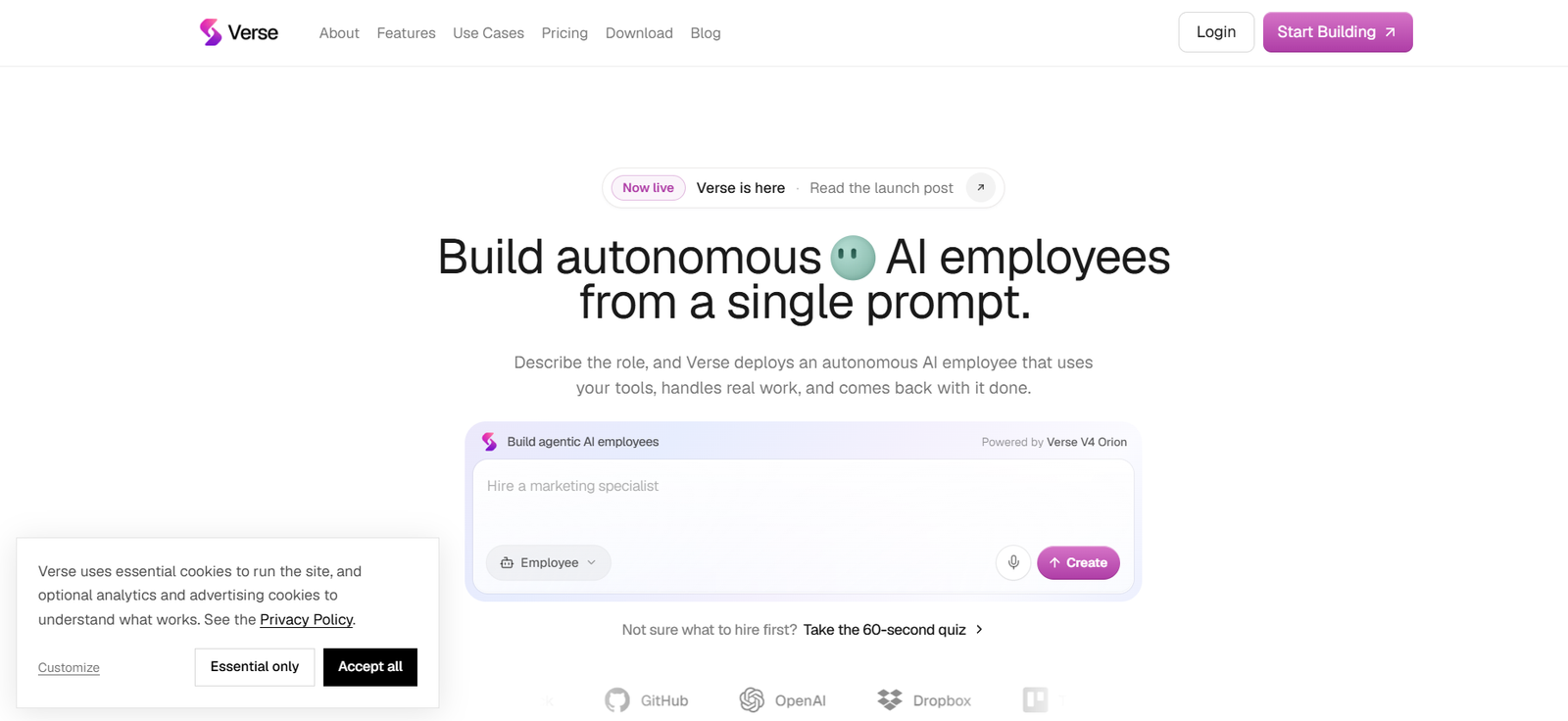
Verse is an AI workforce platform that allows individuals and businesses to create autonomous AI employees from simple natural-language instructions.
Instead of building an agent manually, users describe the role they need, such as a marketing specialist, research analyst, personal assistant, sales representative, product manager, or technical co-founder. Verse then creates an AI employee configured around that responsibility.
These AI employees are designed to do more than answer questions. They can use connected business applications, send emails, communicate through Slack or Telegram, browse the web, work with files, write and run code, operate a dedicated computer, execute scheduled tasks, and continue working while the user is away.
Each employee has persistent memory, goals, tools, and its own role. Verse can also provide employees with resources such as an email identity, phone number, virtual card, computer, and crypto wallet where relevant.
Verse is powered by its V4 Orion system and is designed for people who want persistent AI workers rather than one-off chatbot conversations.
Features
AI Employees from a Prompt
Users can describe the role they want in plain language. Verse then creates and configures an AI employee around the requested responsibilities.
200+ Ready-Made Roles
Verse provides a library of more than 200 ready-made employee roles across multiple business functions.
These cover areas such as sales, marketing, research, operations, productivity, customer support, finance, product, and engineering.
Persistent Memory
AI employees remember relevant business context, preferences, instructions, and corrections instead of starting from zero in every conversation.
Autonomous Work
Employees can continue working on assigned responsibilities without requiring a new prompt for every individual step.
Autonomy Levels
Verse provides different autonomy settings, including Supervised, Assisted, and Autonomous modes.
These determine how frequently employees report their progress and involve the user.
Dedicated Computer
AI employees can receive their own Linux computer, allowing them to work with files, terminals, code, desktop applications, and browser-based software.
Computer Use
Employees can operate computer interfaces when a task cannot be completed through a direct integration.
Web Browsing
Verse employees can research information online, navigate websites, fill forms, and work inside web applications.
Email Identity
An employee can receive its own email address and use email as part of its assigned responsibilities.
Phone Capability
Verse can provide employees with phone capabilities for supported workflows.
Virtual Cards
Employees can receive virtual cards when spending is required for authorized work.
Users can apply spending controls and limits.
Crypto Wallet
Verse also lists crypto-wallet capability among the resources that can be assigned to an AI employee.
1,000+ Connectors and Tools
Verse supports more than 1,000 connectors and tools for connecting employees with external software and business systems.
MCP Support
Users can connect MCP servers to extend the tools available to an employee.
API and Custom Tool Connections
Verse can also work with APIs and custom tools, giving businesses additional flexibility beyond its built-in connector library.
AI Workflow Generation
Users can describe or record a process, and Verse can turn it into a workflow.
Workflows can connect triggers, AI processing, and actions across different services.
Scheduled Work
Employees can run tasks according to schedules instead of waiting for manual prompts.
Event-Driven Automation
Agents can respond to triggers and events from connected applications.
Agent Spaces
Spaces provide shared environments where multiple AI employees can work together.
Employees can collaborate, share relevant context, and delegate tasks to one another.
Cross-Agent Memory
Higher-tier plans allow agents to work with shared memory, making coordinated multi-agent workflows possible.
Code Execution
Employees can write and run code when technical work is required.
Build Tools
Verse employees can create additional tools and capabilities to help complete their work.
Deliverables
Agents can produce more than chat responses. They can create files, reports, dashboards, small applications, and other useful outputs.
Voice Calls and Screen Sharing
Verse documentation states that employees can join a voice call and work with a shared screen for supported interactions.
Desktop Application
Verse runs in the browser and also provides desktop applications for Mac and Windows.
With user permission, the desktop version allows a selected employee to work directly with applications and files on the user’s computer.
Safety Controls
Businesses can configure hard limits such as spending caps and restrictions on which domains an employee may email.
How It Works
Step 1: Create a Verse Account
Users sign up and provide basic information about how they intend to use the platform.
Step 2: Describe the Employee
Enter a natural-language description such as “Handle my customer support inbox” or “Research prospects and prepare personalized outreach.”
Step 3: Complete the Brief
Verse asks relevant questions to better understand the employee’s responsibilities and working context.
Step 4: Connect Required Tools
Connect applications such as email, communication software, CRM systems, and other services required for the role.
Step 5: Choose Employee Resources
Users can configure access to features such as a browser, dedicated computer, email identity, wallet, and other available capabilities.
Step 6: Select an Autonomy Level
Decide how independently the employee should operate and how frequently it should report progress.
Step 7: Deploy the Employee
Once configured, the AI employee can begin working on its assigned responsibilities.
Step 8: Add Workflows and Schedules
Recurring activities can be turned into scheduled or event-driven workflows.
Step 9: Create Additional Employees
Businesses can add specialists for other roles as their requirements grow.
Step 10: Create Spaces
Multiple AI employees can be placed in shared Spaces where they collaborate and coordinate work.
Use Cases
Personal Assistant
An AI employee can help manage email, organize schedules, prepare briefs, and keep track of routine responsibilities.
Marketing
Marketing employees can create content, coordinate campaigns, monitor competitors, and prepare performance reports.
Sales
Sales agents can research prospects, prepare personalized outreach, follow up with leads, and work with connected sales tools.
Research
Research employees can gather sources, investigate topics, fact-check information, and turn findings into structured reports.
Customer Support
AI employees can help process support requests, communicate with customers, and coordinate resolutions.
Product Management
A product-focused employee can organize feedback, prepare specifications, manage backlog-related work, and produce product updates.
Software Development
Technical employees can scope features, write and review code, investigate issues, and assist with software delivery.
Finance Operations
Agents can help categorize expenses, prepare reports, and identify items requiring human attention.
Recruiting
Businesses can use employees for repetitive recruiting research, coordination, communication, and administrative work.
Business Operations
Operations employees can coordinate meetings, maintain workflows, prepare reports, and handle recurring administrative activities.
Workflow Automation
Verse can automate multi-step processes across connected business applications.
Multi-Agent Teams
Organizations can deploy multiple specialized AI employees that collaborate in shared Spaces.
Pricing
Verse currently offers Free, Solo, Professional, and Scale plans.
Free: $0 per month
The Free plan lets users hire and brief their first AI employee.
It includes starter credits and access to more than 1,000 connectors and tools.
The free credit allocation is intended for evaluation and does not renew every month.
Scheduled always-on employee work requires a paid plan.
Solo: $59 per month
Solo provides one always-on autonomous AI employee.
It currently includes 1,500 credits per month.
Users receive access to more than 1,000 connectors and tools, browser and computer use, MCP servers, APIs and custom tools, agent memory, goals and self-direction, an employee email identity, and email support.
Professional: $149 per month
Professional is designed for users who need a small AI team.
It includes everything in Solo along with three always-on autonomous AI employees and 4,500 credits per month.
Professional also includes Agent Spaces, deeper reasoning for difficult tasks, faster thinking cadence, and priority support.
Scale: $399 per month
Scale is designed for businesses that need a larger AI workforce.
It includes everything in Professional along with 10 always-on autonomous AI employees and 14,000 credits per month.
The plan also provides cross-agent shared memory and Verse’s highest available thinking cadence.
Annual Billing
Verse currently lists annual pricing at approximately two months free compared with paying monthly.
The published annual totals are $590 for Solo, $1,490 for Professional, and $3,990 for Scale.
Credits
Paid subscriptions include monthly credits consumed as AI employees perform work.
Monthly credits reset at the beginning of each billing period and do not roll over.
When included credits are exhausted, AI functionality pauses until the next reset or until the account is upgraded or additional credits are obtained.
Third-party API or service costs may apply separately.
Pricing and plan features can change, so users should confirm current information before subscribing.
Strengths
Creates Role-Based AI Workers
Verse organizes agents around ongoing responsibilities rather than isolated prompts.
Persistent Memory
Employees can retain business context and user preferences across tasks.
Real Tool Use
Agents can connect with external applications and take actions rather than only generating recommendations.
Dedicated Computers
Giving an employee its own computer significantly expands the range of tasks it can attempt.
More Than 1,000 Connectors
The large connector ecosystem makes Verse adaptable to many business workflows.
MCP and API Support
Businesses can extend employees beyond the built-in integration catalog.
Multi-Agent Collaboration
Spaces allow specialized employees to work together instead of operating entirely independently.
No-Code Setup
Users can describe roles and responsibilities in natural language without building an agent from scratch.
Desktop and Browser Access
Verse can run through the web or its Mac and Windows desktop applications.
Built-In Controls
Autonomy settings, spending limits, and communication restrictions provide users with ways to constrain employee behavior.
Drawbacks
AI employees can make mistakes, particularly when working autonomously across external systems. Important actions should be appropriately supervised.
Verse uses credits, so the amount of work an employee can perform depends partly on the complexity and frequency of its tasks.
Monthly credits do not roll over.
The Free plan is primarily intended for evaluation rather than running a persistent employee continuously.
Businesses may incur additional costs for external APIs, connected software, or services used by their AI employees.
Giving an AI employee access to email, files, business applications, payment capabilities, or computers creates security and operational risks. Permissions should be granted carefully.
Users are responsible for activity carried out through their accounts, including actions performed by their AI employees, subject to the platform’s terms.
Comparison with Other Platforms
Verse competes with AI agent builders, workflow automation platforms, AI assistants, and emerging AI employee services.
Traditional AI assistants generally respond when a user starts a conversation. Verse instead focuses on persistent workers with ongoing roles, memory, tools, goals, and schedules.
Compared with workflow automation platforms, Verse relies more heavily on autonomous decision-making. A conventional automation typically follows a predefined sequence of steps, while a Verse employee can determine how to approach a broader objective.
Compared with developer-focused agent frameworks, Verse provides a more accessible natural-language hiring process. Users describe the role, answer a short brief, connect the required tools, and deploy the employee without having to build the underlying agent architecture themselves.
Its combination of dedicated computers, email identities, phone capability, virtual cards, persistent memory, MCP support, workflows, and multi-agent Spaces makes Verse broader than a simple chatbot or task automation service.
However, organizations requiring deterministic workflows with strict predictability may still prefer conventional automation for certain critical processes.
Customer Reviews and Testimonials
Verse publishes customer stories and examples showing how businesses are using its AI employees.
One official customer story describes an agency delegating approximately 30 hours of work per week to Verse.
The company also provides examples of employees handling marketing, sales, research, productivity, engineering, finance, support, and operations tasks.
These examples and customer stories are published by Verse itself. They should therefore be considered company-selected evidence rather than independent verified customer-review data.
Independent review coverage is still developing as Verse is a relatively new platform.
Conclusion
Verse is an AI workforce platform designed around persistent autonomous employees rather than temporary chatbot sessions.
Users describe the role they need, connect relevant tools, provide context and permissions, and deploy an AI employee capable of continuing work independently.
The platform combines more than 1,000 connectors with browser and computer use, persistent memory, email identities, workflows, schedules, MCP support, APIs, code execution, and multi-agent collaboration.
This makes Verse particularly relevant to businesses looking to delegate recurring responsibilities in marketing, sales, research, customer support, operations, product development, engineering, and administration.
The ability to create multiple specialized employees and allow them to collaborate through Spaces makes the platform increasingly useful as organizational requirements grow.
Autonomous agents still require sensible oversight, particularly when they can communicate externally, access sensitive information, or spend money. Businesses should therefore configure permissions and limits carefully.
For organizations interested in moving from AI assistants that answer questions to AI workers that can continuously execute real business tasks, Verse offers a comprehensive approach to building an autonomous digital workforce.


