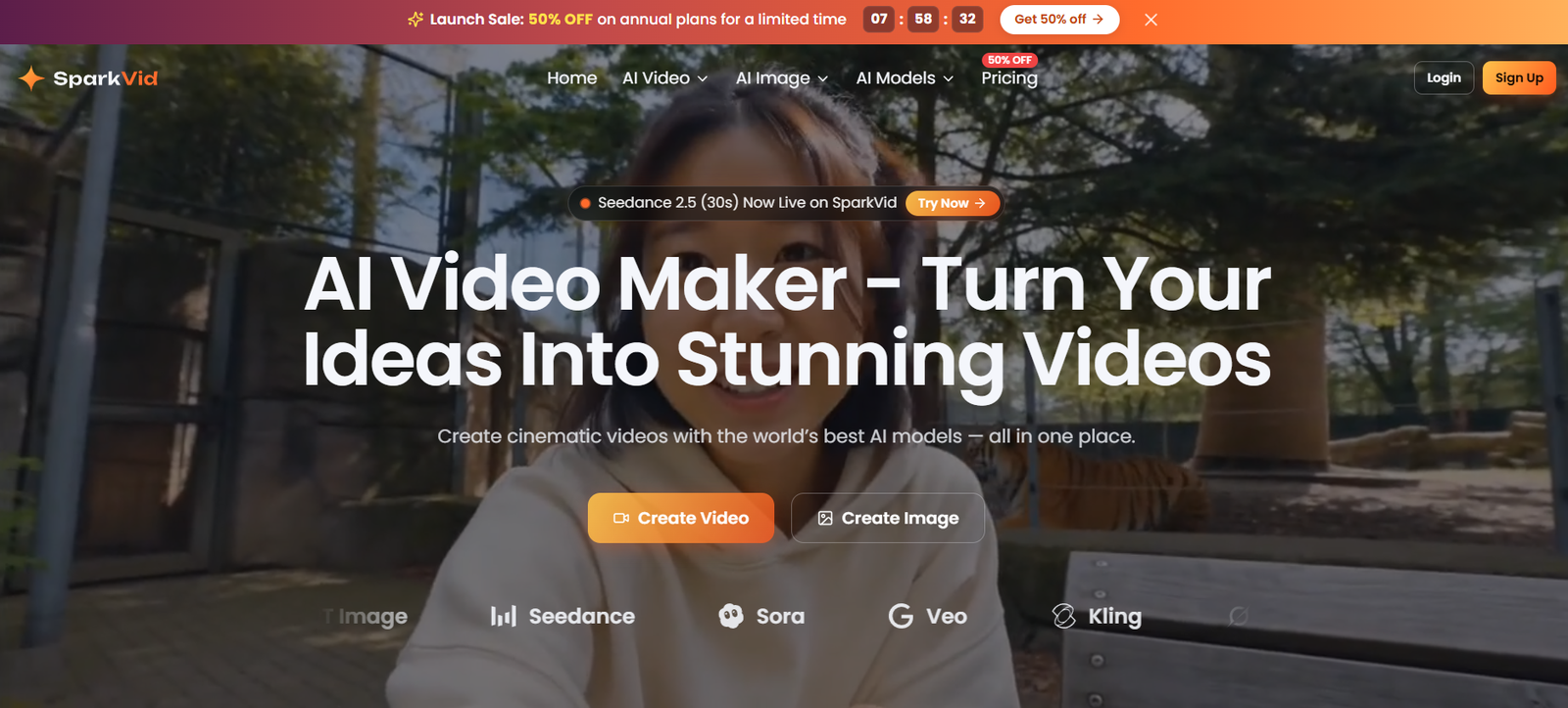
SparkVid is an AI-powered video creation platform designed for creators, marketers, businesses, filmmakers, educators, and other users who want to generate videos without a traditional production workflow.
The platform brings multiple AI video and image models into one browser-based workspace. Users can generate videos from text prompts, animate existing images, control character movements using reference footage, edit videos with natural-language instructions, and create images that can later be turned into video.
SparkVid supports a range of AI models, including Seedance, Kling, Veo, Sora, MiniMax, Wan, GPT Image, Nano Banana, and other available models. This gives users the flexibility to experiment with different engines without maintaining a separate workflow for every model.
The platform is particularly focused on giving users more control over AI-generated video. Instead of relying only on text prompts, creators can use reference images, videos, audio, motion examples, camera instructions, and other inputs depending on the selected model.
SparkVid can be useful for creating social media videos, advertisements, product demonstrations, educational content, storyboards, cinematic concepts, gaming content, and other short-form visual material.
Features
Text to Video
Users can describe a scene in natural language and generate a video from the prompt. Instructions can include the subject, action, environment, lighting, camera movement, and visual style.
Image to Video
SparkVid can animate an existing photograph, illustration, product image, or artwork. Users can provide additional instructions describing how the subject or camera should move.
Multiple AI Video Models
The platform provides access to several AI video engines from one workspace. Available models include options from Seedance, Kling, Veo, Sora, MiniMax, Wan, and others.
This allows creators to experiment with different models and compare results for the same creative idea.
AI Motion Control
SparkVid’s Motion Control feature allows users to provide a reference video containing a performance or movement and transfer that motion to another character or subject.
This provides more control over actions, poses, facial movement, and timing than relying entirely on a written prompt.
Camera Movement Control
Users can direct camera movements such as pans, zooms, orbits, and dolly-style shots. This can help creators produce more intentionally directed scenes.
AI Video Editing
SparkVid includes AI-assisted video editing. Users can describe changes they want to make rather than relying entirely on traditional timeline-based editing.
For example, the platform can assist with removing objects, changing backgrounds, or modifying the visual style of footage.
Reference-Based Generation
Depending on the selected model, users can upload reference images, videos, and audio. These references can help guide the generated subject, movement, visual identity, or overall scene.
Character and Product Consistency
SparkVid focuses on maintaining recognizable faces, characters, products, and visual styles across generated footage. This can be particularly useful for product advertising and recurring characters.
AI Image Generation
The platform also provides image-generation capabilities through models such as GPT Image, Nano Banana, and other supported engines.
Users can create product shots, characters, concept art, thumbnails, illustrations, and other images before sending them directly into the video-generation workflow.
Image Editing
Existing or AI-generated images can be edited and remixed using text instructions, making it easier to prepare a suitable starting frame for a video.
Seedance Support
SparkVid provides access to multiple Seedance models. Its newer Seedance options support longer clips, multimodal references, and more advanced video-generation capabilities depending on the selected model.
Wan 3.0
Wan 3.0 is also available through SparkVid. It supports clips ranging from approximately 2 to 30 seconds, with configurable duration and optional audio depending on the generation settings.
Multiple Aspect Ratios
Users can generate content in formats suitable for different platforms, including landscape, vertical, and square formats. This makes SparkVid useful for YouTube, TikTok, Instagram Reels, advertisements, and presentations.
HD Video Output
Output resolution depends on the selected model and subscription. Supported options can include 480p, 720p, 1080p, and higher capabilities on particular models.
How It Works
- Open SparkVid and create an account.
- Choose whether you want to generate a video or an image.
- Select a suitable AI model based on the type of output you want.
- For text-to-video generation, describe the subject, action, environment, camera movement, lighting, and style.
- For image-to-video generation, upload an image and describe how you want the image to move.
- Where supported, add reference images, videos, or audio to provide more creative control.
- Choose settings such as video duration, aspect ratio, and resolution.
- Generate the video and wait for the selected AI model to process it.
- Preview the result and adjust the prompt, references, model, or settings if necessary.
- Use AI editing or motion-control tools when additional changes are required.
- Export the finished video in the available format and resolution.
Use Cases
For Content Creators
Creators can generate short videos for YouTube, TikTok, Instagram Reels, and other social platforms without filming every piece of content themselves.
For Marketers
Marketing teams can quickly explore multiple advertising concepts and create different visual variations for campaigns.
For E-commerce Businesses
Businesses can upload existing product photographs and transform them into moving lifestyle scenes, demonstrations, or promotional clips.
For Filmmakers
Filmmakers can use AI video generation for storyboarding, scene visualization, concept development, and pre-production experiments before organizing a physical shoot.
For Social Media Managers
Social media professionals can produce visual content in vertical, square, and landscape formats for different platforms.
For Educators
Teachers and educational creators can turn concepts, images, or written descriptions into short visual sequences for lessons and explainers.
For Designers and Artists
Artists can create concept images and then animate them, allowing a static visual idea to become a moving scene.
For Gaming Creators
Game developers and gaming creators can experiment with character movement, fantasy environments, trailers, and visual concepts.
For Advertising Agencies
Agencies can rapidly test creative concepts before investing in traditional production, allowing teams and clients to compare different visual directions.
Pricing
SparkVid currently uses a credit-based subscription model with Lite, Pro, and Max plans. The official pricing page was displaying a 50% annual billing promotion at the time of review.
Lite
The Lite annual plan is currently displayed at $9.90 per month, with $118.80 billed annually.
It includes 200 credits per month, up to approximately 20 videos or 200 images per month, access to all models and features, private generation, watermark-free output, priority processing, priority support, and commercial-use permission.
Seedance 2.5 access on this tier is listed at up to 720p.
Pro
The Pro annual plan is currently displayed at $24.90 per month, with $298.80 billed annually.
It includes 800 credits per month, supporting up to approximately 80 videos or 800 images per month.
It also includes access to all models and features, private generation, no watermark, priority processing, priority support, commercial use, and full 1080p access for supported Seedance models.
Max
The Max annual plan is currently displayed at $59.90 per month, with $718.80 billed annually.
It includes 2,500 credits per month, supporting up to approximately 250 videos or 2,500 images per month.
The plan includes all models and features, private generation, watermark-free output, priority processing, priority support, commercial use, and full 1080p Seedance access.
The website also provides monthly billing and credit-pack options. Since prices, promotional discounts, and model credit requirements can change, users should check the latest pricing before purchasing.
Strengths
SparkVid brings multiple leading AI video models into one workspace.
Users can create videos from both text and existing images.
Motion Control provides greater control over character actions than prompt-only generation.
Reference images, videos, and audio can be used with supported models to guide results.
The platform also includes AI image generation and editing, reducing the need to move between separate image and video tools.
Multiple aspect ratios make generated videos suitable for different social and marketing platforms.
Paid plans provide watermark-free generation and commercial-use permission according to the current pricing page.
Creators can compare different AI models without building separate workflows for each provider.
The browser-based workflow does not require traditional professional video-editing software for basic AI generation.
Drawbacks
SparkVid uses credits, so frequent video generation can consume the monthly allowance quickly.
Different AI models can require different numbers of credits, making the actual number of videos possible dependent on the settings and model selected.
Higher-resolution generation may require a more expensive plan or compatible model.
AI video generation is not always predictable. Users may need several attempts before achieving the intended movement, character consistency, or visual quality.
Complex scenes involving detailed human interactions, text, precise physical actions, or multiple characters may still produce inconsistent results.
Generation time can vary according to the selected model and workload.
Creators who require frame-by-frame control, detailed audio mixing, or advanced post-production may still need conventional video-editing software.
Comparison with Other Platforms
SparkVid competes in the broader AI video-generation market with platforms that provide text-to-video, image-to-video, AI animation, and generative editing.
Its main advantage is aggregation. Instead of limiting users to one underlying video-generation model, SparkVid provides access to several models from one interface. This allows creators to try the same idea with different engines and choose the output they prefer.
It also combines image generation, video generation, motion transfer, reference-based creation, and AI video editing within the same platform.
Compared with tools centered primarily on one proprietary AI model, SparkVid may appeal more to users who want flexibility and regularly experiment with different generation engines.
However, users who need advanced traditional editing, long-form production, detailed timelines, or professional post-production may still need a dedicated video editor alongside SparkVid.
Customer Reviews and Testimonials
The official SparkVid website includes testimonials from creators and professionals.
Content creator Alex Moreau describes using SparkVid to speed up short-form video production by generating the same idea through different models and comparing the results.
Sofia Ramos, identified as the founder of an e-commerce studio, describes using product photographs as starting points for lifestyle video content.
Indie filmmaker Daniel Kim highlights Motion Control as useful for transferring performances and directing camera movement during pre-visualization.
The website currently also states that more than 240,000 videos have been created, over 18,000 creators have joined, and users come from more than 50 countries and regions.
These figures and testimonials are published by SparkVid itself and should therefore be treated as company-provided information rather than independent customer reviews.
Conclusion
SparkVid is a versatile AI video creation platform for users who want access to several generative video models without managing separate tools and workflows.
Its combination of text-to-video, image-to-video, AI image generation, motion control, reference-based creation, and natural-language video editing makes it particularly useful for creators, marketers, e-commerce businesses, filmmakers, educators, and agencies.
The ability to choose among models such as Seedance, Kling, Veo, Sora, MiniMax, and Wan gives creators flexibility to experiment with different visual styles and capabilities.
For users producing short-form social content, product videos, advertising concepts, cinematic experiments, or storyboards, SparkVid provides a convenient way to move from an idea or static image to generated video within a single browser-based workspace.