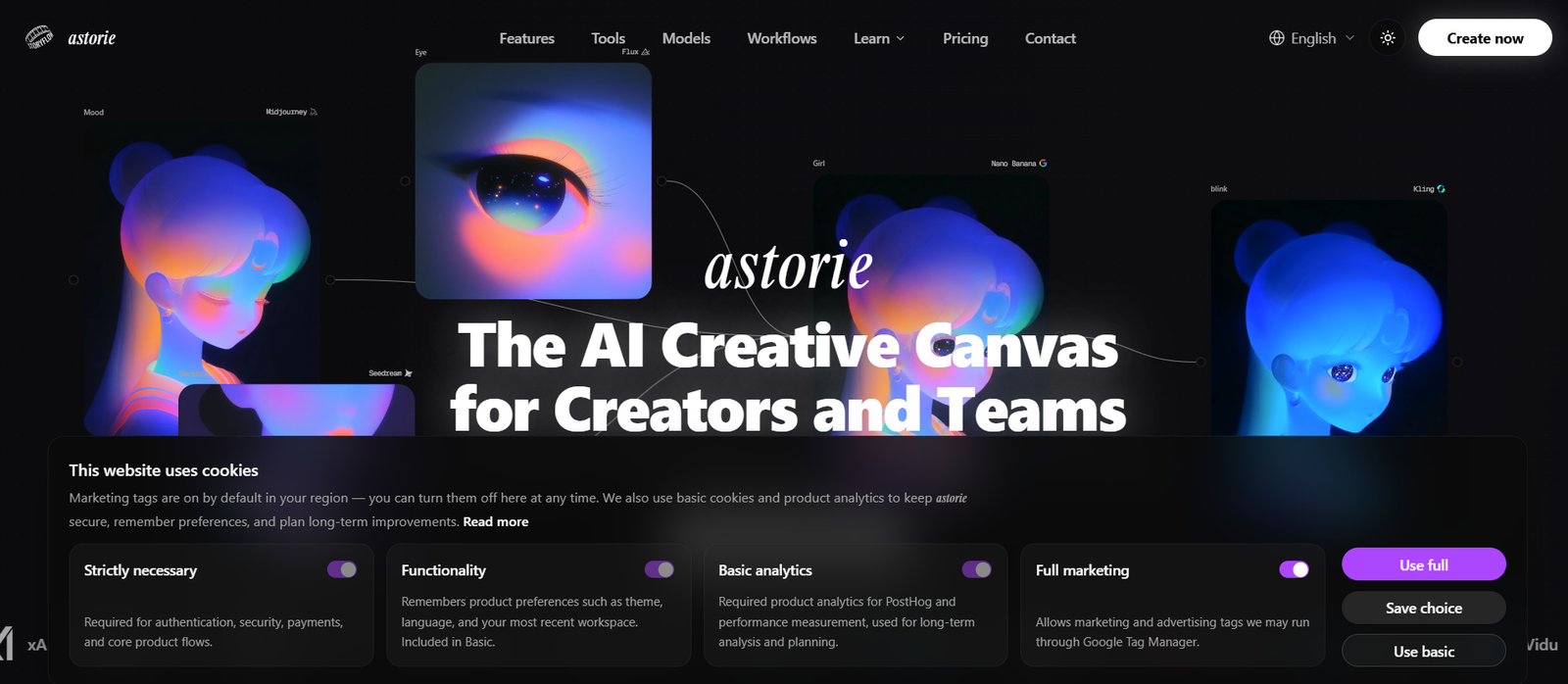
Astorie is an AI powered creative canvas designed for creators, production teams, marketers and businesses that want to generate images, videos, audio and other media within a single visual workspace.
Instead of working like a basic AI chat box, Astorie uses an infinite canvas with connected nodes. Each node can perform a different task, such as generating an image, turning that image into a video, creating audio, adding lip sync or refining an existing asset. Users can connect these nodes to create complete AI production workflows.
The platform provides access to more than 100 AI models from different providers. Available technologies include models from OpenAI, Google, Runway, Kling, Black Forest Labs, ByteDance, Luma, MiniMax, Vidu and other AI companies.
Astorie is particularly useful for projects that require several stages of AI generation. A creator can generate an image, animate it, add speech or sound and continue refining the project without moving between several independent AI platforms.
Everything runs in the cloud, so users do not need a powerful local GPU or complicated AI installation.
Features
Infinite AI Canvas
Astorie provides a visual canvas where users can organize images, videos, audio, prompts and generation models. This makes complex creative projects easier to see and manage.
100+ AI Models
The platform provides access to more than 100 AI models across image, video, audio and other creative categories. Users can experiment with models from several major AI providers without managing separate platforms.
AI Video Generation
Astorie supports text to video, image to video and video transformation workflows. Users can access models such as Kling, Runway, Veo and other video generation technologies.
AI Image Generation
Users can generate images using dozens of available image models. Different models can also be compared within the same canvas.
AI Audio and Music
Astorie includes tools for AI generated speech, music, sound effects and voice creation. Audio models can be connected directly with image and video workflows.
Node Based Workflows
Each generation or editing action can become a node. Users connect nodes together so that the output from one step becomes the input for another.
Reusable Recipes
Creative workflows can be saved as Recipes. This is useful when users repeatedly produce similar types of content and do not want to rebuild the same workflow each time.
Multi-Shot AI Video
Astorie supports workflows for building connected video scenes rather than generating only isolated clips. This can help creators develop longer sequences with greater visual continuity.
Character Consistency
Reference based workflows can help maintain the appearance of a character or subject across multiple images and video generations.
AI Product Videos
Businesses can transform product photographs into promotional and demonstration videos by connecting image and video models.
AI Influencer Videos
The platform supports workflows involving AI characters, voice cloning and lip synced video, which can be used for virtual influencer and character based content.
AI Talking Heads
Creators can develop spokesperson, narration and educational videos using AI generated or reference based characters combined with voice and lip sync tools.
Video Editing
Existing video can be transformed, restyled, extended or refined using compatible AI video editing models.
Background Removal and Upscaling
Astorie includes additional creative utilities for tasks such as removing image backgrounds and improving resolution.
3D and World Generation
The platform also provides workflows for creating 3D assets and navigable AI generated worlds from references.
Team Collaboration
Teams can share canvases, projects and resources. Workspace plans provide pooled credits and centralized controls for collaborative production.
Cloud Processing
All AI models run in the cloud. Users can therefore access the platform through a browser without installing local AI models or owning a high performance GPU.
How It Works
Step 1: Create an Account
Users sign up for Astorie and create a new project.
Step 2: Open the Canvas
A blank visual canvas becomes the workspace for the project.
Step 3: Add a Node
Users add an image, video, audio, text or another supported node to the canvas.
Step 4: Choose an AI Model
Select the model that will perform the required task.
Step 5: Enter a Prompt or Reference
Provide written instructions, an image, video or another suitable input depending on the selected model.
Step 6: Generate the Content
Run the node and allow Astorie to send the request to the appropriate AI model.
Step 7: Connect Another Node
The generated output can be connected directly to another model. For example, an AI generated image can become the input for an image to video model.
Step 8: Build the Complete Workflow
Users can continue connecting generation and editing steps until the desired creative workflow is complete.
Step 9: Save as a Recipe
Frequently used workflows can be saved for reuse, reducing repetitive setup for future projects.
Step 10: Collaborate
Teams can share projects and work together through Astorie’s workspace and collaboration features.
Use Cases
Video Creators
Creators can combine image generation, video generation, audio and editing tools to produce multi-stage AI video projects.
Social Media Creators
Astorie can be used to create TikTok, Instagram Reels, YouTube content and other social media visuals through repeatable workflows.
Marketing Teams
Marketers can create advertising concepts, campaign visuals, product videos and social media content using multiple AI models.
E-Commerce Businesses
Online sellers can turn product photographs into promotional videos and experiment with different visual concepts.
AI Influencers
Creators developing virtual personalities can combine consistent characters, AI voices, lip syncing and video generation.
Educational Content
Teachers, trainers and course creators can build talking head videos, explainers and narrated educational material.
Creative Agencies
Agencies can manage multi-step client projects within a visual canvas and reuse established workflows for similar assignments.
Filmmakers and Storytellers
Multi-shot video workflows and character references can help users experiment with scenes, characters and early visual storytelling concepts.
Designers
Designers can compare different AI image models, explore visual concepts and move successful outputs into video or other formats.
Teams
Shared canvases and centralized resources make Astorie useful for creative teams working together on AI production.
Pricing
Astorie uses a credit based subscription system and offers individual, team and enterprise options.
A free plan is available for users who want to evaluate the platform with a limited monthly credit allowance.
Pro Trial: $9
Astorie currently offers a three day Pro trial with 1,000 trial credits. The trial is billed once at $9 and then continues as a Pro annual subscription at $360 per year unless cancelled.
Standard
The Standard plan is intended for professional users and small teams. With annual billing, it is currently displayed at $12 per month and includes 1,600 credits per month.
The regular monthly equivalent displayed by the platform is $20 per month.
Pro
The Pro plan is intended for advanced users and larger creative requirements. Annual billing is currently displayed at $30 per month and includes 5,400 credits per month.
The regular monthly equivalent displayed is $50 per month.
Ultimate
The Ultimate plan is designed for power users. With annual billing, it is currently displayed at $90 per month and provides 17,000 credits per month.
The regular monthly equivalent displayed is $150 per month.
Ultimate also provides higher parallel generation limits and a discount on additional credits.
Team Pro
Team Pro is currently listed at $50 per seat per month when billed monthly. It includes 5,400 credits per seat each month, shared canvases, pooled credits and centralized administration features.
Enterprise
Enterprise plans use custom pricing. They provide options such as custom credit allowances, advanced security, SSO, administrative controls, dedicated onboarding and volume based API arrangements.
Prices, model access and promotional allowances can change, so users should check the latest pricing before subscribing.
Strengths
One of Astorie’s strongest advantages is its ability to bring a large number of AI models into a single visual workspace.
The node based canvas is particularly useful for complex projects because users can see how each stage of the creative process connects with the next.
Users can compare different models without repeatedly downloading assets and moving them manually between unrelated AI services.
Reusable Recipes can save time for creators and teams that frequently repeat similar production workflows.
Astorie also covers several types of media, including images, video, audio, editing and 3D related workflows.
Cloud based processing eliminates the requirement for expensive local AI hardware.
Team collaboration features make the platform suitable for professional production environments as well as individual creators.
Drawbacks
The node based interface may require some learning for people who are accustomed to simple prompt based AI generators.
Because Astorie includes many models and workflow options, beginners may initially find the number of choices overwhelming.
The platform uses credits, and sophisticated video workflows involving multiple generations can consume more resources than simple image generation.
Access to specific models, resolutions and generation limits can depend on the selected subscription.
AI generated results can also vary between models, so users may need several generations and adjustments to achieve a consistent result.
Comparison with Other Platforms
Astorie differs from many AI generation platforms because it is designed as a multi-model creative workspace rather than a single AI generator.
Compared with tools that provide only image or video generation, Astorie allows users to connect image, video, audio and editing processes within the same project.
Its visual node system has some similarities to advanced workflow based AI environments such as ComfyUI. However, Astorie runs models in the cloud and does not require users to configure a local GPU environment, making it more accessible for users who prefer browser based workflows.
Compared with individual AI model services, Astorie can also reduce tool switching because users can access models from multiple providers through one canvas.
It is therefore particularly useful for creators whose projects involve several AI models and multiple stages rather than a single generation task.
Customer Reviews and Testimonials
Customer reviews and testimonials are not clearly available on the official website.
Conclusion
Astorie is a powerful AI creative workspace for users who want to combine multiple generation technologies into connected production workflows.
Its infinite canvas, node based system and access to more than 100 AI models make it especially useful for video creators, designers, marketers, agencies and creative teams working with several forms of generative media.
Instead of generating one image or video at a time, users can build complete workflows that move from an initial idea to images, animation, voice, sound and final creative assets.
The platform may require some initial learning because of its workflow based approach, but that additional flexibility can be valuable for more complex creative projects.
For creators and teams that regularly use multiple AI image, video and audio models, Astorie provides a practical way to bring those tools together within one organized visual workspace.