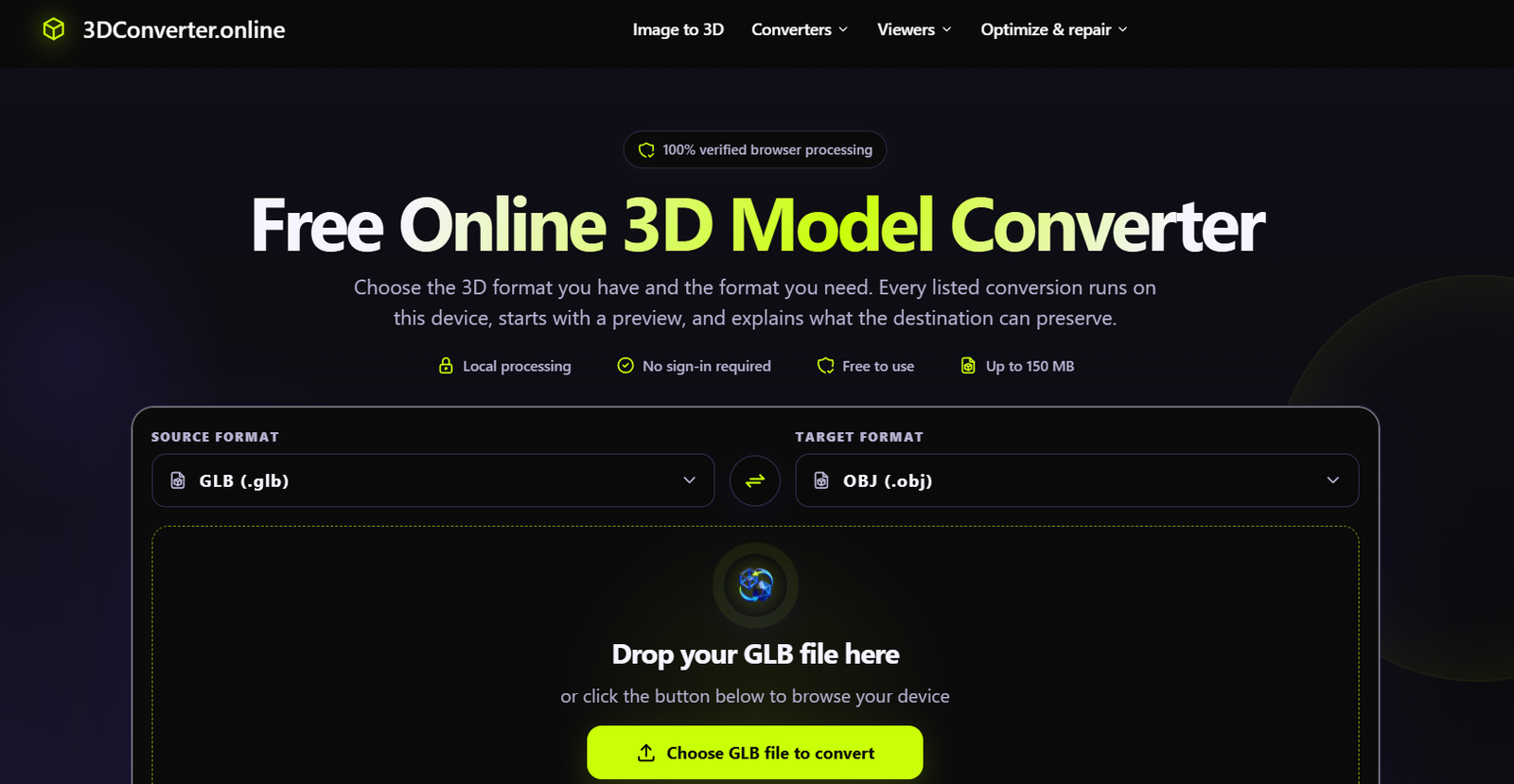
3DConverter.online is a browser-based platform for converting, inspecting and generating 3D assets. It combines traditional 3D file conversion tools with an AI Image to 3D Model Generator, making it useful for designers, developers, 3D printing enthusiasts, ecommerce teams and digital creators.
The platform’s standard conversion tools work locally inside the user’s browser. This means supported 3D files can be converted, previewed, compressed or repaired without intentionally uploading the model files to the website’s servers.
Its AI Image to 3D feature takes a different approach. Users can upload a clear image of an object and generate a three-dimensional model using AI models including Tripo H3.1, Trellis 2, Hunyuan 3D 3.1 Pro and Meshy 6.
Depending on the selected AI model, generated assets can be downloaded in formats including GLB, OBJ, FBX, STL and USDZ. This makes the service relevant for web experiences, games, ecommerce, 3D printing, product visualization and other 3D workflows.
Features
AI Image to 3D Model Generator
Users can upload a JPG, PNG or WebP image of an object and turn it into a 3D model. The platform recommends using a clear image with a single object, simple background and the complete object visible.
Multiple AI 3D Models
3DConverter.online provides access to several AI models rather than relying on a single generation system.
Available options include Tripo H3.1, Trellis 2, Hunyuan 3D 3.1 Pro and Meshy 6. Each model offers different strengths in areas such as geometry, textures, topology, generation speed and output formats.
Multiple 3D Output Formats
Depending on the AI model selected, users can generate files in formats such as GLB, OBJ, FBX, STL and USDZ.
This allows users to select formats suitable for web experiences, games, editing software, 3D printing or other applications.
Free 3D File Converter
The platform provides free conversion between several common 3D formats. Supported workflows include conversions involving 3MF, STL, OBJ, GLB and FBX.
Local Browser Processing
A major feature of the standard converter is local processing. Parsing, previewing, conversion, compression and repair are performed inside the browser rather than intentionally sending model files to the site’s server.
No Sign-Up for Standard Conversion
Users do not need to create an account to use the launched standard 3D conversion tools. These converters are available without a subscription, email address or watermark.
Files up to 150 MB
The browser-based converter supports 3D files up to 150 MB, making it suitable for a variety of common 3D assets.
3D Model Preview
Users can inspect models before or during their workflow. This can help them confirm that the model is correct before converting it to another format.
GLB Compressor
The platform includes a private GLB compression tool that can help reduce the size of GLB assets for applications such as websites and real-time experiences.
STL Repair
An STL repair tool is available for users working with 3D-printable files. This can help prepare models for subsequent inspection and printing workflows.
STL and GLB Viewers
Users can inspect STL and GLB models directly through browser-based viewing tools.
Commercial Use
Paid AI Image to 3D subscription plans include commercial use of generated assets according to the official pricing information.
How It Works
Step 1: Choose Your Task
Users first decide whether they want to convert an existing 3D file or generate a new 3D asset from an image.
Step 2: Upload the File or Image
For standard conversion, users select their source 3D file. For AI generation, they upload a JPG, PNG or WebP image containing a clearly visible object.
Step 3: Choose the Output
For file conversion, select the destination format according to the intended use.
For AI generation, users choose an AI model based on factors such as texture quality, geometry, topology and available export formats.
Step 4: Configure AI Generation
When creating a model from an image, users can select available options such as quality and mesh style.
Step 5: Generate or Convert
Standard conversions run locally in the browser. AI Image to 3D generation uses cloud-based AI processing and requires credits.
Step 6: Preview the Model
Users can inspect the resulting 3D model and check its appearance before moving it into another workflow.
Step 7: Download the Result
The completed asset can be downloaded in the supported format.
Step 8: Validate the Model
The website recommends opening the converted model in its final application and checking factors such as scale, orientation, materials, textures and mesh integrity.
Use Cases
3D Designers
Designers can convert assets between common formats or generate an initial 3D model from a reference image.
Game Developers
Game creators can transform character concept art or object images into 3D assets that can serve as starting points for prototypes, games and virtual environments.
Ecommerce Businesses
Online retailers can turn suitable product photographs into textured 3D models for interactive product pages, configurators and AR previews.
3D Printing
Makers can generate or convert models into STL and other suitable formats before checking and preparing them in their preferred slicing software.
Product Designers
Product teams can create preliminary 3D assets from concept images for visualization and early design reviews.
Artists and Creators
Digital artists can use AI-generated models as starting points for further sculpting, editing or creative projects.
Web Developers
GLB files can be used for browser-based 3D experiences where a portable format containing geometry, materials and textures is useful.
Collectible Creators
Artists developing figures, creatures or collectible concepts can turn reference images into initial 3D meshes before refining them in dedicated modeling software.
Pricing
The standard browser-based 3D conversion tools are free. They do not require an account, subscription, email address or paid conversion API.
AI Image to 3D generation uses a credit-based pricing system. New accounts do not receive free generation credits.
Starter
The Starter plan costs $9.99 per month and provides 100 credits every month.
It includes access to all four AI 3D models, commercial use and credit rollover up to twice the monthly allowance.
Creator
The Creator plan costs $19.99 per month and provides 280 credits every month.
It includes all four AI models, commercial use and the same credit rollover policy.
Pro
The Pro plan costs $39.99 per month and provides 650 credits every month.
It includes access to all four AI models, commercial use and credit rollover up to twice the monthly allowance.
Yearly billing is also available with two months free according to the official website.
One-Time Credit Packs
Users who do not want a subscription can purchase permanent credits.
Mini Pack: $4.99 for 35 credits
Starter Pack: $9.99 for 80 credits
Creator Pack: $19.99 for 180 credits
Pro Pack: $39.99 for 400 credits
One-time credits do not expire. Failed AI generation jobs are refunded according to the website.
Strengths
AI and traditional tools in one platform: Users can generate new 3D assets with AI and convert existing models using the same service.
Multiple AI models: Access to Tripo, Trellis, Hunyuan and Meshy gives users several approaches to image-to-3D generation.
Free local conversions: Standard 3D conversion does not require payment or registration.
Privacy-focused conversion: Standard model conversion, preview, compression and repair happen locally in the browser.
Multiple formats: Support for formats such as GLB, OBJ, FBX, STL, 3MF and USDZ makes the platform relevant to different 3D workflows.
One-time credit option: Users can purchase credits without committing to a recurring subscription.
Commercial use: Paid AI generation plans include commercial usage rights.
Useful supporting tools: GLB compression, STL repair and model viewers extend the platform beyond basic file conversion.
Drawbacks
AI Image to 3D generation is not free. New accounts receive no complimentary generation credits, so users need a subscription or credit pack to create an AI model.
AI-generated 3D assets may require additional editing before they are ready for professional production. This can be especially important for 3D printing, where scale, wall thickness and mesh integrity need to be checked.
Output formats vary depending on the selected AI model, so every model does not necessarily provide every file type.
The quality of an AI-generated model can also depend heavily on the input image. Transparent, reflective, extremely thin or partially hidden objects may be more difficult to reproduce accurately.
Comparison with Other Platforms
3DConverter.online sits between a traditional 3D file conversion service and an AI-powered 3D generation platform.
Compared with basic online converters, it offers additional AI capabilities that can turn a single 2D image into a 3D asset. It also provides supporting tools for GLB compression, STL repair and model viewing.
Compared with dedicated AI 3D generation services, one interesting difference is its multi-model approach. Users can access Tripo H3.1, Trellis 2, Hunyuan 3D 3.1 Pro and Meshy 6 from the same platform instead of being restricted to one generation model.
Dedicated professional 3D modeling software will still provide much deeper manual control over geometry, topology, materials and animation. 3DConverter.online is better suited to quick conversions, AI-assisted asset creation and preparing models for further work in specialized software.
Customer Reviews and Testimonials
Customer reviews and testimonials are not clearly available on the official website.
The website provides demonstrations and workflow examples for ecommerce, game development and 3D printing, but these should not be considered independent customer reviews.
Conclusion
3DConverter.online is a useful platform for people who work with 3D assets but want a simpler browser-based workflow. It combines free local 3D file conversion with AI-powered image-to-3D generation and supporting tools for model viewing, compression and repair.
Its multi-model AI approach is particularly useful because users can choose between Tripo, Trellis, Hunyuan and Meshy according to their project requirements. The availability of both subscriptions and permanent one-time credits also provides flexibility for occasional and regular users.
3DConverter.online is worth considering for game developers, 3D printing enthusiasts, ecommerce businesses, product designers, artists and creators who need to convert existing 3D files or quickly turn reference images into editable 3D assets.