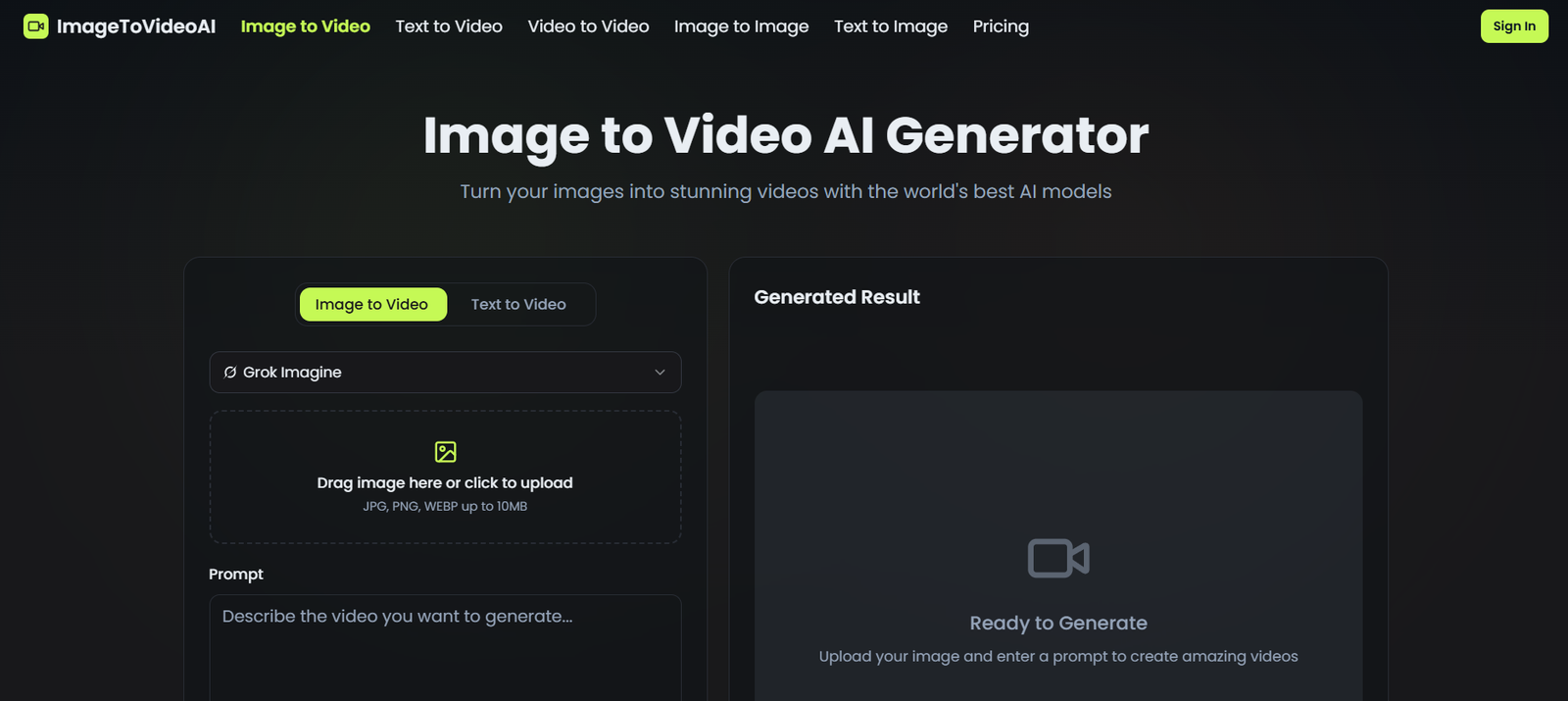
Image-to-Video AI is an online tool designed to transform static images into dynamic videos using artificial intelligence. It enables users to animate photos by adding motion, transitions, and visual effects without requiring advanced editing skills. The platform is built for simplicity and accessibility, allowing users to generate engaging video content directly from their browser.
The tool is particularly useful for content creators, marketers, and social media users who want to repurpose images into video formats. By leveraging AI-driven animation techniques, Image-to-Video AI helps bring still visuals to life, making them more engaging and suitable for modern digital platforms where video content performs better than static media.
Features
Image-to-Video AI provides a range of features that simplify the process of video creation from images. One of its core capabilities is AI-powered image animation, which automatically adds motion effects to still images to create a video-like experience.
The platform supports multiple visual styles and motion effects, allowing users to customize how their images are animated. This flexibility makes it suitable for various use cases, including storytelling, marketing, and creative projects.
Another important feature is its user-friendly interface, which ensures that even beginners can create videos without prior editing experience. The process is streamlined, requiring only a few steps to upload an image and generate a video.
The tool is browser-based, meaning users do not need to install any software. It works across devices, making it accessible on both desktop and mobile platforms.
Additionally, Image-to-Video AI focuses on fast processing, enabling users to generate videos quickly. This is particularly beneficial for users who need rapid content creation for social media or marketing campaigns.
How It Works
Image-to-Video AI operates through a simple and intuitive workflow. Users start by uploading an image to the platform. The AI system then analyzes the image and applies motion effects to create a dynamic sequence.
After the image is processed, users can customize elements such as animation style, transitions, and duration. This allows for a personalized output that matches the user’s creative vision.
Once the customization is complete, the tool generates a video that can be previewed and downloaded. The entire process is designed to be quick and efficient, making it suitable for users with limited time or technical expertise.
Use Cases
Image-to-Video AI can be used in a variety of scenarios. It is particularly useful for social media content creation, where video posts tend to attract more engagement than static images.
Marketers can use the tool to create promotional videos from product images, enhancing their campaigns without the need for professional video editing software.
It is also valuable for storytelling and creative projects, allowing users to turn personal photos into animated visual narratives.
Educators and presenters can use it to create engaging visual content for presentations, making information more appealing and easier to understand.
Additionally, businesses can use the tool to create quick video advertisements, saving time and resources while maintaining a professional appearance.
Pricing
Pricing details for Image-to-Video AI are not explicitly specified here. Typically, tools of this nature may offer a mix of free and paid plans, with premium features available through subscriptions. For accurate and up-to-date pricing, users should refer to the official website.
Strengths
Image-to-Video AI is easy to use, making it accessible to beginners and non-technical users. Its browser-based functionality eliminates the need for downloads or installations.
The tool enables fast video creation, which is ideal for users who need quick results. It also enhances engagement by converting static images into dynamic content.
Its versatility allows it to be used across different industries, including marketing, education, and social media.
Drawbacks
The tool may have limited customization compared to advanced video editing software. Users seeking highly detailed control over animations might find it restrictive.
Pricing transparency may be limited without direct access to the official website details.
The quality of generated videos may depend on the input image and selected effects, which could vary between outputs.
Comparison with Other Tools
Compared to tools like Runway ML, Image-to-Video AI focuses specifically on converting images into videos with a simpler interface, while Runway offers more advanced AI video editing capabilities.
In comparison with Pictory, which converts text into video, Image-to-Video AI specializes in image-based video generation, making it more suitable for users working with visual assets rather than written content.
Compared to Canva, which provides manual animation tools, Image-to-Video AI automates the process using AI, reducing the effort required from the user.
Customer Reviews and Testimonials
There is limited publicly available information regarding customer reviews for Image-to-Video AI. However, tools of this type are generally appreciated for their ease of use and ability to quickly generate engaging content.
Users typically value features such as speed, simplicity, and the ability to create videos without technical expertise. For verified reviews
Conclusion
Image-to-Video AI is a practical and accessible solution for anyone looking to transform visuals into engaging video content without technical complexity. Its AI-driven approach simplifies the process of animation, allowing users to turn static images into dynamic video with AI while saving time and effort.
The platform is especially valuable for content creators, marketers, and businesses that need quick and visually appealing videos for digital platforms. While it may not replace advanced video editing software for highly customized projects, it effectively serves its purpose as a fast and user-friendly tool for everyday video creation.
Overall, Image-to-Video AI stands out as a convenient option for converting images into videos, making it easier for users to enhance engagement and adapt to the growing demand for video content.