
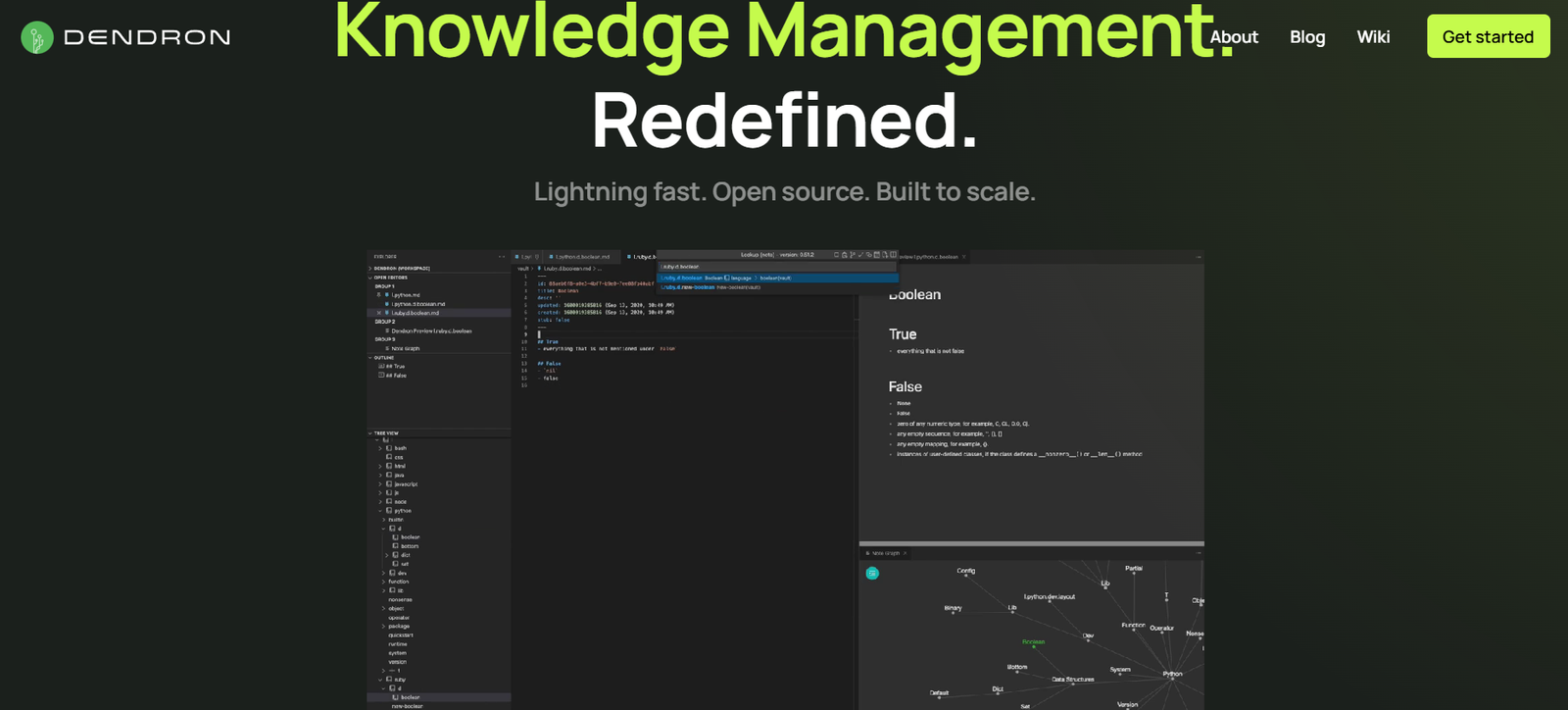
Dendron is a structured note-taking tool built specifically for developers and technical users. Unlike many modern note-taking apps, Dendron runs entirely within Visual Studio Code (VS Code), making it seamlessly integrated into the developer’s daily workflow. It uses Markdown as the foundation for all notes and introduces hierarchical note-taking, helping users build a structured and scalable personal knowledge base.
Created with the belief that better tools lead to better thinking, Dendron stands out by offering a system for long-term knowledge growth. Notes are not just individual documents, but part of a living, evolving workspace. Whether you’re building documentation, tracking engineering knowledge, or managing tasks, Dendron gives you tools to link, organize, and search efficiently. For developers who live in VS Code and prefer a local-first, open, and markdown-based system, Dendron offers a compelling alternative to cloud-based note apps.
Features
Dendron includes powerful features designed with technical professionals in mind:
Hierarchical Note-Taking
Dendron organizes notes using a hierarchical structure with dot-delimited file naming, such as project.design.ui. This creates a logical map of knowledge that scales as your notes grow.
Markdown-Based Notes
All notes are stored as plain-text Markdown files, making them portable, version-controllable, and developer-friendly.
Visual Studio Code Integration
Dendron is built as a VS Code extension, allowing you to write and manage notes without leaving your coding environment.
Powerful Lookup and Navigation
Fast lookup lets you access any note via the command palette. Fuzzy search makes navigation quick and intuitive.
Backlinks and Linking
Link between notes to create relationships and build a network of ideas. Backlinks let you see how notes are connected.
Templates
Create templates to standardize repeated types of notes, such as meeting notes, project briefs, or documentation pages.
Custom Workspaces
Dendron supports multiple vaults and workspaces, so you can separate personal notes, team wikis, or projects.
Journal and Daily Notes
Automated daily journaling allows for time-based tracking of thoughts, tasks, and logs.
CLI Tools
Command-line utilities let you automate, backup, and manage notes directly from your terminal.
Extensible with Plugins
You can extend Dendron’s functionality with plugins, including publishing, diagrams, and Git integrations.
Local-First with Git Support
All data is stored locally. You can version-control your notes with Git, giving you full control and offline access.
How It Works
To get started with Dendron, you first install it as a VS Code extension. Once installed, you create a workspace that acts as your note vault. You can add vaults for different areas of your life or work, such as work, personal, or projects.
When creating a note, you use a dot-delimited naming system like knowledge.programming.javascript. This structure organizes notes into a hierarchy that is easy to navigate and scale. You can link notes using wiki-style links and explore their relationships using backlinks and graph views.
Dendron’s lookup system helps you find and create notes quickly. You use keyboard shortcuts or the command palette to open notes, search content, or insert templates. Notes are written in Markdown, so they are fast to write and easy to read.
Since all notes are local, they can be backed up or synced using Git or other file syncing solutions. Dendron does not rely on any proprietary data format or cloud storage, making it ideal for users who prioritize privacy and portability.
Use Cases
Dendron is especially suited for technical users and developers, but its flexibility supports many workflows:
Developer Knowledge Management
Keep track of code snippets, API references, and development documentation directly inside VS Code.
Project Documentation
Document software projects in a structured format that’s easy to maintain and search.
Personal Knowledge Base
Use Dendron to build a second brain—a place to store ideas, reading notes, or daily journals.
Engineering Wiki
Teams can share a Dendron workspace synced via Git to build internal documentation collaboratively.
Daily Logs and Productivity
Use daily notes to track tasks, goals, and reflections over time.
Learning and Research
Store research, articles, and concepts in a hierarchical structure that makes reviewing and connecting knowledge easier.
Open Source Documentation
Create and manage project documentation that can be easily published with the Dendron Publish plugin.
Pricing
Dendron is completely free and open-source. As of now, there is no paid plan, and all features are available to users without cost. According to the official website, the platform is committed to being open-source and community-driven.
This makes Dendron highly accessible for individuals and teams who want a robust note-taking system without incurring any expenses.
Strengths
Dendron has several strengths that make it highly appealing to developers and technical users:
Fully local and open-source
Seamlessly integrated into Visual Studio Code
Uses Markdown and Git, both familiar to developers
Scalable hierarchical structure for organizing notes
Fast lookup and navigation via keyboard
No reliance on cloud storage or third-party services
Extensible through plugins and templates
Ideal for personal and team documentation
Active development and community support
Drawbacks
Despite its many advantages, Dendron may not be the right fit for everyone:
Requires Visual Studio Code to run
Steeper learning curve for non-technical users
No native mobile app support
Lacks a WYSIWYG editor for those who prefer rich text over Markdown
Setup may be too technical for beginners
Collaboration requires setting up Git or file sync manually
For users unfamiliar with VS Code or Markdown, getting started with Dendron might feel complex compared to tools like Notion or Evernote.
Comparison with Other Tools
Dendron vs Obsidian
Both tools support Markdown and local storage. Dendron has a stronger emphasis on structured hierarchy and is designed for developers using VS Code. Obsidian offers more visual graphing tools and a broader plugin ecosystem for general knowledge workers.
Dendron vs Notion
Notion is a cloud-based app with a graphical interface and supports databases, pages, and rich media. Dendron is more minimal, faster, and developer-friendly but lacks visual formatting tools and built-in collaboration.
Dendron vs Logseq
Logseq focuses on outliner-style notes and is built for daily journaling and task management. Dendron is more hierarchical and integrates with VS Code, making it ideal for project documentation.
Dendron vs Zettlr
Zettlr is another Markdown editor for researchers, with citation tools and export features. Dendron offers more developer-centric features and VS Code integration for engineers.
Customer Reviews and Testimonials
User feedback on platforms like GitHub, Product Hunt, and Reddit highlights Dendron’s strong appeal to developers:
“Dendron is like VS Code for my brain.”
“I’ve tried Obsidian and Notion, but nothing feels as integrated as Dendron inside my dev environment.”
“The hierarchy system is game-changing for organizing notes.”
“Perfect for developers who want total control over their notes.”
“No cloud, no fluff—just fast, clean, and structured knowledge.”
On Product Hunt, Dendron has received positive reviews for being lightweight, open-source, and tailored for technical workflows.
Conclusion
Dendron is a unique and powerful note-taking tool built for developers who want to manage their knowledge within Visual Studio Code. With its local-first architecture, Markdown support, and hierarchical structure, Dendron empowers users to take structured, scalable notes without leaving their coding environment.
While it may not offer the flashy interface or mobile app support of modern cloud-based note apps, it excels in flexibility, control, and speed—especially for technical professionals. If you’re a developer looking for a note-taking solution that integrates directly with your workflow, Dendron is a top choice.
As an open-source and free tool, Dendron represents the philosophy of building your own system and owning your knowledge. For anyone seeking to grow and structure a second brain with full control and transparency, Dendron offers a compelling solution.


