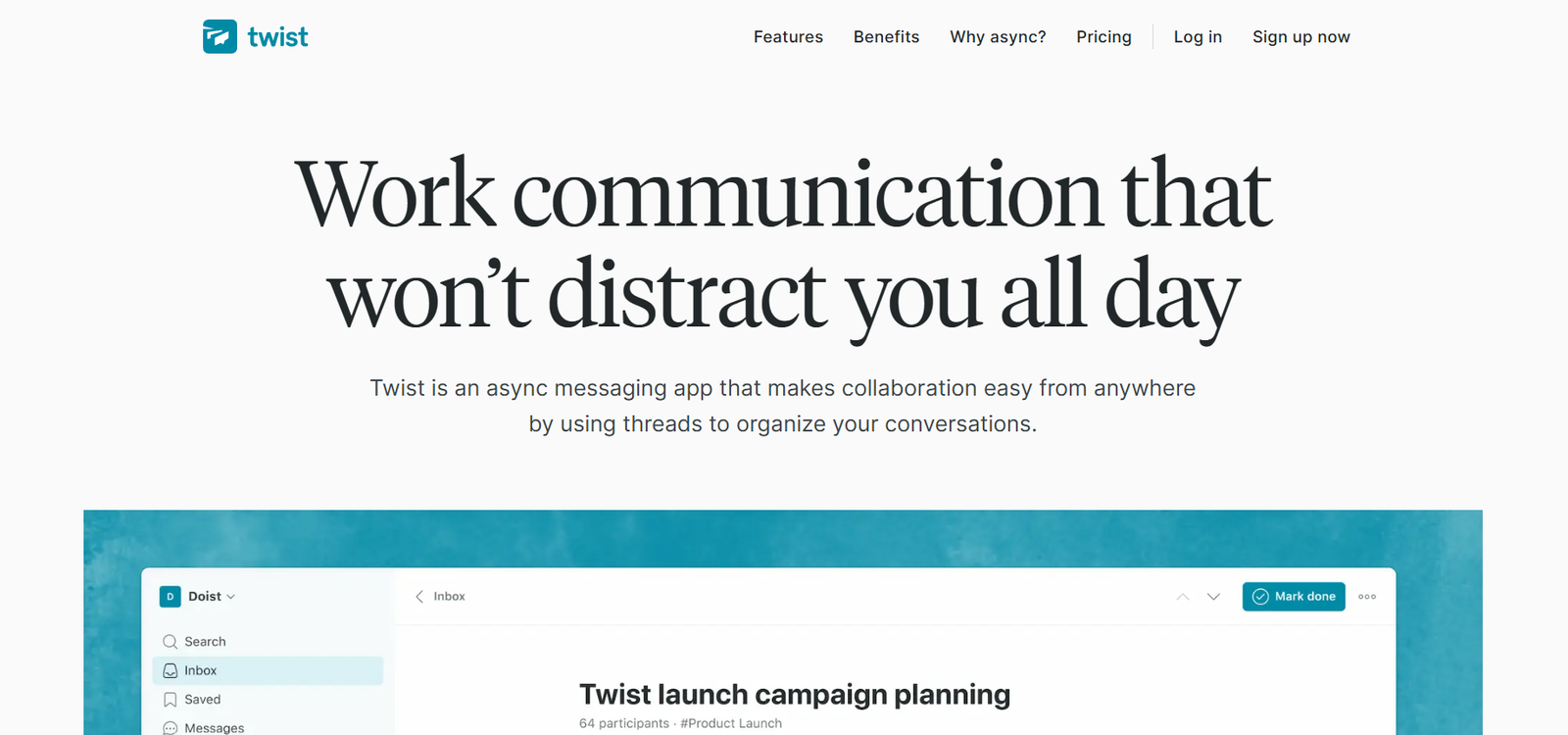
Twist is an asynchronous communication platform built to help remote and distributed teams communicate with more clarity, focus, and less stress. Developed by Doist, the creators of Todoist, Twist is specifically designed to solve the problems caused by real-time messaging apps such as Slack and Microsoft Teams.
The platform moves away from chaotic group chats and embraces a thread-based communication model. This encourages thoughtful, organized conversations that don’t demand immediate replies. Twist is ideal for teams who prioritize deep work and asynchronous collaboration across time zones.
By promoting structured communication and reducing pressure to always be online, Twist offers a calm and focused alternative for modern team collaboration.
Features
Twist introduces several unique features that distinguish it from traditional chat tools.
At the heart of the platform is threaded communication. Conversations are grouped by channels and broken down into threads, allowing users to follow discussions based on topics rather than scrolling through long chat histories.
Users can start new threads within any channel, add rich formatting, and include attachments or links. Replies are tied to the thread, keeping everything organized and easily searchable.
Twist is asynchronous by design, which means it does not show online indicators, typing notifications, or read receipts. This removes the pressure to reply instantly and supports deep, uninterrupted work.
The Inbox in Twist is prioritized and helps users manage what needs attention. They can follow threads, mute irrelevant ones, or archive them after responding.
Twist offers deep search functionality, making it easy to retrieve past conversations, decisions, and files. This supports better knowledge management and helps teams avoid repeating themselves.
The integrations system connects Twist with productivity tools like Todoist, GitHub, Zapier, and Google Drive, enabling seamless task creation and file sharing.
Twist is available on web, desktop, iOS, and Android, ensuring access across all devices. Notifications can be customized to fit the user’s workflow and availability.
Additionally, Twist offers team management features, including guest access, admin controls, and user roles, making it scalable for organizations of different sizes.
How It Works
Teams begin using Twist by creating a workspace and inviting team members. The workspace is structured into channels, which act as categories for discussions such as departments, projects, or initiatives.
Within each channel, users can start threads—these are focused conversations tied to specific topics. A thread can contain an initial message, documents, images, and multiple replies, all stored in a centralized and accessible way.
Replies in a thread are timestamped and preserved, allowing team members to catch up asynchronously without losing context.
The Inbox aggregates all activity relevant to the user, including mentions, replies, and thread updates. This makes it easy to stay on top of responsibilities without monitoring every channel.
Users can also archive or mute threads, helping them filter noise and focus only on what matters.
Twist does not promote real-time chatting. The absence of presence indicators and instant messaging means users can communicate when it works best for them, enabling better time management and work-life balance.
Search is available globally across threads, channels, and messages, helping users find decisions or documents from previous conversations.
Integrations allow users to trigger tasks in Todoist, connect workflows via Zapier, or attach files from cloud storage services like Google Drive or Dropbox.
Use Cases
Twist is particularly well-suited for remote, distributed, and async-first teams looking to improve communication without sacrificing focus.
Remote product teams use Twist to hold structured discussions about features, sprints, and updates across time zones, without the need for frequent meetings.
Engineering teams rely on threads to report bugs, review specs, and follow technical conversations, all in one searchable location.
Marketing departments use channels to brainstorm campaign ideas, collaborate on content, and collect feedback without disrupting deep work.
Creative teams benefit from asynchronous feedback, allowing them to review designs and offer input on their own schedule.
Customer support teams use Twist to document solutions, escalate tickets, and organize FAQs within threads for future reference.
Startups and small teams find Twist useful for reducing tool overload, using it as both a communication and documentation platform.
Organizations focused on deep work culture use Twist to replace real-time messaging with more mindful and documented collaboration.
Pricing
As of December 2025, Twist offers both a generous free plan and a paid plan with advanced features.
The Free Plan includes:
-
Up to 500 team members
-
Unlimited messages
-
Access to 1 month of message history
-
Unlimited integrations
-
Guest users and team roles
-
Apps for web, desktop, and mobile
The Unlimited Plan is priced at $5 per user/month (billed annually) and includes:
-
Unlimited message history
-
Advanced admin controls
-
Priority customer support
-
Customizable user permissions
-
Data export and audit tools
Teams can try the Unlimited Plan with a free trial before committing. There is no credit card required for signup, and teams can upgrade or downgrade at any time.
Strengths
Twist’s primary strength is its focus on asynchronous communication and productivity.
The thread-based model makes conversations easier to follow, revisit, and reference over time, which is a key advantage for documentation and knowledge sharing.
Its minimalist design and lack of real-time pressure reduce stress and context switching, enabling deeper focus and more intentional collaboration.
Twist’s integrations with Todoist, Google Drive, and Zapier allow it to fit into broader workflows without overwhelming users.
Cross-platform availability and scalable team management features make it accessible and flexible for organizations of all sizes.
Strong privacy features and GDPR compliance make Twist suitable for teams with high security standards.
Drawbacks
Twist may not suit teams that require real-time collaboration or fast-paced messaging, such as support desks or sales teams.
Users accustomed to Slack or Microsoft Teams may face an adjustment period, especially if they expect instant replies and live chat interactions.
The limited message history on the free plan could be a challenge for teams needing long-term archival unless they upgrade.
Twist does not include built-in video conferencing, so teams must rely on other tools for live meetings or calls.
Customization options for themes and interface preferences are more limited compared to larger platforms.
Comparison with Other Tools
Twist is often compared with tools like Slack, Microsoft Teams, Basecamp, and Yac.
Compared to Slack, Twist prioritizes structure and async communication over live chat, making it better for focused work but less dynamic in real-time scenarios.
Microsoft Teams is more feature-rich but also more complex and enterprise-focused. Twist offers a cleaner, distraction-free alternative.
Basecamp includes project management features, but its messaging system is less structured than Twist’s threads. Twist complements Basecamp when paired with a stronger messaging backbone.
Yac focuses on voice messaging and async audio, while Twist is text-based and better suited for written communication and documentation.
For teams aiming to reduce meetings, eliminate chat overload, and promote thoughtful communication, Twist offers a clear advantage.
Customer Reviews and Testimonials
Twist is praised by remote teams and async-first organizations for its simplicity, clarity, and impact on productivity.
Users highlight how the threaded conversations improve team alignment, reduce duplicate discussions, and help maintain a searchable record of decisions.
Leaders and managers appreciate the calmer communication environment and reduced urgency compared to Slack.
Many users report improved focus and fewer distractions, as Twist does not demand instant replies or encourage excessive pings.
Feedback includes suggestions for additional integrations, more customization options, and occasional desire for more real-time interaction tools.
Overall, Twist has a strong reputation among those who prioritize intentional, async collaboration and documentation-first workflows.
Conclusion
Twist is a powerful and focused communication tool designed for teams that want to move away from real-time chat chaos and toward a more thoughtful, organized, and asynchronous way of working.
Its threaded structure, distraction-free interface, and deep search capabilities make it ideal for remote teams looking to reduce stress and improve clarity.
With a strong commitment to async collaboration, Twist helps teams stay productive, informed, and connected—without sacrificing their time or focus.
For organizations committed to deep work, transparency, and global collaboration, Twist is a modern solution built for the future of work.