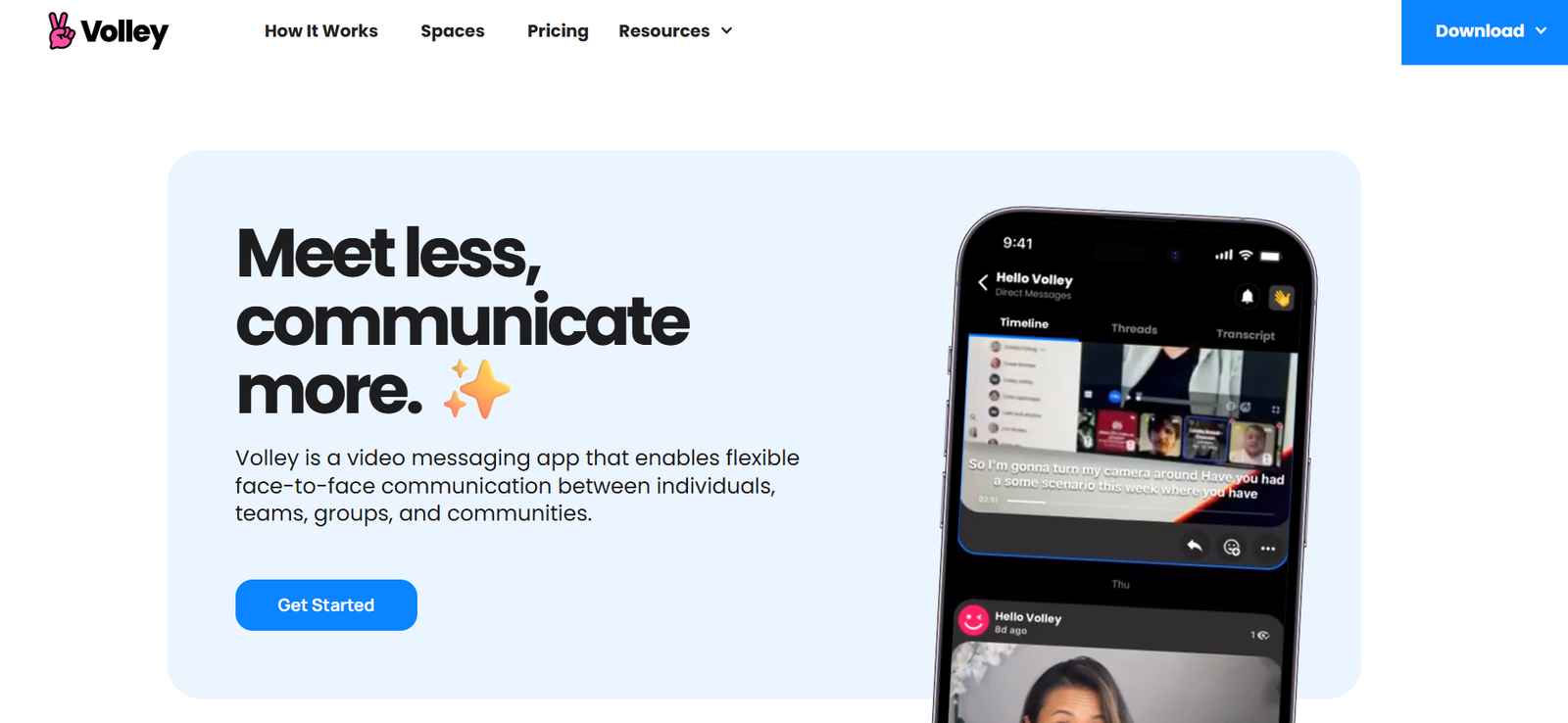
Volley is an asynchronous video messaging app designed to improve team communication by replacing unnecessary meetings with flexible, face-to-face conversations. Rather than scheduling live calls or relying on endless Slack messages, Volley enables users to send video, audio, or text messages that teammates can respond to at their convenience.
This approach creates a more human and personal communication experience while supporting productivity and deep work. Especially valuable for remote teams and busy professionals, Volley offers a middle ground between video meetings and written updates—making collaboration faster, clearer, and more personal.
Features
Volley offers a feature-rich platform built to support async communication with a focus on clarity and connection.
Async Video Messaging
Record and send video messages that teammates can watch and respond to on their own schedule—no need to be online at the same time.
Text, Audio, and Screen Recording
In addition to video, users can send written messages, audio clips, or screen recordings for visual explanations.
Conversation Threads
Organize discussions by topic or project using threaded messages that keep context clear and focused.
Workspaces and Channels
Create team workspaces with specific channels for projects, departments, or teams to keep communication organized.
Threaded Replies
Respond directly to a message in a thread to maintain context and reduce clutter.
Notifications and Playback Controls
Get notified of new messages and control playback speed, allowing users to consume content quickly and efficiently.
Transcriptions
Automatically generate text transcripts from video and audio messages to make content searchable and accessible.
Cross-Platform Access
Available on iOS, Android, macOS, Windows, and web, allowing users to stay in sync across devices.
Message Reactions and Emojis
React to messages with emojis or responses, keeping communication informal and expressive.
Team Invites and Guest Access
Easily add team members or external collaborators to workspaces without friction.
How It Works
Volley operates like a conversation platform that blends video, audio, and text into threaded, organized channels. When you want to communicate something—whether it’s a project update, feedback, or a quick status check—you record a short video message or send a written reply.
Your teammates can then respond when it suits them, using video or other formats. This async model reduces the need to align schedules for meetings, allowing people to respond when they have the time and focus.
Each workspace contains channels and threads, just like a typical team chat tool, but the key difference is the use of video-first communication. Users can jump into a conversation, see each other’s faces, hear their tone, and build stronger team connections—all without being live at the same time.
Volley stores all communication in the cloud, making it easy to search previous threads, revisit important decisions, or onboard new team members with full context.
Use Cases
Volley serves remote and hybrid teams who want more meaningful communication without the pressure of live meetings.
Remote Teams
Communicate clearly and consistently across time zones with async video messages that reduce scheduling friction.
Managers and Team Leads
Give updates, share feedback, and keep the team aligned with regular Volley check-ins that are more personal than text.
Freelancers and Consultants
Update clients, provide walkthroughs, and answer questions on your own schedule—without live calls.
Onboarding New Employees
Send welcome messages, walk through tools, and share training resources in an engaging, video-first format.
Sales and Customer Success
Respond to customer inquiries with personalized videos that build trust and connection without needing a call.
Creative and Technical Teams
Use screen recordings and voice replies to give design or code feedback with full visual context.
Pricing
As of the latest update on the official Volley website, the platform is completely free to use.
Free Plan
Includes all core features—async video messaging, channels, screen recording, transcriptions, mobile and desktop access, and unlimited messages. No premium tiers, paywalls, or feature restrictions are listed.
Volley is currently focused on expanding its user base and refining its product experience. Teams can sign up and start using Volley for free without limitations. For future updates or potential premium offerings, users can check the official Volley pricing page.
Strengths
Async Video First
Provides a unique, video-centered experience that maintains the personal feel of meetings without the time commitment.
Reduces Meeting Overload
Helps teams eliminate unnecessary Zoom calls, freeing up time for deep work.
Flexible Communication
Supports video, text, audio, and screen sharing for versatile communication styles.
Cross-Device Functionality
Works seamlessly across desktop and mobile, keeping team members connected wherever they are.
Human Connection
Facilitates stronger relationships among team members by putting faces and voices front and center.
Free to Use
No cost barrier makes it accessible for startups, freelancers, and teams of any size.
Drawbacks
Not Ideal for Live Collaboration
Volley is designed for async communication, so it’s not suitable for live meetings or real-time brainstorming.
Limited Project Management Features
While great for conversation, it does not include native task tracking, calendars, or project boards.
No Third-Party Integrations Yet
Currently lacks integrations with tools like Slack, Asana, or Trello, which may limit workflow automation.
Video-Centric May Not Suit Everyone
Some users may prefer text-based tools or feel less comfortable with constant video messaging.
Requires Team Buy-In
To be effective, the entire team needs to adopt Volley and commit to the async model, which may take adjustment.
Comparison with Other Tools
Volley is unique in the async video space, though it can be compared with tools that serve adjacent communication needs.
Versus Slack
Slack is great for text-based team messaging. Volley is better for face-to-face video updates and fewer interruptions.
Versus Loom
Loom specializes in one-way video recordings for tutorials or updates. Volley allows back-and-forth threaded conversations and collaborative video chats.
Versus Zoom
Zoom supports live meetings. Volley removes the need for real-time scheduling by supporting async messaging.
Versus Microsoft Teams
Teams combines chat, meetings, and file sharing in one app. Volley offers a simpler, lighter alternative focused on async video.
Versus Discord
Discord offers live voice and text channels. Volley is more structured and async-focused, ideal for professional use.
Volley’s core strength lies in replacing recurring meetings with quick, personal video messages that save time while enhancing clarity.
Customer Reviews and Testimonials
Volley is well-reviewed by users who have integrated it into their daily workflows. Many praise its ability to reduce meetings, improve clarity, and foster stronger team culture.
From user testimonials:
“Volley helps us skip meetings without losing the human touch. It’s like having a hallway conversation, async.”
“Our remote team loves how fast and easy it is to give updates. It saves hours every week.”
“I send client updates with screen recordings in Volley—it’s faster than a meeting and more effective than email.”
Volley has also gained attention on Product Hunt, where users highlight its innovative format and positive impact on communication habits.
Conclusion
Volley offers a fresh and effective approach to team communication by combining the benefits of face-to-face interaction with the flexibility of asynchronous messaging. With support for video, text, audio, and screen recording, it provides a dynamic and human-centered way to collaborate without the constant interruption of live meetings.
Its clean design, ease of use, and no-cost access make it ideal for startups, freelancers, and distributed teams looking to improve how they work together. While it doesn’t replace full project management or live collaboration tools, Volley shines as a focused solution for teams that want more meaningful, flexible conversations.
If you’re overwhelmed by meetings and want to communicate more personally without being tied to a calendar, Volley is a valuable tool to try.