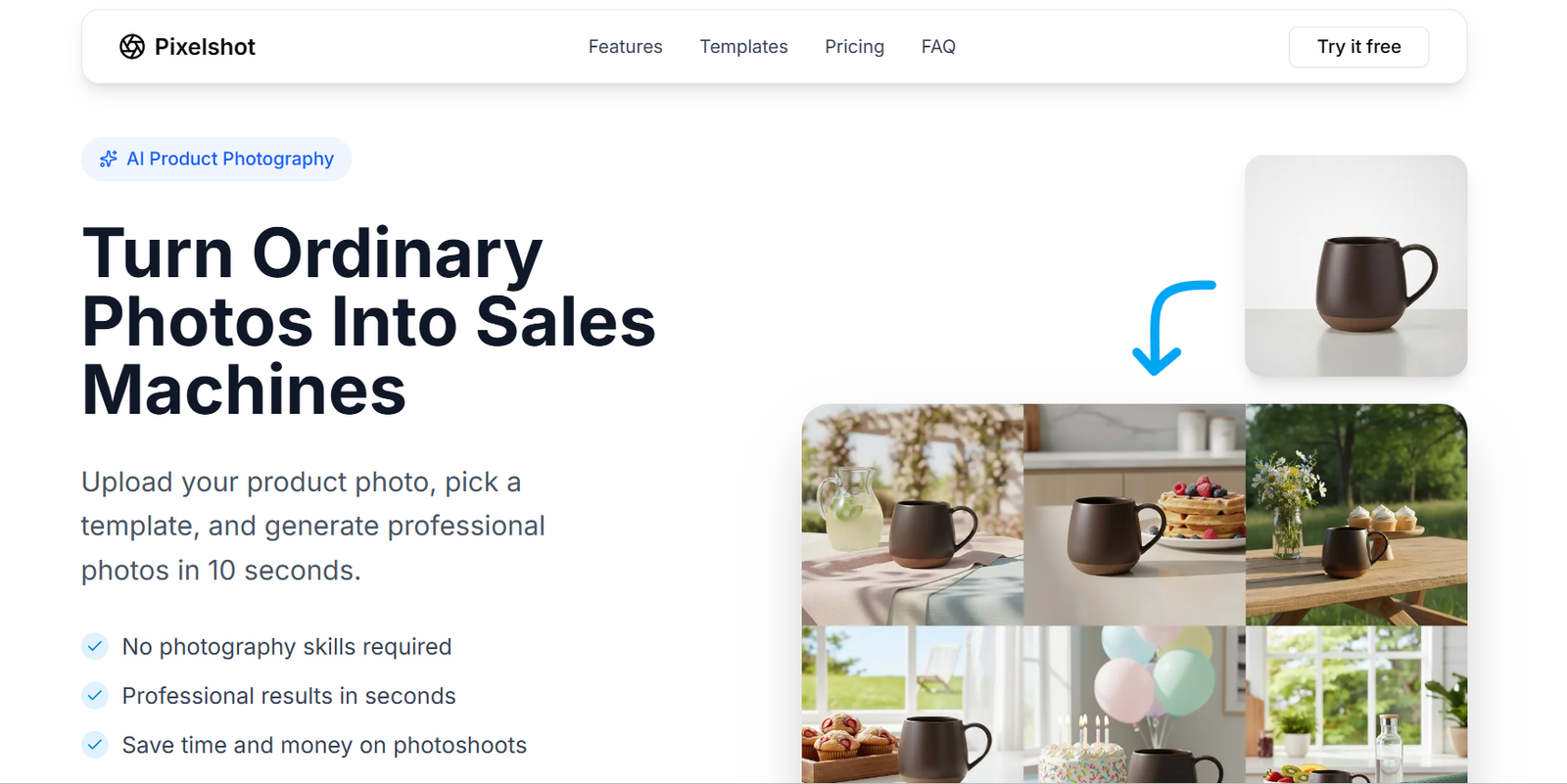
PixelShot AI is an AI-powered image generation platform built specifically for marketers, content creators, and business professionals who need high-quality visuals fast. By combining advanced AI models with marketing-focused templates, PixelShot AI allows users to create unique, royalty-free images tailored to campaigns, content, or brand aesthetics.
Unlike general-purpose image generators, PixelShot AI is designed to support real business needs. From social media ads to blog headers and product mockups, it helps teams eliminate the need for stock photography or lengthy design workflows.
The platform is especially valuable for marketers who need fresh, brand-consistent visuals at scale without relying on external designers or expensive subscriptions to stock photo sites.
Features
AI Image Generator
Users can generate high-resolution images simply by typing a prompt. The AI creates visuals based on the input, with customization options like style, tone, and format.
Marketing Templates
PixelShot AI includes pre-designed templates for marketing use cases such as ad creatives, product displays, social media posts, and email headers.
Brand Customization
Users can set brand colors, fonts, and style preferences. The AI then adapts the generated visuals to align with the brand’s identity.
Royalty-Free Assets
All generated images are royalty-free and can be used in commercial projects without additional licensing fees.
One-Click Resize
Users can automatically resize images for different platforms, including Instagram, Facebook, LinkedIn, and Google Ads, saving time on formatting.
Background Removal
A built-in AI background remover helps create product images, profile pictures, or clean visuals with transparent backgrounds.
Image Variations
PixelShot AI can generate multiple image variations from the same prompt, offering users creative flexibility and a wider selection of options.
Download and Export
Users can download images in multiple formats and resolutions for use in print, digital, or web-based campaigns.
Intuitive Interface
The platform is designed for marketers, not designers. The UI is clean, simple, and easy to use, even for those with no design background.
How It Works
Users begin by signing up on the PixelShot AI platform and accessing the dashboard. To create an image, they type in a prompt describing the scene, product, or concept they want. The AI then generates a visual based on that description.
For users needing more structured outputs, PixelShot AI provides pre-built templates organized by category. These include sections like product ads, blog graphics, and social media visuals.
After image generation, users can tweak aspects of the design, apply branding, change sizes, or generate alternative versions. Once satisfied, the image can be downloaded and used immediately in campaigns or uploaded to scheduling platforms.
No design skills are required, and the entire process from prompt to finished image takes only a few minutes.
Use Cases
Content Marketing
Bloggers and content teams can generate header images, infographics, and illustrations to enhance articles and improve reader engagement.
Ecommerce Marketing
Online sellers can quickly produce product photos, banners, and promotional graphics tailored to different sales channels and seasons.
Social Media Management
Social media teams can create daily content visuals, promotional posts, or engagement graphics without using stock photography.
Paid Ad Campaigns
Marketers running Google Ads or Facebook Ads can generate fresh, high-performing ad creatives tailored to target audiences and offers.
Startup Teams
Startups without in-house designers can maintain a professional, branded look across their marketing channels using AI-generated assets.
Email Marketing
Marketers can design banner images, product shots, or themed graphics for newsletters and campaigns directly within the platform.
Agencies and Freelancers
Creative professionals can speed up client projects by generating high-quality visuals based on campaign goals or mood boards.
Pricing
As of the latest available information from the official website, PixelShot AI offers the following pricing tiers:
Free Trial
Allows users to explore the platform and generate a limited number of images. Useful for testing basic features before subscribing.
Pro Plan
Includes unlimited image generation, access to marketing templates, higher resolution downloads, and background removal tools. Designed for solo marketers and content creators.
Team Plan
Offers collaboration features, team workspaces, shared branding settings, and multi-user access. Best suited for small businesses and marketing teams.
Enterprise Plan
Custom pricing and advanced features such as API access, white labeling, and volume-based usage for larger organizations or agencies.
For current and detailed pricing, visit the PixelShot AI pricing page.
Strengths
Marketing-Focused Design
Built specifically for marketers and content teams, with use cases aligned to real campaign needs.
Fast and Scalable
Generates images in minutes, allowing teams to scale content production quickly without hiring designers.
Custom Branding
Helps maintain a consistent visual identity across all assets by allowing users to embed their brand guidelines.
All-in-One Tool
Combines image generation, resizing, background removal, and export in one platform, reducing the need for additional software.
No Design Skills Required
Empowers non-designers to create professional visuals without relying on expensive tools or contractors.
Royalty-Free Usage
Eliminates licensing worries by offering royalty-free images for commercial use.
Drawbacks
Prompt Quality Matters
The quality of generated images depends on how well the prompt is written. Users may need to iterate for the best results.
Limited Advanced Editing
PixelShot AI is not a full image editor like Photoshop. Complex edits or layered compositions may require external tools.
Template Variety
While templates cover key marketing use cases, creative professionals may want more variety or design freedom.
Free Tier Limitations
The free version has usage caps and restricted access to high-resolution downloads and brand tools.
Internet Access Required
Being a cloud-based tool, it requires an internet connection to function, which may limit access in offline scenarios.
Comparison with Other Tools
Compared to general AI art generators like Midjourney or DALL·E, PixelShot AI is focused entirely on business and marketing use cases. This makes it more practical for professionals who need output that is usable in real campaigns.
Unlike Canva, which is template-based and requires manual editing, PixelShot AI generates original visuals from prompts, offering a creative advantage for fresh content.
Versus stock photo platforms like Shutterstock or Adobe Stock, PixelShot AI eliminates licensing fees and allows for more customization and brand alignment.
In contrast to design software like Photoshop, PixelShot AI simplifies the process for non-designers and accelerates asset creation with AI automation.
Customer Reviews and Testimonials
While formal reviews are still limited due to the platform’s recent launch, early users and digital marketers have shared positive feedback online.
Users highlight the tool’s speed, simplicity, and relevance for campaign-based content. Small business owners mention that PixelShot AI helps them save money on design services, while content creators appreciate how easily they can maintain visual consistency.
Marketers praise the brand customization and royalty-free usage, noting it has reduced their dependency on stock images or lengthy design cycles.
As the platform continues to grow, user testimonials and case studies are expected to become more prominent.
Conclusion
PixelShot AI is a practical, purpose-built solution for marketers and content creators who need fast, flexible, and branded visuals. By combining AI image generation with marketing templates and brand tools, it removes the need for stock images or manual design software.
Whether you’re running social ads, building blog content, or designing product visuals, PixelShot AI delivers high-quality images tailored to your message and audience—without the cost or delay of traditional design methods.