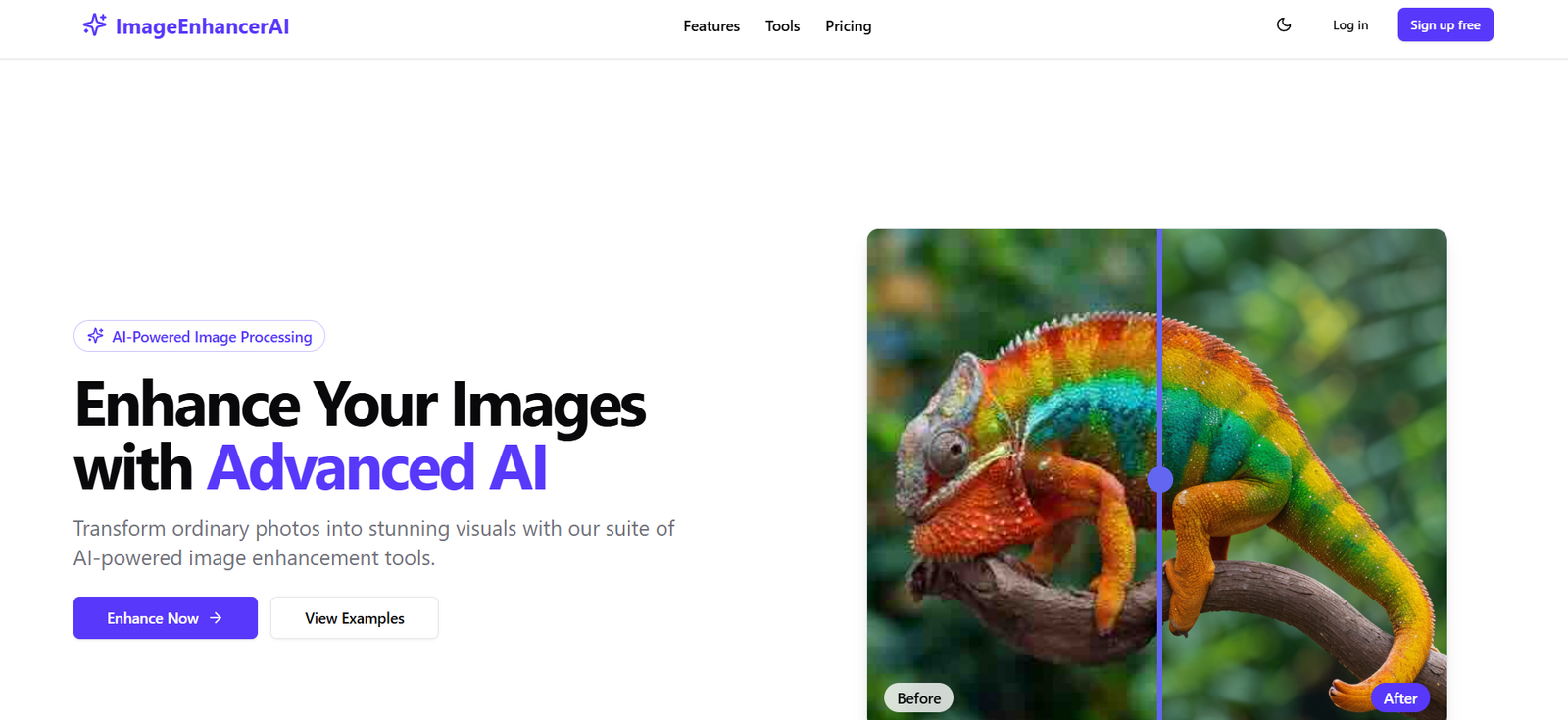
Image Enhancer AI is an online tool that uses artificial intelligence to enhance image quality with just a single click. Built for users who want to upscale, denoise, sharpen, or improve image resolution without complex software or manual editing, it offers a fast and easy solution for restoring and improving visual content.
Designed for photographers, digital marketers, eCommerce sellers, designers, and casual users alike, Image Enhancer AI simplifies the photo enhancement process by automating the most common image corrections—like removing noise, fixing blur, and improving clarity—via powerful machine learning models.
Official website: https://imageenhancerai.com
Features
1. One-Click Image Enhancement
Improve photo quality instantly. Just upload your image and let the AI handle denoising, sharpening, and upscaling.
2. AI Upscaling
Increase the resolution of low-quality or pixelated images by 2x or 4x without losing detail—ideal for print, web, or eCommerce.
3. Noise Reduction
Automatically detect and remove digital noise from compressed or low-light photos, making them cleaner and more professional.
4. Image Sharpening
Fix blurred images by enhancing edges and detail clarity without introducing artifacts.
5. Web-Based Platform
No need to download or install software. The tool is accessible through any modern web browser.
6. Batch Processing Support (Coming Soon)
According to the site, support for enhancing multiple images at once is in development.
How It Works
Image Enhancer AI streamlines the process into three simple steps:
Upload Your Image
Click “Upload Image” and select a photo from your device. Supported formats include JPG and PNG.Let the AI Process It
The AI analyzes the image and automatically enhances it by improving sharpness, removing noise, and upscaling resolution.Download the Result
Once the enhancement is complete, you can preview the result and download the improved image in high resolution.
The platform is optimized for ease of use, making it suitable for all users, including those with no technical or design experience.
Use Cases
1. eCommerce Product Listings
Enhance product photos for online marketplaces like Amazon, Etsy, or Shopify by making them clearer and more professional.
2. Social Media and Content Creation
Improve clarity and detail of images used in Instagram posts, YouTube thumbnails, and blog visuals.
3. Photography and Restoration
Fix old, blurry, or low-resolution images for personal use or client delivery.
4. Real Estate Marketing
Make property images sharper and more appealing in listings or brochures.
5. Print and Branding Assets
Upscale logos, product shots, or other visuals for high-quality printing without pixelation.
6. Academic and Archival Use
Enhance scanned documents, charts, or old yearbook photos for reports and digital archives.
Pricing
As of June 2025, Image Enhancer AI operates on a pay-per-use model, making it cost-effective for occasional users and professionals alike.
Free Trial
Enhance 1 image
Preview download available (watermarked)
Good for testing output quality
Pay-as-You-Go
1 credit = 1 image enhancement
Starting at $0.20 per image
No subscription required
Discounted bundles available (e.g., 50 credits for $8)
Subscription Plan (Coming Soon)
Monthly credits
Unlimited access options
Advanced features like batch upload and cloud storage
For full pricing details and updates: https://imageenhancerai.com
Strengths
Fast and Simple: One-click enhancement for non-technical users.
High-Quality AI Output: Impressive results for upscaling and denoising compared to basic filters.
No Software Needed: 100% browser-based with no installation required.
Cost-Efficient: Pay-as-you-go model is affordable for freelancers and occasional users.
No Learning Curve: Intuitive UI designed for maximum accessibility.
Drawbacks
Limited Customization: No manual adjustment sliders (e.g., for contrast, brightness, etc.).
One Image at a Time: No current support for batch processing.
No Mobile App: Platform works best on desktop browsers.
No Advanced Editing Tools: Purely an enhancement tool—not a full-featured photo editor.
Comparison with Other Tools
Versus Let’s Enhance: Let’s Enhance provides more style options and eCommerce presets, but Image Enhancer AI is faster and more user-friendly.
Versus Topaz Photo AI: Topaz offers deeper control and offline software, but requires installation and is more expensive. Image Enhancer AI works instantly in the browser.
Versus Remini: Remini focuses more on facial restoration for mobile users. Image Enhancer AI is more general-purpose and desktop-based, with better support for various image types.
Image Enhancer AI is ideal for users who need quick, high-quality improvements without diving into complex editing.
Customer Reviews and Testimonials
While the platform is relatively new and doesn’t yet feature testimonials on the website, early user feedback (via forums and social posts) praises:
“I used it to clean up a blurry old family photo—huge improvement and really easy to use.”
“Perfect for quickly enhancing product photos without hiring a designer.”
“Much better than free apps—cleaner results and no ads.”
Users appreciate the tool’s simplicity, speed, and clarity of results.
Conclusion
Image Enhancer AI is a lightweight, effective solution for enhancing images through the power of artificial intelligence. With features like upscaling, denoising, and sharpening packed into a one-click interface, it’s perfect for individuals and businesses who want professional-looking images without spending hours editing.
Whether you’re prepping eCommerce visuals, restoring old photos, or polishing assets for social media, Image Enhancer AI offers an accessible, high-impact toolset—no downloads or skills required.