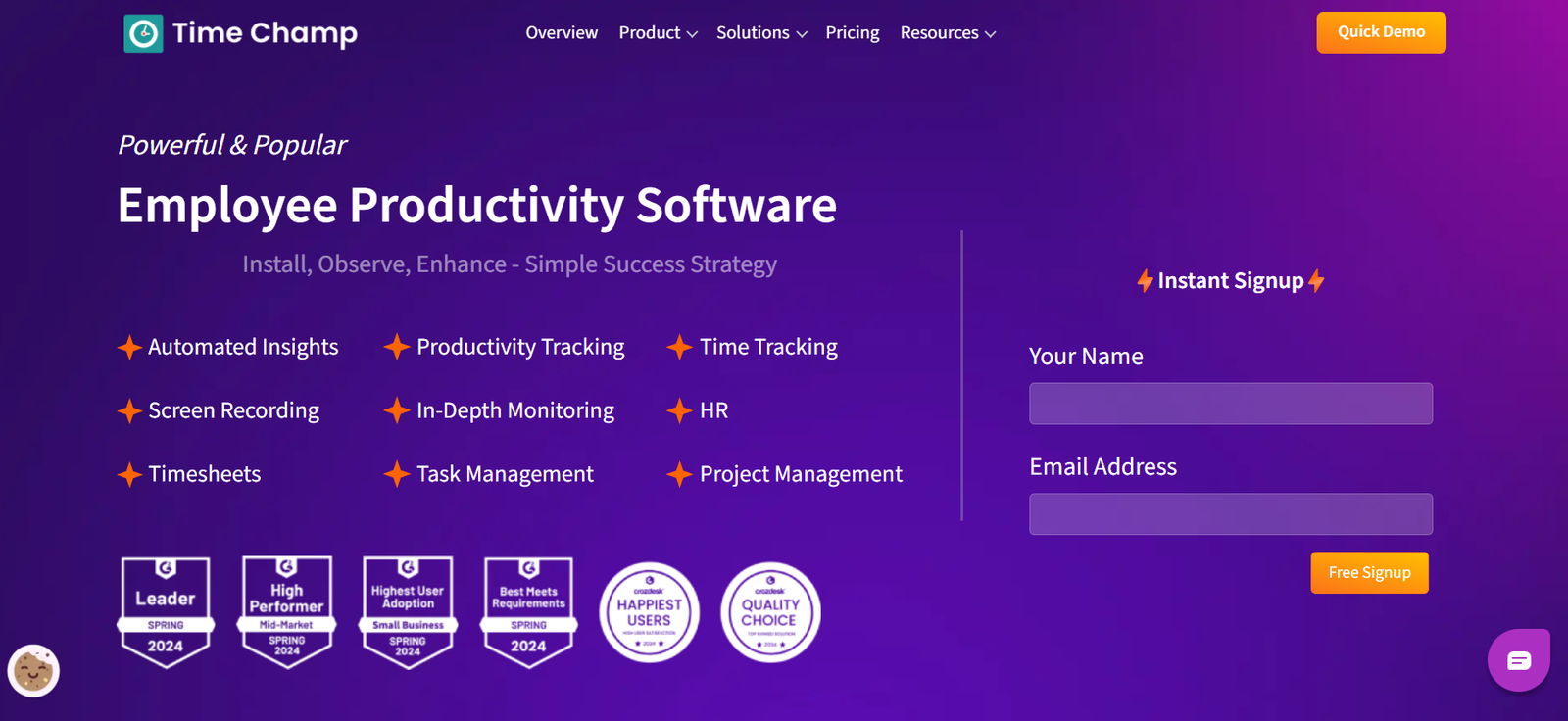
TimeChamp.io is a comprehensive employee productivity monitoring and time tracking platform designed to help organizations improve efficiency, accountability, and transparency. It provides deep insights into how teams spend their time, track project progress, manage attendance, and ensure operational visibility in remote and hybrid work environments.
By combining time tracking, employee monitoring, and task analytics into one platform, TimeChamp empowers managers to optimize performance while maintaining a balanced and ethical oversight model. It supports businesses across industries—from IT services and customer support to HR and consulting—helping them make data-driven workforce decisions.
Whether you’re a startup or an enterprise, TimeChamp.io helps you track time, understand productivity trends, and ensure your workforce is aligned with business goals.
Features
TimeChamp.io offers an extensive suite of features across time management, productivity analytics, and employee engagement:
Automatic Time Tracking: Track work hours accurately without manual input across desktops and devices.
Activity Monitoring: Capture active/idle time, app and website usage, keystrokes, and mouse activity.
Screenshots and Session Replay: Take screenshots at intervals or review screen recordings to verify task progress.
Attendance and Leave Management: Monitor daily check-ins, check-outs, leave requests, and approvals.
Task and Project Tracking: Assign tasks, monitor task completion, and manage deadlines.
Productivity Scoring: Automatically classify activities as productive or unproductive based on company policies.
Team and Individual Reports: View detailed analytics on time usage, overtime, and employee efficiency.
Integration Support: Connect with tools like Slack, Microsoft Teams, Jira, and more.
Data Privacy Controls: Configurable settings to ensure compliance with employee monitoring regulations.
These features offer complete visibility into team performance while promoting accountability and data-informed management.
How It Works
TimeChamp.io is designed to be simple to implement and intuitive to use:
Create an Account: Sign up at https://www.timechamp.io and onboard your team.
Install the Agent: Install the lightweight TimeChamp desktop agent on employee systems (Windows, macOS, or Linux).
Configure Settings: Define work hours, monitoring levels, privacy controls, and productivity classification rules.
Start Tracking: The software automatically logs time, user activity, and app usage in the background.
Access Reports: Use the web dashboard to view real-time insights, activity heatmaps, and productivity trends.
Manage Teams and Tasks: Assign and track tasks, set goals, and analyze output based on actual data.
TimeChamp runs quietly in the background and captures all essential metrics without disrupting workflow.
Use Cases
TimeChamp.io serves a wide variety of industries and business scenarios:
Remote and Hybrid Teams: Maintain visibility and accountability across distributed workforces.
IT and Development Firms: Track billable hours, project timelines, and task productivity.
Customer Support Centers: Monitor agent availability, task adherence, and idle times.
Freelancer and Contractor Management: Ensure accurate time reporting and productivity without manual logs.
HR and Compliance: Use attendance tracking and usage analytics for audits, payroll, and compliance documentation.
Project Managers: Analyze time allocation across teams and projects to improve planning and resource distribution.
TimeChamp is suitable for companies of all sizes looking to streamline workforce operations.
Pricing
As of May 2025, TimeChamp.io offers flexible pricing plans based on company size and feature needs:
Free Plan:
Time tracking for up to 3 users
Basic productivity reports
Limited historical data access
Standard Plan (for small to medium teams):
Advanced activity tracking
Screenshot capture
Attendance management
Priority support
Enterprise Plan (custom pricing):
Unlimited users
API access and integrations
White-labeling and advanced reporting
Dedicated onboarding and customer success manager
Exact pricing details are available upon request or during the signup process. The free plan allows small teams to trial the software before upgrading.
Strengths
TimeChamp.io stands out for its comprehensive approach to time and productivity tracking:
All-in-One Solution: Combines time tracking, monitoring, task management, and attendance in one tool.
Highly Configurable: Flexible monitoring options to fit company culture and data privacy preferences.
User-Friendly Interface: Intuitive dashboards and easy report generation.
Platform Agnostic: Works across Windows, macOS, and Linux systems.
Real-Time Insights: Managers can spot bottlenecks or performance dips as they happen.
These strengths make TimeChamp a robust solution for workforce visibility and performance management.
Drawbacks
Despite its strengths, TimeChamp.io has a few limitations to consider:
Monitoring May Raise Privacy Concerns: Employees may feel uncomfortable with screenshot or session tracking unless transparency is ensured.
Requires Agent Installation: Needs a desktop client, which may be a barrier for BYOD policies.
Learning Curve for Admins: Setting up classifications, permissions, and integrations can take time initially.
No Mobile App (as of current release): Full functionality is limited to desktop environments.
These trade-offs are typical for advanced employee monitoring solutions and can be managed through clear policy and user training.
Comparison with Other Tools
TimeChamp competes with several time tracking and productivity platforms. Here’s how it compares:
Versus Hubstaff: Hubstaff offers similar features but has higher pricing for advanced analytics. TimeChamp is often more cost-effective for small teams.
Versus Time Doctor: Time Doctor includes similar screenshot and activity tracking, but TimeChamp offers broader task management tools.
Versus Toggl Track: Toggl is simpler and manual-focused, whereas TimeChamp is more automated and data-rich.
Versus ActivTrak: ActivTrak is designed for enterprise behavioral analytics; TimeChamp is more accessible for small to mid-sized teams.
TimeChamp strikes a balance between feature-rich monitoring and practical usability at a competitive price.
Customer Reviews and Testimonials
User feedback from businesses using TimeChamp highlights strong satisfaction with its ease of use and data-driven approach:
“TimeChamp has improved transparency and helped us identify where time is really going.”
“The reports are clear, and the dashboard gives us everything we need to manage our remote team.”
“As a startup, TimeChamp gave us enterprise-grade features without the enterprise cost.”
Positive sentiment often focuses on real-time visibility, cost-effectiveness, and the simplicity of onboarding teams.
Conclusion
TimeChamp.io is a powerful and accessible productivity tracking platform that helps companies improve time management, operational transparency, and team performance. With its automated tracking, real-time analytics, and broad feature set, TimeChamp is ideal for modern businesses looking to gain better control over their workflows and workforce productivity.
Whether you’re managing a remote team, scaling your operations, or optimizing resource allocation, TimeChamp.io provides the visibility and tools needed to succeed.