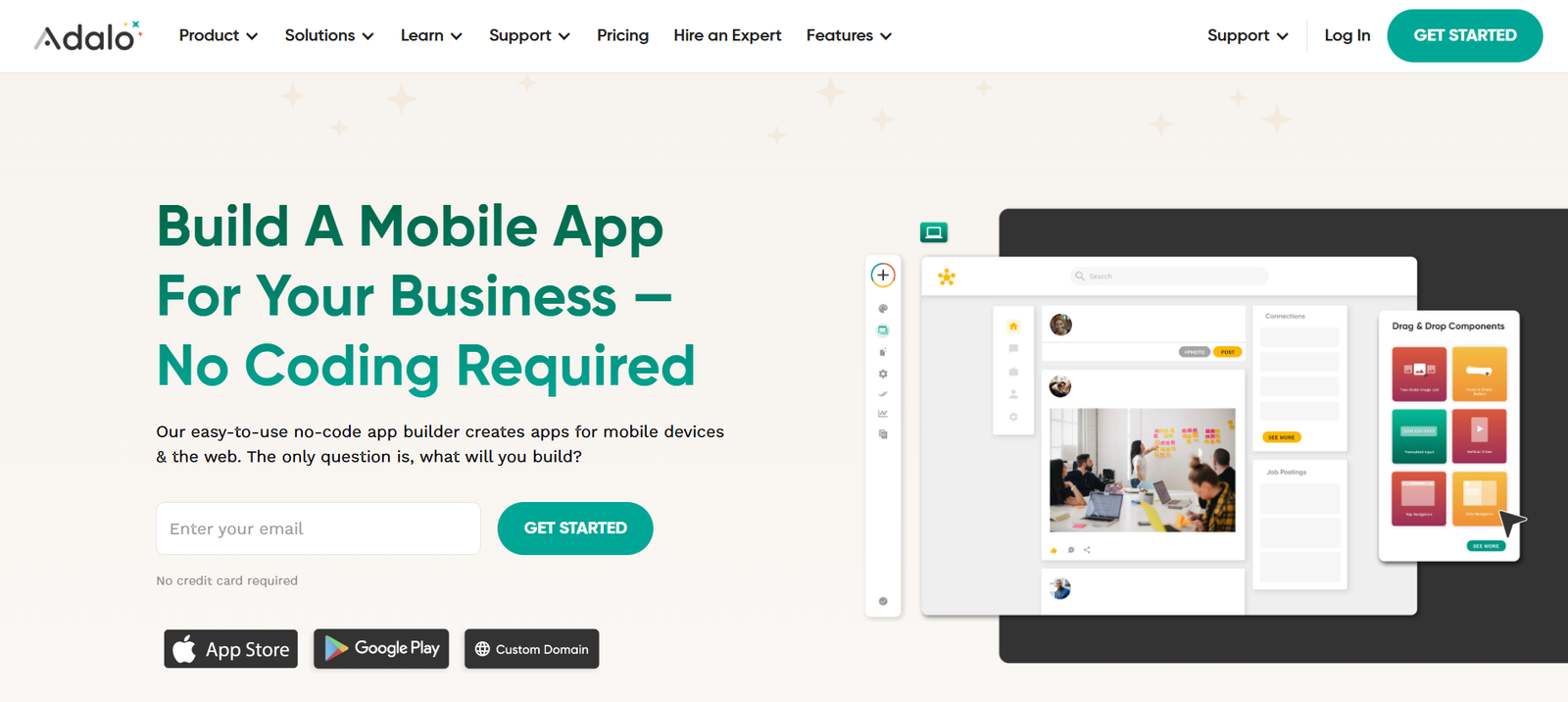
Adalo is a no-code platform that allows users to design, build, and publish mobile and web apps visually. It enables you to create fully functional applications complete with user logins, databases, complex workflows, and native device features—all using a drag-and-drop interface.
With Adalo, you can build native iOS and Android apps as well as responsive web apps. Once your app is ready, you can publish directly to the App Store and Google Play, making it ideal for creators, entrepreneurs, and small businesses looking to build custom digital experiences without a development team.
Key Features of Adalo
1. Visual App Builder
Adalo’s intuitive drag-and-drop interface allows you to build screens, design layouts, and connect components visually. You can fully control the user interface and navigation flow without code.
2. Built-In Database and External Integrations
You can create a structured database within Adalo to store and manage data like users, products, or tasks. It also supports external databases and APIs for integrating with tools like Airtable, REST APIs, or Xano.
3. Custom Actions and Workflows
Adalo enables you to define complex app logic through custom actions and workflows. These can be triggered by user actions like button clicks, form submissions, or screen changes.
4. User Authentication
Add secure user login and sign-up flows with ease. Adalo supports user sessions, profile management, and user-specific content filtering.
5. Payments and Stripe Integration
Monetize your app with built-in Stripe integration for accepting one-time or recurring payments.
6. Component Marketplace
Adalo provides a growing library of components and plug-ins, including calendars, charts, swipeable lists, and more. You can also create your own components using Adalo’s Component Builder.
7. Publish to iOS, Android, and Web
Build once and deploy your app across platforms. Adalo handles the technical requirements of publishing to the Apple App Store and Google Play.
8. Responsive Design (in beta)
Responsive capabilities are improving, with Adalo introducing tools to help apps adapt better to different screen sizes.
How Adalo Works
Step 1: Create an Account
Sign up at adalo.com and start a new project by choosing a native mobile app or a web app.
Step 2: Design the Interface
Use the visual builder to drag and drop components like buttons, images, lists, and forms onto your screens. Customize them with your brand’s colors, fonts, and icons.
Step 3: Define the Database
Create collections to store user data, content, or products. Set up relationships between collections (e.g., users and orders).
Step 4: Build Workflows
Add actions to buttons and components—such as navigating to a screen, submitting a form, sending an email, or running a custom API request.
Step 5: Add User Authentication
Enable user login, sign-up, and password recovery features with built-in authentication tools.
Step 6: Test and Preview
Preview your app using Adalo’s native mobile previewer or the browser-based simulator to ensure your app works correctly.
Step 7: Publish
When ready, publish to the web or submit your app to the iOS App Store and Google Play through Adalo’s publishing process.
Use Cases for Adalo
Startup MVPs
Quickly build a prototype or MVP to validate an idea, test with users, and attract investors.
Membership Apps
Create mobile apps for communities, online courses, or coaching programs with login, content, and payment features.
Internal Business Tools
Design custom CRMs, inventory management tools, or employee portals tailored to your team’s needs.
Marketplaces
Build service or product-based marketplaces with user profiles, product listings, and payment features.
Event Apps
Create apps for conferences or meetups that include schedules, speaker info, and interactive features.
E-commerce Apps
Build storefronts that allow users to browse, add to cart, and pay—all natively within your app.
Adalo Pricing
As of May 2025, Adalo offers the following pricing plans:
Free Plan
Build and test unlimited apps
Adalo branding on your apps
Web preview only (no app store publishing)
Limited data records and functionality
Great for prototyping and learning
Starter Plan – $36/month
Publish to web
Remove Adalo branding
Up to 10,000 data records
Ideal for internal tools and web-based apps
Professional Plan – $52/month
Publish to iOS and Android
Push notifications
Increased storage and bandwidth
Support for external APIs
Suitable for most production apps
Team and Business Plans
Advanced support, collaboration tools, and app performance scaling
Custom pricing based on usage and business needs
The most current pricing and feature breakdown can be found on the Adalo pricing page.
Strengths of Adalo
1. True No-Code Native App Builder
Few platforms let you publish real native mobile apps without code. Adalo simplifies this process considerably.
2. Fast to Prototype and Iterate
You can go from idea to working app in a matter of hours, making it ideal for MVP development and testing.
3. All-in-One Platform
From design to database to publishing, Adalo covers the entire development cycle in one interface.
4. Community and Marketplace
An active community and a growing marketplace of components and templates make it easy to expand app functionality.
5. Support for Custom Code
Advanced users can create their own components or integrate APIs for additional flexibility.
Drawbacks of Adalo
1. Performance Limitations
For apps with heavy data or complex logic, Adalo can be slower than custom-coded solutions.
2. Limited Responsive Design (In Beta)
Responsive features are still being refined, which can affect the usability of web apps on larger screens.
3. Dependency on Platform Features
Some advanced mobile features may require workarounds or are not fully supported out of the box.
4. Publishing Process Can Be Technical
Although Adalo helps with app store publishing, it still involves technical steps like creating developer accounts and managing certificates.
Comparison with Other No-Code App Builders
Adalo vs. Glide
Glide is best for spreadsheet-based apps and rapid prototyping. Adalo offers deeper customization and native mobile publishing.
Adalo vs. Bubble
Bubble is a web-first platform with more powerful logic and database handling. Adalo focuses on mobile-first experiences and native deployment.
Adalo vs. FlutterFlow
FlutterFlow offers a more developer-oriented low-code approach, with control over Flutter code. Adalo remains more accessible for complete no-code users.
Adalo vs. Thunkable
Thunkable is also a mobile-first platform, but Adalo provides a more user-friendly interface and stronger visual design capabilities for non-technical users.
Customer Reviews and Testimonials
Adalo is praised by solopreneurs, educators, startups, and developers for its ease of use and fast prototyping capabilities.
“Adalo helped me launch my MVP in two weeks without a developer. It’s the most user-friendly app builder I’ve used.” – Rachel T., Startup Founder
“As a non-technical founder, I was intimidated by app development. Adalo gave me full control and confidence.” – Mike A., Product Manager
“Our internal inventory app is now fully built on Adalo. It’s saved us thousands in development costs.” – Laura G., Operations Lead
The platform continues to gain popularity for its combination of simplicity and production-ready features.
Conclusion: Is Adalo Worth It?
If you’re looking to build and publish mobile or web apps without coding, Adalo is one of the most accessible and capable platforms available today. Its visual builder, built-in database, and native deployment support make it a strong choice for solopreneurs, startups, and small businesses.
While not ideal for extremely complex or performance-heavy applications, Adalo shines in the creation of MVPs, internal tools, and fully functional mobile apps. With a generous free plan and affordable pricing tiers, it’s easy to get started and scale as your app grows.