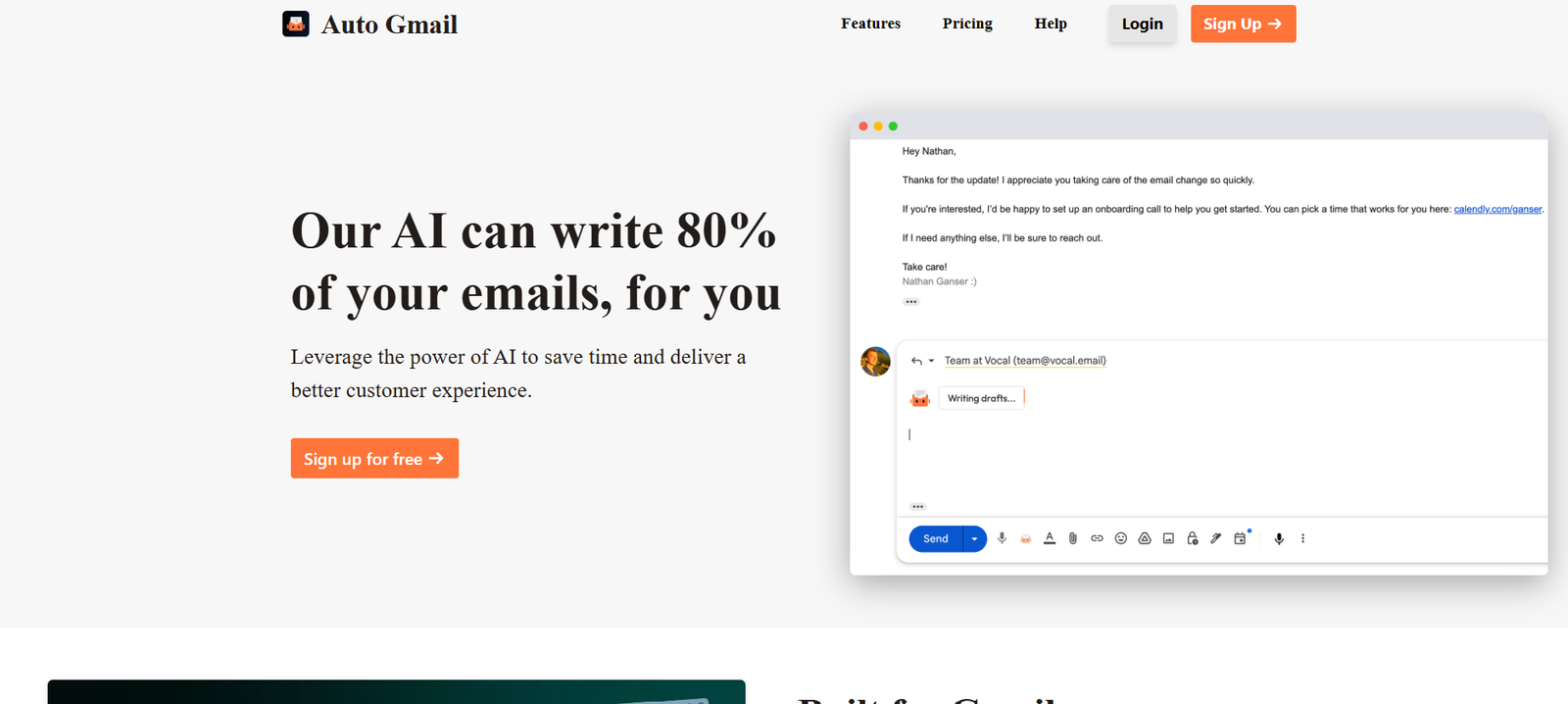
Auto Gmail is a fully autonomous AI tool that automatically reads, writes, and sends replies to emails in Gmail without human input. Designed for busy professionals, solo founders, and teams dealing with high volumes of email, Auto Gmail removes the burden of daily email management by using AI to intelligently craft and send context-aware responses.
Unlike traditional email assistants or smart reply tools, Auto Gmail goes beyond suggestions—it actually executes. Once enabled, it manages your inbox in real time, responding to messages with high-quality, on-brand replies, helping you maintain communication and save hours of manual effort.
Features
Auto Gmail offers a robust feature set for complete inbox automation:
Fully Automated Email Replies: AI reads incoming emails and sends smart replies without human review.
Contextual Understanding: AI uses the full conversation history to craft accurate and relevant responses.
Custom Instructions: Define brand voice, tone, and preferences for tailored communication.
Gmail Integration: Seamlessly connects to your Gmail account with secure authentication.
Conversation Memory: Tracks ongoing email threads and follows up accordingly.
Auto-Send Mode: Set the tool to automatically send emails with no review needed, or manually approve drafts.
Inbox Rules: Apply filters to control which emails are handled by the AI.
Privacy and Security: Data is encrypted and never used to train third-party models.
How It Works
Auto Gmail is built for hands-off automation. Here’s how it works:
Connect Gmail Account: Sign in securely with your Gmail account and grant access.
Set Preferences: Define tone, default response rules, and content guidelines.
Enable Auto Mode: Allow Auto Gmail to start reading and responding to emails on your behalf.
Monitor or Adjust: Review sent emails anytime and adjust reply behavior or instructions.
Stay Hands-Free: Let the AI manage conversations while you focus on higher-priority work.
You can opt to review emails before sending or activate full automation for a truly hands-free inbox experience.
Use Cases
Auto Gmail is ideal for professionals who manage high volumes of email and want to reduce time spent in their inbox:
Startup Founders: Automatically handle investor outreach, partnership inquiries, and press emails.
Customer Support Teams: Respond instantly to common support or product questions.
Freelancers: Keep client communication flowing without getting bogged down.
Sales Professionals: Maintain responsiveness with leads and prospects across time zones.
Busy Executives: Stay connected while minimizing time spent reading and replying manually.
Pricing
As of the latest information from the official website, Auto Gmail offers a simple pricing model:
Starter Plan – Free
Limited replies per day
Manual review before sending
Great for testing and casual inbox use
Pro Plan – $30/month
Unlimited replies
Full auto-send mode
Advanced customization (tone, rules)
Priority customer support
Best for daily users and professionals
Business Plan – Custom Pricing
Team account access
Dedicated onboarding
Admin controls and analytics
Ideal for customer service and sales teams
All plans include a secure Gmail integration and access to updates as the product evolves.
Strengths
Auto Gmail brings several key advantages for inbox-heavy users:
True Autonomy: Unlike email draft tools, this AI actually sends replies on your behalf.
High Accuracy: Replies are contextual, tone-matched, and relevant to each email.
Time-Saving: Frees up hours per week that would otherwise be spent manually replying.
Custom Voice: Reflects your tone and style with adjustable prompts and rules.
Flexible Control: Toggle between manual and full-auto modes for complete flexibility.
Drawbacks
There are a few limitations to consider:
Gmail Only: Currently supports Gmail only—not Outlook or other email platforms.
Learning Curve for Trust: Users may hesitate to allow full automation without monitoring initially.
Not for Sensitive Emails: For high-stakes or confidential communications, manual oversight is still recommended.
Limited Formatting Options: Focused on plain-text or simple replies—no advanced styling or attachments.
Comparison with Other Tools
Versus Gmail Smart Reply: Gmail offers basic one-liner suggestions. Auto Gmail generates and sends full responses.
Versus Superhuman: Superhuman is a fast email client; Auto Gmail is a hands-free automation tool.
Versus ChatGPT in Gmail: ChatGPT can draft responses, but requires manual input. Auto Gmail handles the entire flow from read to reply to send.
Versus Missive or Front: These tools focus on team inbox collaboration; Auto Gmail is focused on solo automation and speed.
Customer Reviews and Testimonials
Early adopters have shared positive feedback about the time saved and stress reduced:
“Auto Gmail handles 80% of my inbox while I focus on clients and building.”
“I was skeptical at first, but now I can’t imagine going back to replying manually.”
“It’s like having a full-time email assistant for $1/day.”
Users report a significant drop in daily email load and better inbox hygiene.
Conclusion
Auto Gmail is a cutting-edge email automation tool that goes beyond AI suggestions—it reads, writes, and sends replies on your behalf. Ideal for professionals with overloaded inboxes, it delivers a productivity boost by taking email management off your plate, while maintaining professionalism and personalized tone.
If you’re tired of email taking over your day and want to scale your communication with minimal effort, Auto Gmail offers the smartest way to automate your Gmail inbox in real time.